


Copy link to clipboard
Copied
How do I stop this from showing up every time I open my CC Library?
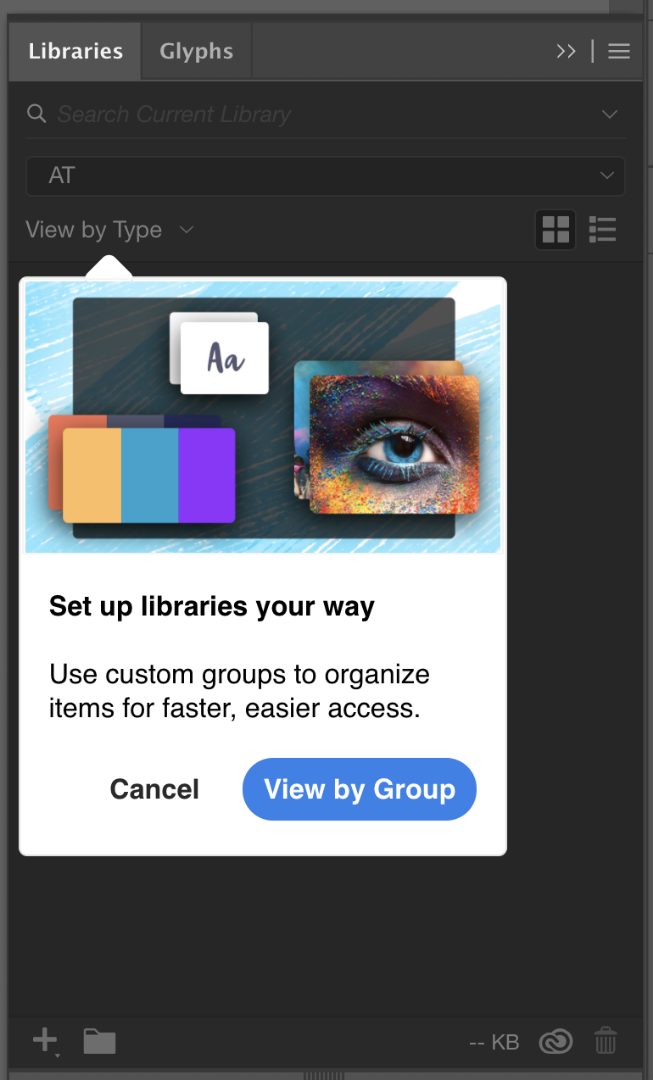


 2 Correct answers


Hi everyone!
Wanted to let you know, that we found the root cause and fixed the problem with Pop-up!
Fix will be available in our upcoming release.
Thank you for your patience,
Mariia,
Quality Engineer
CC Libraries


I finally fixed it. What worked for me was running Illustrator as administrator. Going through all the tool tips then restarting Illustrator as usual.
I also tried turning off tool tips in the general preferences and making the Illustrator folder and sub-folders non-read only using Explorer. Unchecking the read-only box did not appear to work. Nor did the turning off tool tips. It only stopped after running Illustrator as administrator, but I thought in case they did have an effect I'd list them

Explore related tutorials & articles
 31
Replies
31
31
Replies
31


Copy link to clipboard
Copied
Hello @Anubhav M,
Here you can find the screen recording : https://vimeo.com/1027206249?share=copy
(also available in attachments)
Adobe ID : j_rouault1@stu-lisaa.com
I already unchecked the "Show pop-up tips" thing in the preferences, but it comes back every time I start my computer.
Let me know if I can do anything more 🙂

Copy link to clipboard
Copied
Hello @jules_4195,
Thanks for sharing the details. While I check this with the team, would you mind trying the following steps and checking if they help:
- Close all Adobe applications
- Remove the Creative Cloud Desktop application, CCLibrary, and CoreSync using the Creative Cloud Cleaner Tool (https://adobe.ly/4fgD7Tx)
- Reinstall the Creative Cloud Desktop application (https://adobe.ly/4fDVWj1)
- Relaunch Illustrator
Looking forward to hearing from you.
Anubhav

Copy link to clipboard
Copied
Same problem here, Indesign, Illustrator and photoshop.
The pop up is just there every time I open any of these apps, clicking on 'Done' removes it for the session, but soon as you close the app and re-open it it returns.
Windows 11, all apps are up to date

Copy link to clipboard
Copied
Still have the same issue

Copy link to clipboard
Copied
I have had the same issue for months, my system has a clean insatll of windows 11 and a fresh install of creative cloud. these popups are not application breaking but i am sick of clicking through them everytime i open photoshop.
Copy link to clipboard
Copied
I finally fixed it. What worked for me was running Illustrator as administrator. Going through all the tool tips then restarting Illustrator as usual.
I also tried turning off tool tips in the general preferences and making the Illustrator folder and sub-folders non-read only using Explorer. Unchecking the read-only box did not appear to work. Nor did the turning off tool tips. It only stopped after running Illustrator as administrator, but I thought in case they did have an effect I'd list them too.

Copy link to clipboard
Copied
THANK YOU! This was driving me bonkers! All fixed now 🙂

-
- 1
- 2

Get ready! An upgraded Adobe Community experience is coming in January.
Learn more
 AdChoices