Vectorgeek@work
Inspiring
November 26, 2019
질문

Illustrator 2019/2020 Menu Flyouts stuck in left corner of the screen on Windows 10 machine

  • November 26, 2019
  • 7 답변들
  • 7572 조회

This is a work stopage issue for me. I am on Windows Enterprise 10 Build 17763. I was running Adobe Illustrator Version 23.0.3 for compatibility of our custom upload apps.

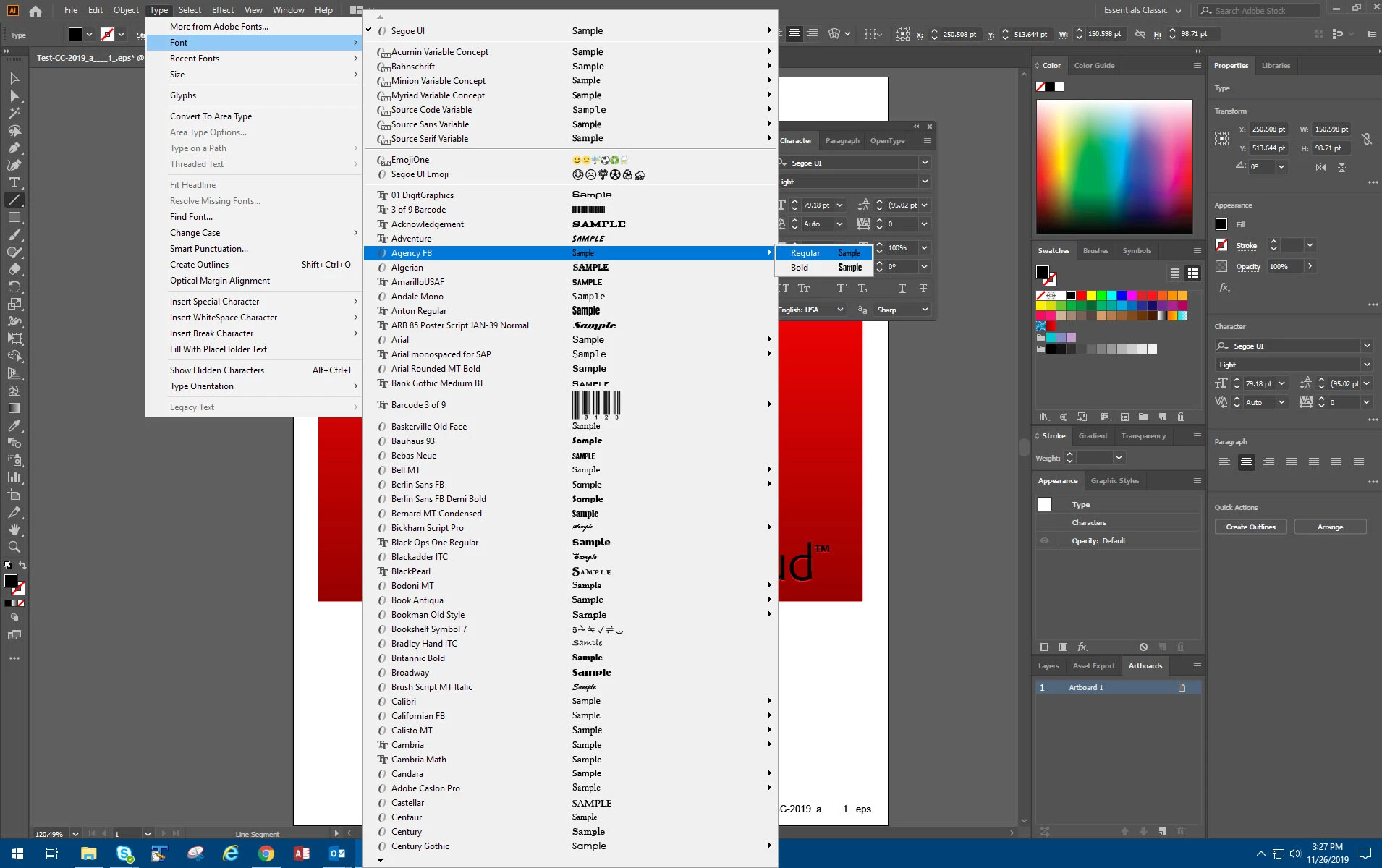
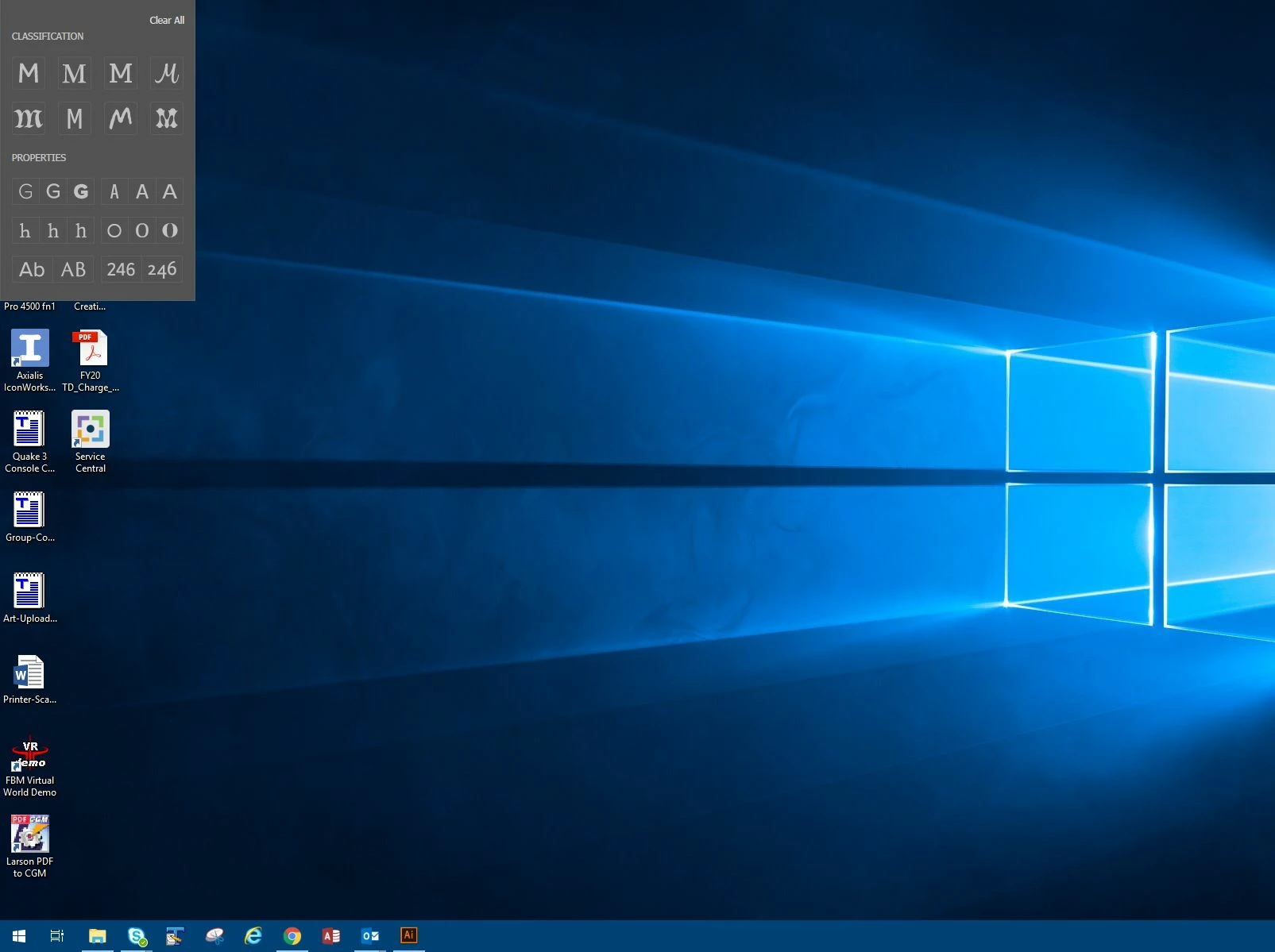
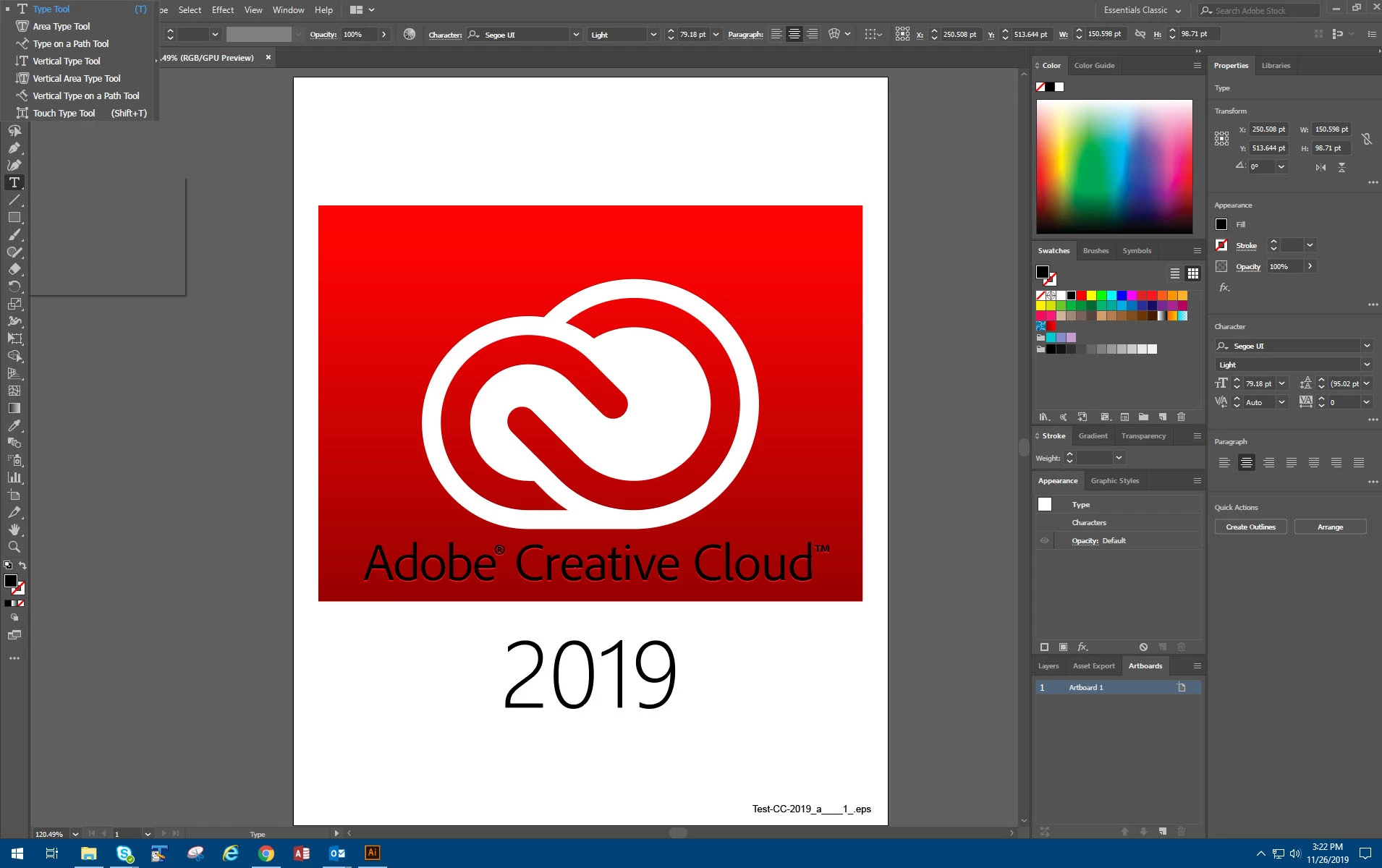
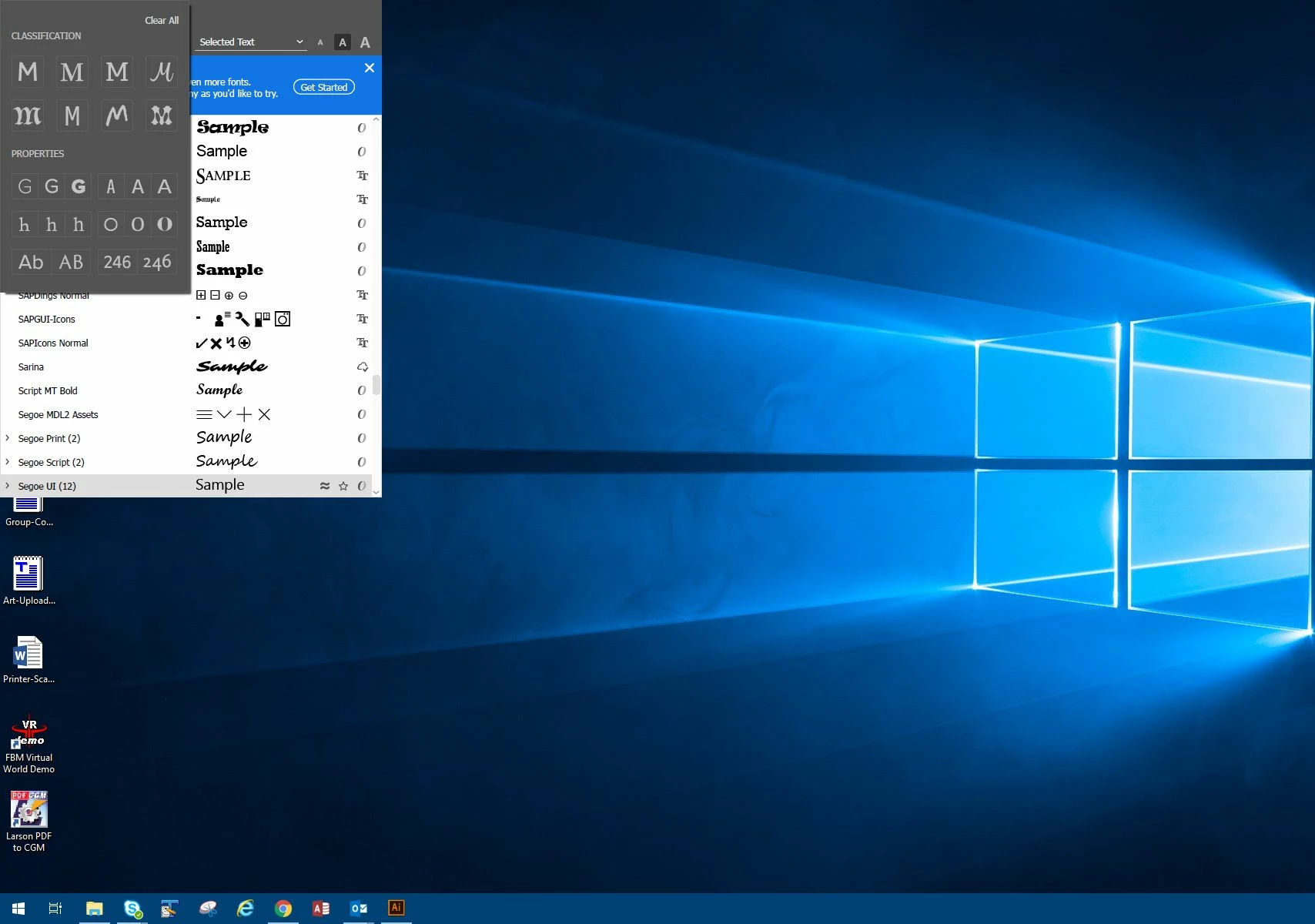
For the past two days when I open Illustrator right before the splash screen loads the font filter menu appears stuck at the uppper left of my screen, When I open a file and access the flyout menus for the pen tool and shape tool among others, the menus instead of appearing next to the appropriate tool, appear at the top left of the screen.

I've tried resetting Illustrator and deleting the Illustrator prefs file. Nothing worked so today I decided to uninstall and reinstall Illustrator and Photoshop (for other reasons). Now the Adobe CC app gives me no option to install those two previous versions even when I look at the "Other versions" list.


Contacting Adobe support did not help since they sent me download links to the wrong versions too.


I ended up installing the latest version (Illustrator v24.0)


It still has the issue with the menus in the wrong place and stuck there until I click off screen. I can't do any work until I get this fixed.

Any ideas would be greatly apprciated.
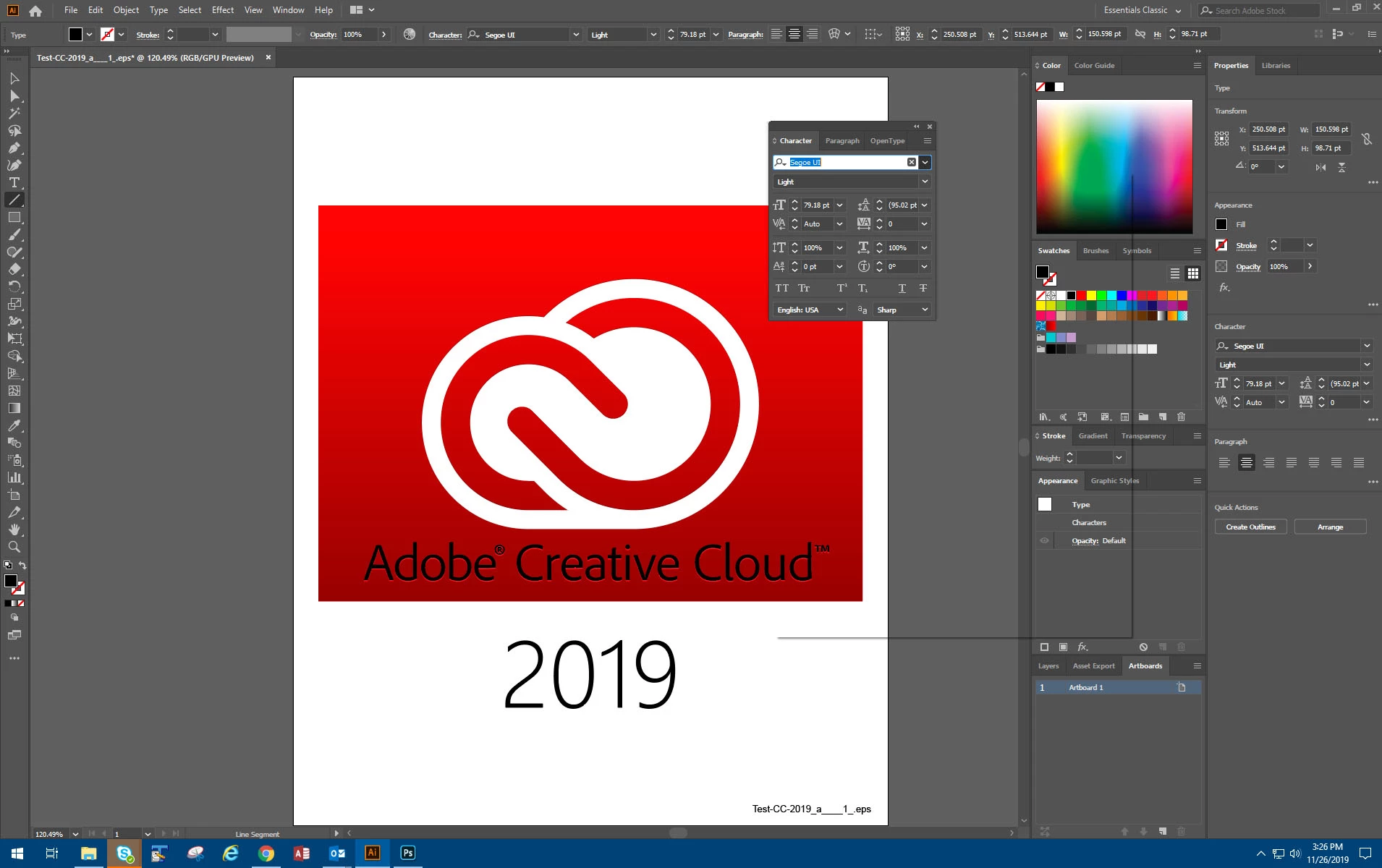


{Renamed by MOD}

이 주제는 답변이 닫혔습니다.

7 답변

Participant
February 27, 2022

Hello i have same problem with my illustrator.
i just tried some registry edit and it's works for me, hope it can help you too


  1. Input registry editor in the Start menu search bar and select Run as administrator.
  2. Head to Computer > HKEY_LOCAL_MACHINE > SOFTWARE > Microsoft > Windows > CurrentVersion > Policies > System.
  3. On the right side of the window, open EnableLUA.
  4. Set Base to Hexadecimal.
  5. Set Value data to 1 and click OK.
  6. Restart your computer and check your adobe illustrator

    if the value data is 1 already, just try to set it to click OK, and try change it again to 1

    hope this might help, pardon my bad english
Participant
March 22, 2022

I cant seem to find the "CurrentVersion > Policies > System" step. There's none of the option for me. Do you have any alternatives?

Participant
March 22, 2022

Hello, can u please attach the screenhot of the menu?

Participant
February 27, 2022

Hello i have same problem with my illustrator.
just some registry edit and it's works for me, hope it can help you too


  1. Input registry editor in the Start menu search bar and select Run as administrator.
  2. Head to Computer > HKEY_LOCAL_MACHINE > SOFTWARE > Microsoft > Windows > CurrentVersion > Policies > System.
  3. On the right side of the window, open EnableLUA.
  4. Set Base to Hexadecimal.
  5. Set Value data to 1 and click OK.
  6. Restart your computer and check your adobe illustrator

    if the value data is 1 already, just try to set it to click OK, and try change it again to 1

    hope this might help, pardon my bad english
Srishti Bali
Legend
April 15, 2020

Hi there,


We're extremely sorry to hear about this issue. I understand how frustrating it could be. Before we start any troubleshooting I would need a few more details like:


Regards,

Srishti

Vectorgeek@work
Inspiring
April 16, 2020

Thanks for your reply Srishi.

  • Did you try installing version 23.1? It is still available on Creative Cloud? We are using Version Version 24.0 now and I tried unistalling and reinstalling. It worked the first time I did it but then after logging it the next day the same issue returned.
  • When was the graphic card updated last time? Not sure since it is controlled by IT. Video card is Nvidia Quadro M4000.
  • Whenever this happens, what all applications are running in the background? No other apps are running in background except basic Windows apps and Email.
  • Are you opening Ai and PS on Primary screen or secondary screen? I open and use both on the primary screen and since this happen I have disable the second screen via display settings and physically disconecting the monitor.
Srishti Bali
Legend
April 16, 2020

Thank you so much for sharing the details. Please try following these steps and let us know how it goes:


  1. Close all applications and uninstall GPU Driver and install the updated driver from https://www.nvidia.in/Download/index.aspx?lang=en-in
  2. Reset Preferences:  
    Close all Adobe applications.  
    Go to Location C:\Users\user\AppData\Roaming\Adobe  
    Rename Adobe Illustrator and Adobe Illustrator 24 Settings folders to Adobe Illustrator.old and Adobe Illustrator 24 Settings.old  
    Launch Illustrator from the Creative Cloud.  
    Please note that resetting preferences will remove all the custom settings and Illustrator will launch with default settings. This way all your old settings will be saved in .old folders and Illustrator will recreate new folders with default settings. 
     
  3. If that doesn't help, try booting the system into Safe Mode (https://support.microsoft.com/en-in/help/12376/windows-10-start-your-pc-in-safe-mode) and check how it works there. It starts your system so that it performs certain checks and prevents third party software/ services from automatically loading or opening. If it works fine in Safe mode, then there is some third party service or application like antivirus, plugins or web extensions which are conflicting with the Illustrator. 
  4.  If that doesn't help either, login to Hidden Admin account (https://www.youtube.com/watch?v=EfbMs3w-Z3s&t=53s). Check how the application works there. If it works fine there, then it could be related to permission errors. Follow these steps to repair permission errors: https://helpx.adobe.com/in/illustrator/kb/preferences-folder-read-only-error.html
  5. If nothing helps, install version 23.1 and check how it works.  
Vectorgeek@work
Inspiring
April 15, 2020

Reinstallation worked for a day until I rebooted. Now it doesn't work. I reinstalled, deleted prefs and rebooted. Still the same issue with menus stuck to the upper left of my screen.

Vectorgeek@work
Inspiring
April 14, 2020

This is still happening in Illustrator version 24.0

I contacted Adobe and they have no fix. Usually disconnecting the second monitor worked but now not even that works. Preferences and settings were reset/delected and system rebooted. I also changed screen resolutions. Menus still fly off in the upper left corner. This is so frustrating. We are in a corporate environment so we can't easily upgrade or reinstall. We also can't allow remote logins from Adobe to help fix the issue.

Monika Gause
Community Expert
Community Expert
December 2, 2019

Please contact Cusotmer Care. They can login to your system. In case you have secondary monitors attached, try and disconnect them or change the settings. You could also try and reset the preferences, but it might be quicker to let Customer Care check this out.

http://helpx.adobe.com/contact.html

Vectorgeek@work
Inspiring
December 4, 2019

That would probably work but not an option on a Company Workstation with government firewall. I do have dual monitors so I could have tried that. Since this happened I've had to wipe out my entire install and reinstall. Unfortunately Adobe Care said my previous version is no longer available because it had bugs (duh). My only option was to upgrade to the current version which required jumping through hoops to get it working with our custom applications. Now Plugins are broke until upgrades. It's a really frustrating process in a corporate environment. All the advantages of a cloud service work against you in a Corporate environment.

Participant
November 27, 2019

I have the same issue. Same version of Illustrator (23.0.3) on Windows 10

Vectorgeek@work
Inspiring
December 2, 2019

You'd think this would have happened to other people besides us.