
ivan_gfr
Participant
September 6, 2017
Answered

ILLUSTRATOR CC 2017 CRASH WHENEVER OPENING EXISTING FILE

  • September 6, 2017
  • 4 replies
  • 5383 views

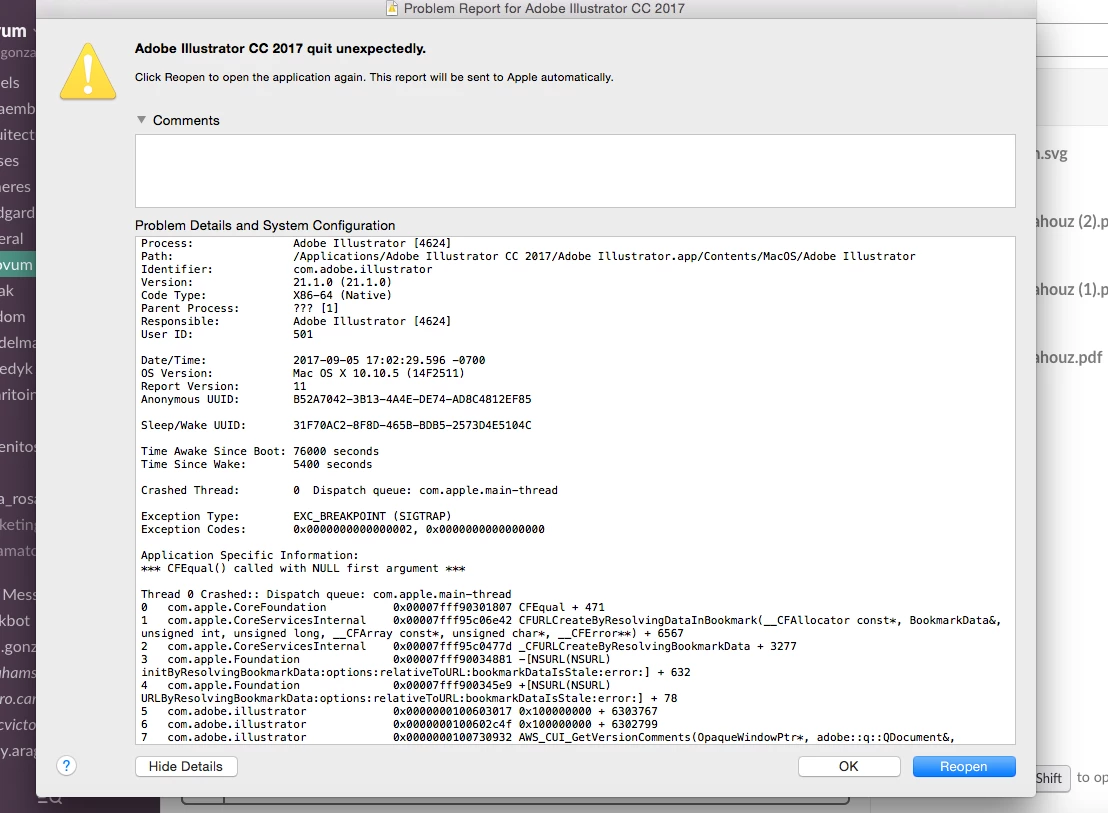
"Adobe illustrator cc 2017 quit unexpectedly"

Every time I try to open a file saved on my computer(mac) the app won't start, it crashes, not the same when I open directly just the app, it runs well but again, if I try to open from the menu: file>open> file in my computer, again it crashes..

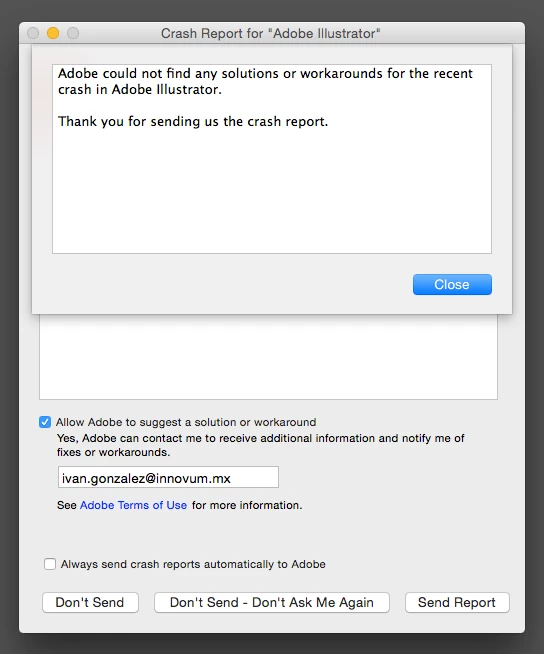
I have sent the report numerous times and it tells me "adobe couldn't find a solution or workaround for the recent crash in adobe illustrator"

So I started digging in forums and basically done everything there and still can't solve this. I have tried:

1.restarting the computer

2. uninstalling and installing Ai

3. Deleting manually from library the preferences on Ai

4. Deleting newer fonts from my library

5. Deleting printer settings

None of the above have work and I still have an CC which i'm paying and can't use.

Anyone out there having the same problem that can direct me in the right direction?
This topic has been closed for replies.
Correct answer sandyZi

C

I'll give you a solution but it will reset all of your Adobe Creative Ccloud on your computer so I advise you backup all your presets and your plugins, Photoshop brushes and etc.

  • Close the Creative Cloud application if it's running.
  • Navigate to the OOBE folder.

Windows: [System drive]:\Users\[username]\AppData\Local\Adobe\OOBE.

Mac OS: /User/<username>/Library/Application Support/Adobe/OOBE folder.

  • Rename the opm.db file to opm_old.db.
  • Launch Creative Cloud.

Thank you!  I had tried everything & was about to cancel my account!

Changing the opm.db file to opm_old.db fixed it

4 replies

Participant
September 15, 2017

I'm having the same problem

Inspiring
September 18, 2017

I'm going to see if I can get our IT guy to open a support incident bound to our account, since these support forums are plainly useless.

ahmed_waheib
Inspiring
September 21, 2017

C

I'll give you a solution but it will reset all of your Adobe Creative Ccloud on your computer so I advise you backup all your presets and your plugins, Photoshop brushes and etc.

  • Close the Creative Cloud application if it's running.
  • Navigate to the OOBE folder.

Windows: [System drive]:\Users\[username]\AppData\Local\Adobe\OOBE.

Mac OS: /User/<username>/Library/Application Support/Adobe/OOBE folder.

  • Rename the opm.db file to opm_old.db.
  • Launch Creative Cloud.
Inspiring
September 11, 2017

I'm having similar issues - the application will open one file.  If I attempt to open a second file, everything simply halts, and I have to kill the thread. I'm using the latest build of Illustrator CC2017 on Windows 7.  I have updated all of my Adobe components, and updated to the last build of my GPU driver.

I think that things may be hanging up with background operations on a separated executable.  I keep finding a pile of tasks for the CEPHtmlEngine.exe app.  What is that thing trying to do, and why do you keep spinning up new instances of it?

Even when Illustrator is not crashing, I get 10 or so instances of this app, each clocking in at between 10MB and 30MB of RAM.

Also, why does it spin up instances of the Premiere Pro PProHeadless.exe server? 

ahmed_waheib
Inspiring
September 6, 2017

Have you checked your HardDisk space and the monitor activity?

Can you double check your scratch disk-like the below image.

kglad
Community Expert
Community Expert
September 6, 2017
ivan_gfr
ivan_gfrAuthor
Participant
September 6, 2017

kglad Unfortunately that doesn't work either, I have both tried, from inside Illustrator change the preferences and also doing it manually, funny thing is that if I change the name or delete everything inside the User>Library>Preferences>Adobe Illustrator folder and I run the program once more, it generates the folder back with the same name and everything, my guess is that, that is the way a new preferences are created.

On the link you've posted the first option says:

1) (macOS) Choose Illustrator > Preferences > [preference set name].

2) Select an option from the menu on the left of the Preferences dialog box to switch to a different preference set.

At this point I don't understand how this changes anything, or maybe I'm doing something wrong, either way the way of doing it manually isn't working and I understand this and that is the same, so in conclusion this is not the way to go for me.

So my next guess is that it may have something to do with the iOS but nowhere I have found any reason to suggest that either.

So I'm back where I've started

kglad
Community Expert
Community Expert
September 6, 2017

for diagnostic purposes, switch cpu to preview mode, Troubleshoot GPU performance in Illustrator