


lukask85033503
Participant
July 7, 2021
질문

Illustrator display glitch while using pen tool and different size of multiple selection box appears

  • July 7, 2021
  • 1 답변
  • 406 조회

Hey, im using adobe illlustrator on my 2021 dell xps and sometimes the tools start glitching. for example if i draw a line with the pen tool it goes in every direktion i go with my mouse without me clicking. If i make a selection box the box appears in many different sizes. nothing to do with ~ key. Its cleared when i zoom out and zoo back in but comes right back when i start using another tool. I would love if someone could help me because this is really obstructing my workflow. 🙂 


hannah


Example picture attached
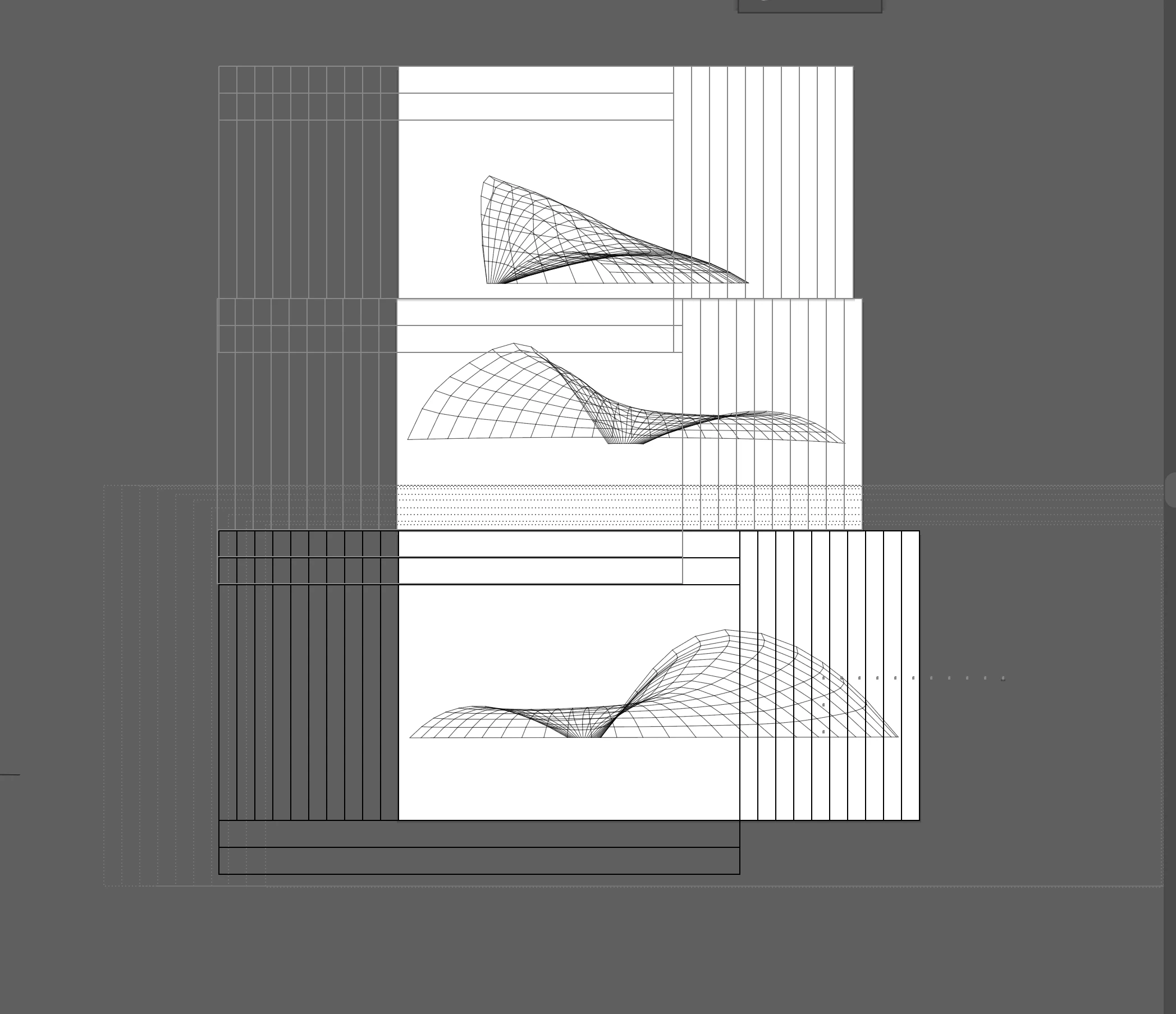


{Renamed by MOD}

이 주제는 답변이 닫혔습니다.

1 답변

Anshul_Saini
Community Manager
Community Manager
July 29, 2021

Hi there,

Sorry for the delayed response. Are you still facing this issue? If yes, I would request to share a few more details like:

  • OS and version of Illustrator
  • Is this happening while working on a specific file? If yes, could you please share the document with us? You can upload it to the Creative Cloud (https://helpx.adobe.com/in/creative-cloud/help/share.html) and share the download link.
  • When did this start happening? Are there any recent changes made to your system? For example, any antivirus, system updates, or web extensions installed recently.


Also, I would suggest you to turn off Real-Time Drawing and Editing from preferences (cmd+k/ ctrl+k > Performance > Uncheck "Real-Time Drawing and Editing"). If this doesn't help and then try turning off GPU Performance from preferences (cmd+k/ ctrl+k > Performance > Uncheck "GPU Performance") and see if this helps to resolve the issue.


Looking forward to your response.

Thanks & Regards,
Anshul Saini