Exit
  • Global community
    • Language:
      • Deutsch
      • English
      • Español
      • Français
      • Português
  • 日本語コミュニティ
  • 한국 커뮤니티
0

Illustrator File Error

Community Beginner ,
Mar 07, 2022 Mar 07, 2022

Hi,

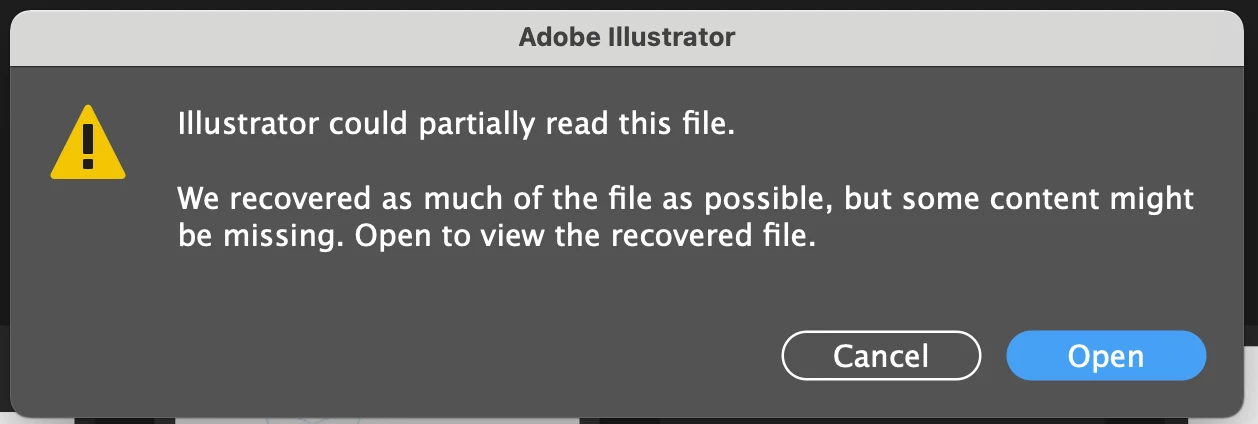
I am trying to open a ai file but this keeps popping up. When opening the file almost all files are missing. Is there any solution to this in recoverying the lost files? Screen Shot 2022-03-08 at 12.25.08 PM.png
TOPICS
Bug , Performance
186
Translate
Report
Community guidelines
Be kind and respectful, give credit to the original source of content, and search for duplicates before posting. Learn more
community guidelines
Adobe
Community Expert ,
Mar 08, 2022 Mar 08, 2022

Can Acrobat open it? In that case you might get some more content. It won't be fully editable and it might be a hot mess. If you see something in Acrobat, please tell us and then we can see how to get that into Illustrator.


Also maybe @Anshul_Saini can help you with the AI file.

Translate
Report
Community guidelines
Be kind and respectful, give credit to the original source of content, and search for duplicates before posting. Learn more
community guidelines
Mentor ,
Mar 08, 2022 Mar 08, 2022

When and where was the file(s) saved originally?

Where are you trying to open it from - network, cloud, local?

Mac or PC and OS?

What version of Illy?

Translate
Report
Community guidelines
Be kind and respectful, give credit to the original source of content, and search for duplicates before posting. Learn more
community guidelines
Adobe Employee ,
Mar 08, 2022 Mar 08, 2022

Hi @Michael Ningis,


We are sorry to hear about this. Have you tried opening the file in Adobe Acrobat, as @Monika Gause suggested?. Would it be possible for you to upload the file to CC, Dropbox, Google Drive, or any similar service and share the download link here or via DM. I will check it at my end.


Thanks & Regards,

Anshul Saini

Translate
Report
Community guidelines
Be kind and respectful, give credit to the original source of content, and search for duplicates before posting. Learn more
community guidelines
Community Beginner ,
Mar 08, 2022 Mar 08, 2022
LATEST

Hi @Monika Gause @Anshul_Saini @Met1  

Thanks for the response.

My problem has already been solved. Got assistance straight from the Adobe Support Team. I shut down illustrator, renamed my file and moved to a different location and then tried opening it again. I also restarted my Mac.  

Translate
Report
Community guidelines
Be kind and respectful, give credit to the original source of content, and search for duplicates before posting. Learn more
community guidelines
