Inspiring
Aug 8, 2022 2:01 PM UTC
Answered

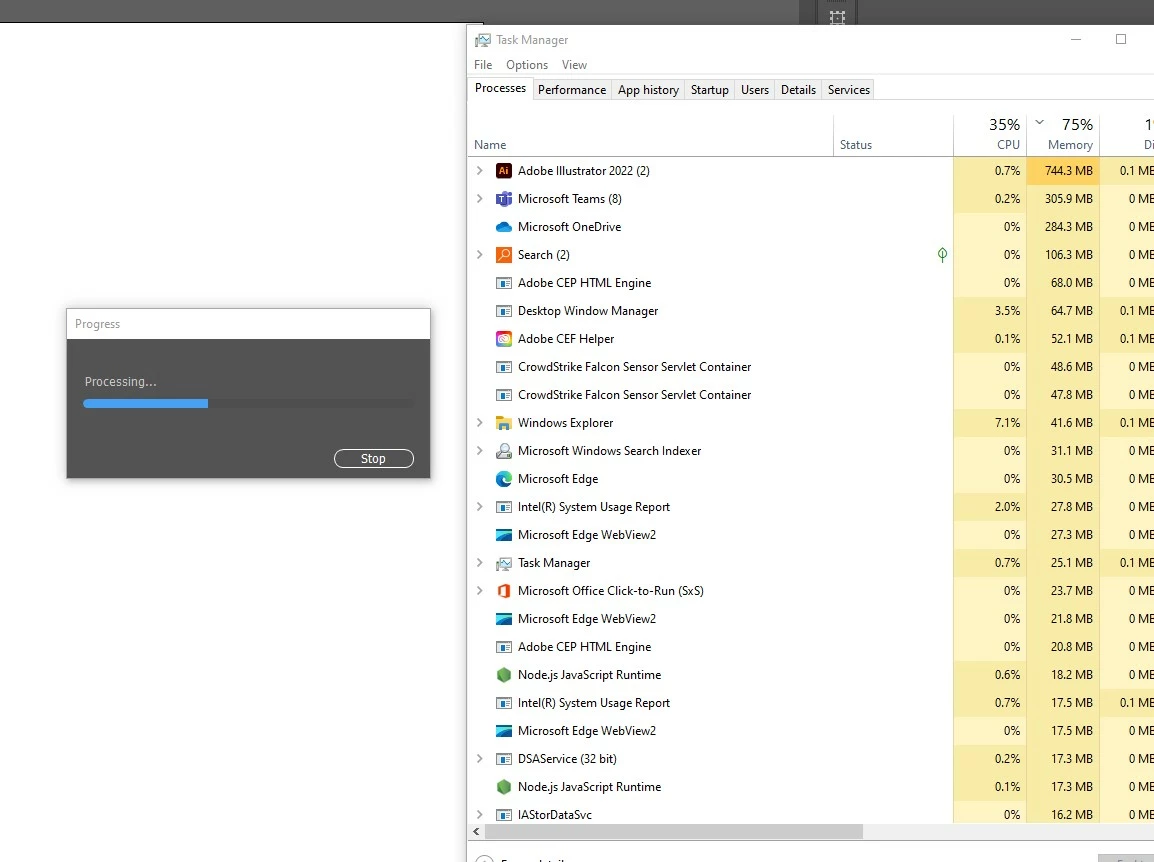
Illustrator v26.4.1 freezes with progress / processing bar

Hello, everyone. This is an issue which has just started today, Monday, August 8th, 2022. I launch Illustrator, but when I do anything that opens a dialog box, I get a progress bar with the word Progress, and below it, Processing...  

Sometimes if I click off of Illustrator and click back on the interface the progress bar goes away, but it comes back a few moments later. I tried restarting Illustrator, restarting the computer (Windows 10), as well as deleting the Illustrator preferences. 

Here is a screenshot of the progress bar and the task manager window. The CPU and Memory usage seems unusually high for an empty document.

I have contacted the IT administrator, but thought I would check with the community too.
 

This topic is closed to new replies. Start a new post to keep the conversation going.
Anshul_Saini
Anshul_SainiCorrect answer
Community Manager
Aug 22, 2022 10:27 PM UTC

Hi All,


I am glad to inform you this issue has been fixed. Please update Illustrator to v26.5 and let us know how it goes.

Please feel free to reach out if the issue persists after updating.


Regards,

Anshul Saini

81 replies

GrafiskWingman
Known Participant
Aug 8, 2022 5:07 PM UTC

Same issue for me, since updating today. 

Translate
grege39192716
Participant
Aug 8, 2022 5:02 PM UTC

I am having the same issue.

Translate
Participating Frequently
Aug 8, 2022 5:01 PM UTC

Same issue since this morning! I think it may have something to do with the latest update. Waiting on an answer as I cannot get any work done 😞 

Translate
Participant
Aug 8, 2022 5:04 PM UTC

I am having the same problem.  Where can I find Adoble Illustrator Phone number for help?

Translate
Participating Frequently
Aug 8, 2022 5:09 PM UTC

Not sure. Right now I'm on the live chat trying to figure it out! 

Translate
jasons95085987
Participant
Aug 8, 2022 2:01 PM UTC

I'm using Windows 10 and the Illustrator 26.4.1. When creating a new file and trying to adjust how the artboards are laid out, a "Progress" window automatically pops up and gets stuck "Processing". The art boards are blank. I've uninstalled and reinstalled Illustrator and the problem continues to occurr.

Translate
Participant
Aug 8, 2022 5:51 PM UTC

I have the same problem. Also reinstalled. 

Translate
Participant
Aug 9, 2022 1:57 PM UTC

support jumped on to my computer and installed an earlier version. Would love to be back with the most recent version asap. Anyone know if the bug is fixed?


Translate