
Participant
June 3, 2022
Answered

Illustrator inverts Jpegs and PNGs

  • June 3, 2022
  • 2 replies
  • 354 views

Recently my Illustrator started inverting linked PNGs after the Ai file was saved, closed and then reopened again. Please see attached sample of burger photos. I have attached what the inverted image is supposed to look like after relinking the PNGs/JPEGs and then what the inverted photos look like. Only the linked photos invert, not the rest of the image.


Any suggestions as to how fix this. It's okay when it's only one or two images but some of my docs have hundreds of photos in them.
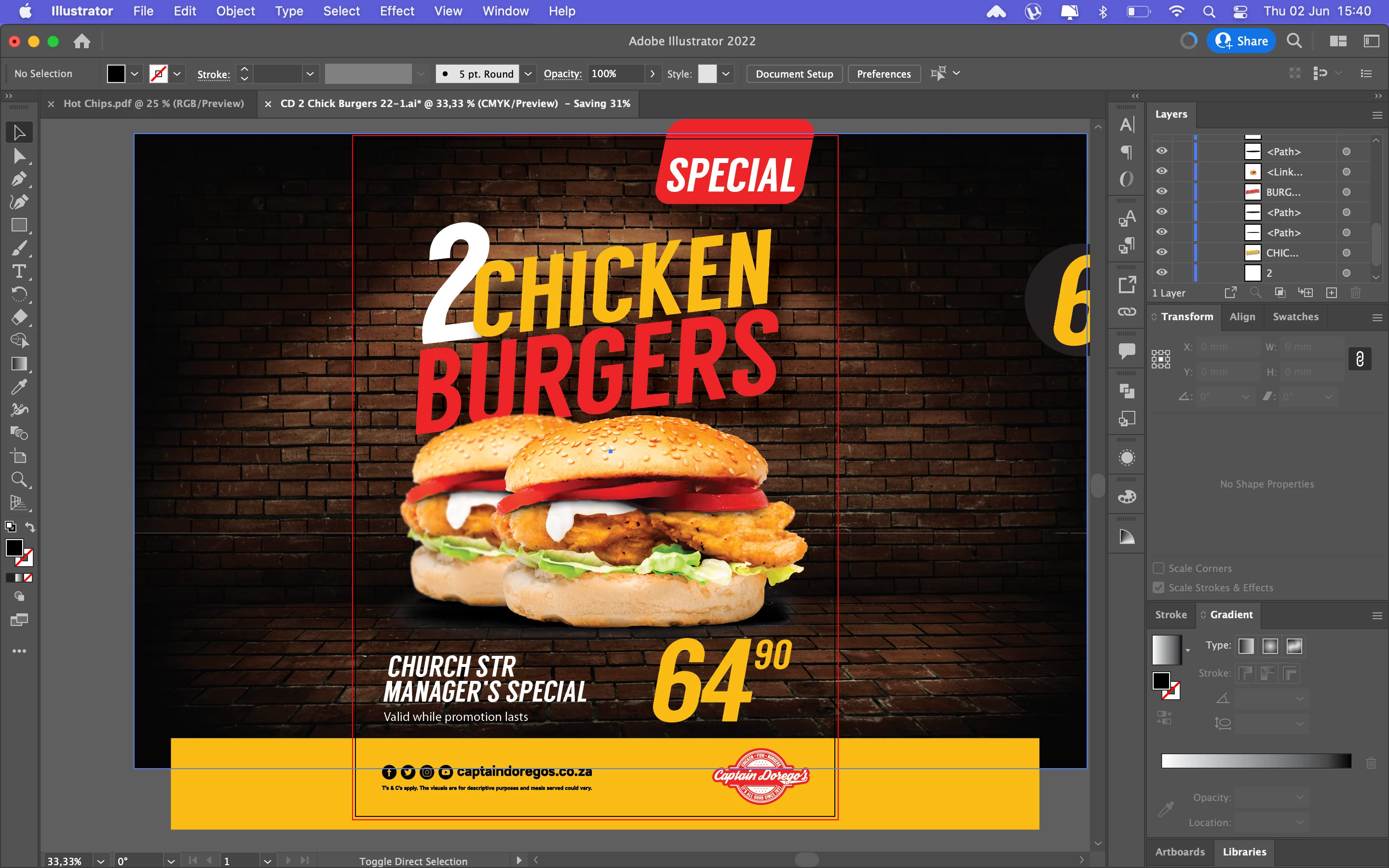
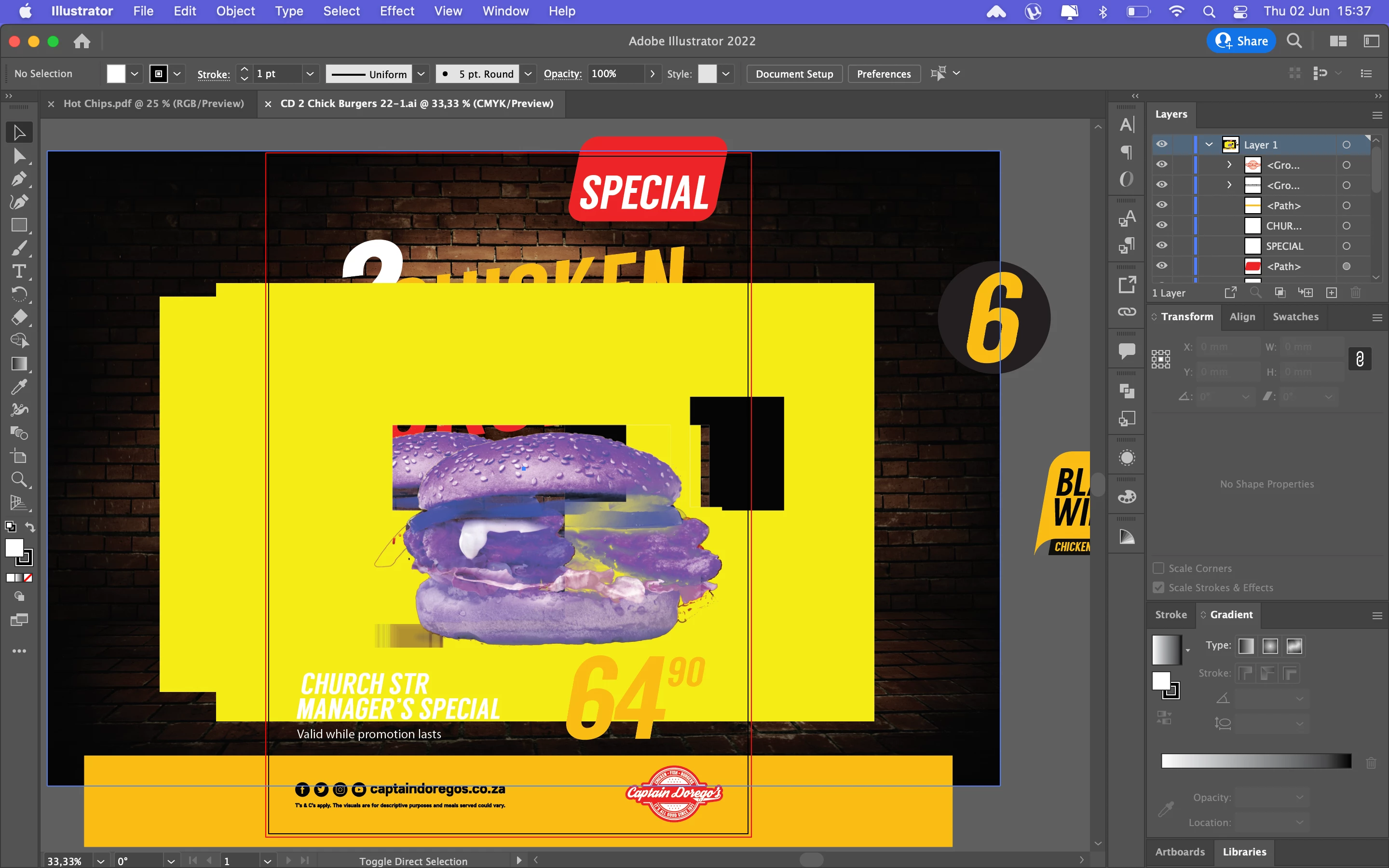
This topic has been closed for replies.
Correct answer Ton Frederiks

It is a known problem see Anshul Saini answer here:

https://community.adobe.com/t5/illustrator-discussions/lost-included-image-color-illustrator-26-3-1-on-mac-os-12-3-1/m-p/12955942#M322410

(Willi, PNGs do support color management but are RGB only).

2 replies

Ton Frederiks
Community Expert
Ton FrederiksCommunity ExpertCorrect answer
Community Expert
June 3, 2022

It is a known problem see Anshul Saini answer here:

https://community.adobe.com/t5/illustrator-discussions/lost-included-image-color-illustrator-26-3-1-on-mac-os-12-3-1/m-p/12955942#M322410

(Willi, PNGs do support color management but are RGB only).

Participant
June 3, 2022

Thanks for the advice. I unfortunately had the same problem with 90+ Jpegs in a booklet design. I relinked all of them one by one and then it worked.

Willi Adelberger
Community Expert
Community Expert
June 3, 2022

Open it in Photoshop and save it again. If it fails again, save as PSD and use that. 

Are you aware that PNGs do not support color management nor CMYK? Avoid that.

Participant
June 3, 2022

Thanks for the advice. My concern is that it only started doing this 2 weeks ago. Before then I never had an issue like this.