
Participant
December 3, 2019
Question

illustrator merging shapes with pathfinder issue

  • December 3, 2019
  • 6 replies
  • 794 views

Hello,


I hope someone has an answer for my issue with Illustrator 2020


I want to merge three shapes into one shape, but when I use pathfinder merge tool it adds a lot of anchor points. This really bugs me out, because I want a clean shape. Below the images to illustrate the issue.
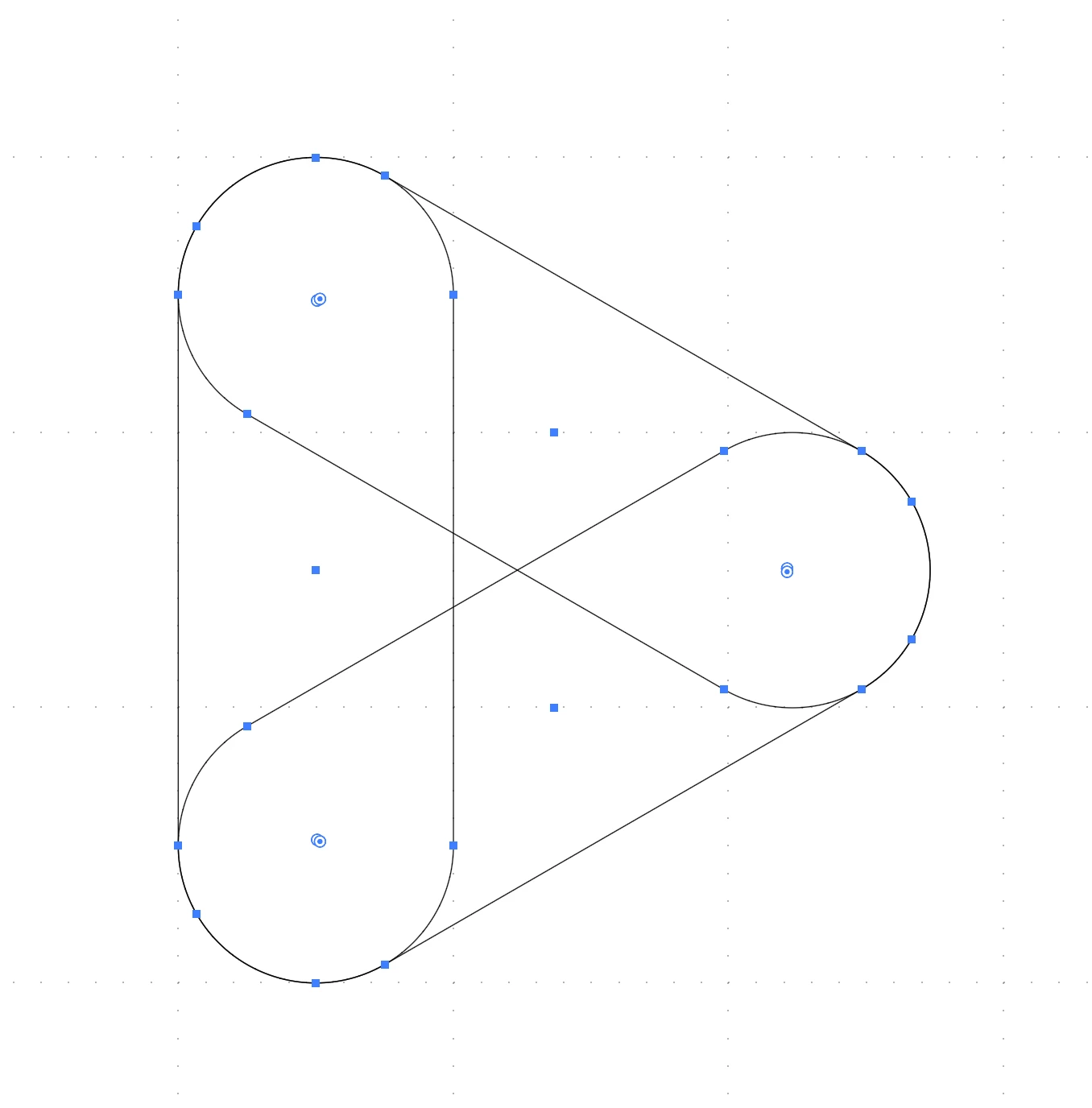
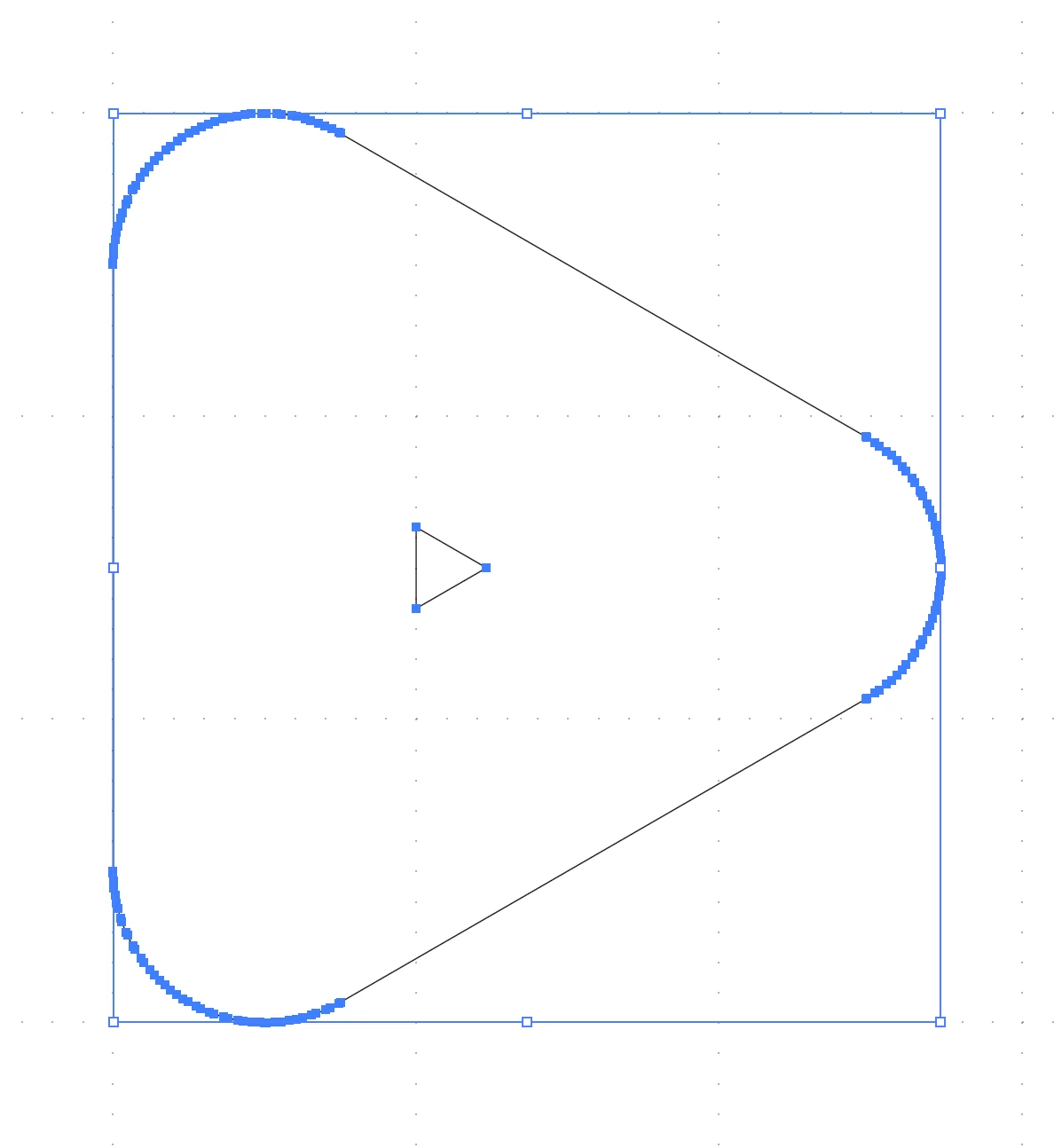


Is there an explaination or a bug in the program?

This topic has been closed for replies.

6 replies

Jacob Bugge
Community Expert
Community Expert
January 24, 2020

Ah, Ton, Ruler of Rifts.

Ton Frederiks
Community Expert
Community Expert
January 24, 2020

More like Ruler of Shifts...

Jacob Bugge
Community Expert
Community Expert
January 24, 2020

Thank you for your finding it, Ton.


So it was a rift.


Luckily that part was here in the first place and revived this thread from a month and a half ago; I thought it was brand new, starting today.


Ton Frederiks
Community Expert
Community Expert
January 24, 2020

Jacob, I found it because I moved it to its own topic (because it did not have anything to do with the original topic (except the words Pathfinder and Merge).

Jacob Bugge
Community Expert
Community Expert
January 24, 2020

It seems that part of this thread from earlier today fell into a rift in the spacetime (dis)continuum, seemingly without reappearing elsewhere, so maybe it was actually a black hole.


Ton Frederiks
Community Expert
Community Expert
January 24, 2020
Jacob Bugge
Community Expert
Community Expert
January 24, 2020

time,


A most exquisite solution.


Inspiring
December 3, 2019

I have drawn simple shapes with black stroke and white fill, overlapped to match your style, used Pathfinder to Unite and got only 4 nodes.

I am using Illusrator CS2020 (about window shows 24.0).


Have you considered drawing a triangle, applying a stroke with rounded corners, and then creating outlined stroke? This sholud give you a clean shape, once outlined, view wireframe and delete the inner keyine you originall created.

Monika Gause
Community Expert
Community Expert
December 3, 2019

This happens when identical paths lie on top of each other. Instead of pathfinder try the Live Paint tool and expand afterwards.