Exit
  • Global community
    • Language:
      • Deutsch
      • English
      • Español
      • Français
      • Português
  • 日本語コミュニティ
  • 한국 커뮤니티
0

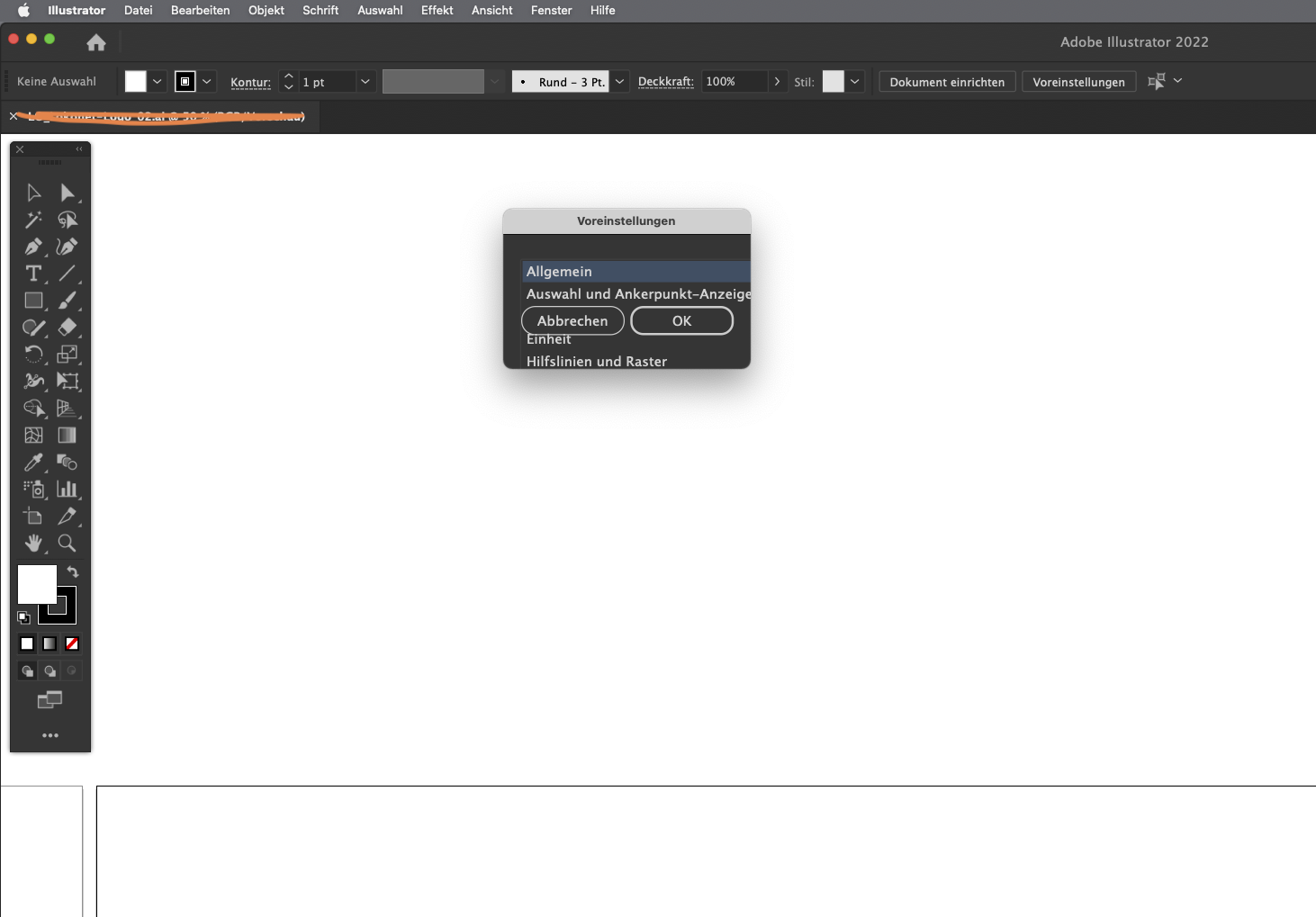
Illustrator Settings window glitch

Community Beginner ,
Aug 02, 2022 Aug 02, 2022

Hi adobe! 
 
The "Preferences" window does not open properly. I updated the latest version and restarted my computer. The problem is still there, see attached screenshot. 
Thank you in advance for your help!
 

TOPICS
Bug
1.0K
Translate
Report
Community guidelines
Be kind and respectful, give credit to the original source of content, and search for duplicates before posting. Learn more
community guidelines

correct answers 2 Correct answers

Community Expert , Aug 02, 2022 Aug 02, 2022
Translate
Community Beginner , Aug 03, 2022 Aug 03, 2022

Hi Ton & Anubhav

The screen resolution and scaling didn’t change the glitch. 

Then I RESTORED PREFERENCES USING A KEYBOARD SHORTCUT. This didn't do the trick either, but once I unplugging the external display and plugging it back in again, everything is back to normal.


In general, there seems to be difficulties with external displays. For instance: I always have to reset the Workspace to my preferred setup, ones I put my Mac book to sleep or the signal to the external display was interrupted. Is t

...
Translate
Adobe
Community Expert ,
Aug 02, 2022 Aug 02, 2022
Translate
Report
Community guidelines
Be kind and respectful, give credit to the original source of content, and search for duplicates before posting. Learn more
community guidelines
Adobe Employee ,
Aug 02, 2022 Aug 02, 2022

Hello @Amel5C1C,


Sorry to hear about this experience. I hope the suggestions shared by Ton helped resolve the problem. If not, kindly try resetting your screen resolution and scaling to default under System Preferences and check if it helps.


Looking forward to your response.


Thanks,

Anubhav

Translate
Report
Community guidelines
Be kind and respectful, give credit to the original source of content, and search for duplicates before posting. Learn more
community guidelines
Community Beginner ,
Aug 03, 2022 Aug 03, 2022

Hi Ton & Anubhav

The screen resolution and scaling didn’t change the glitch. 

Then I RESTORED PREFERENCES USING A KEYBOARD SHORTCUT. This didn't do the trick either, but once I unplugging the external display and plugging it back in again, everything is back to normal.


In general, there seems to be difficulties with external displays. For instance: I always have to reset the Workspace to my preferred setup, ones I put my Mac book to sleep or the signal to the external display was interrupted. Is there a way that illustrator „remembers“ the screen and automatically adjusts to it? That would be perfect.


Thank you both @ToN and @anubhav for your quick response and help!


Have a great day!


Amel

Translate
Report
Community guidelines
Be kind and respectful, give credit to the original source of content, and search for duplicates before posting. Learn more
community guidelines
Community Expert ,
Aug 03, 2022 Aug 03, 2022

Maybe tell Apple about that external monitor waking up bug so they can fix it?

Translate
Report
Community guidelines
Be kind and respectful, give credit to the original source of content, and search for duplicates before posting. Learn more
community guidelines
New Here ,
Apr 26, 2025 Apr 26, 2025
LATEST

Perfect, the unplug-plug trick worked for me too. Thanks

Translate
Report
Community guidelines
Be kind and respectful, give credit to the original source of content, and search for duplicates before posting. Learn more
community guidelines