Exit
  • Global community
    • Language:
      • Deutsch
      • English
      • Español
      • Français
      • Português
  • 日本語コミュニティ
  • 한국 커뮤니티
0

image is not the same when exporting, objects move when exporting

New Here ,
Jul 10, 2022 Jul 10, 2022

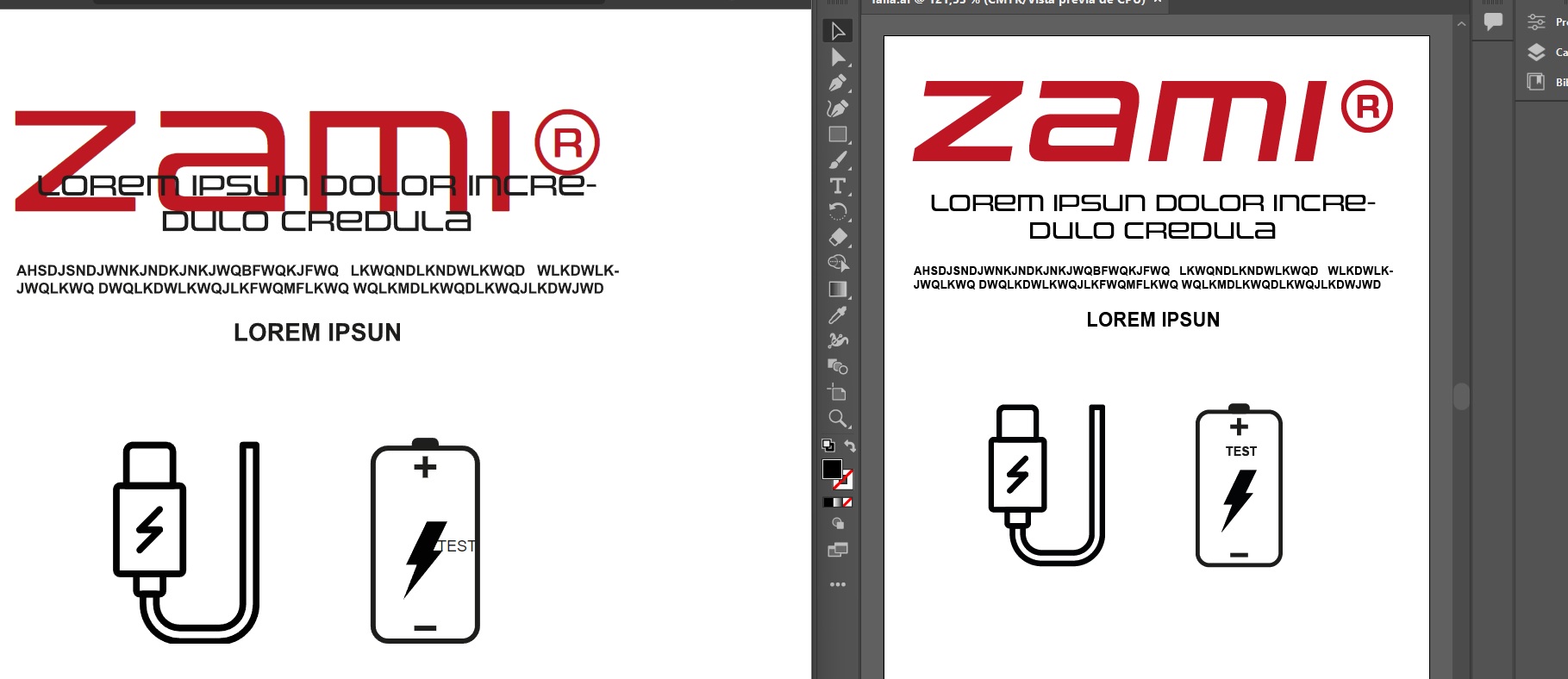
Hi. I am a newbie. What is the reason why when exporting .svg the "objects" they move? It's like there's a position relationship or something. What should I do to make it look the same as in Illustrator? Attached image.


Thank you very much. 

TOPICS
Draw and design
232
Translate
Report
Community guidelines
Be kind and respectful, give credit to the original source of content, and search for duplicates before posting. Learn more
community guidelines

correct answers 1 Correct answer

Community Expert , Jul 11, 2022 Jul 11, 2022

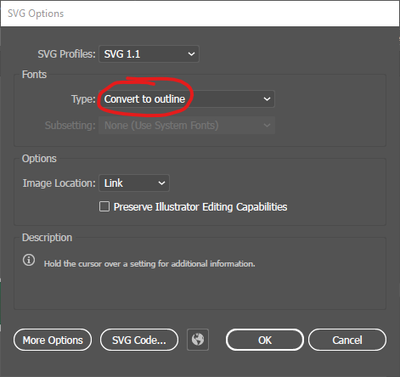
FIl >> Save  >> SVG turn on convert to outlines. When a computer does not have the font installed, it has no way to render that, so convert to outlines is needed so can be viewed on any computer.

MikeGondek_0-1657549592810.png


Translate
Adobe
Community Expert ,
Jul 11, 2022 Jul 11, 2022

That is live text in your artwork? Or converted to shapes?

Translate
Report
Community guidelines
Be kind and respectful, give credit to the original source of content, and search for duplicates before posting. Learn more
community guidelines
Community Expert ,
Jul 11, 2022 Jul 11, 2022
LATEST

FIl >> Save  >> SVG turn on convert to outlines. When a computer does not have the font installed, it has no way to render that, so convert to outlines is needed so can be viewed on any computer.

MikeGondek_0-1657549592810.png


Translate
Report
Community guidelines
Be kind and respectful, give credit to the original source of content, and search for duplicates before posting. Learn more
community guidelines