Hello, I'm trying to take a csv file I've created and use it to create name tags on a 20up 12x18in sheet. I am continuously getting the "invalid variable library" error every time I try to upload it.
I've double checked multiple times using the Adobe steps and have even tried a few other things to see if those did the trick. Here is an example of the file I've created for the 20up sheet and the variables I created:
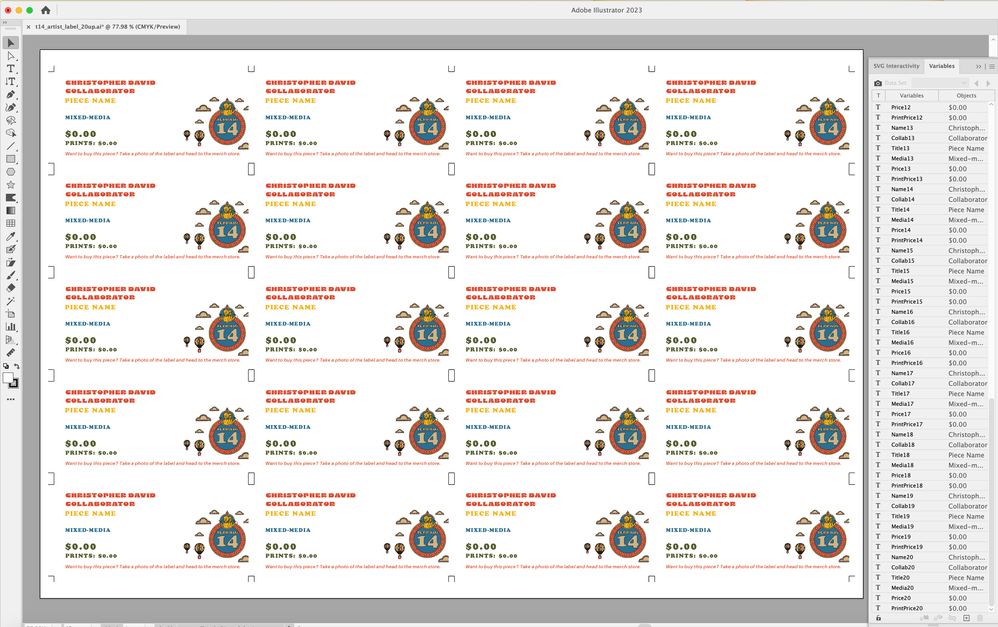
The only things being updated are text. Essentially each name tag has six variables (Name, Collab, etc.) and the group of variables for each name tag is seperated by an appended number (1-20).
I'm at the point where I genuinely don't know why I keep getting this error? The absolute last thing I can think of is that maybe in some of the fields there are backslashes? Or a blank cell somewhere? (Not even sure if either of those would affect anything.
Can any body help?! I've attached the csv file in question.







 AdChoices