Participant
December 20, 2017
해결됨

Mask/clip shadow

  • December 20, 2017
  • 4 답변들
  • 648 조회

Hey guys,

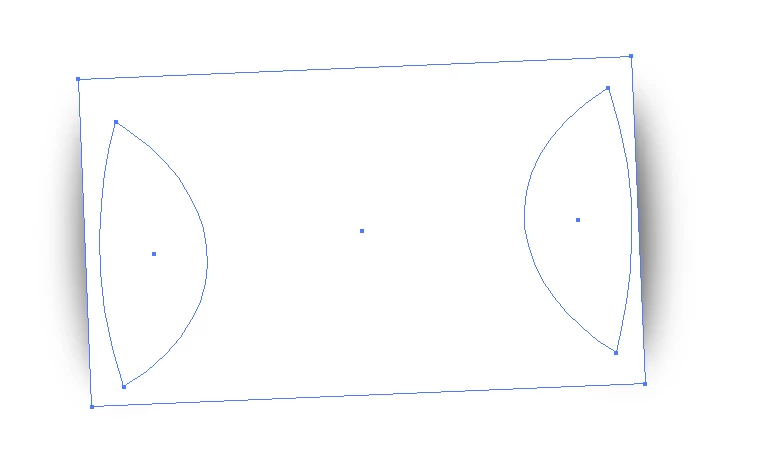
I'm about to go crazy as there's seemingly no way to achieve what I'm trying to do. I'm working on a logo that involves a card – like an index card (see below – it gives you an idea how I built it). I've positioned two slightly curved objects underneath that card and gave them a shadow so that when my rectangular card is filled, it looks as if the card is slightly bend on both sides.

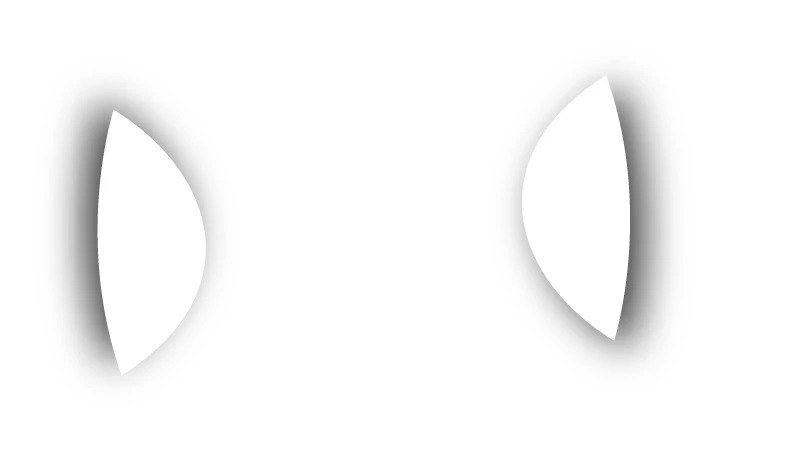
This works fine, as long as the index card is filled – however, I wanna give my client the option to position the logo on a e.g. photo and I want only the cropped shadows and whatever is on the card to appear – the card needs to be transparent. This works on plain white background obviously (when it's filled), but not on a photo or pattern or colored background.

Is there any way to achieve this in Illustrator? It would be a piece of cake in PS – I'd rasterize the layer effect and and then just crop it with my index card shape and I'd be done. I'm asking because I'll need SVG and AI files too so PS is out of question.

Many thanks.

이 주제는 답변이 닫혔습니다.
최고의 답변: Doug A Roberts

sure. make your white object's fill 0% opacity. select all your objects and group. in the transparency panel, check Knockout Group.

4 답변

barbara_a7746676
Community Expert
Community Expert
December 20, 2017

Vector is difficult for this. You can get the same look with a raster image and export with transparency in the SVG.

Participant
December 20, 2017

I've just tried to save the file as a SVG or EPS and though first it seemed like the solution had solved my problem, it still gives me a white background (EPS) or just my shadow objects (SVG) (see below…)

Doug A Roberts
Community Expert
Community Expert
December 20, 2017

EPS doesn't support transparency anyway, so that outcome is to be expected.

i'm afraid i don't know enough about SVG to tell you what may or may not work there.

Doug A Roberts
Community Expert
Community Expert
December 20, 2017

P.S. Use a couple of radial gradients instead of drop shadows to avoid using raster elements (if that's at all important to you)

Participant
December 20, 2017

Actually, I've tried that, but they always seem rather coarse and unrefined in comparison with my shadow. Is that something I can solve by playing around with the gradient scale? I did that too – unsuccessfully though…

Doug A Roberts
Community Expert
Community Expert
December 20, 2017

well, if it looks good, it's right.

Doug A Roberts
Community Expert
Community Expert
December 20, 2017

sure. make your white object's fill 0% opacity. select all your objects and group. in the transparency panel, check Knockout Group.

Participant
December 20, 2017

OMG, you're a lifesaver!! Thank you so much, this did the trick! Awesome.