Participant
January 9, 2021
Question

Mauvais format du A4 dans un nouveau fichier

  • January 9, 2021
  • 2 replies
  • 398 views

Bonjour,


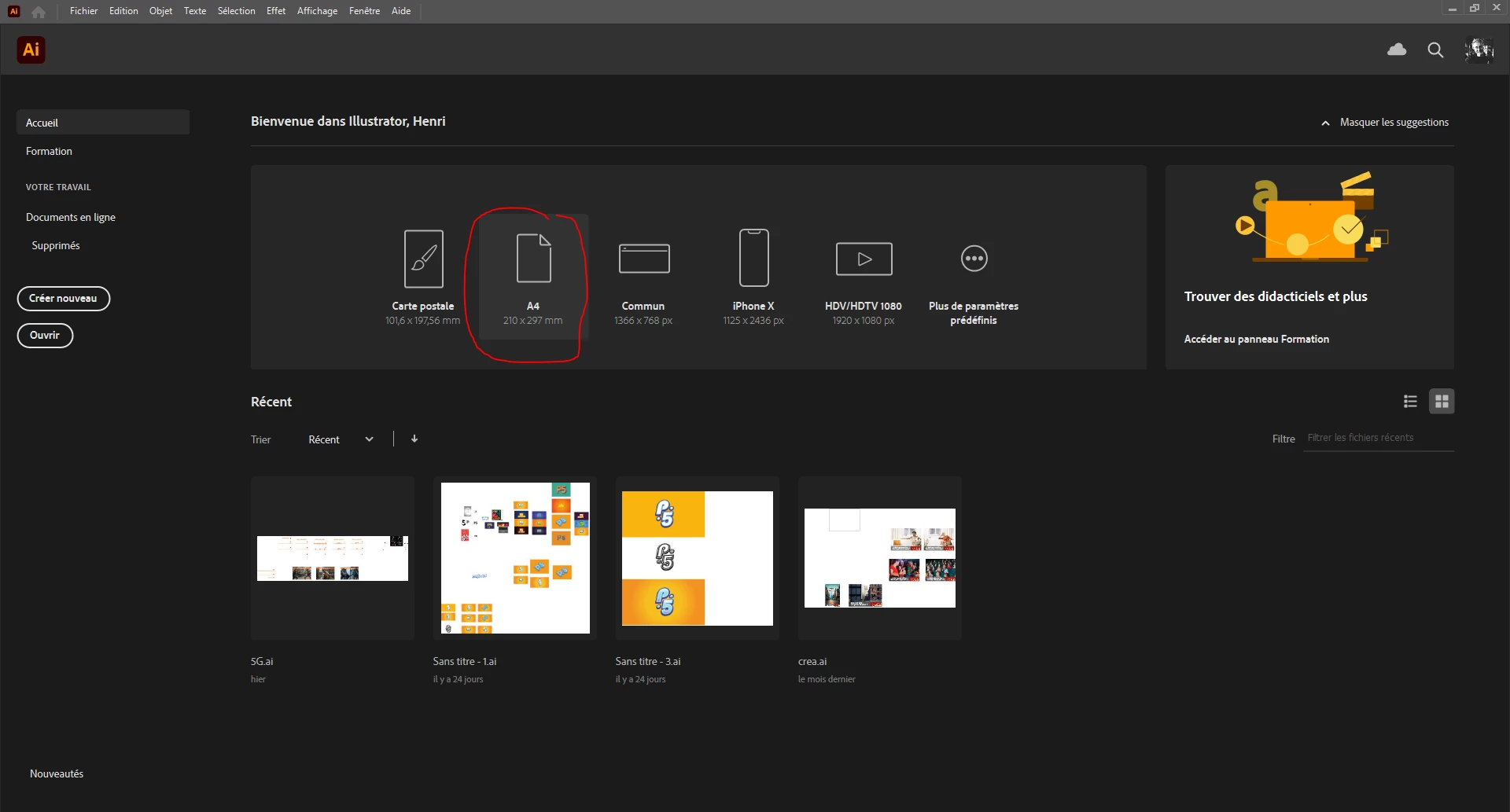
J'ai un problème de format lorsque je créé un nouveau document en format A4 depuis le la page d'acceuil d'illustrator (image capture 1).


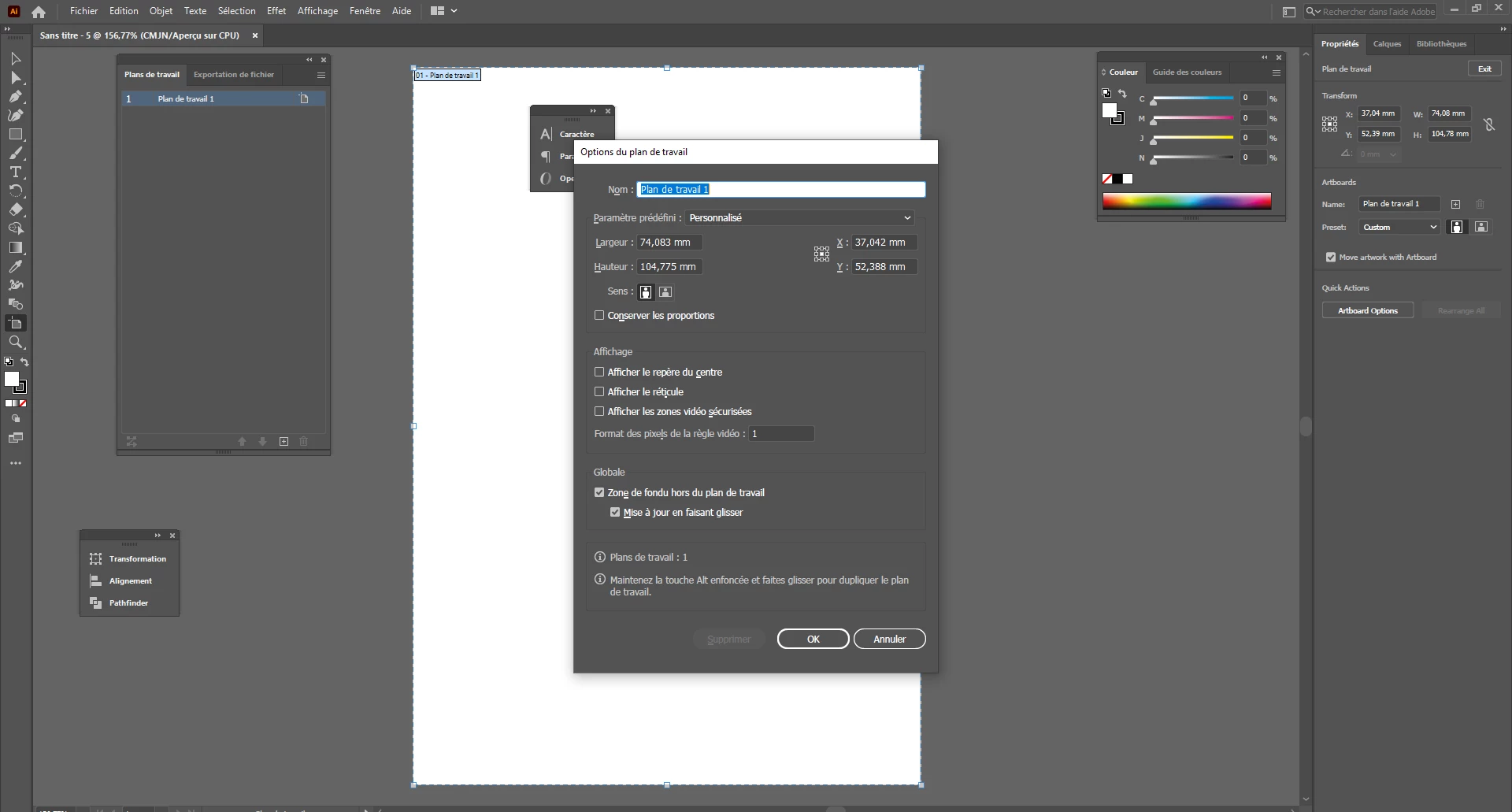
Lorsque je suis sur le nouveau document créé et que j'affiche le format de mon plan de travail, ce n'est pas le format d'une page A4 (image capture 2)


Quelqu'un a déjà eu un problème similaire ?


Merci 


[ attachments inserted as inline images by moderator ]

This topic has been closed for replies.

2 replies

Srishti Bali
Community Manager
Community Manager
February 10, 2021

Hi there,


Sorry to hear about this trouble.  I am hopeful that the issue is fixed by now. If not, please try resetting preferences for Ai ( https://community.adobe.com/t5/illustrator/how-to-reset-illustrator-preferences/td-p/10602277 ) and share your observations with us. While resetting preferences, please make sure that Illustrator and other Adobe apps are closed. 


Please note that resetting preferences will remove all the custom settings and Illustrator will launch with default settings. You can also take a backup of the folders in case you want to. 


Feel free to let us know if you still need assistance. We'd be happy to help.


Regards,

Srishti

Anna Lander
Inspiring
January 9, 2021

the dialogue window says it's a customized artboard. What does it say if you choose A4?

Participant
January 25, 2021

If i click on the left "create a new" and i choice the A4 format it's ok (without problem). And it's ok too if i create a new one in the files menu. 

The problem is only on this shortcut, a friend of mine also has the same problem.


It's still quite weird given that the format displayed on this A4 shortcut is the correct one, except that once selected and created the format is no longer correct.


Thank