Copy link to clipboard
Copied
Hi. If I have multiple lines that start at unique points around the page but end at a common point, is there a way to move the end common anchor point of all the lines while maintaining the unique start points of the lines? I know I can move the end point of each line individually to the new point, just wondering if I could speed up the process.
To select specific multiple points throughout your drawing use the direct selection tool (the white arrow at the top of the tool bar) and hold the shift as you do so. If your question is whether you want all of these end points to ultimately be located at the same coordinates then use the average command once they are all selected (option-command-j on mac alt-control-j on PC) to get them all at the same spot. Once you've done that, while they are still all selected, you can use the direct select
...Copy link to clipboard
Copied
The lasso tool works well to select multiple points, or shift click to select more than one point.
Copy link to clipboard
Copied
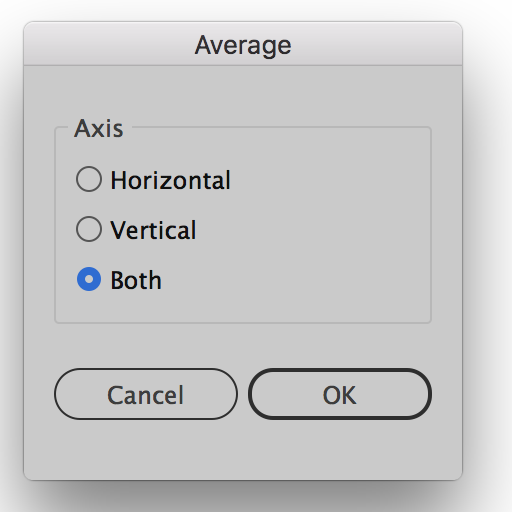
To select specific multiple points throughout your drawing use the direct selection tool (the white arrow at the top of the tool bar) and hold the shift as you do so. If your question is whether you want all of these end points to ultimately be located at the same coordinates then use the average command once they are all selected (option-command-j on mac alt-control-j on PC) to get them all at the same spot. Once you've done that, while they are still all selected, you can use the direct selection tool to move them all to exactly where you want them. See screen shot to see the Average dialog box:

Copy link to clipboard
Copied
Imogen,
As I (mis)understand it, you can just (after having deselected everything) ClickDrag across the common Anchor Point (set) with the Direct Selection Tool, then with the same tool ClickDrag to where you want it/them.
Smart Guides may be your friends telling when you are within snapping distance of whatever you may wish to snap to (path/anchor point/page whatever).

Get ready! An upgraded Adobe Community experience is coming in January.
Learn more