


Known Participant
Jun 26, 2023 9:59 PM UTC
Question

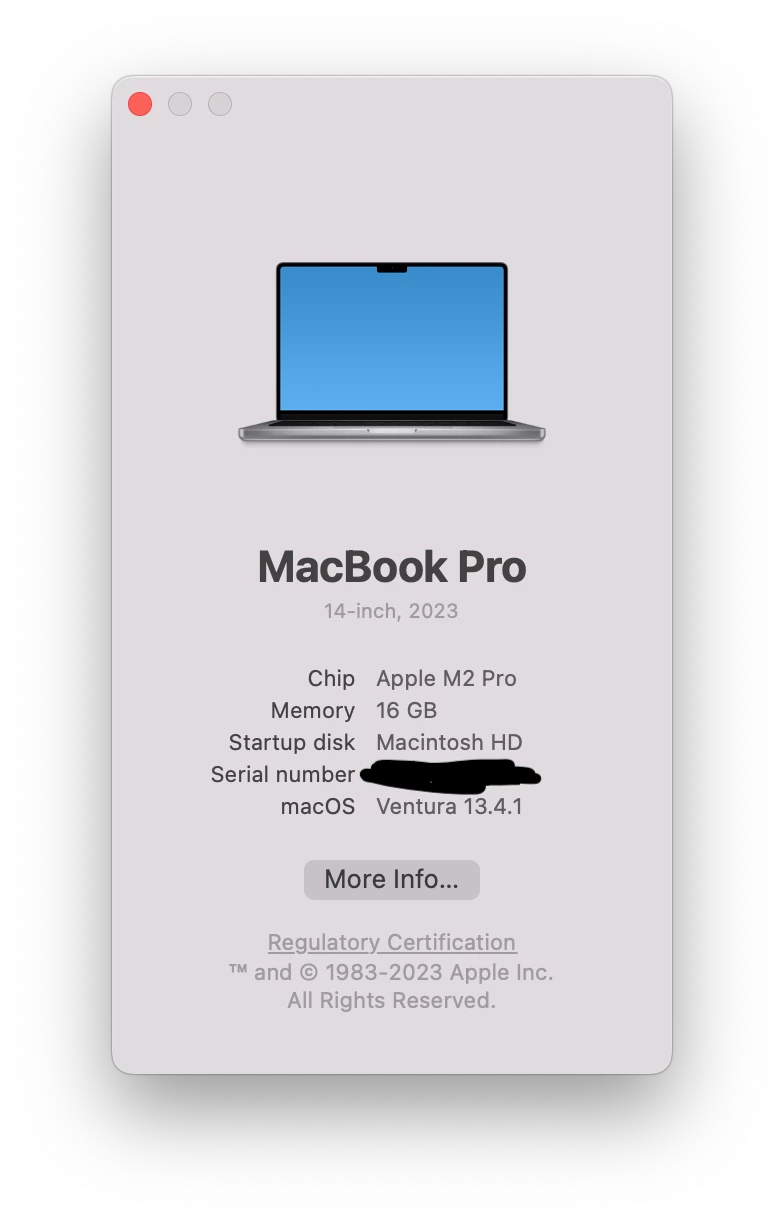
Multiple Illustrator issues on M2 Macbook Pro

I recently got an M2 MBP and I'm having some issues with Illustrator which I recently installed the latest version (27.6.1).


I'm not using old preferences. I have disabled dictation features which some users in other posts seem to believe affected Illustrator performance. This is a fresh install of macOS and the Adobe apps.


I'm on macOS Ventura 13.4.1.
 

Lag and stuttering when moving objects

Randomly when dragging objects the canvas seems to freeze for a second or two and then finally updates itself. This happens even on emptuy projects with nothing but a rectangle.


I disabled the Pro Motion feature of my laptop's monitor which changes framerates depending on what the user is doing. This seems to have alleviated the issue even though I'm using an external monitor connected to a Thunderbolt port.


Lag when writing

There's another random issue which is not really consistent. When writing text it seems text doesn't render as I type it. Sometimes the characters I've typed take 1-2 seconds to appear in the screen. This is extremely frustrating and is slowing me down considerably.


I've disabled GPU performance in the settings which solves the issue but now the rendering performance slows down to a crawl (as expected). Sometimes if I re-enable GPU performance the issue goes away momentarily and then comes back.


Inititally I thought this could be caused by my BT keyboard but it happens with the internal keyboard too. Even when using the BT keyboard I don't see this this behavior in any other app (I write a lot of code).


For some strange reason, the issue seems to go away when recording the screen with Quicktime so I recorded these videos with my phone.


With GPU performance enabled you can see how when I keep the E key pressed it take a while for text to appear:

https://youtu.be/uSujR7dGqZw


With CPU rendering the issue disappears and text renders as it should:

https://youtu.be/PXSV0P_LckQ


This topic is closed to new replies. Start a new post to keep the conversation going.

47 replies

timp7533729
Participant
Jun 14, 2024 11:22 AM UTC

I'm having the same issue for 3 days now. Is there any new solution?

Translate
Monika Gause
Community Expert
Community Expert
Jun 14, 2024 11:37 AM UTC

@timp7533729  schrieb:

I'm having the same issue for 3 days now. Is there any new solution?


Which issue exactly do you have?

On which system?

With which version of Illustrator?

Translate
Participant
Apr 22, 2024 4:15 PM UTC

Hello, I'm experiencing the same issue on a MB Pro with an M3 Pro chip. I noticed that the Mac screen resolution might be related to the problem. I usually use it at 1080x1169, but when I lower it, for instance, to a lower resolution like 1525x982, the issue disappears! Also, I moved Illustrator to a secondary screen with a resolution of 1920x1080, and it doesn't have that problem there. I'm not sure why this is happening, but it's my humble observation. I'm forced to use the 1525x982 resolution, which isn't ideal, but at least it works fine!

Translate
Participant
Apr 23, 2024 4:25 PM UTC

Update! It seems that the issue disappears from the MacBook when you disconnect the secondary monitor and work solely with the Mac's monitor.

Translate
MonicaMPAuthor
Known Participant
Apr 23, 2024 4:43 PM UTC

I just tested this quickly and yes it does seem to make a difference in the latest version of Illustrator 2024 (28.4.1). I can write text fluidly, I can move objects without lag, etc.


Hopefully this information will help the Adobe team nail down this bug.

Translate
mbtassino
Participating Frequently
Mar 12, 2024 7:19 AM UTC

Same Here. I'm with a brand new Macbook Pro M2 Max, 64gb, 12-Core CPU/30-Core GPU and it is impossible to work with, incredible slow... is there any solution? 

Translate
Ton Frederiks
Community Expert
Community Expert
Mar 12, 2024 9:26 AM UTC

Which OS, Sonoma? Did you migrate the CC apps? Can you install Ventura? 

Translate
mbtassino
Participating Frequently
Mar 12, 2024 1:47 PM UTC

Sonoma, yes. I didn't migrate them, it was a fresh install. I might be able to install Ventura, but I've read that some people encountered similar errors with Ventura too. Do you think it's worth a shot? I've been having a lot of issues with Sonoma in general, but I lack a point of comparison since I haven't used macOS in 12 years.

Translate
Known Participant
Feb 27, 2024 5:54 PM UTC

Just want to add into this thread I'm experiencing a feezing bug when attempting scroll fonts, which also DOES NOT happen whilst recording my screen:

https://community.adobe.com/t5/illustrator-discussions/illustrator-28-2-0-freezing-when-scrolling-fonts/m-p/14440525#M398394

Translate
obergim
Participant
Jan 25, 2024 9:23 AM UTC

Any fix? still happening MBP 14 m2.

Translate
Anubhav M
Community Manager
Community Manager
Jan 28, 2024 5:32 PM UTC

Hello @obergim,


Thanks for reaching out. Are you facing performance issues on Illustrator? If yes, kindly try the suggestions shared in this help article (https://helpx.adobe.com/illustrator/kb/optimize-illustrator-performance.html) and check if they help.


If the problem persists, kindly share more details, like the exact version of the OS/Illustrator, system config (CPU/GPU/Memory), and a screen recording of the problem (https://community.adobe.com/t5/illustrator-discussions/screen-record-an-issue-on-windows-amp-macos-for-sharing/td-p/12967727), so we can investigate this further.

Looking forward to hearing from you.


Thanks,

Anubhav

Translate
Participant
Jan 15, 2024 8:48 PM UTC

Reporting the same issue with Macbook Pro M2 Max

Translate
Monika Gause
Community Expert
Community Expert
Jan 15, 2024 9:55 PM UTC

And is it also gone when you boot into Safe Mode?

Translate
MonicaMPAuthor
Known Participant
Dec 6, 2023 4:04 PM UTC

I thought these issues were exclusive to Apple Silicon but the other day I saw someone with an Intel 5K iMac using the latest Illustrator version and suffering from the exact same issues. Severe lag when editing text, clicking, etc. Switching to CPU rendering solved the issues but the overall performance is worse.

Translate
Monika Gause
Community Expert
Community Expert
Dec 6, 2023 4:09 PM UTC

@MonicaMP  schrieb:

suffering from the exact same issues. 


They might experience the same consequences, but those aren't necessarily the same issues causing this.


That's why it's important to have Customer Care inspect the system - the alternative will be to search all the threads in this forum about these issues and try out everything that helped someone else. Or go through the usual troubleshooting steps.


And if working in Safe Mode actually helps, then that is a sign, that something inside your system is causing it. You only have to find that something.

Translate
Participant
Nov 22, 2023 7:18 AM UTC

I am using a Mac Studio M2 MAX with 64GB RAM, and I am experiencing the same issue as everyone else. When using Illustrator, there is significant lag when dragging objects and typing.

Translate
Monika Gause
Community Expert
Community Expert
Nov 22, 2023 10:15 AM UTC

Can you boot into Safe Mode and try again?

Translate
Papia
Participant
Dec 6, 2023 9:35 AM UTC

Can you fix the issue and try answer again ?

Translate
TRENDWER
Participant
Oct 13, 2023 6:54 AM UTC

I'm having the exact same issue. Brand new MacBook with an M2 Pro, now running Sonoma (but I doubt that the OS matters in this case), fresh install of Illustrator, no Preferences taken from other systems.


The fact that this hasn't been resolved since June doesn't give me hope that it will happen anytime soon. Do something about this, Adobe!

Translate
Monika Gause
Community Expert
Community Expert
Oct 13, 2023 8:25 AM UTC

There hasn't been an official statement yet that Adobe apps are ready for Sonoma. In June Sonoma was still in beta. https://helpx.adobe.com/download-install/kb/macos-sonoma-compatibility-common-issues.html 

Translate
TRENDWER
Participant
Oct 13, 2023 9:17 AM UTC

The original poster pierBover, who started this thread in June, did not use Sonoma, so this clearly has nothing to do with the OS version.

Translate
MonicaMPAuthor
Known Participant
Jun 27, 2023 5:06 PM UTC

I've disabled this option and I've been able to re-enable GPU for rendering. So far this has solved my previous issues.

It's not ideal but it makes Illustrator usable again. Hopefully Adobe will fix these issues asap.


Translate
MonicaMPAuthor
Known Participant
Jun 28, 2023 7:38 PM UTC

Hmmm no disabling the "realtime editing" option didn't fix the text rendering lag problem.


The problem is back.

Translate