


- Home
- Illustrator
- Discussions
- Re: Pause or Wait Between Commands...
- Re: Pause or Wait Between Commands...

Copy link to clipboard
Copied
The below is a portion of a larger script I have... What I'm wanting to do is place a Pause/Wait/Sleep (whichever is appropriate) command to wait on the item to finish printing before proceeding to the next section...
I've added the sleep function... but it doesn't appear to be working or is not understanding what I'm wanting it to do...
Any Ideas
var storeUserInteract = userInteractionLevel;
var d = activeDocument;
var jbOpts = new PrintJobOptions();
var opts = new PrintOptions();
opts.printPreset = "JEFF_HP";
opts.jobOptions = jbOpts;
userInteractionLevel = UserInteractionLevel.DONTDISPLAYALERTS;
d.print(opts);
userInteractionLevel = storeUserInteract;
$.sleep (10000);
//Through Cut Backward
function wrapper()
{
var docRef = app.activeDocument;
var layers = docRef.layers;
var artLayer = layers["Artwork"];
var thruCutLayer = layers["Through Cut"];
function bringThruCutForward()
{
thruCutLayer.zOrder(ZOrderMethod.BRINGTOFRONT);
}
function sendThruCutBackward()
{
thruCutLayer.zOrder(ZOrderMethod.SENDTOBACK);
}
sendThruCutBackward();
}
wrapper();


 1 Correct answer

Ok. I thought you meant that " - Proof" was somehow being added to the beginning of the string which just didn't make any sense.
So your resulting filename is "my_placed_image.pdf"?
try this:
...saveAsPdf(
'~/Desktop/Illustrator Hot Folder/Reveal Zund Marks/OUT',
activeDocument.placedItems[0].file.name,
'Dynagraphics PDF - Flat - Layers'
);
function saveAsPdf(targFoldPath, targFileName, pdfPresName)
{
var destFolder = new Folder (targFoldPath);
var pdfOpts = new PDFSaveOptions();


Explore related tutorials & articles
 22
Replies
22
22
Replies
22

Copy link to clipboard
Copied
I think you don't need $.sleep in this case. I think in this snippet all actions will performed in sequence, after the previous steps will completed.
New for exemple, this code is executed sequentially:
//@target illustrator
// print to first file
var pres = 'JEFF_HP';
prnt('test1', pres);
// any another actions
wrapper();
redraw(); // if you whant to redraw the screen
// print to second file or make another actions
prnt('test2', pres);
function wrapper(){
var docRef = app.activeDocument;
var layers = docRef.layers;
var artLayer = layers["Artwork"];
var thruCutLayer = layers["Through Cut"];
function bringThruCutForward() {
thruCutLayer.zOrder(ZOrderMethod.BRINGTOFRONT);
}
function sendThruCutBackward() {
thruCutLayer.zOrder(ZOrderMethod.SENDTOBACK);
}
sendThruCutBackward();
}
function prnt(fileName, printPresetName){
var storeUserInteract = userInteractionLevel;
var d = activeDocument;
var filePath = '/d/' + fileName + '.ps'
var jbOpts = new PrintJobOptions();
var opts = new PrintOptions();
opts.printPreset = "printPresetName";
opts.jobOptions = jbOpts;
jbOpts.file = new File(filePath);
userInteractionLevel = UserInteractionLevel.DONTDISPLAYALERTS;
d.print(opts);
userInteractionLevel = storeUserInteract;
}
Copy link to clipboard
Copied
Thanks for replying but this is not accomplishing what I need... or should i say it's not working... It's hanging up on line 35...
The previous code I had was working great with the exception it was advancing before the print option was done....
Any further ideas on what to do..????
Copy link to clipboard
Copied
I think I made an error in my code in a line 31
Replace this:
opts.printPreset = "printPresetName";
to that
opts.printPreset = printPresetName;
and my code must work correctly
Copy link to clipboard
Copied
Here is my full script... I've marked the areas that I'm having trouble with... Any help is greatly appreciated...
**********************************
#target illustrator
var theFile = File('~/Desktop/Illustrator Hot Folder/Add Zund-Print-Save/ZTemplate/Zund Setup.ait');
app.open(theFile);
//Place New Image
var fo = Folder ( '~/Desktop/Illustrator Hot Folder/Add Zund-Print-Save/IN' );
var files = fo.getFiles ( /* you may want to use a filter function here. See doc */ );
var file, newimage;
while ( file = files.pop() ) {
var docRef = app.activeDocument;
newimage = docRef.placedItems.add();
newimage.file = file;
newimage.position = [200,-300];
}
//set artboard size to image size
var docRef = app.activeDocument;
var artboards = docRef.artboards;
var theImg = docRef.placedItems[0];
theImg.left = 0;
theImg.top = 0;
artboards[0].artboardRect = [0,0,theImg.width,-(theImg.height)]
//Fit artboard To window
app.executeMenuCommand ('fitall');
// Get Canvas Size and Add Through Cut Layer
function container()
{
var docRef = app.activeDocument;
var layers = docRef.layers;
var swatches = docRef.swatches;
var artboards = docRef.artboards;
var artLay, cutLay;
var bleed = 18;
var theImg = docRef.placedItems[0];
theImg.left = 0;
theImg.top = 0;
var docSize = [theImg.width,theImg.height];
artboards[0].artboardRect = [0,0,docSize[0],-(docSize[1])];
function initLayers()
{
artLay = layers.add();
artLay.name = "Artwork";
theImg.moveToBeginning(artLay);
cutLay = layers.add();
cutLay.name = "Through Cut";
}
function addThroughCut()
{
var cutLine = cutLay.pathItems.rectangle(-(bleed),bleed,docSize[0]-(bleed*2),docSize[1]-(bleed*2));
cutLine.filled = false;
cutLine.strokeColor = swatches["Through Cut"].color;
}
initLayers();
addThroughCut();
layers["Layer 1"].remove();
}
container();
//Through Cut Forward
function wrapper()
{
var docRef = app.activeDocument;
var layers = docRef.layers;
var artLayer = layers["Artwork"];
var thruCutLayer = layers["Through Cut"];
function bringThruCutForward()
{
thruCutLayer.zOrder(ZOrderMethod.BRINGTOFRONT);
}
function sendThruCutBackward()
{
thruCutLayer.zOrder(ZOrderMethod.SENDTOBACK);
}
bringThruCutForward();
}
wrapper();
var storeUserInteract = userInteractionLevel;
var d = activeDocument;
var jbOpts = new PrintJobOptions();
var opts = new PrintOptions();
opts.printPreset = "JEFF_HP";
opts.jobOptions = jbOpts;
userInteractionLevel = UserInteractionLevel.DONTDISPLAYALERTS;
d.print(opts);
userInteractionLevel = storeUserInteract;
///I If I just run the script to this point... Everything is perfect... It opens my template... Add's my Cut Lines, Places them on top and Prints Perfect...
/// However when I start adding the additional pieces below... it acts as if it's not seeing some of the commands or running through them like they don't exist
///Save as pdf... I added this step to Save a .pdf with the Cut line on top of the art working for proofing and attempted to add the word PROOF before the file name... However this step is not working or it doesn't save the word "Proof" at the beginning
try {
if (app.documents.length > 0 ) {
var destFolder = null;
destFolder = Folder('~/Desktop/Illustrator Hot Folder/Add Zund-Print-Save/OUT');
if (destFolder != null) {
var options, i, sourceDoc, targetFile;
options = this.getOptions();
options.pDFPreset = "Dynagraphics PDF - Flat - Layers"
for ( i = 0; i < app.documents.length; i++ ) {
sourceDoc = app.documents;
// Get the file to save the document as pdf into
targetFile = this.getTargetFile(Proof+app.activeDocument.placedItems[0].file.name, '.pdf', destFolder); /// This is the line I added "Proof+" to the name that's not working
// Save as pdf
sourceDoc.saveAs( targetFile, options );
}
//alert( 'Documents saved as PDF' );
}
}
else{
throw new Error('There are no document open!');
}
}
catch(e) {
//alert( e.message, "Script Alert", true);
}
/** Returns the options to be used for the generated files.
@return PDFSaveOptions object
*/
function getOptions()
{
// Create the required options object
var options = new PDFSaveOptions();
options.pDFPreset = "Dynagraphics PDF - Flat - Layers"
return options;
}
function getTargetFile(docName, ext, destFolder) {
var newName = "";
if (docName.indexOf('.') < 0) {
newName = docName + ext;
} else {
var dot = docName.lastIndexOf('.');
newName += docName.substring(0, dot);
newName += ext;
}
var myFile = new File( destFolder + '/' + newName );
if (myFile.open("w")) {
myFile.close();
}
else {
throw new Error('Access is denied');
}
return myFile;
}
//Through Cut Backward... This moves my Cut layers behind the artwork
function wrapper()
{
var docRef = app.activeDocument;
var layers = docRef.layers;
var artLayer = layers["Artwork"];
var thruCutLayer = layers["Through Cut"];
function bringThruCutForward()
{
thruCutLayer.zOrder(ZOrderMethod.BRINGTOFRONT);
}
function sendThruCutBackward()
{
thruCutLayer.zOrder(ZOrderMethod.SENDTOBACK);
}
sendThruCutBackward();
}
wrapper();
///Save as pdf... This Saves my art with the Cutlines Behind the Artwork... This part is working ok...
try {
if (app.documents.length > 0 ) {
var destFolder = null;
destFolder = Folder('~/Desktop/Illustrator Hot Folder/Add Zund-Print-Save/OUT');
if (destFolder != null) {
var options, i, sourceDoc, targetFile;
options = this.getOptions();
options.pDFPreset = "Dynagraphics PDF - Flat - Layers"
for ( i = 0; i < app.documents.length; i++ ) {
sourceDoc = app.documents;
// Get the file to save the document as pdf into
targetFile = this.getTargetFile(app.activeDocument.placedItems[0].file.name, '.pdf', destFolder);
// Save as pdf
sourceDoc.saveAs( targetFile, options );
}
//alert( 'Documents saved as PDF' );
}
}
else{
throw new Error('There are no document open!');
}
}
catch(e) {
//alert( e.message, "Script Alert", true);
}
/** Returns the options to be used for the generated files.
@return PDFSaveOptions object
*/
function getOptions()
{
// Create the required options object
var options = new PDFSaveOptions();
options.pDFPreset = "Dynagraphics PDF - Flat - Layers"
return options;
}
function getTargetFile(docName, ext, destFolder) {
var newName = "";
if (docName.indexOf('.') < 0) {
newName = docName + ext;
} else {
var dot = docName.lastIndexOf('.');
newName += docName.substring(0, dot);
newName += ext;
}
var myFile = new File( destFolder + '/' + newName );
if (myFile.open("w")) {
myFile.close();
}
else {
throw new Error('Access is denied');
}
return myFile;
}
//Close the open Document Command
app.documents[0].close(SaveOptions.DONOTSAVECHANGES)
//This line is set to clear the file out of the HotFolder when complete... Works great
var myFolder = Folder( '~/Desktop/Illustrator Hot Folder/Add Zund-Print-Save/IN' );
var myFiles = myFolder.getFiles();
for(var i=myFiles.length - 1; i > -1; i--){
myFiles.remove();
}; ! !
Copy link to clipboard
Copied
o-marat Did you see my full code listed above... Wasn't sure if you could see what was going on there...
Also Silly-V & williamadowling Feel free to pipe in if possible...
Thanks for all your help...
Copy link to clipboard
Copied
What is this: files.pop() ??

Copy link to clipboard
Copied
file = files.pop() takes the last element of the 'files' array and puts it into the 'file' variable.
It's best to construct your own little snippets and that way you know what's going on in there exactly. You surely don't wanna use some code you know not what is inside, because in case many of your files end up having some problem, you'd want to be sure about what's happening to them via the scripts.
Copy link to clipboard
Copied
I'm embarrassed to say... I don't know... I had asked for assistance in creating that part of the script to be able to place images from a Hot folder... and that was the script I got back... It does work successfully and does what I needed... but it's possible it's just extra Fluff ???
Copy link to clipboard
Copied
Thanks... but that part of this script is working perfectly... however there are other parts.. that i've marked that are not... was hoping someone could look it over and see why it's not working...I've bolded the type so it's easy to spot....
I've attached a copy below...
#target illustrator
var theFile = File('~/Desktop/Illustrator Hot Folder/Add Zund-Print-Save/ZTemplate/Zund Setup.ait');
app.open(theFile);
//Place New Image
var fo = Folder ( '~/Desktop/Illustrator Hot Folder/Add Zund-Print-Save/IN' );
var files = fo.getFiles ( /* you may want to use a filter function here. See doc */ );
var file, newimage;
while ( file = files.pop() ) {
var docRef = app.activeDocument;
newimage = docRef.placedItems.add();
newimage.file = file;
newimage.position = [200,-300];
}
//set artboard size to image size
var docRef = app.activeDocument;
var artboards = docRef.artboards;
var theImg = docRef.placedItems[0];
theImg.left = 0;
theImg.top = 0;
artboards[0].artboardRect = [0,0,theImg.width,-(theImg.height)]
//Fit artboard To window
app.executeMenuCommand ('fitall');
// Get Canvas Size and Add Through Cut Layer
function container()
{
var docRef = app.activeDocument;
var layers = docRef.layers;
var swatches = docRef.swatches;
var artboards = docRef.artboards;
var artLay, cutLay;
var bleed = 18;
var theImg = docRef.placedItems[0];
theImg.left = 0;
theImg.top = 0;
var docSize = [theImg.width,theImg.height];
artboards[0].artboardRect = [0,0,docSize[0],-(docSize[1])];
function initLayers()
{
artLay = layers.add();
artLay.name = "Artwork";
theImg.moveToBeginning(artLay);
cutLay = layers.add();
cutLay.name = "Through Cut";
}
function addThroughCut()
{
var cutLine = cutLay.pathItems.rectangle(-(bleed),bleed,docSize[0]-(bleed*2),docSize[1]-(bleed*2));
cutLine.filled = false;
cutLine.strokeColor = swatches["Through Cut"].color;
}
initLayers();
addThroughCut();
layers["Layer 1"].remove();
}
container();
//Through Cut Forward
function wrapper()
{
var docRef = app.activeDocument;
var layers = docRef.layers;
var artLayer = layers["Artwork"];
var thruCutLayer = layers["Through Cut"];
function bringThruCutForward()
{
thruCutLayer.zOrder(ZOrderMethod.BRINGTOFRONT);
}
function sendThruCutBackward()
{
thruCutLayer.zOrder(ZOrderMethod.SENDTOBACK);
}
bringThruCutForward();
}
wrapper();
var storeUserInteract = userInteractionLevel;
var d = activeDocument;
var jbOpts = new PrintJobOptions();
var opts = new PrintOptions();
opts.printPreset = "JEFF_HP";
opts.jobOptions = jbOpts;
userInteractionLevel = UserInteractionLevel.DONTDISPLAYALERTS;
d.print(opts);
userInteractionLevel = storeUserInteract;
///I If I just run the script to this point... Everything is perfect... It opens my template... Add's my Cut Lines, Places them on top and Prints Perfect...
/// However when I start adding the additional pieces below... it acts as if it's not seeing some of the commands or running through them like they don't exist
///Save as pdf... I added this step to Save a .pdf with the Cut line on top of the art working for proofing and attempted to add the word PROOF before the file name... However this step is not working or it doesn't save the word "Proof" at the beginning
try {
if (app.documents.length > 0 ) {
var destFolder = null;
destFolder = Folder('~/Desktop/Illustrator Hot Folder/Add Zund-Print-Save/OUT');
if (destFolder != null) {
var options, i, sourceDoc, targetFile;
options = this.getOptions();
options.pDFPreset = "Dynagraphics PDF - Flat - Layers"
for ( i = 0; i < app.documents.length; i++ ) {
sourceDoc = app.documents;
// Get the file to save the document as pdf into
targetFile = this.getTargetFile(Proof+app.activeDocument.placedItems[0].file.name, '.pdf', destFolder); /// This is the line I added "Proof+" to the name that's not working
// Save as pdf
sourceDoc.saveAs( targetFile, options );
}
//alert( 'Documents saved as PDF' );
}
}
else{
throw new Error('There are no document open!');
}
}
catch(e) {
//alert( e.message, "Script Alert", true);
}
/** Returns the options to be used for the generated files.
@return PDFSaveOptions object
*/
function getOptions()
{
// Create the required options object
var options = new PDFSaveOptions();
options.pDFPreset = "Dynagraphics PDF - Flat - Layers"
return options;
}
function getTargetFile(docName, ext, destFolder) {
var newName = "";
if (docName.indexOf('.') < 0) {
newName = docName + ext;
} else {
var dot = docName.lastIndexOf('.');
newName += docName.substring(0, dot);
newName += ext;
}
var myFile = new File( destFolder + '/' + newName );
if (myFile.open("w")) {
myFile.close();
}
else {
throw new Error('Access is denied');
}
return myFile;
}
//Through Cut Backward... This moves my Cut layers behind the artwork
function wrapper()
{
var docRef = app.activeDocument;
var layers = docRef.layers;
var artLayer = layers["Artwork"];
var thruCutLayer = layers["Through Cut"];
function bringThruCutForward()
{
thruCutLayer.zOrder(ZOrderMethod.BRINGTOFRONT);
}
function sendThruCutBackward()
{
thruCutLayer.zOrder(ZOrderMethod.SENDTOBACK);
}
sendThruCutBackward();
}
wrapper();
///Save as pdf... This Saves my art with the Cutlines Behind the Artwork... This part is working ok...
try {
if (app.documents.length > 0 ) {
var destFolder = null;
destFolder = Folder('~/Desktop/Illustrator Hot Folder/Add Zund-Print-Save/OUT');
if (destFolder != null) {
var options, i, sourceDoc, targetFile;
options = this.getOptions();
options.pDFPreset = "Dynagraphics PDF - Flat - Layers"
for ( i = 0; i < app.documents.length; i++ ) {
sourceDoc = app.documents;
// Get the file to save the document as pdf into
targetFile = this.getTargetFile(app.activeDocument.placedItems[0].file.name, '.pdf', destFolder);
// Save as pdf
sourceDoc.saveAs( targetFile, options );
}
//alert( 'Documents saved as PDF' );
}
}
else{
throw new Error('There are no document open!');
}
}
catch(e) {
//alert( e.message, "Script Alert", true);
}
/** Returns the options to be used for the generated files.
@return PDFSaveOptions object
*/
function getOptions()
{
// Create the required options object
var options = new PDFSaveOptions();
options.pDFPreset = "Dynagraphics PDF - Flat - Layers"
return options;
}
function getTargetFile(docName, ext, destFolder) {
var newName = "";
if (docName.indexOf('.') < 0) {
newName = docName + ext;
} else {
var dot = docName.lastIndexOf('.');
newName += docName.substring(0, dot);
newName += ext;
}
var myFile = new File( destFolder + '/' + newName );
if (myFile.open("w")) {
myFile.close();
}
else {
throw new Error('Access is denied');
}
return myFile;
}
//Close the open Document Command
app.documents[0].close(SaveOptions.DONOTSAVECHANGES)
//This line is set to clear the file out of the HotFolder when complete... Works great
var myFolder = Folder( '~/Desktop/Illustrator Hot Folder/Add Zund-Print-Save/IN' );
var myFiles = myFolder.getFiles();
for(var i=myFiles.length - 1; i > -1; i--){
myFiles.remove();
};
Copy link to clipboard
Copied
I think that your base script should like this (without comments):
//@target illustrator
main();
function main() {
var aitFile = File('~/Desktop/Illustrator Hot Folder/Add Zund-Print-Save/ZTemplate/Zund Setup.ait');
app.open(aitFile);
var foldPath = '~/Desktop/Illustrator Hot Folder/Add Zund-Print-Save/IN'
var fold = Folder(foldPath);
var files = fold.getFiles();
var file, newImg, doc, artboards, img;
for (var j = 0; j < files.length; j++) {
file = files
; newImg = activeDocument.placedItems.add();
newImg.file = file;
newImg.position = [200, -300];
}
doc = app.activeDocument;
artboards = doc.artboards;
img = doc.placedItems[0];
img.left = 0;
img.top = 0;
artboards[0].artboardRect = [0, 0, img.width, -(img.height)];
app.executeMenuCommand('fitall');
addThroughCut();
wrapper('BRINGTOFRONT');
prnt();
saveAsPdf('Proof' + app.activeDocument.placedItems[0].file.name);
wrapper('SENDTOBACK');
saveAsPdf(app.activeDocument.placedItems[0].file.name);
app.documents[0].close(SaveOptions.DONOTSAVECHANGES);
files = myFolder.getFiles();
for (var i = files.length - 1; i > -1; i--) {
files.remove();
}
/**
* LIBRARY
* */
function addThroughCut() {
var doc = app.activeDocument,
layers = doc.layers,
swatches = doc.swatches,
artboards = doc.artboards,
bleed = 18,
img = doc.placedItems[0],
docSize = [img.width, img.height],
artLay,
cutLay;
img.left = 0;
img.top = 0;
artboards[0].artboardRect = [0, 0, docSize[0], -(docSize[1])];
_initLayers();
_addThroughCut();
layers["Layer 1"].remove();
function _initLayers() {
artLay = layers.add();
artLay.name = "Artwork";
img.moveToBeginning(artLay);
cutLay = layers.add();
cutLay.name = "Through Cut";
}
function _addThroughCut() {
var cutLine = cutLay.pathItems.rectangle(-(bleed), bleed, docSize[0] - (bleed * 2), docSize[1] - (bleed * 2));
cutLine.filled = false;
cutLine.strokeColor = swatches["Through Cut"].color;
}
}
function wrapper(zOrdMeth) {
var doc = app.activeDocument;
var layers = doc.layers;
var artLayer = layers["Artwork"];
var thruCutLayer = layers["Through Cut"];
thruCutLayer.zOrder(ZOrderMethod[zOrdMeth]);
}
function prnt() {
var storeUserInteract = userInteractionLevel;
var d = activeDocument;
var jbOpts = new PrintJobOptions();
var opts = new PrintOptions();
opts.printPreset = "JEFF_HP";
opts.jobOptions = jbOpts;
userInteractionLevel = UserInteractionLevel.DONTDISPLAYALERTS;
d.print(opts);
userInteractionLevel = storeUserInteract;
}
function saveAsPdf(targFileName) {
var destFolder = null;
try {
if (app.documents.length > 0) {
destFolder = Folder('~/Desktop/Illustrator Hot Folder/Add Zund-Print-Save/OUT');
if (destFolder !== null) {
var options, i, sourceDoc, targetFile;
options = _getOptions();
options.pDFPreset = "Dynagraphics PDF - Flat - Layers"
for (i = 0; i < app.documents.length; i++) {
sourceDoc = app.documents;
targetFile = _getTargetFile(targFileName, '.pdf', destFolder); /// This is the line I added "Proof+" to the name that's not working
sourceDoc.saveAs(targetFile, options);
}
}
}
else {
throw new Error('There are no document open!');
}
}
catch (e) {
}
function _getOptions() {
var options = new PDFSaveOptions();
options.pDFPreset = "Dynagraphics PDF - Flat - Layers"
return options;
}
function _getTargetFile(docName, ext, destFolder) {
var newName = "";
if (docName.indexOf('.') < 0) {
newName = docName + ext;
} else {
var dot = docName.lastIndexOf('.');
newName += docName.substring(0, dot);
newName += ext;
}
var myFile = new File(destFolder + '/' + newName);
if (myFile.open("w")) {
myFile.close();
}
else {
throw new Error('Access is denied');
}
return myFile;
}
}
}
You are running the scripts through ExtendScriptToolkit and see where errors occur?
ps. Can you format the code in the same way?

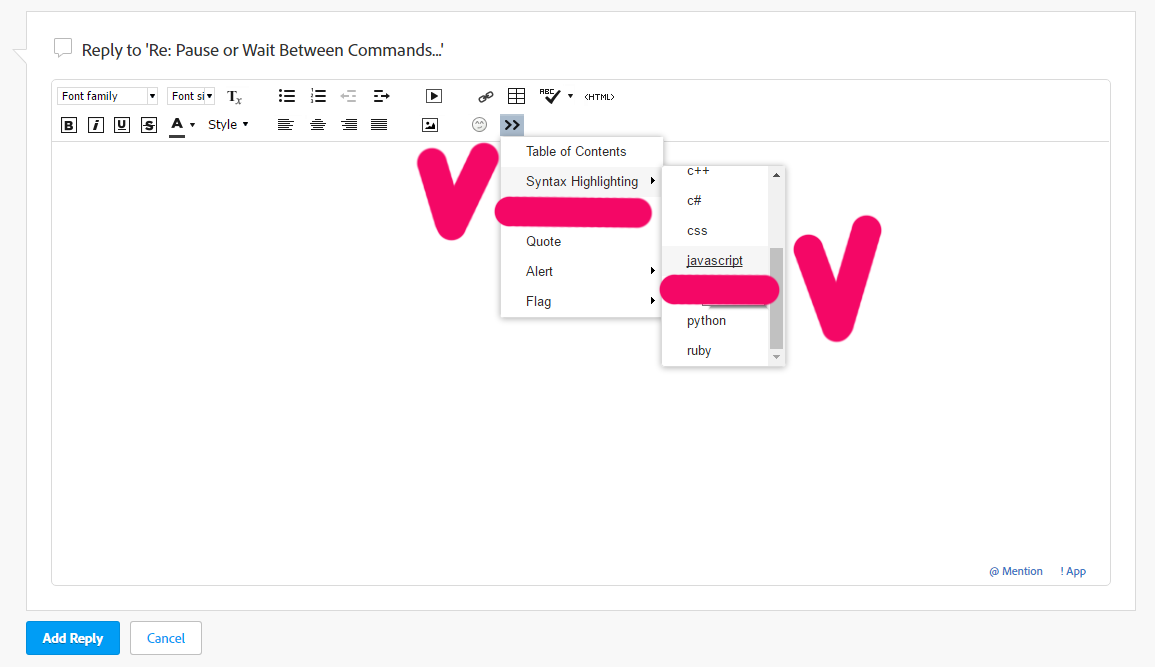
Thank you!
Copy link to clipboard
Copied
I figured it out... There was a loop or something going on in the Moving Layers Forward and Back... Since I had it listed before and after printing... it was undoing itself... I simplified the code for both... and Boom! it worked Perfect... I also was able to add an extra step of saving a proof .pdf with the cut lines in front... and a Hi-res final with the cut lines hidden behind the artwork...
I'm still not sure I understand what all's going on in the save to .pdf command... there seems to be a lot of checks and returns that could be simplified if I understood it better... I game if anybody wants to take time to break it down.... I'd love to learn more...
// Save as pdf
sourceDoc.saveAs( targetFile, options );
}
//alert( 'Documents saved as PDF' );
}
}
else{
throw new Error('There are no document open!');
}
}
catch(e) {
//alert( e.message, "Script Alert", true);
}
/** Returns the options to be used for the generated files.
@return PDFSaveOptions object
*/
function getOptions()
{
// Create the required options object
var options = new PDFSaveOptions();
options.pDFPreset = "Dynagraphics PDF - Flat - Layers"
return options;
}
function getTargetFile(docName, ext, destFolder) {
var newName = "";
if (docName.indexOf('.') < 0) {
newName = docName + ext;
} else {
var dot = docName.lastIndexOf('.');
newName += docName.substring(0, dot);
newName += ext;
}
var myFile = new File( destFolder + '/' + newName );
if (myFile.open("w")) {
myFile.close();
}
else {
throw new Error('Access is denied');
}
return myFile;
}
Thanks
Copy link to clipboard
Copied
Any chance you can help me understand better what's going on in the .pdf save portion of my script... I'm putting it in two places.. because I need it to save a file in two different states (before some actions are ran... and after)...
However... I can get my two versions to run ok separately but I'm thinking like my issue of moving layers... there's a loop or check function in there that's negating them from running together...
Copy link to clipboard
Copied
The function to save to pdf can be simplify to that (for better understanding, and do not need complicate if it will work):
saveAsPdf(
'~/Desktop/Illustrator Hot Folder/Add Zund-Print-Save/OUT',
'Proof' + activeDocument.placedItems[0].file.name,
"Dynagraphics PDF - Flat - Layers"
);
/**
* sample save the activeDocument to the pdf file
*
* @param {String} targFoldPath - any destination folder path
* @param {String} targFileName - the activeDoocument.name or any another name
* @param {String} pdfPresName - the name of existing pdf preset
* */
function saveAsPdf(targFoldPath, targFileName, pdfPresName) {
var destFolder = new Folder(targFoldPath);
var pdfOpts = new PDFSaveOptions();
pdfOpts.pDFPreset = pdfPresName;
var targFile = new File(destFolder + '/' + targFileName);
activeDocument.saveAs(targFile, pdfOpts);
}
Copy link to clipboard
Copied
Quick question.. I'm using your format for saving .pdf files... but I want to move the 'Proof" that's being added to the filename to the end of the name rather than the beginning... I tried simply moving it like so but it didn't work... can you please assist on how to make this happen... - Thanks
saveAsPdf(
'~/Desktop/Illustrator Hot Folder/Reveal Zund Marks/OUT',
activeDocument.placedItems[0].file.name+'- Proof',
"Dynagraphics PDF - Flat - Layers"
);
/**
* sample save the activeDocument to the pdf file
*
* @param {String} targFoldPath - any destination folder path
* @param {String} targFileName - the activeDoocument.name or any another name
* @param {String} pdfPresName - the name of existing pdf preset
* */
function saveAsPdf(targFoldPath, targFileName, pdfPresName) {
var destFolder = new Folder(targFoldPath);
var pdfOpts = new PDFSaveOptions();
pdfOpts.pDFPreset = pdfPresName;
var targFile = new File(destFolder + '/' + targFileName);
activeDocument.saveAs(targFile, pdfOpts);
}
Copy link to clipboard
Copied
" - Proof" should be at the end of your file name... What is the result you're currently getting?
You're saving the file as (name of placed item) + " - Proof". So assuming your placed image is called "my_placed_image", the snippet you posted above should result in a file called:
my_placed_image - Proof.pdf
Can you post some screenshots of your results? I can't see a problem.
Copy link to clipboard
Copied
Thank you... I was wondering how to post the code correctly...
Thanks for all your help... I have it working great now....
Copy link to clipboard
Copied
Well... I agree that I should be getting a result of "Placed Filename - PROOF"...
but unfortunately it's not adding the " - Proof" after the filename... The original version had it at the beginning of the line and it worked great, but I needed to move it to the end and have not had any success....
Copy link to clipboard
Copied
Ok. I thought you meant that " - Proof" was somehow being added to the beginning of the string which just didn't make any sense.
So your resulting filename is "my_placed_image.pdf"?
try this:
saveAsPdf(
'~/Desktop/Illustrator Hot Folder/Reveal Zund Marks/OUT',
activeDocument.placedItems[0].file.name,
'Dynagraphics PDF - Flat - Layers'
);
function saveAsPdf(targFoldPath, targFileName, pdfPresName)
{
var destFolder = new Folder (targFoldPath);
var pdfOpts = new PDFSaveOptions();
pdfOpts.pDFPreset = pdfPresName;
var targFile = new File(destFolder + "/" + targFileName + " - Proof");
app.activeDocument.saveAs(targFile, pdfOpts);
}
Copy link to clipboard
Copied
Unfortunately... that's still not working... it's not adding anything after the placed image file name... I've tried several combinations trying to do it... but there's something I'm missing... Any additional help o-marat
Copy link to clipboard
Copied
What if you add an extension to the end?
var targFile = new File(destFolder + "/" + targFileName + " - Proof.pdf");
Copy link to clipboard
Copied
That worked... Not sure why... but it did... Thanks so much
Copy link to clipboard
Copied
I didn't test any of it and I've never had that issue. But my guess is that ESTK won't save a file without an extension, but it fails quietly... I'm sure Adobe would tell us that's a feature, but it's obviously a bug.
Glad you got it working. 😃


Get ready! An upgraded Adobe Community experience is coming in January.
Learn more
 AdChoices