Ernie_0920
Participating Frequently
December 28, 2017
Question

Raised Type Treatment Text

  • December 28, 2017
  • 4 replies
  • 786 views

Hi there -

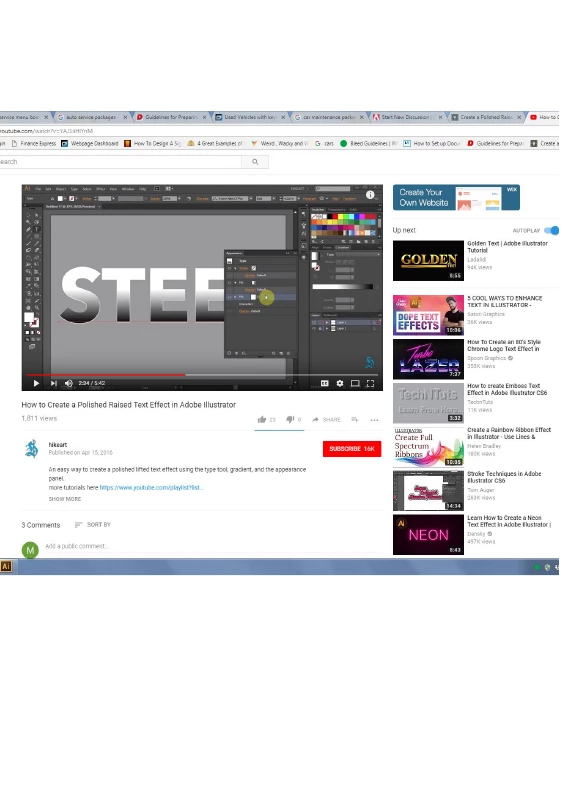
I'm trying to create a raised text effect in Illustrator.  It SHOULD like the first image posted below - but what I/m getting is the image posted underneath it.  I'm following the instructions and at first the box around the text isn't there, but then for some reason, when I select the text and go to Effect, Path, Offset Path - the box appears.  Anything I do afterwards just alters the box and NOT the text.  UGHHH!!  Can anyone help??
    This topic has been closed for replies.

    4 replies

    Ernie_0920
    Participating Frequently
    December 29, 2017

    Monika - please stop “answering” my questions. I’m a beginner and teaching myself Illustrator between working my four jobs. Someday I’ll be able to “solve these issues on my own” - as I’m not an idiot - but for now, I’m using this platform for help - because isn’t that its purpose??

    Thanks Barbara and pixxxel schubser!!  I appreciate the advice! 

    Erin

    pixxxelschubser
    Community Expert
    Community Expert
    December 29, 2017

    Ernie_0920  schrieb

    Monika - please stop “answering” my questions …

    Ernie_0920​ please don't do this. Monika Gause​ is a very very good teacher and excellent helper for Illustrator.

    The answers of the questions written by Monika Gause are strictly required for helping you. Your screenshot is to small - nobody can not recognize anything. What we need is a screenshot (like my own, but your text should be selected).

    And she is absolutely right. The answer for solving your problem is to compare the appearance palette. (And your text "STEEL" approximately should have a width of 4 to 7 inch - depending on the font you used.)

    Have fun

    pixxxelschubser
    Community Expert
    Community Expert
    December 28, 2017
    barbara_a7746676
    Community Expert
    Community Expert
    December 28, 2017

    Make sure to match the unit of measurement. Check if you are using inches and the tutorial is using pixels.

    Monika Gause
    Community Expert
    Community Expert
    December 28, 2017

    Please post larger screenshots.

    Please do show us your result with appearance panel visible and object selected.

    Also in the video tutorial zoom to the appearance panel and show it.

    And maybe by comparing them you can solve your issue on your own.