



Om Nath Jha
Legend
October 20, 2020
해결됨

Recolor Artwork - Reimagined! Apply color themes from vector and raster graphics to your artwork.

  • October 20, 2020
  • 4 답변들
  • 1951 조회

Recoloring and testing your artwork using multiple color palettes cannot get easier than this!


Recoloring powered by AI allows you to create unlimited color variations of your artwork by applying color themes auto-generated from vector and raster graphics. You can later fine-tune colors using the color-balancing wheel, curated color library, or the Color Theme Picker tool. 
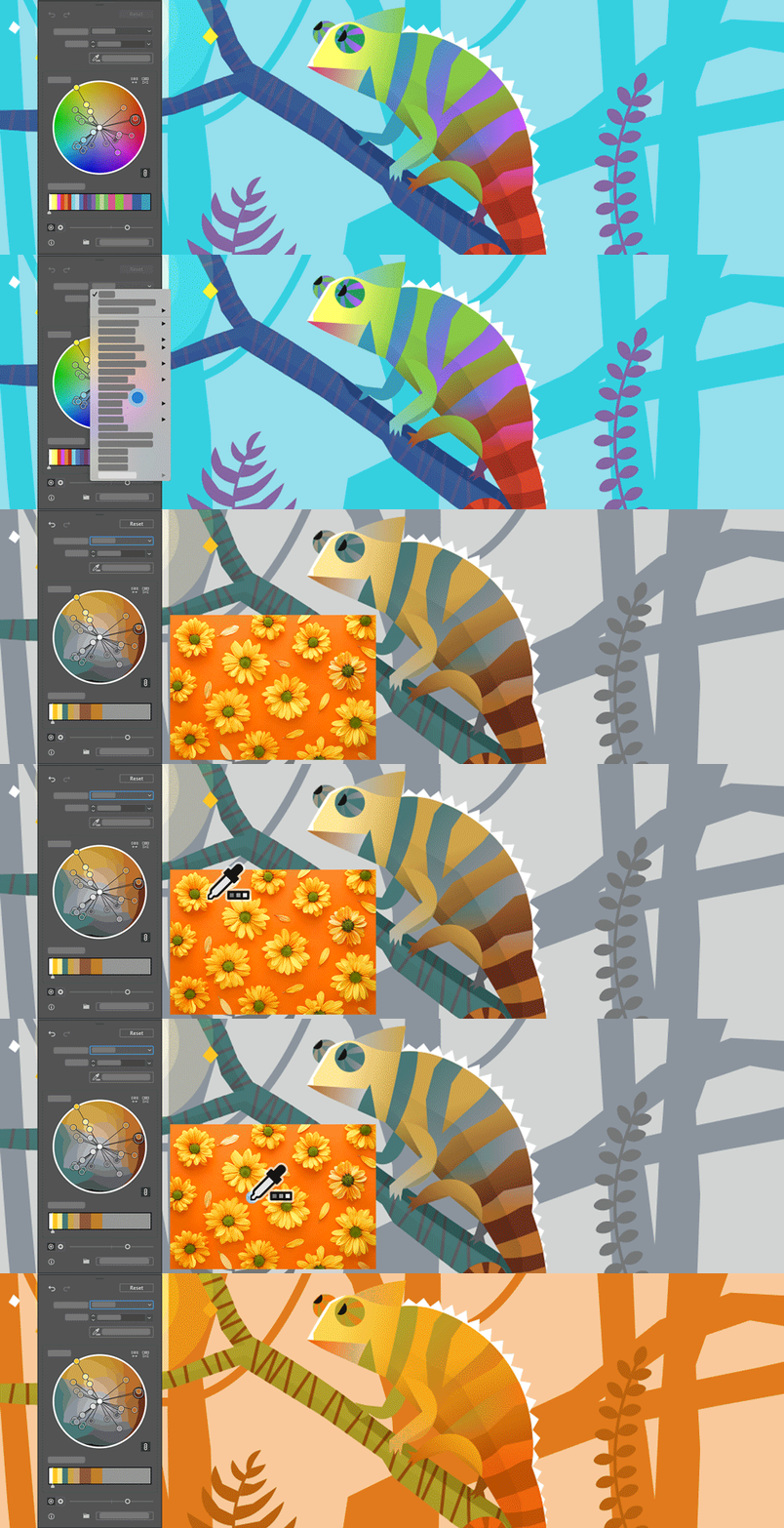


For more information on using this feature see this article.


Try this feature & share your creations

Download the sample file created by our in-house designer Parichay Banerji, and apply color themes from other vector or raster graphics.  Reply to this post to showcase your creations. We cannot wait to see what you come up with!



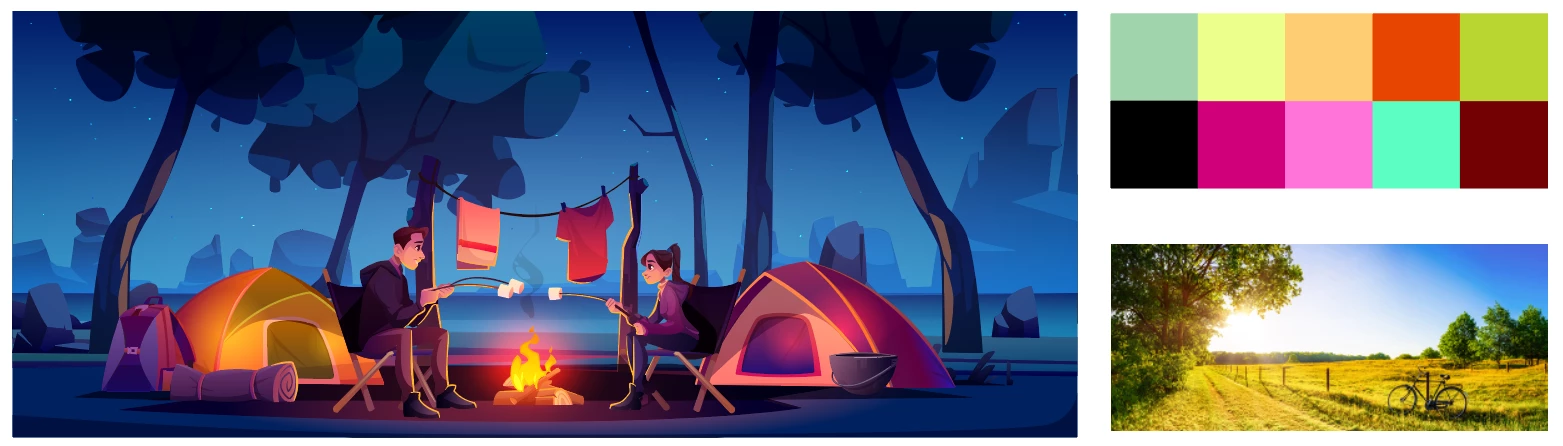
Your download file should look like the image below:


이 주제는 답변이 닫혔습니다.
최고의 답변: Monika Gause

Die Option "Erweiteres Dialogfeld ..." muss ausgeschaltet sein.

4 답변

andi_urra
Known Participant
January 21, 2022

Once I chose "Advanced options" the color picker is gone. I seems to only be available in the simple mode. But once in advance mode you cannot go back.

For me, having the color picker available is very important for working with reference material.

Am I missing something?

Ton Frederiks
Community Expert
Community Expert
January 21, 2022

You need to click the Edit option for the color wheel.

Participant
January 23, 2021

Hi, I have AI 25.1 insatalled but my recoloring tool looks different from what is shown here and and in the turorial, especially ther eis just no color theme picker. Any idea?

Monika Gause
Community Expert
Community Expert
January 23, 2021

Die Option "Erweiteres Dialogfeld ..." muss ausgeschaltet sein.

Participant
January 28, 2021

Vielen Dank! Da wäre ich nicht drauf gekommen!

KShinabery212
Community Expert
Community Expert
December 7, 2020

I used the recolor artwork option on my Tracer graphic.... which turned out nicely.

There is actually a skin in Overwatch from last year's Halloween Horror event that has a similar color.

Now I did run into an issue with the full version of the recolor illustration.... which is over 2000 layers (lots of gradients, blurs and clipping masks). 

But it worked well on the basic version of her.  I like the tool and can not wait to see it advance!


Let's connect on LinkedIn. https://www.linkedin.com/in/kshinabery/
Roger Breton
Legend
October 29, 2020

It does not work? I have Ai 24.3 and the Color Theme picker, supposedly in the Recolor Artwor interface is nowhere to be found?

Roger Breton
Legend
October 29, 2020

Got it! There are two versions of Adobe Illustrator installed on my Windows PC, v24.3 and v25 which has the new Recolor Interface... I'll have to find a way to get rid of v24.3...

Roger Breton
Legend
October 29, 2020

BTW, I have a fast machine yet the new Recolor panel is excruciatingly slow to redraw when I try to reposition it.