
Participant
September 25, 2016
Answered

Strange font pop-up

  • September 25, 2016
  • 21 replies
  • 46323 views

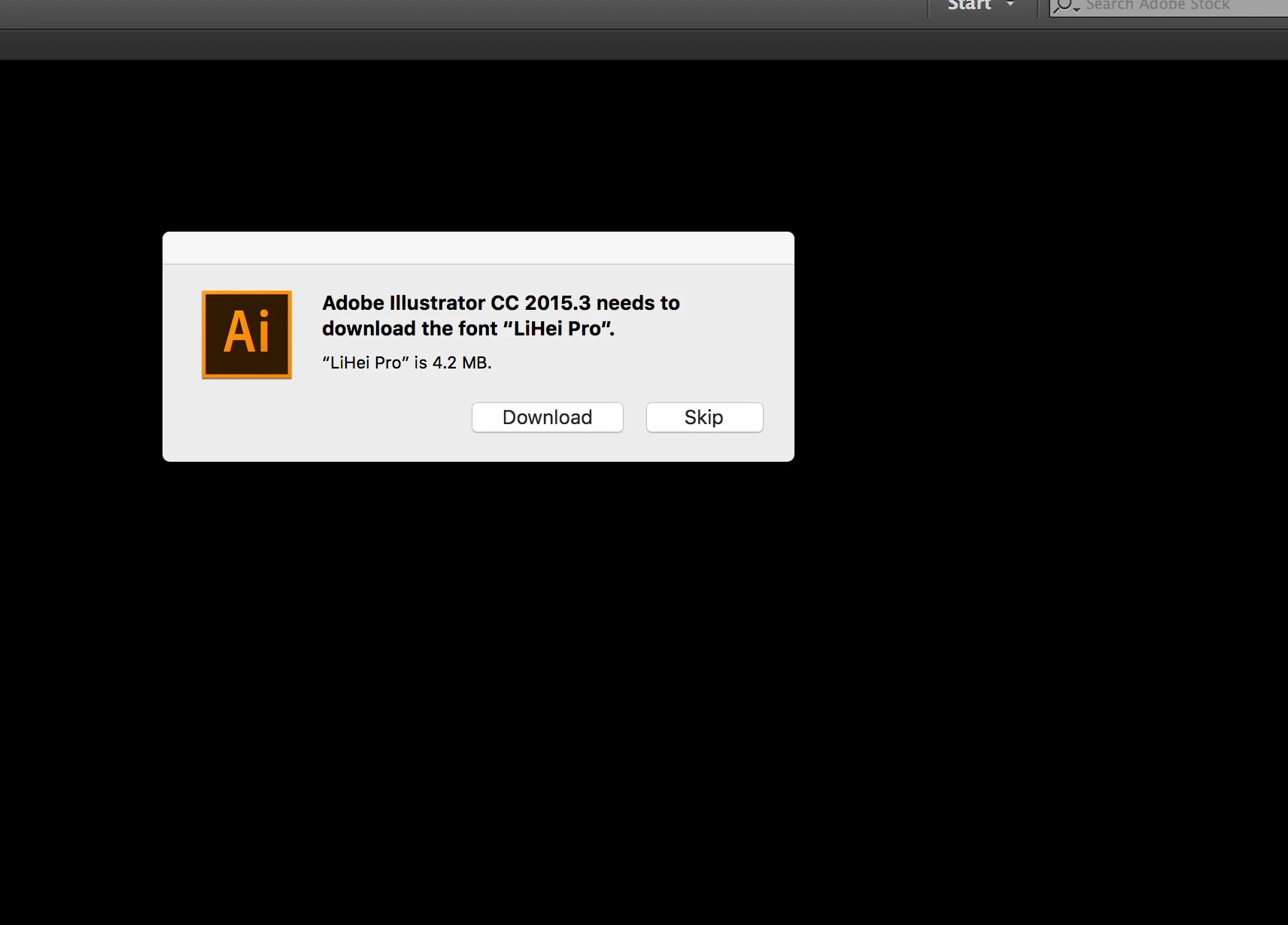
Today I started to get this strange pop-up telling me that I need to install a font I never use and isn't in the document Im working on. I have to click not to install it about 3/4 times before the message goes away. Does anyone know if this is real or some scam? Here is the message I get:

Adobe Illustrator CC 2015.3 needs to download the font “LiHei Pro”
This topic has been closed for replies.
Correct answer SHEPHERDclif

Man you gave in?! HA I came in with the same problem as well as with a fix!

I wasn't just getting this in Illustrator but same messages for the same fonts from MS Word. It is CERTAINLY related to the install of Mac OS Sierra as that was immediately after that it started. However, when I updated my font management software Suitcase Fusion to version 18.1.2 the problem went away.

Actually, in all previous version of OS I would remove the unused foreign fonts from the system folder up until they locked down the root. I've yet to do the Terminal commands to turn that off to remove the unwanted fonts, and turn it back on.

21 replies

Participating Frequently
October 11, 2016

Installd Sierra and same thing happens on AI, AE and PS. I use Font Explorer, which is not the problem. It went away on it's own in AI and PS, or maybe I was not getting this message in both, or maybe only one at a time, pending which program I opened first after a restart. Point being there could be a number of different ways to recreate it, but it has been inconsistent with me thus far, except for AE, it always happens there. I downloaded the first font and was asked for the second, Hei, then the third, STHeite, but cancelling because taking too long to connect and.... nvmd, just download after a long stall in 3 seconds. If anything funny happens I will report back, if I do not report back you can assume my identity blew me up or all is well.

Sierra OS, Mac, pop up, After Effects, Illustrator, Adobe, Photoshop, AE, AI, PS, Adobe, CC, Hei, font, install, needs to download the font

Participant
October 11, 2016

Got the same pop-up after installing Sierra.

mackenziegraham
Participant
October 5, 2016

Experiencing the same issue and wanted to add my complain to this thread. Thanks for bringing this problem to light - hopesfully Adobe gets back soon with a solution.

October 5, 2016

I also got this popup after my upgrade to Sierra. Hit download, seems to work now. Still a bit confused, none of my files have test in that font.

Inspiring
September 30, 2016

Okay so scratch that, the Suitcase Fusion did not fix the pop up issue. Once hitting skip and shutting down the application and restarting it I didn't see the pop up, but after a machine restart the pop up messages came back. I guess next time I see them I'll just go ahead and hit Download.

Dan Rodney
Community Expert
Community Expert
September 30, 2016

This is new in macOS Sierra. I'd guess that font used to be installed by the previous systems but isn't anymore in Sierra (maybe to save disk space?). I clicked Download and never saw the message again.

— Adobe Certified Expert & Instructor at Noble Desktop | Web Developer, Designer, InDesign Scriptor
Inspiring
September 30, 2016

Hey Dan, did you see if the fonts actually downloaded? I typically like to remove the foreign language fonts from my system to tidy up but its gotten harder to get some out of the system. If it does download the font and I move it back out, assuming the message would come back. Wonder if there is a way to remove the foreign lang. requirement from Illustrator? Or if the app can be updated to not look for these fonts.

Dan Rodney
Community Expert
Community Expert
October 4, 2016

SHEPHERDclif, didn't check to see if it was downloaded. I normally assume those foreign language fonts are required by the app, so I don't bother trying to remove them. I just ignore them in the font menus if they're there.

— Adobe Certified Expert & Instructor at Noble Desktop | Web Developer, Designer, InDesign Scriptor
Lalo Marquez
Participant
September 29, 2016

Just to add that I have the same popup in my screen right now. I'll just click "Skip" for now. I do have FontBoss installed, I don't know if it has something to do with this or not because I very !rarely open it.

Participant
September 29, 2016

I just had the same thing pop up - it asked for Lei Hi pro, and now it's asking for Hei. see attached.

Inspiring
September 29, 2016

Thats it. I was getting that plus two or three others for both Illustrator and Word. Do you use a font management program like Suitcase Fusion? Look to run any updates available for your font software.

Participant
September 29, 2016

If this question is directed to me, no i just use the font book provided by apple, and I am on Sierra  as well.  I haven't opened Illustrator since i Installed Sierra. I've used other CC software which hasn't given me this strang popup. I clicked skip to be able to use illustrator.

DavidMatos
Inspiring
September 27, 2016

Same thing here after updating to Sierra. Never happened before, and I've never had to reinstall any Adobe software after an OS update. Very annoying. Will report too. ///

DavidMatos
Inspiring
September 27, 2016

After some basic research I've decided to accept the installations (plural, Ai will ask you to install a total of three CJK [Chinese, Japanese and Korean] missing fonts) and popups are gone. Hope this was legit of course. Good luck! ///

SHEPHERDclifCorrect answer
Inspiring
September 29, 2016

Man you gave in?! HA I came in with the same problem as well as with a fix!

I wasn't just getting this in Illustrator but same messages for the same fonts from MS Word. It is CERTAINLY related to the install of Mac OS Sierra as that was immediately after that it started. However, when I updated my font management software Suitcase Fusion to version 18.1.2 the problem went away.

Actually, in all previous version of OS I would remove the unused foreign fonts from the system folder up until they locked down the root. I've yet to do the Terminal commands to turn that off to remove the unwanted fonts, and turn it back on.

MichaelCluff
Participating Frequently
September 26, 2016

I've seen this with Illustrator and with other apps. It seems to have started just after the last OS update.

Participant
October 11, 2016

This is my experience as well.