Exit
  • Global community
    • Language:
      • Deutsch
      • English
      • Español
      • Français
      • Português
  • 日本語コミュニティ
  • 한국 커뮤니티
0

Trace multiple images in a document via Illustrator scripting

Community Beginner ,
Sep 22, 2021 Sep 22, 2021

Hey there, I'm writing a script that processes residential floor plan imagery. One part of the script finds all the embedded bitmap images and attempts to trace them. These images are white with a transparent background, so the script inverts their colour first. That works for all raster items, but my script only traces the first one. 


Code snippet below. Note that rasterItems is a reference to app.documents[i].rasterItems:


if(rasterItems.length > 0) {

    // Select all raster items
    for (var i = 0; i < rasterItems.length; i++) {
      rasterItems[i].selected = true;
    }

    // Invert colours so white images can be traced
    app.executeMenuCommand( "Colors6" );
    app.redraw();
    doc.selection = null;
    
    // Trace each raster item
    for (var i = 0; i < rasterItems.length; i++) {
      var tracedItem = rasterItems[i].trace();
      tracedItem.tracing.tracingOptions.loadFromPreset(tracingPresets[3]);
      tracedItem.tracing.expandTracing().selected = true;
    }
}


I have tried a few different things like removing the loop (separate code blocks for each trace), adding setTimeout (unsupported it seems), adding a pause ($.sleep) and even puttings a dialog window between loops so a user action is required to proceed. My theory is that Illustrator needs to wait until one tracing task is finished before starting the next. Is there a reliable way to queue tracing tasks?


I hope someone can help me. Thanks in advance 🙏

TOPICS
Draw and design , Scripting
890
Translate
Report
Community guidelines
Be kind and respectful, give credit to the original source of content, and search for duplicates before posting. Learn more
community guidelines

correct answers 1 Correct answer

Guide , Sep 22, 2021 Sep 22, 2021

What about iterating backwards?


for (var i = rasterItems.length - 1; i >= 0; i--) {


Translate
Adobe
Community Beginner ,
Sep 22, 2021 Sep 22, 2021

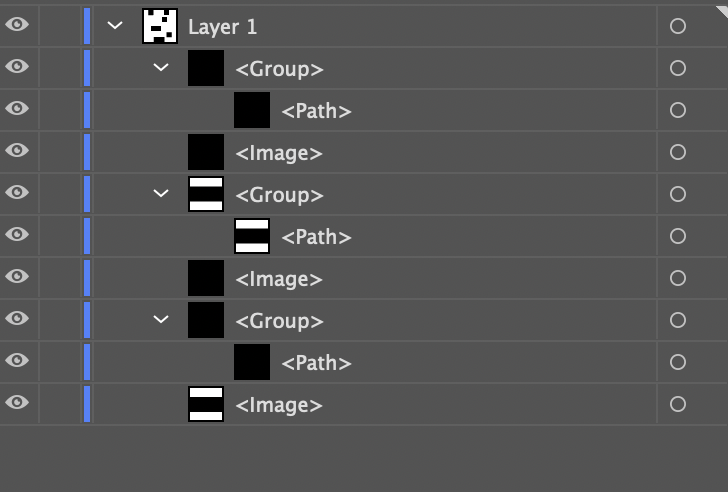
I created an isolated experiement with only this part of the script and an artboard containing six white shapes. The script reliably traced the first, third and fifth images but left the others as <Image>. Perhaps this is a bug?


Translate
Report
Community guidelines
Be kind and respectful, give credit to the original source of content, and search for duplicates before posting. Learn more
community guidelines
Guide ,
Sep 22, 2021 Sep 22, 2021

What about iterating backwards?


for (var i = rasterItems.length - 1; i >= 0; i--) {


Translate
Report
Community guidelines
Be kind and respectful, give credit to the original source of content, and search for duplicates before posting. Learn more
community guidelines
Community Beginner ,
Sep 22, 2021 Sep 22, 2021
LATEST

Ah... yep that works. So simple in hindsight 🤦‍:male_sign:

Thank you! I'll do some more testing and then mark this as the correct answer.

Translate
Report
Community guidelines
Be kind and respectful, give credit to the original source of content, and search for duplicates before posting. Learn more
community guidelines