
Participant
May 30, 2018
Answered

Trouble exporting my file

  • May 30, 2018
  • 3 replies
  • 967 views

Hi all. I've made a poster on AI which I'm happy with and want to export so I can share it online- However whenever I attempt to export it parts of it go missing. There are a lot of clipping masks and bitmaps involved to create the gradients- might be affecting things

Here's how it looks on AI.

But when I've exported it- either to JPG or PNG, this happens-
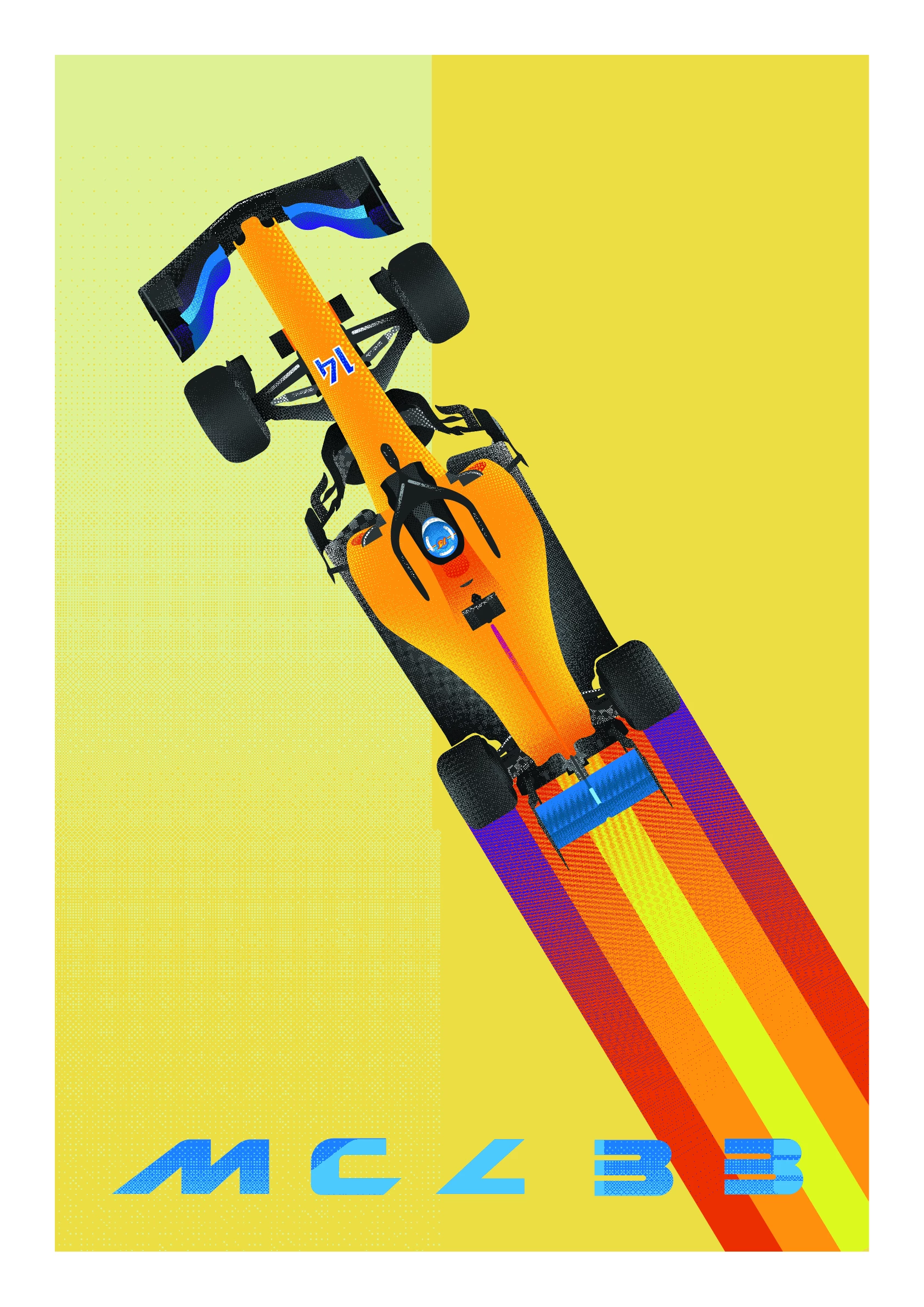
The most obvious problems here are of course the background, and the text- But the gradients aren't always quite right either:

If you look particularly at the exhaust compared to the AI screenshot you can see what I mean.

I haven't flattened the artwork and I'm not super sure of save settings either, so any help would be appreciated.

I'm on Windows 10 using the latest version of CC.

This topic has been closed for replies.
Correct answer creativejake

Can you open the saved AI file into Photoshop without anything dropping out? If so, you can most likely save your JPG out of there.

3 replies

Participant
May 30, 2018

Hi, armsdan Monika Gause really sorry for not being more helpful. I'm not sure how to expand the appearance of some objects because the option is greyed out? I'm so sorry, I'm really not that good at illustrator at all.

I created the gradients in Photoshop, saved them as bitmaps and imported them into AI. I've been creating clipping masks with them. Could this be an issue?

The left image is the AI file on my screen, the right is the exported JPG.

The doc size is 420mm x 297mm. To export it I'm going to Export for Screens with a Scale of 4x, as JPG 100. It also does the same when saved as a PNG.

Thanks again.

creativejake
creativejakeCorrect answer
Participating Frequently
May 30, 2018

Can you open the saved AI file into Photoshop without anything dropping out? If so, you can most likely save your JPG out of there.

Participant
May 31, 2018

Thanks so much. It has lost a tiny bit of contrast but I'll just compensate for that- otherwise works out well!

armsdan
Participating Frequently
May 30, 2018

Sometimes I have found that expanding the appearance can help solve some of these issues prior to export. Save as a copy first before trying. Also which option are you using for the export? Save for web? or another way? Sometimes in the export settings (Save for Web) Their are color options that can reduce colors like what is happening in this image.

Monika Gause
Community Expert
Community Expert
May 30, 2018

Please put them side by side and highlight the parts, so we don't have to guess.

Please tell us exactly how the problem parts have been created and exactly what is wrong.

Please tell us the size this has been created in and at which size with which settings you are exporting it.