


ananth padmakarp64550037
Known Participant
November 2, 2017
해결됨

unable to load new images to extension from illustrator after saving from illustrator

  • November 2, 2017
  • 2 답변들
  • 4442 조회

Hi,

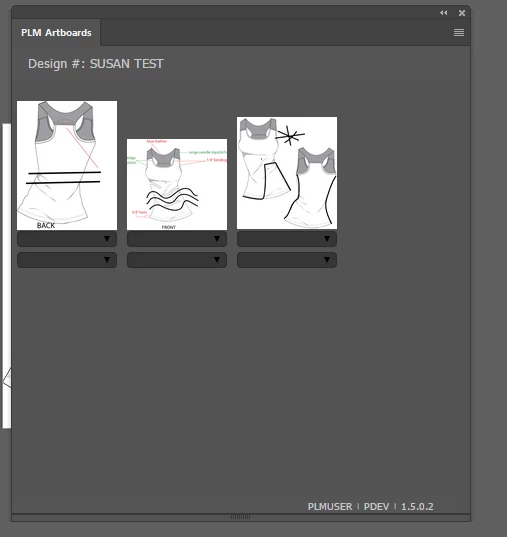
the issue is that i need to open .ai files in illustrator and am able to do that. what ever files that i open in illustrator, those should be opened in an extension which we developed, and i am able to do that. the below extension snippet.
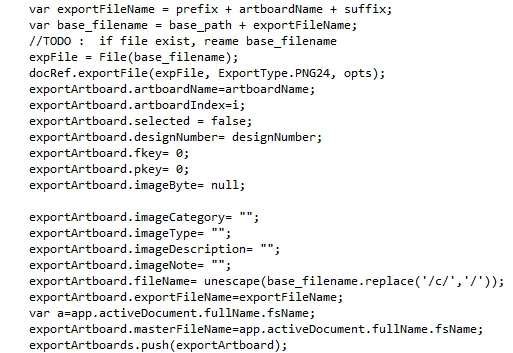
Now whats the issue is when i edit an image in illustrator and and able to save them and not able to load to this newly saved files. it is always loading the old files. but   if i close the illustrator and try loading it am able to load it successfully.

tried all the ways.

someone pleases help me with this.
이 주제는 답변이 닫혔습니다.
최고의 답변: LeoTaro

when saved control jumps to jsx file and the function is below

and that prepares an object and the file name is used to link the image in image source. that looks like this.


Try replacing:

exportArtboard.fileName= unescape(base_filename.replace('/c/','/'));

With:

exportArtboard.fileName= unescape(base_filename.replace('/c/','/')) + "?stamp=" + Date.now();

2 답변

Inspiring
November 5, 2017

When you say "when i edit an image in illustrator", are you talking about linked/embedded images or any art object?

How does your plugin load the illustrator files? What happens if the user closes and then reopens the file in Illustrator after modifying it, do you get the modified version then?

ananth padmakarp64550037
Known Participant
November 6, 2017

1. when i edit an image in illustrator means its an art object i.e .ai image

2. how does my illustrator files: those files are first loaded into a folder and then to the extension.

3. i am not  getting  the modified version just closing  and reopening  the file but by closing the and opening the abode illustrator

Inspiring
November 6, 2017

the files which are opened in illustrator, we retrive the path of that file and create a .png extension for these files and are loaded to folder. and not by getting the  paths for all the files in the folder as an object and  we display it from html side using ng-repeat in image tag


So if the user modifies a file, you create a new version of the png file with the same name?

If so, your problem is probably that the html panel is not reloading the image because it is cached. Try saving the file with a different name or add a query string with a time stamp to the image src, e.g.

<html>

<head>

<script type="text/javascript">

function updateImages()

{

var noupdate = document.getElementById("noupdate");

noupdate.src = "test.png";

var willupdate = document.getElementById("willupdate");

willupdate.src = "test.png?stamp=" + Date.now();

}

</script>

</head>

<body>

<img id='noupdate' src='test.png'/>

<img id='willupdate' src='test.png' />

<button onclick="updateImages()">Update</button>

</body>

</html>

Load this web page in a folder that has an image called test.png. Then modify the test.png file and click the Update button on the web page.

Srishti Bali
Legend
November 3, 2017

moved to Illustrator SDK

ananth padmakarp64550037
Known Participant
November 6, 2017

Thank you so much..
