


- Home
- Illustrator
- Discussions
- Re: Unable to PLACE a PDF on top of a circle in Il...
- Re: Unable to PLACE a PDF on top of a circle in Il...

Copy link to clipboard
Copied
Unable to PLACE a PDF on top of a circle in Illustrator for my Logo, I have finished my Logo. I just need to place it and it won't let me...
Can you help me please?



 1 Correct answer


SRenee wrote
Do I need to PLACE my PDF file in Illustrator? or is my picture complete with the outline blue boarder and cross as shown now 2 previous posts ago. Again, I am only a beginner and I need step by step instructions.
I have actually left this file as is and have put it in my Adobe InDesign Document.
Hi SRenee
- The blue "X" in Illustrator means it is linked to the original file, in this case to the PDF, and is normal behavior for a linked file. Drag and drop from the Mac Finder or Window


Explore related tutorials & articles
 13
Replies
13
13
Replies
13


Copy link to clipboard
Copied
It's not quite clear what you want to do.
Is your logo inside the PDF?
How should the artwork look like?
What's in the layers panel?
Copy link to clipboard
Copied
I created a black circle in Illustrator then brought in a PDF from Word for Windows with Text and Feather. I have put it on top of the black circle. As shown above in my screenshot the blue outline and cross means I have to place it, doesn't it? The image
below shows my Layers and Links Panel. I artwork is is exactly how it shows.
PDF was my only option to bring the file from Word for Windows. I am not sure how to transfer a PDF to a AI?
I also dragged the PDF in. I did not copy and Paste. I am only a BEGINNER and I haven't been taught about VECTOR Artwork.
My artwork is finished I just want to get rid of the Blue Outline and Cross as mentioned above in my previous image.


Copy link to clipboard
Copied
I suppose the feather was made in an image editor like Photoshop.
Just place the Photoshop/image file in Illustrator and add the text in Illustrator.
Creating only a circle in Illustrator and adding a complicated file from an image editor to word to pdf to Illustrator makes no sense.
Copy link to clipboard
Copied
Thank you for your feedback. I have only this PDF file. It doesn't give me the font I want if I create the text in Illustrator.
Makes sense or not it is the only way I know. Do I need to PLACE my PDF file in Illustrator? or is my picture complete with the outline blue boarder and cross as shown now 2 previous posts ago. Again, I am only a beginner and I need step by step instructions.
I have actually left this file as is and have put it in my Adobe Indesign Document. Its all there as shown below.

Copy link to clipboard
Copied
Do I understand problem correct. You have Logo in Ai file and you want to place it into pdf and then save it in Ai file?.
Copy link to clipboard
Copied
SRenee wrote
Do I need to PLACE my PDF file in Illustrator? or is my picture complete with the outline blue boarder and cross as shown now 2 previous posts ago. Again, I am only a beginner and I need step by step instructions.
I have actually left this file as is and have put it in my Adobe InDesign Document.
Hi SRenee
- The blue "X" in Illustrator means it is linked to the original file, in this case to the PDF, and is normal behavior for a linked file. Drag and drop from the Mac Finder or Window File Explorer is the same as File > Place. The "X" is a non-printing guide to let you know it is linked.
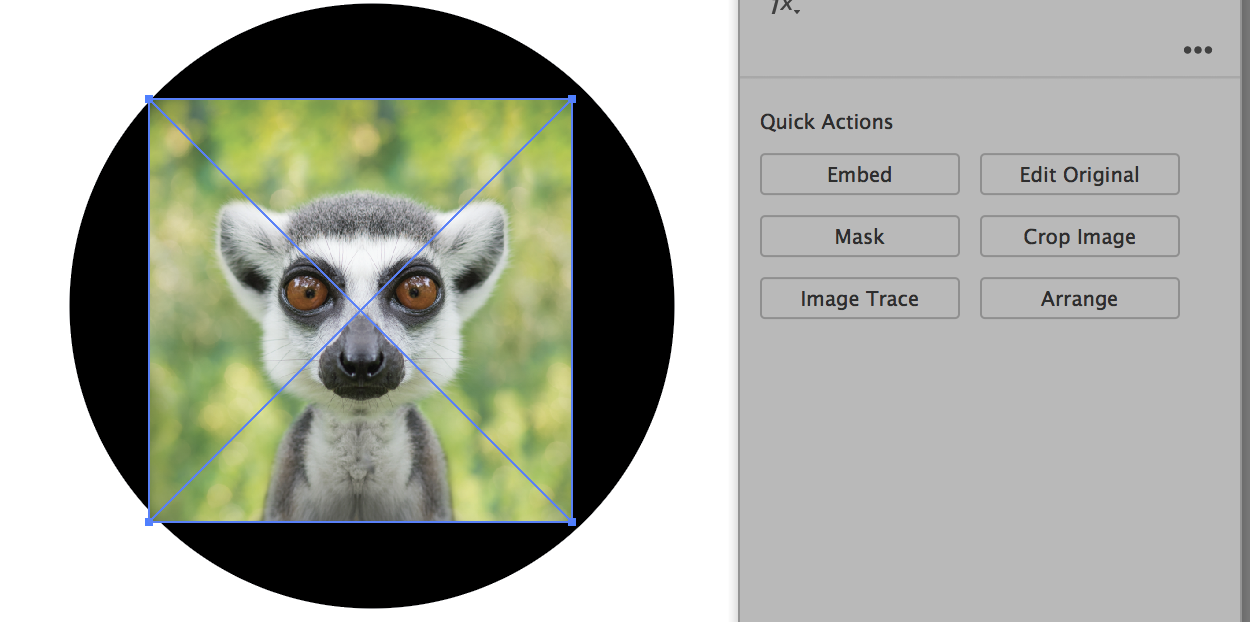
- To embed it, select the image and click "Embed" in the Properties panel. This keeps the image in the Illustrator file and it is not linked to the original.

- InDesign automatically links the images to the original with File > Place or with drag and drop.
- The PDF page size is bigger than your logo (I think). You could use the Crop Image button in the Properties panel to make it smaller. There is no uncropping after you Apply, so don't go too far.
Is this what you are asking?
Copy link to clipboard
Copied
Thank you Jane very much.

Copy link to clipboard
Copied
Just replicate what was done in Word for the text elements. You could attempt to copy the text using Word and, using Illustrator, paste into the circle document. Buy a vector version of the feather and paste that into the circle document. The challenge is finding vector clip art that matches that bitmap Photoshop feather. This assumes you have access to the Word file and can edit it.
Sent from my iPhone
Copy link to clipboard
Copied
Since you know the font, you could typeset the text elements in Illustrator.
Sent from my iPhone

Copy link to clipboard
Copied
Looks familiar, did you start another thread about a placed image in an ai file a while back?
As Monika Gause indicated the file’s contents are not exactly clear and a screenshot including the expanded Layers in the Layers Panel and the Links Panel might help clarify.
Copy link to clipboard
Copied
Open PDF in Ai. Then copy and past logo into that document
Copy link to clipboard
Copied
Then don't. No reason to Save As > PDF until the logo is completed. It is always a good idea to keep everything "live". Then convert to PDF. Your logo should be 100% vector artwork and fully editable. Avoid using "Placed" bitmap elements.

Copy link to clipboard
Copied
You should be able to pull that artwork out of Word. If it's not vector, image trace can create that feather super quick. You need to get the font and retype the words. If you don't know the font, use what the font or typekit to identify it. This is a very simple task. I get that you are beginner - time to take a class or watch some training videos at Pluralsight.com or Lynda.com.


Find more inspiration, events, and resources on the new Adobe Community
Explore Now
 AdChoices