Exit
  • Global community
    • Language:
      • Deutsch
      • English
      • Español
      • Français
      • Português
  • 日本語コミュニティ
  • 한국 커뮤니티
0

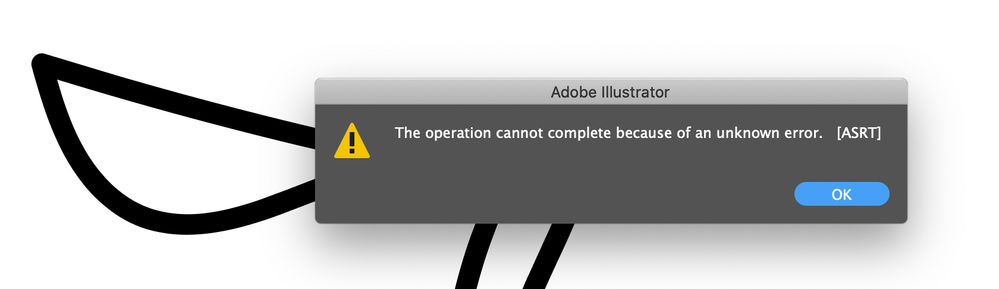
Unknown Error when using Brush tool

Community Beginner ,
Oct 21, 2020 Oct 21, 2020

Screenshot 2020-10-21 at 15.04.08.png


Hello,

This error keeps happening to me - it started in the last couple of days.

I'm using a basic 5pt Round brush (nothing fancy), I highlight an existing element and try to modify it by brushing over the area again (to amend the shape or join the paths). It's never been a problem and usually just redraws to the new shape. Now I get this 'Unknown Error'. I'm not sure if it's a bug and how to report it.


Thanks,

Angie

TOPICS
Bug , Tools
544
Translate
Report
Community guidelines
Be kind and respectful, give credit to the original source of content, and search for duplicates before posting. Learn more
community guidelines

correct answers 1 Correct answer

Community Expert , Oct 21, 2020 Oct 21, 2020

You could try and rename the preferences folder to check if there's something wrong. https://helpx.adobe.com/illustrator/using/setting-preferences.html

If that doesn't help, maybe report it to Uservoice. http://illustrator.uservoice.com

Translate
Adobe
Community Expert ,
Oct 21, 2020 Oct 21, 2020

You could try and rename the preferences folder to check if there's something wrong. https://helpx.adobe.com/illustrator/using/setting-preferences.html

If that doesn't help, maybe report it to Uservoice. http://illustrator.uservoice.com

Translate
Report
Community guidelines
Be kind and respectful, give credit to the original source of content, and search for duplicates before posting. Learn more
community guidelines
Community Beginner ,
Oct 22, 2020 Oct 22, 2020
LATEST

Thanks!

I'll give that a try.

Translate
Report
Community guidelines
Be kind and respectful, give credit to the original source of content, and search for duplicates before posting. Learn more
community guidelines

