


Inspiring
September 12, 2024
해결됨

Why are some of my text boxes not aligned to the baseline?

  • September 12, 2024
  • 4 답변들
  • 1214 조회

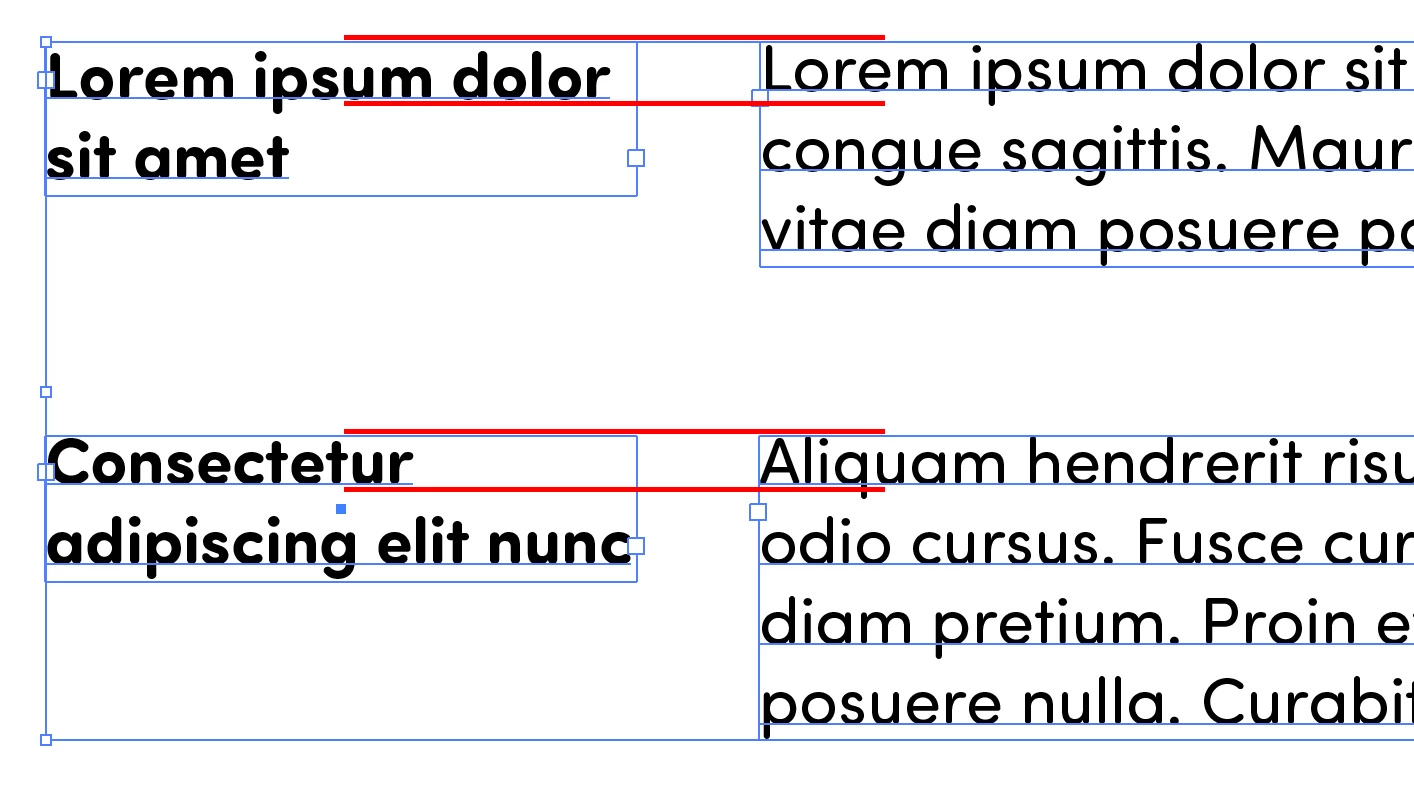
I have a document set up using separarte textboxes with different fonts for heading and body text. Both fonts are using the same size text and leading, and all textboxes are area type with auto size on. Somehow in the middle of setting up this document, I noticed that the baselines in some textboxes were getting unaligned and I have no idea what is going on. Have I accidentally messed something up or is there a bug here?


이 주제는 답변이 닫혔습니다.
최고의 답변: jola__s

FML thank you so much, this was the issue. For some reason the setting changed to "em box height" on some textboxes. No idea why, as I've never changed this setting / didn't even know it existed.

4 답변

jola__s작성자
Inspiring
September 12, 2024

Perhaps it wasn't obvious from my first post, but I only have two typefaces throughout the document. The text boxes are copy/pastes of each other, and I have not changed the settings (as far as I'm aware, unless there's an accidental keyboard shortcut way to do so).


My problem is that somehow, in some of the text box pairings, the text has become unaligned, while in some it remains properly aligned (as shown below, these are two separate instances of the text box pairings on the same page)


Doug A Roberts
Community Expert
Community Expert
September 12, 2024

What is your first baseline setting in area type options? If you want it the same across typefaces it needs to be Fixed or Leading.

jola__s작성자답변
Inspiring
September 12, 2024

FML thank you so much, this was the issue. For some reason the setting changed to "em box height" on some textboxes. No idea why, as I've never changed this setting / didn't even know it existed.

Monika Gause
Community Expert
Community Expert
September 12, 2024

This is a font editor:


Font size is the height of that box. The font designer can place the baseline anywhere inside that box. 

Community Expert
September 12, 2024

Various typefaces will differ on their own built in defaults of line spacing. One solution for this is to set up a baseline grid in your document and have the area text boxes set to align to that baseline grid.

jola__s작성자
Inspiring
September 12, 2024

Thank you but this doesnt explain why some pairs of textboxes are aligned while others arent--they are all the same pairs of typeface/size/etc, all with the same line spacing

Community Expert
September 12, 2024

Like I said, different fonts have their own varying amounts of built-in default leading. Even the physical size of letters is different. You could set a string of letters in 24 point Myriad Pro and a copy of the same text string in 24 point Arial or Times New Roman. Convert the text to outlines and break apart the letters into individual shapes. None of the same letters in different typefaces will be exactly the same size. An "E" in Myriad won't be the same size as the "E" in Arial. And neither will be 24 points tall.