


Answered
Deleting a Layer in Illustrator on Ipad
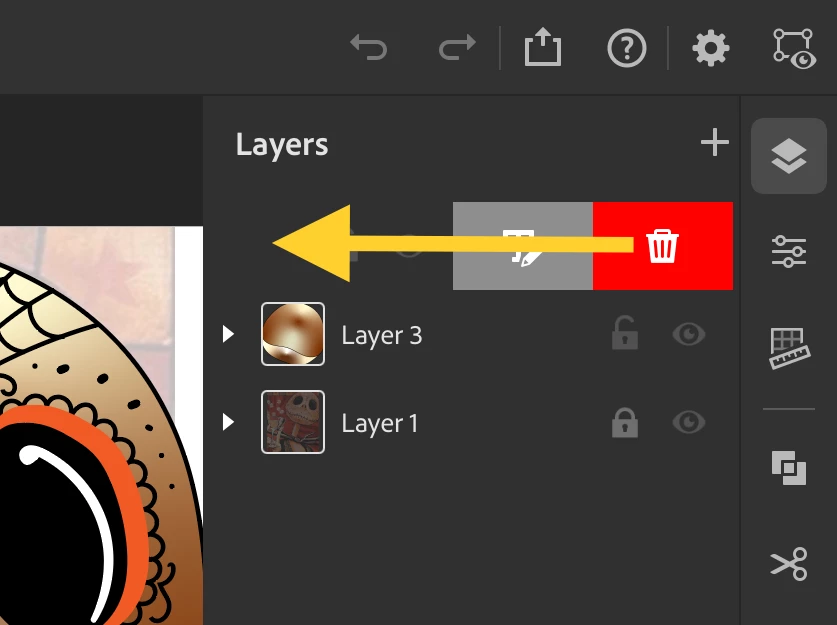
How do you delete a Layer on Illustrator on Ipad?? I can't seem to find any button to delete a layer. I have tried everthing with no luck. I also have a lot of trouble selecting layer in the layer tab to the right while working with a lot of layers. It's pretty annoying and it takes a lot of unnecessary time. Also, does anyone know how to gradient strokes?
This Ipad version is kinda wierd and have alot of bugs to be honest, would prefer PC version.

 AdChoices