Quitter
  • Communauté internationale
    • Langue:
      • Deutsch
      • English
      • Español
      • Français
      • Português
  • 日本語コミュニティ
  • 한국 커뮤니티

How to work with Layers in Illustrator on iPad?

Nouveau ici ,
Oct 24, 2020 Oct 24, 2020

hello, how to have a layer in model, to then have visible that my path on my layer model?


{Renamed by MOD}

SUJETS
Dessin et conception
420
Traduire
Signaler
Directives de la communauté
Restez bienveillant et courtois, ne vous attribuez pas la paternité des créations d’autrui et assurez-vous de l’absence de doublons avant de poster du contenu. En savoir plus
community guidelines

correct answers 1 bonne réponse

Employé Adobe , Nov 02, 2020 Nov 02, 2020

Hi there,


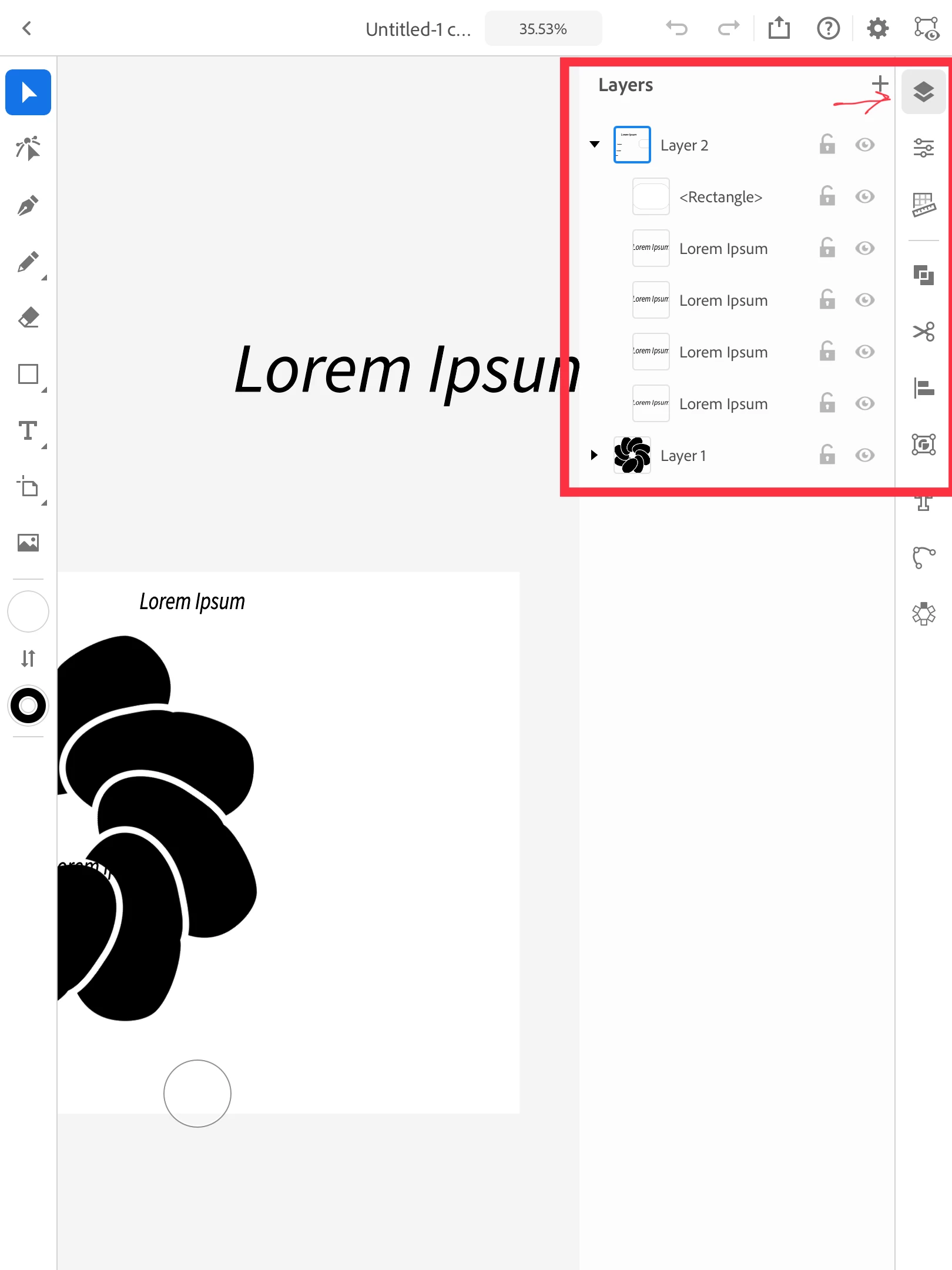
I am afraid I did not understand your question. Layers in Illustrator iPad app can be accessed from the right menu. It works similar to the desktop version. To rearrange layers, select, hold and drag the layer and drag to the required position.
layers ai on ipad.png


Let us know if this helps or if you have any further query. 


Regards,

Srishti

Traduire
Employé Adobe ,
Nov 02, 2020 Nov 02, 2020
LA PLUS RÉCENTE

Hi there,


I am afraid I did not understand your question. Layers in Illustrator iPad app can be accessed from the right menu. It works similar to the desktop version. To rearrange layers, select, hold and drag the layer and drag to the required position.
layers ai on ipad.png


Let us know if this helps or if you have any further query. 


Regards,

Srishti

Traduire
Signaler
Directives de la communauté
Restez bienveillant et courtois, ne vous attribuez pas la paternité des créations d’autrui et assurez-vous de l’absence de doublons avant de poster du contenu. En savoir plus
community guidelines