Known Participant
September 25, 2017
Answered

HALFTONE OR WHAT?

  • September 25, 2017
  • 5 replies
  • 2450 views

Hi everyone,

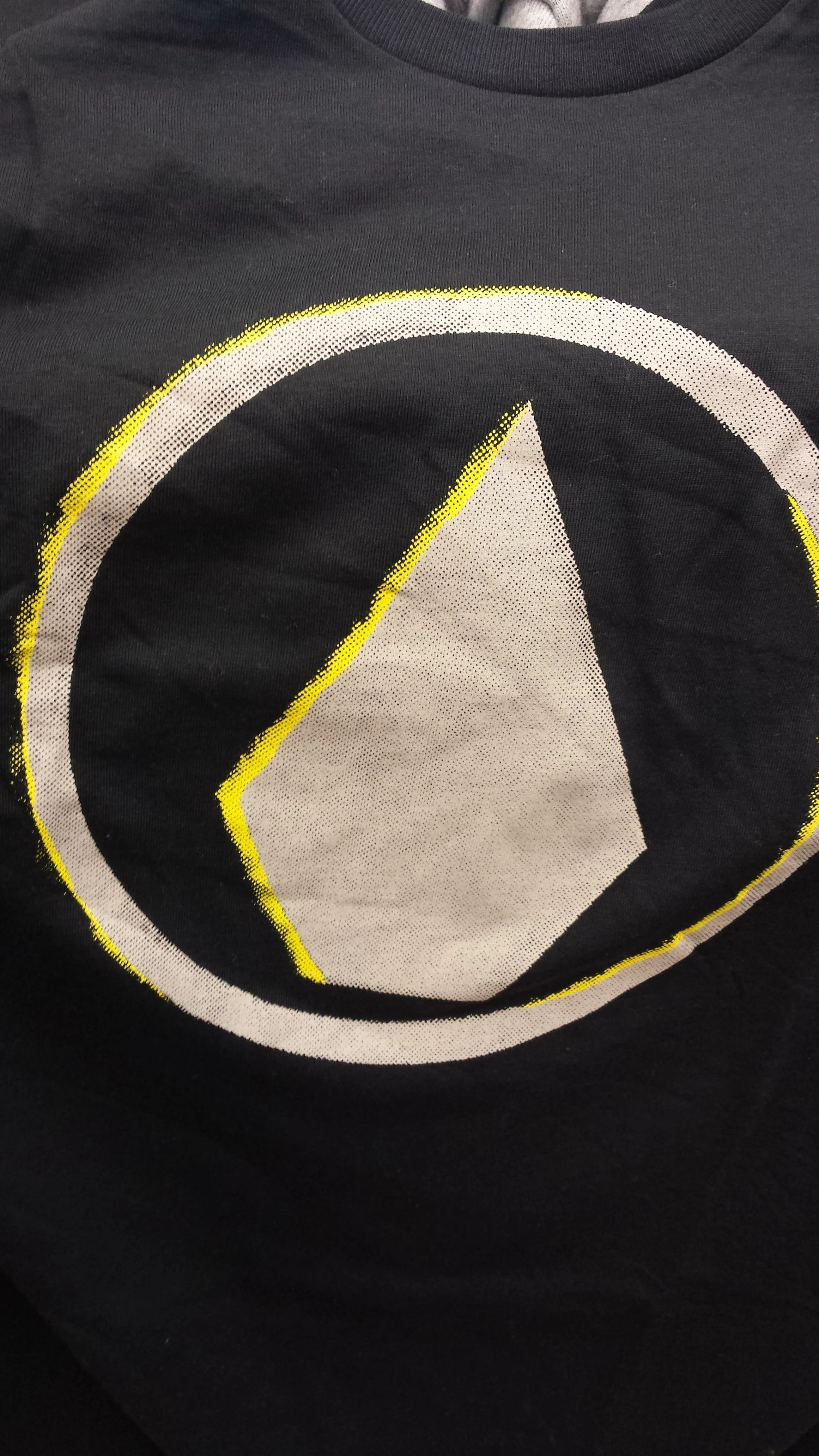
i'm experiencing a lot of problem trying to recreate a graphic that i saw on a t-shirt.

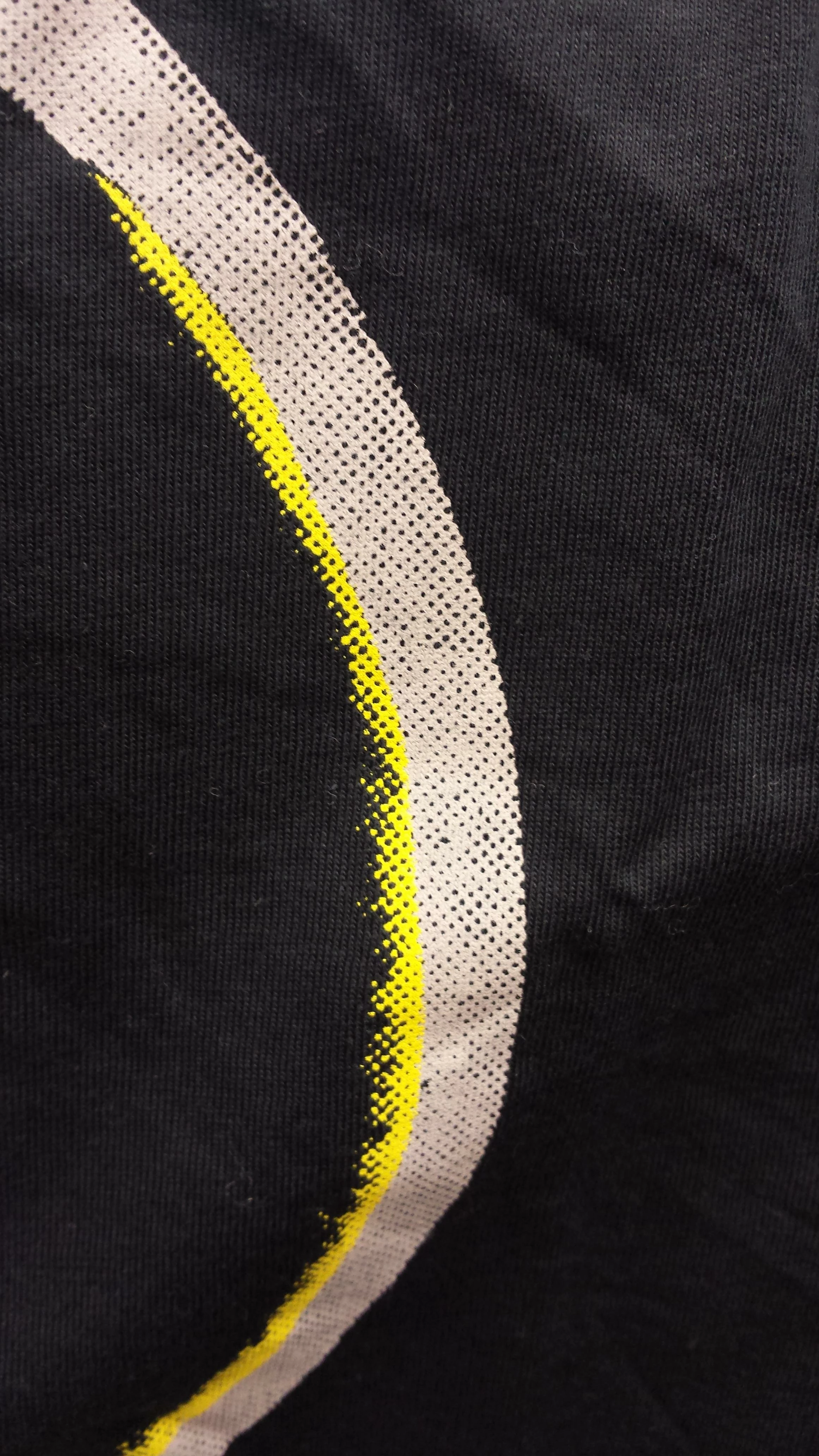
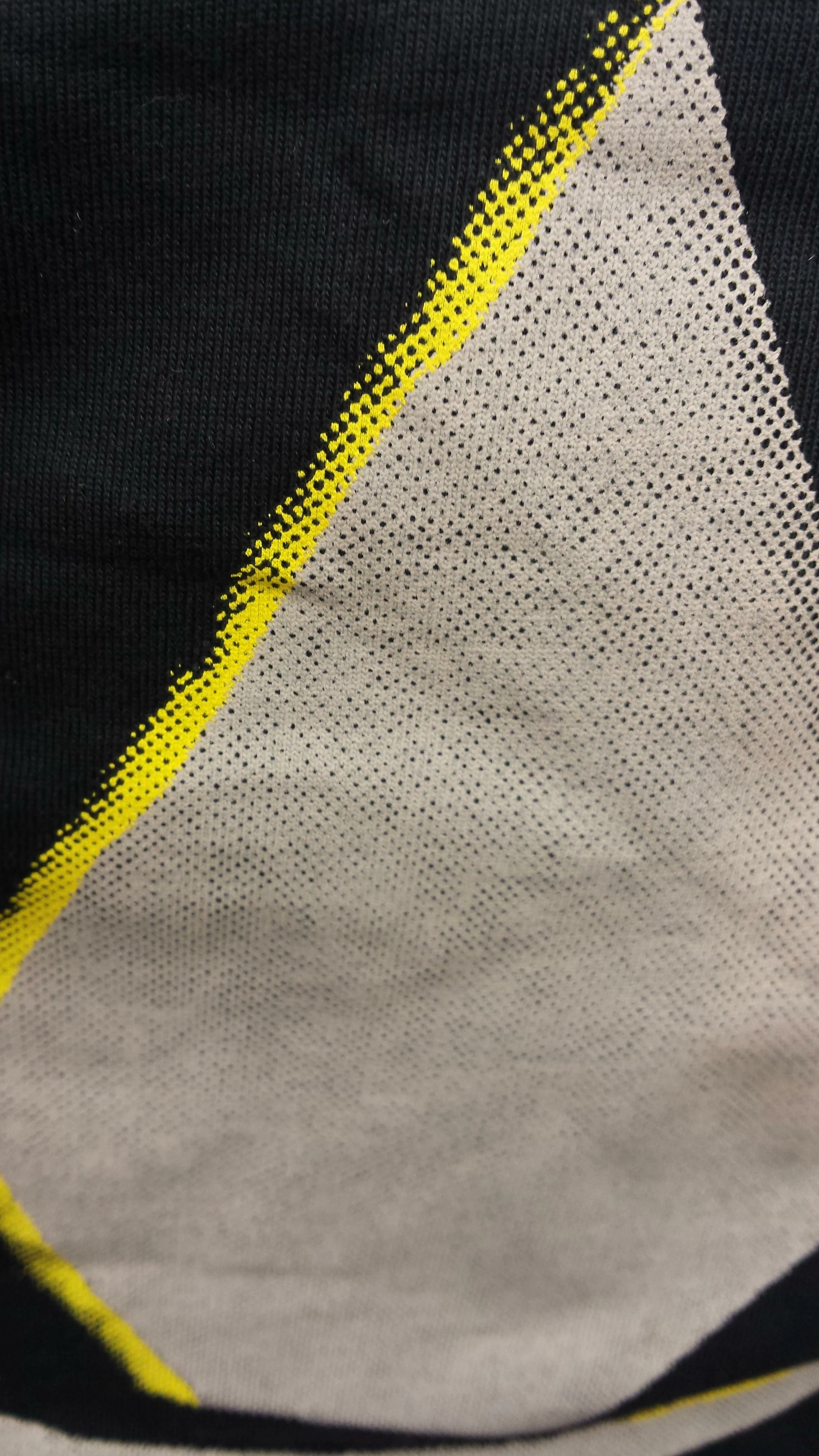
The graphic looks like an halftone. But i'm not able to recreate the exactly same pattern. This could be cause i'm not a master in Ai or Ps.

As you can see from the pictures the shape in grey is a kind of perfectly punctured and in a regular way. How can this be done ?

Moreover, at some point the shape in grey, became yellow, and seems to continue from the same shape, without interruptions.

Finally, the yellow side looks worn out. Someone know how can this be done?

Can you chose where to make a shape consumed whit halftone ?

I post a couple of pictures to make you better understand about what i'm talking about.

Thank a lot to anyone will try to help me !
This topic has been closed for replies.
Correct answer c.pfaffenbichler

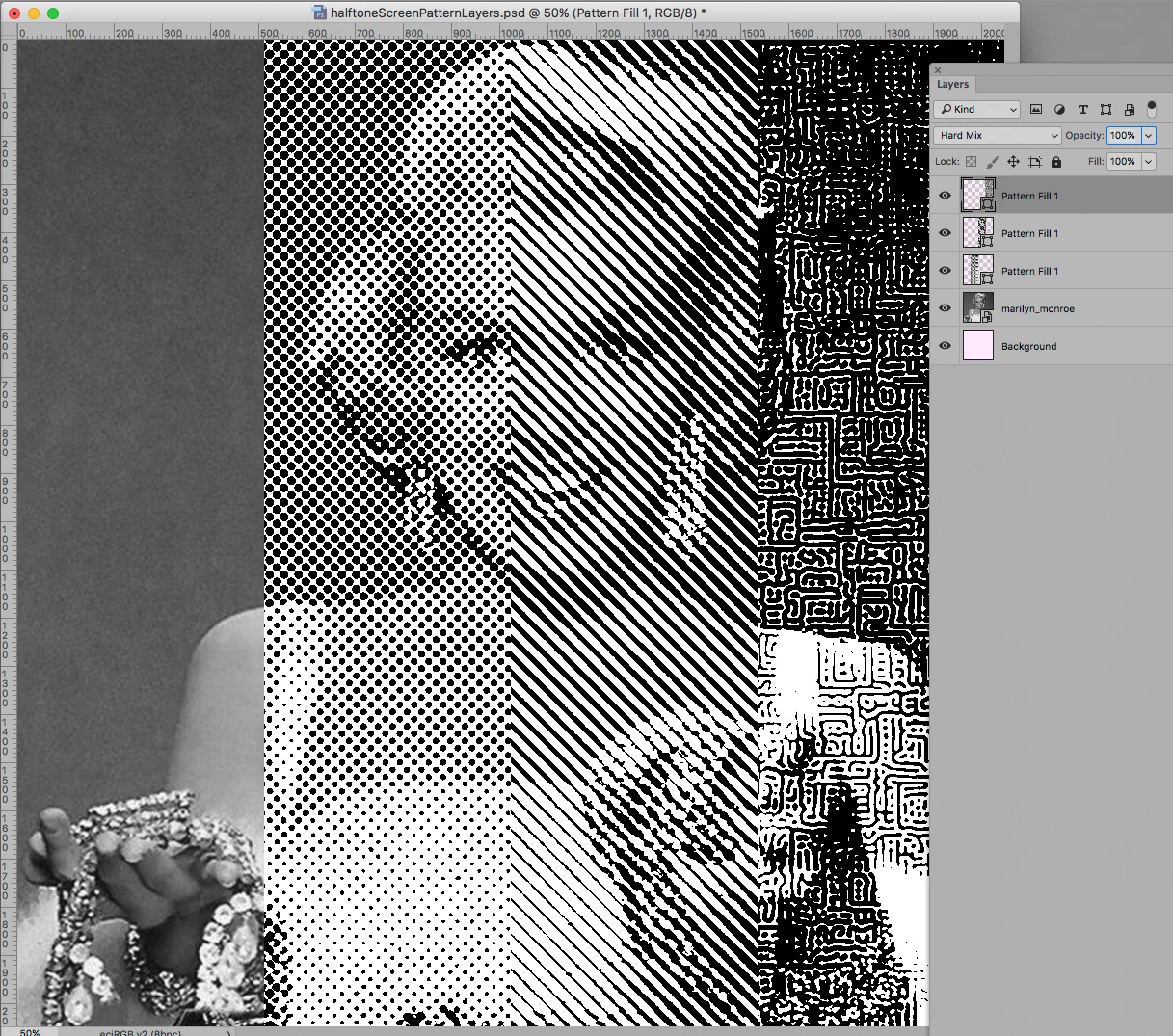
Another way in Photoshop to emulate halftone screens is the use of monochrome Pattern Layers set to Blend Mode Hard Mix.

5 replies

c.pfaffenbichler
Community Expert
c.pfaffenbichlerCommunity ExpertCorrect answer
Community Expert
September 26, 2017

Another way in Photoshop to emulate halftone screens is the use of monochrome Pattern Layers set to Blend Mode Hard Mix.

Known Participant
September 26, 2017

Please c.pfaffenbichler​ tell me more about this method

maybe we are on the right way!

c.pfaffenbichler
Community Expert
Community Expert
September 27, 2017

By using blurred Patterns on can use the Blend Mode Hard Mix to have them reflect the underlying image’s luminance in a 2-bit fashion.

With regular patterns like lines or dots that can simulate a proper halftone screen »fairly well« while offering scalability.

But if one manually creates the screen like this one may, depending on the output needs, have to work at significantly higher resolution than for regular halftone images to be able to manually separate 1200ppi bitmap images for each (spot) color.

Inspiring
September 26, 2017

I would venture to say "or what".  The original artwork looks as though it could have been produced using a pre-printed halftone pattern and then copied ( yes, using a real copy machine and real paper ) a few times to get a grunge effect.  Then the pieces were pasted together and then photographed using a process camera similar to an Agfa vertical camera.  That was to get the film separation positives in order to make the screens ( 2; one yellow, one gray ) for silkscreen printing.  I do not think the artwork was created on the computer.  Just a hunch.

angie_taylor
Legend
September 26, 2017

I agree this is probably an analogue effect but you could get similar results with a combination of layers and effects. Perhaps some noise added to the halftone pattern as a layer mask or composite some grunge layers with it.

Monika Gause
Community Expert
Community Expert
September 25, 2017

In Photoshop:

Prepare a graphic (greyscale) with soft edges.

Then convert to bitmap using Halftone pattern (experiment with the settings)

You can then go on in Photoshop (using multichannel images if you want to print a t-shirt in silkscreen)

or take it over to Illustrator and trace it

Then use the generated Halftone as a clipping mask for the yellow shape

Known Participant
September 26, 2017

Sorry Monika Gause​ Could you show me step by step?

Tku!

Monika Gause
Community Expert
Community Expert
September 26, 2017

matibuc4eva  schrieb

Sorry https://forums.adobe.com/people/Monika+Gause  Could you show me step by step?

Tku!

No, I'm sorry.

How to convert to different image modes is explained in the documentation

Convert between color modes in Photoshop

Then you need to know how to use a channel in order to make a selection:

Photoshop channel basics

Save selections and alpha channel masks in Adobe Photoshop

On top of that there are a gazillion tutorials available on how to do things like this in Photoshop.

angie_taylor
Legend
September 25, 2017

There's also a Halftone effects in Photoshop. Here's a tutorial about it;

https://www.lynda.com/Photoshop-tutorials/Using-Color-Halftone-filter/

angie_taylor
Legend
September 25, 2017