Exit
  • Global community
    • Language:
      • Deutsch
      • English
      • Español
      • Français
      • Português
  • 日本語コミュニティ
  • 한국 커뮤니티
1

Outline object not working

Contributor ,
Apr 02, 2021 Apr 02, 2021

Hi forum.


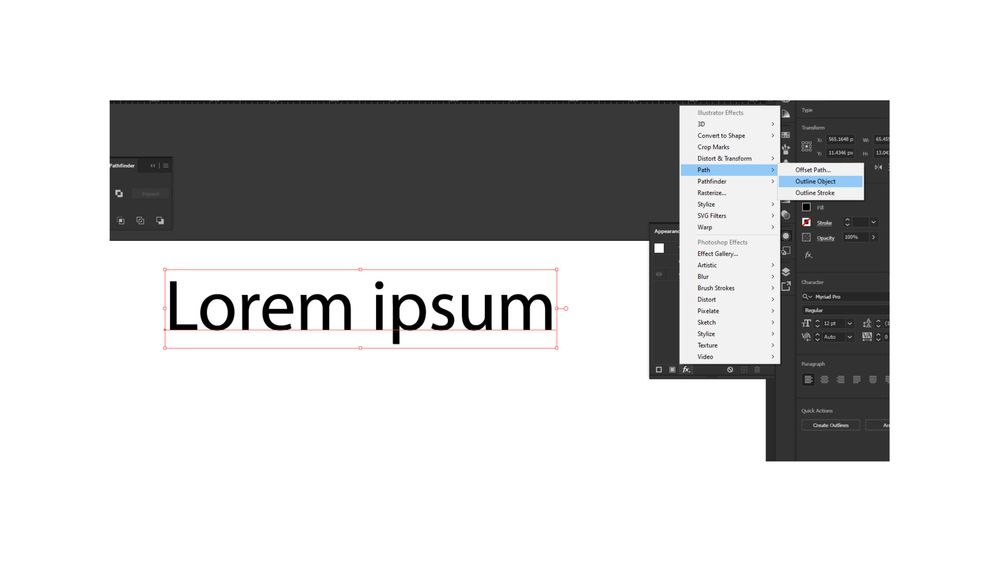
I'm trying to outline object for my font, but its not working. I'm on Illustrator 22.1 =Version. Has anyone else experienced this?
 

Outline_Object.jpg


TOPICS
Bug
2.1K
Translate
Report
Community guidelines
Be kind and respectful, give credit to the original source of content, and search for duplicates before posting. Learn more
community guidelines

correct answers 1 Correct answer

Community Expert , Apr 02, 2021 Apr 02, 2021

You need to also check "Use Preview Bounds" in the Preferences for that.

Translate
Adobe
Community Expert ,
Apr 02, 2021 Apr 02, 2021

It is an effect, you will see the outlines when you expand appearance.

If you just want to outline type, use Type > Create Outlines.

Translate
Report
Community guidelines
Be kind and respectful, give credit to the original source of content, and search for duplicates before posting. Learn more
community guidelines
Contributor ,
Apr 02, 2021 Apr 02, 2021

but if you expand appearance the text is no longer editable, then you must retype again. 

Translate
Report
Community guidelines
Be kind and respectful, give credit to the original source of content, and search for duplicates before posting. Learn more
community guidelines
Community Expert ,
Apr 02, 2021 Apr 02, 2021

Yes, expand appearance applies the effect.

What is not working for you?

Translate
Report
Community guidelines
Be kind and respectful, give credit to the original source of content, and search for duplicates before posting. Learn more
community guidelines
Contributor ,
Apr 02, 2021 Apr 02, 2021

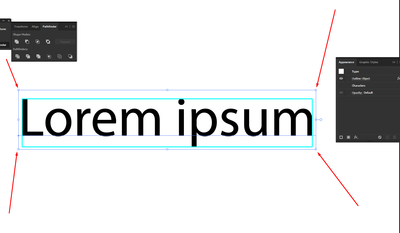
In earlier versions of Illustrator when applying the effect, it would outline the bounds of the text, So when you needed to centre the text to an object it would be 100% accurate. but in the current version I have it seems like a bug, or I dont know why its not working.  The borders of the text dont do nothing when I add this effect.


inquestflash_0-1617357132537.png


Translate
Report
Community guidelines
Be kind and respectful, give credit to the original source of content, and search for duplicates before posting. Learn more
community guidelines
Community Expert ,
Apr 02, 2021 Apr 02, 2021

You need to also check "Use Preview Bounds" in the Preferences for that.

Translate
Report
Community guidelines
Be kind and respectful, give credit to the original source of content, and search for duplicates before posting. Learn more
community guidelines
Contributor ,
Apr 02, 2021 Apr 02, 2021

That was it, thanks for that, I cant believe something like that which is a necissity in the FX panel, is needed to be checked in the preference panel as if it's a special feature.

Kind regards.

Translate
Report
Community guidelines
Be kind and respectful, give credit to the original source of content, and search for duplicates before posting. Learn more
community guidelines
Community Expert ,
Apr 03, 2021 Apr 03, 2021
LATEST

Good to hear that helped.

Translate
Report
Community guidelines
Be kind and respectful, give credit to the original source of content, and search for duplicates before posting. Learn more
community guidelines