



Copy link to clipboard
Copied
Hi there,
First time posting here so if theres a better way to embed the code let me know! I am trying to write a script that will generate the recaman sequence in Illustrator. This sequence can create a beautiful arrangement of looping lines. The rules are quite simple:
an=an−1±n
The minus sign is preferred. It is used if the resulting an is positive and not already in the sequence; otherwise the plus sign is used.
In other words, you increase the stepsize by a value of 1 with each iteration, and each number can only be used once. Anytime you CAN reverse direction to access a lower number you must, otherwise go forward.
First 12 numbers of the sequence: 0, 1, 3, 6, 2, 7, 13, 20, 12, 21, 11, 22

I don't have extensive experience with javascript, so I borrowed bits and pieces from different scripts and tweaked them to fit this purpose. The thing I struggled with was how to capture whether or not a value in the sequence had been "represented". I made an array to hold them, however I didn't know how to determine if an array index was empty or not... I used undefined?
Also, as best as I could figure out, its quite difficult to generate a half circle/curved path with a script, so this script will take a 10px half circle with no fill and use that as a seed object to generate the rest.
When I run the script, it seems to get stuck in a loop of moving the sequence backwards rather than jumping forward, not sure why?
Here's what I've done so far:
//This script requires that a half circle with a diameter of 10 is placed. Select that object, then execute this script
//SETUP
app.userInteractionLevel = UserInteractionLevel.DONTDISPLAYALERTS;
var doc = app.activeDocument;
var selected = doc.selection;
var selectedWidth = selected[0].width;
var repeatAmount,
myInput,
splitInput,
margin,
selectedPosition;
var numberline = new Array(115); //Array used as proxy numberline to determine whether a number has been represented in sequence
var x; //index
var flip;
// Run
userPrompt();
selectedPosition = selected.position;
var newItem = selected[0].duplicate( doc, ElementPlacement.PLACEATEND );
numberline[0] = 0;
numberline[1] = 1; //0 and 1 are already taken up due to intial seed object
for(i=0; i< repeatAmount ; i++){
// adjust size for next step in sequence. Dependent on intial seed object being halfcircle with height(5) and width(10)
newItem.width = newItem.width + 10;
newItem.height = newItem.height + 5;
//shift right
if (i == 0){
x = 1;
flip =false;
}
if (flip == false){
var newposx = newItem.position[0] + ((newItem.width - 10)/2) + (newItem.width/2) - 5;
} else if (flip == true){
var newposx = newItem.position[0];
}
// counterbalance y position with change in height dimension
if (i%2==0 || i == 0) {
var newposy = newItem.position[1] + ((newItem.height - 5)/2) + (newItem.height/2)+2.5;
} else {
var newposy = (newItem.position[1]) - ((newItem.height - 5)/2) - (newItem.height/2)+5;
}
//check if sequence should reverse
y = x - (newItem.width/10);
x = newItem.width/10 + x;
if ((y > 0) && (numberline
newposx = newposx - newItem.width;
numberline
x=y;
flip = true;
}else{
numberline
flip = false;
}
// place object
newItem.position = [newposx,newposy];
// flip orientation
newItem.transform(app.getScaleMatrix(100,-100)); //H flip matrix - feel free to change to (-100,100) for horizontal flip, etc.
doc.selection = null;
newItem.selected = true;
var selectedPosition = selected.position;
newItem.duplicate( doc, ElementPlacement.PLACEATEND );
}
// Iterations of recaman sequence
function userPrompt(){
myInput = prompt('How many iterations?','25');
repeatAmount = Number(myInput);
}


 1 Correct answer


here's my version, I adapted the basic concept of moving forward, backward and keeping track of what's being used from here
https://thecodingtrain.com/CodingChallenges/110.1-recaman-sequence
this version works with selection, it could be anything but it works better with connecting shapes.

select 1 object before running
...// recaman.jsx
// carlos canto
// based on https://thecodingtrain.com/CodingChallenges/110.1-recaman-sequence
// https://forums.adobe.com/thread/2539934
function main() {
var myInput


Explore related tutorials & articles
 8
Replies
8
8
Replies
8


Copy link to clipboard
Copied
Moved from Creative Cloud forum.

Copy link to clipboard
Copied
} else {
var newposy = (newItem.position[1]) - ((newItem.height - 5)/2) - (newItem.height/2)+5;
should be:
} else {
var newposy = (newItem.position[1]) - ((newItem.height - 5)/2) - (newItem.height/2)+2.5;
and IMO
//shift right
if (i == 0){
x = 1;
should be:
//shift right
if (i == 0){
x = 2;
Copy link to clipboard
Copied
You're right on the first change thank you  .
.
What is the thinking behind changing it from x=1 to x=2? Is it because we are technically beginning on the second step of the sequence rather than the first? The script still gets stuck in a faulty loop even with that change 😕
Copy link to clipboard
Copied
here's my version, I adapted the basic concept of moving forward, backward and keeping track of what's being used from here
https://thecodingtrain.com/CodingChallenges/110.1-recaman-sequence
this version works with selection, it could be anything but it works better with connecting shapes.

select 1 object before running
// recaman.jsx
// carlos canto
// based on https://thecodingtrain.com/CodingChallenges/110.1-recaman-sequence
// https://forums.adobe.com/thread/2539934
function main() {
var myInput = prompt('How many iterations?', '25');
var numbers = [true]; // [true, true, true, undefined, true];
var count = 1;
var sequence = [0]; // [0, 1, 3, 6, 2, 7, 13]
var index = 0;
var next;
var idoc = app.activeDocument;
var arc = selection[0];
var dup, next, x, flipx = true;
x = arc.position[0]+arc.width;
y = arc.position[1]-arc.height; // move position down to base of selecion, instead of top
x0 = x;
y0 = y; // to go back to when flipping horizontally
for (var a=1; a<myInput; a++) {
next = index - count; // go back, is slot available?
// if needed slot is less than zero, or if slot is taken (true), next is forward and object should not flip vertically
if (next<0 || numbers[next]){
next = index + count;
flipx = false;
}
numbers[next] = true;
sequence.push(next);
if (count>1) { // skip first run, we're using selected object as seed
dup = arc.duplicate(arc, ElementPlacement.PLACEBEFORE);
// dup selection and resize it by 2, 3, 4, etc
dup.width = dup.width*a;
dup.height = dup.height*a;
// every other item must be flipped horizontally, y position must follow accordingly below and above the x axis every other time
if (count % 2 == 0) {
dup.resize(100, -100);
y = y-dup.height;
}
// if a the next sequence can go backwards, then the object must be flipped vertically, or just move x position left, same effect
if (flipx) {
x = x-dup.width;
}
dup.position = [x, y+dup.height]; // new y is base + heiht of object
// move x at end of object, exept when object went backward
if (!flipx) {
x = x+dup.width;
}
y = y0; // return y pos to base of selected object
}
index = next;
count++;
flipx = true;
}
}
main();
Copy link to clipboard
Copied

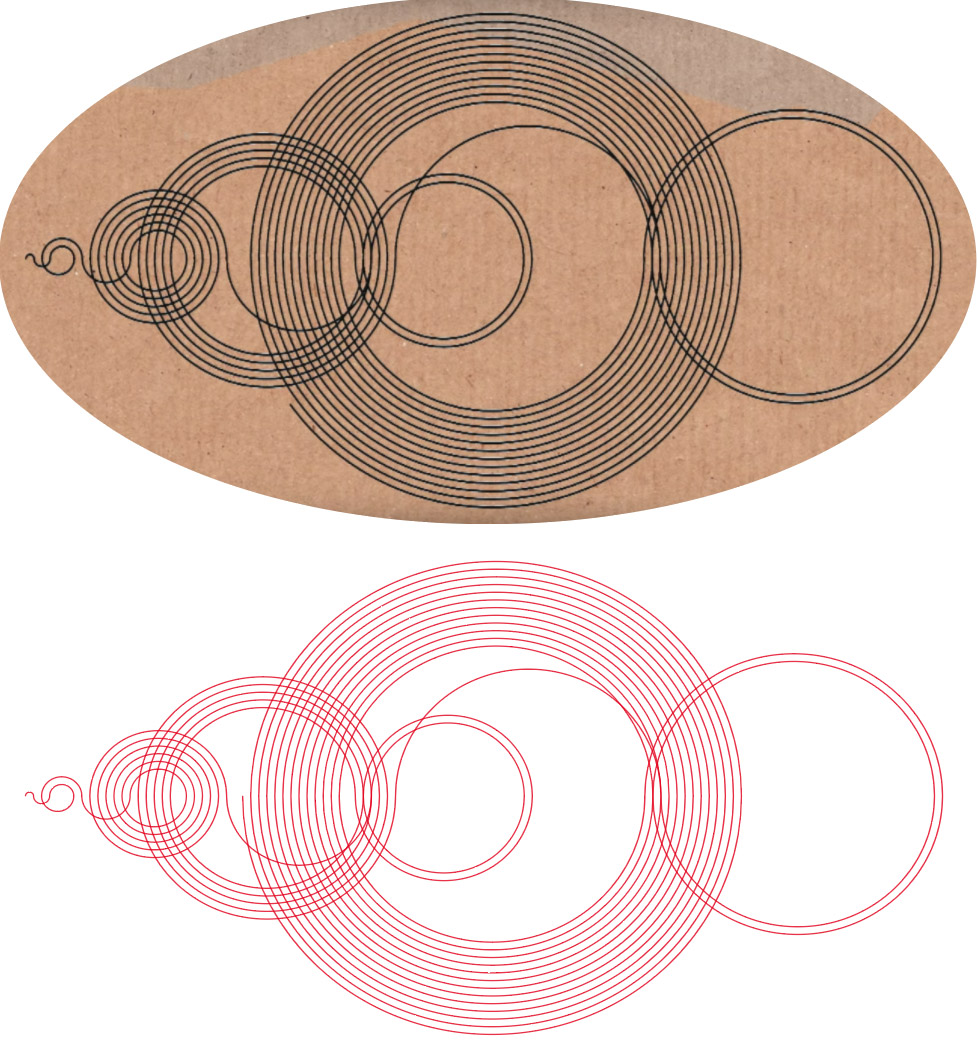
Copy link to clipboard
Copied
Thank you this looks great! Indexing and tracking the numbers is much simpler and straightforward than I thought. I also like how your code is flexible enough to accommodate any seed object. I see that the code worked for you as well as pixxxel schubser, however when i ran your script in illustrator (selecting a half circle as seed object) i got this result: 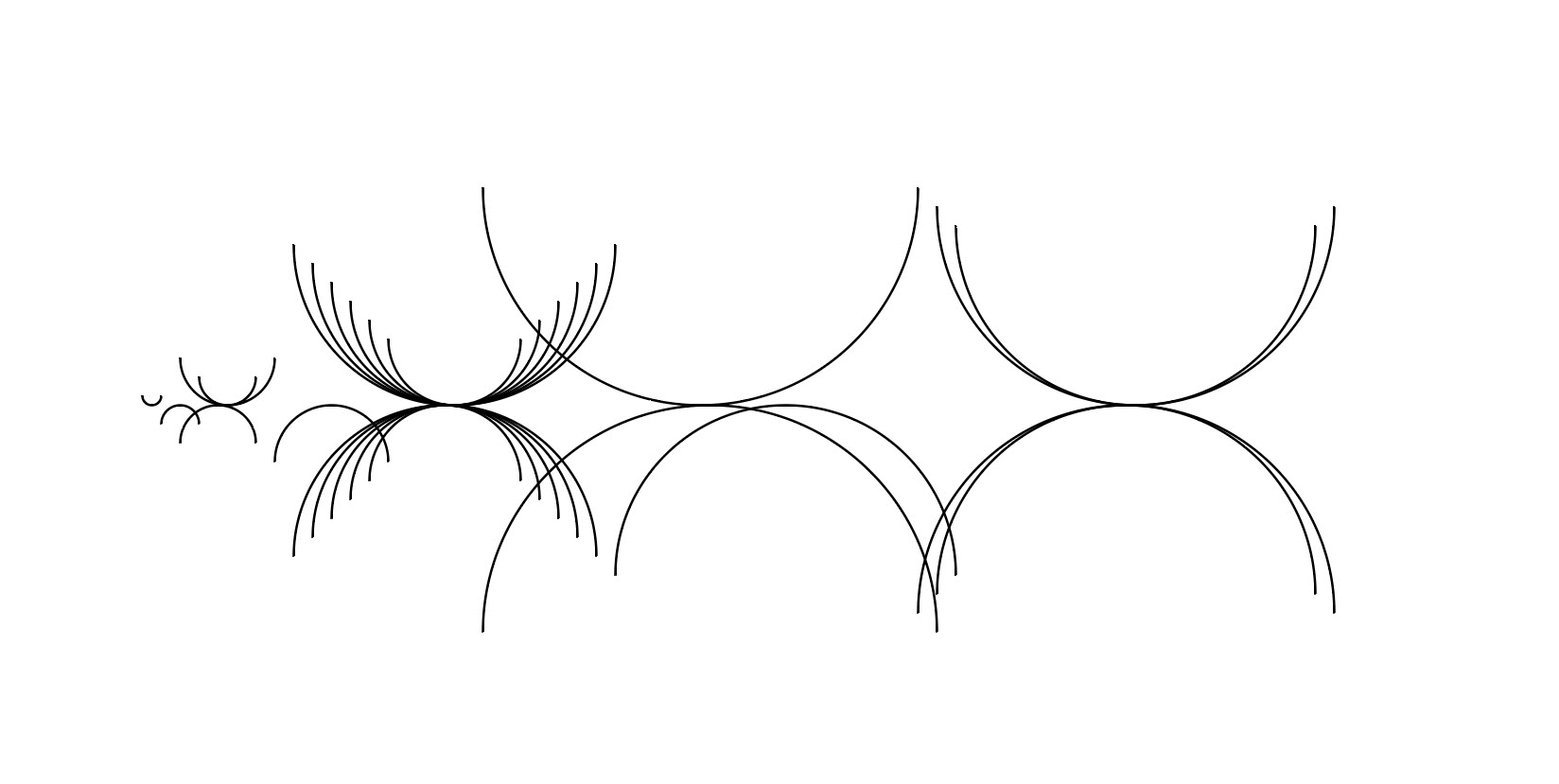
Any idea why this is happening? Thanks again
Copy link to clipboard
Copied
Mirror the half circle on horizontal axis. That's all.
(If that doesn't work - rotate by 180°)
Copy link to clipboard
Copied
Yup! Thanks


Get ready! An upgraded Adobe Community experience is coming in January.
Learn more
 AdChoices