
11ccharris
Inspiring
June 10, 2021
Answered

168 fonts found in my document, but I am only using 4, why?

  • June 10, 2021
  • 3 replies
  • 377 views

Hello,

I am currently digging down a rabbit hole to solve an ongoing issue with fonts.


• When I open a newly exported PDF document, I am presented with the errof "The font... contains bad/ Widths." 
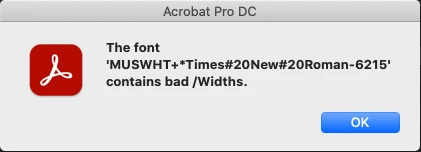
I use inDesign to create PDFs and I don't use Times New Roman.


• I have recently discovered that my inDesign file contains 168 fonts, however, I am only using two. Roman is listed here, and seems to be the source of the problem.
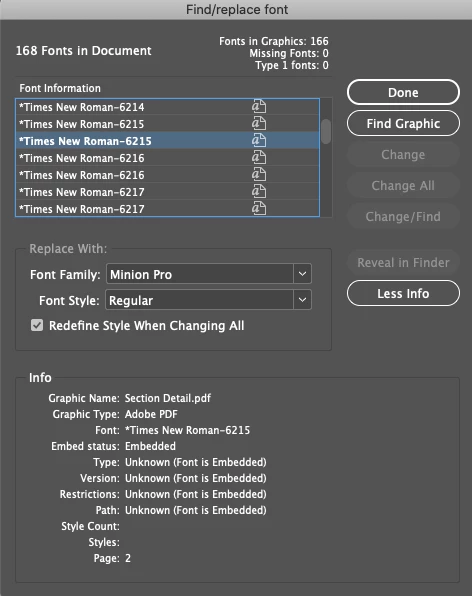
• When I select 'Find Graphic' for the mysterious text, it takes me to a PDF file that I have featured in my indesign spread. It appears to identify the text within the document, and pick it up within indesign.


How can I stop indesign picking up text within embedded PDFs as font, but rather vectors? I am trying to avoid having to export each and every PDF in my large indesign document as JPG's to solve this small issue.


Thanks in advance
This topic has been closed for replies.
Correct answer 11ccharris

Hi Laubender,


Thank you. This worked - it turns out that one of the pdfs contained within inDesign had traces of Times New Roman, even though there was no text within the PDF. This wasn't obvious because it was a 2D drawing that I had scanned. Not sure how the text was detected.


Nonetheless, how I solved it using inDesign:

1. Type > Find/Replace Fonts > Select Times New Roman > Find Graphic > Right Click Graphic > Edit Original 

2. In Adobe Acrobat:


3 replies

Community Expert
June 11, 2021

Hi 11ccharris,

can you post one sample PDF so that I can inspect it in Acrobat Pro?


Thanks,
Uwe Laubender

( ACP )

Community Expert
June 11, 2021

"How can I stop indesign picking up text within embedded PDFs as font, but rather vectors?"


Hi 11ccharris,

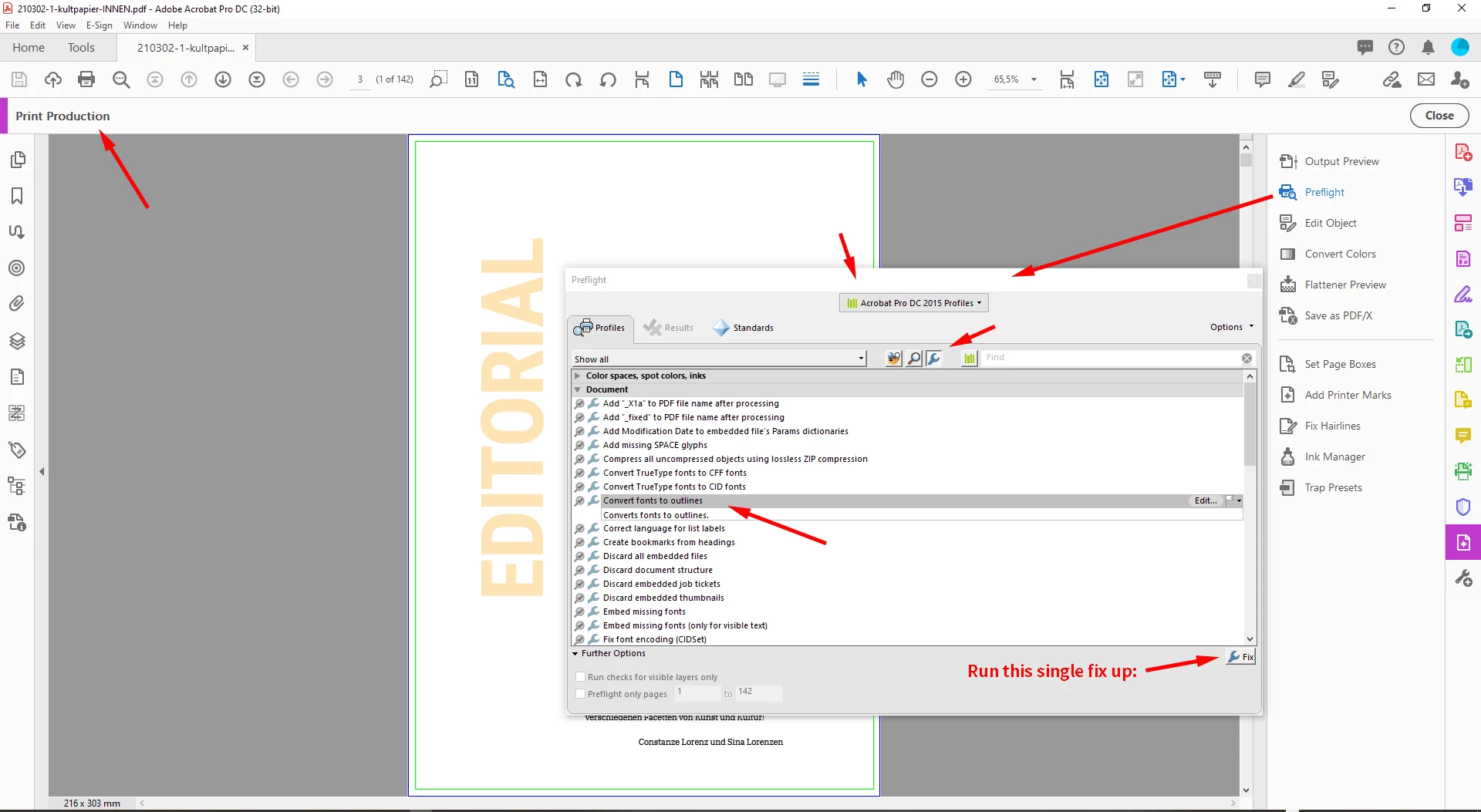
open the PDFs in Acrobat Pro and convert all text to outlines.

All details in this screenshot from Acrobat Pro:


If this does not work, you need to contact the makers of the PDFs.


Regards,
Uwe Laubender

( ACP )

11ccharris
11ccharrisAuthorCorrect answer
Inspiring
February 5, 2022

Hi Laubender,


Thank you. This worked - it turns out that one of the pdfs contained within inDesign had traces of Times New Roman, even though there was no text within the PDF. This wasn't obvious because it was a 2D drawing that I had scanned. Not sure how the text was detected.


Nonetheless, how I solved it using inDesign:

1. Type > Find/Replace Fonts > Select Times New Roman > Find Graphic > Right Click Graphic > Edit Original 

2. In Adobe Acrobat:


Barb Binder
Community Expert
Community Expert
June 11, 2021

Hi @11ccharris :


Did you try opening the embedded PDF in Adobe Acrobat, and using File > Save as Other > Optimize PDF to embed the fonts, since they evidently were not embedded when the file was originally created? Or ask whoever gave you the PDF to supply a new one, with embedded fonts?


~Barb

~Barb at Rocky Mountain Training