Participant
November 16, 2024
Question

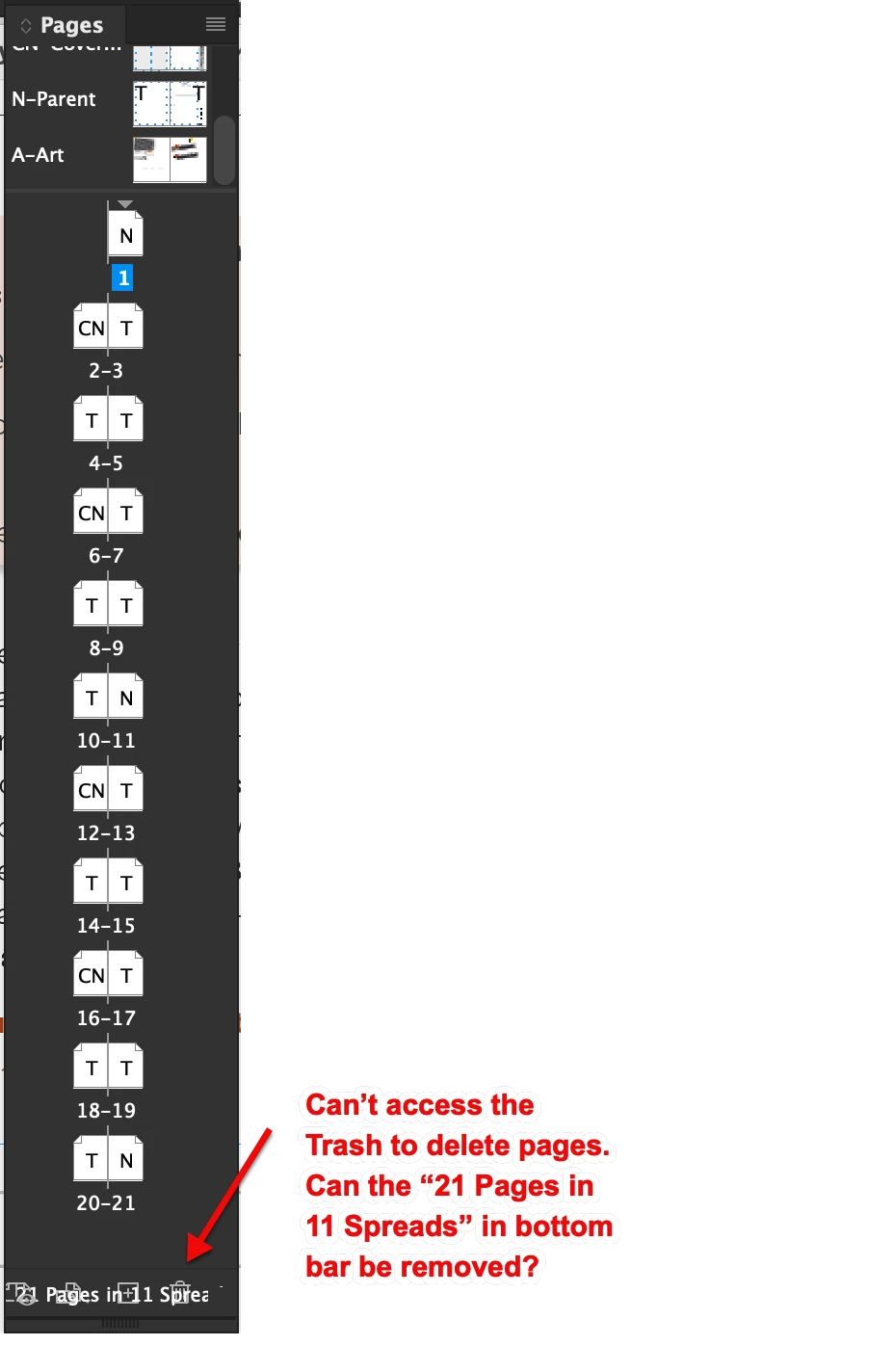
2025 Indesign Page Panel bottom data covers trash can icon

  • November 16, 2024
  • 1 reply
  • 143 views

I'm so frustrated with this new Hide/Show spreads settings, but I can work around that. But, I work on a laptop so I keep my palettes small. But now I can't delete a page because the data in the bottom bar covers up the Trash icon. Does anyone know how to change this?  Here's a screen grab...
 

This topic has been closed for replies.

1 reply

leo.r
Community Expert
Community Expert
November 16, 2024
leo.r
Community Expert
Community Expert
November 16, 2024

p.s. some other users also reported this issue and I think the aforementioned steps fixed it. btw, you can always delete pages via the contextual menu.