

grahams53471241
Known Participant
December 22, 2021
Question

27-inch iMac Hardware recommendations for 200+page graphically rich InDesign book project

  • December 22, 2021
  • 4 replies
  • 1482 views


My MacBook Pro (15-inch, 2018) is not performing well with this large InDesign, Illustrator, Photoshop project.  I notice there is a lag when scroling through spreads (sometimes with weird screen discolorations), adding spreads, moving spreads around, PDF exporting has been slow and the files have become corrupted, and modifying/ moving vector graphics in Illustrator is very slow.   I speced out the following machine with an Apple associate.  Does anybody have any suggestions on these specs?
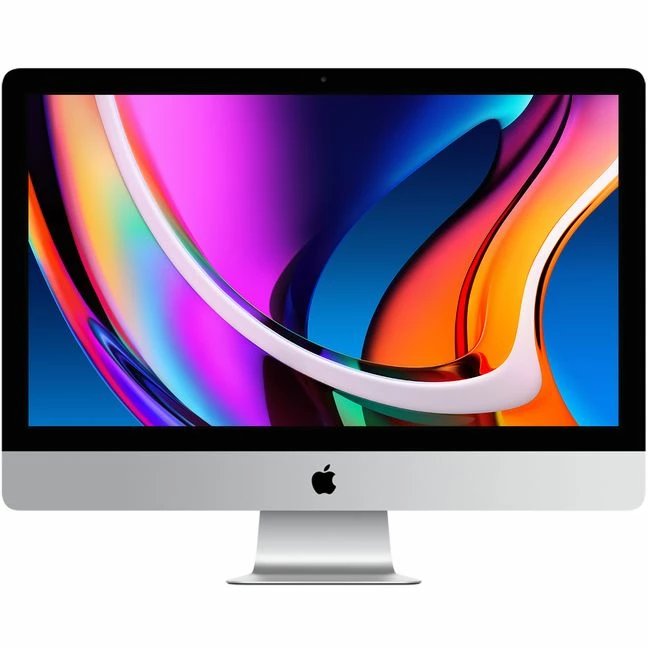


27-inch iMac with Retina 5K display
See less
  • Standard glass
  • 3.8GHz 8-core 10th-generation Intel Core i7 processor, Turbo Boost up to 5.0GHz
  • 16GB 2666MHz DDR4 memory
  • Radeon Pro 5500 XT with 8GB of GDDR6 memory
  • 1TB SSD storage
  • Gigabit Ethernet


Here are the detailed specs of my MacBook Pro (15-inch, 2018)  2.6 GHz 6-Core Intel Core i7 Memory 16 GB 2400 HHz DDR4 Graphics Radeon Pro 560X 4GB Intel UHD Grapgics 630 1536 MB.  Many Thanks,  

This topic has been closed for replies.

4 replies

Anshul_Saini
Community Manager
Community Manager
January 10, 2022

Hi @grahams53471241,


Sorry to hear about the trouble you are facing. As you said, the document is 200+ pages, so it seems the links and content used in this project are causing the slowness and noticeable lag, but weird screen distortion is a severe issue that needs to be addressed. I would request you to share a few more details like:

  • The exact version of macOS, InDesign, Illustrator, and Photoshop installed on your Macbook Pro
  • Are all these apps open simultaneously and required to be open for your workflow?
  • Is this happening with this particular project or all?
  • Would it be possible for you to share this project with us? We can check it at our end on different Machines.
  • A screenshot or small video demonstrating the issue would be really helpful.
  • Where are your files & links saved (Network Drive/ System HDD/ Shared Folder on System/ External HDD)?


We are here to help. We just need more information.


Thanks & Regards,

Anshul Saini

grahams53471241
Known Participant
January 10, 2022

Hi Anshul, 

Here are the specs. 

MacOS montery V. 12.1

MacBook Pro (15-inch, 2018)

Processor: 2.6 GHz 6-Core Intel Core i7

Memory: 16 GB 2400 MHz DDR4

Radeon Pro 560X 4 GB

Intel UHD Graphics 630 1536 MB

InDesign v. 17.01

Illustrator v. 26.02

Photoshop v. 23.1


Saving all links to HD: Downloads file with external back up.

At times at least two of these apps need to be open - In design + Illustrator or Photoshop

The screen distortion issue only seems to happen with this file.  Illustrator is always very slow even if I close all other apps/ windows.  I'll see if I can gather a video or screen shot of the screen distortion.  

I can not share the file due to confidential content.


Thanks for your help!


rob day
Community Expert
Community Expert
January 10, 2022

Hi @grahams53471241 , I’m running a 2019 iMac with similar specs and 72GB of memory, and don’t have any probelms with CC2021 apps running on Mojave.


My ID files don’t usually exceed 64 pages, but I routinely work on 5GB+ Photoshop files without any problems. It‘s still possible that the problems you are experiencing don’t relate to hardware, so make sure you do the regular troubleshooting—delete preferences and caches, pull third party plug-ins, turn off GPU Performance in ID’s prefs...

Frans v.d. Geest
Community Expert
Community Expert
December 22, 2021

Don't. Just don't go for an Intel anymore. If you really need it 'today' go get the 24 M1 Mac, make sure to get 16 GB(!) and (at least) a 1TB SSD. Or a MacMini M1with the same specs and an external display.

If money is does not matter then go for the 16 inch MacBook M1 Pro with 32GB/2TB.

Or wait for the new 27" M1(Pro) but that may still be 4 - 6 months away...

But don't go for the current 27" Intel, it is already obsolete.

grahams53471241
Known Participant
January 10, 2022

Thanks - I'm demoing a MAC MINI/8C CPU/8C GPU.


Mac mini
With the following configuration:
Apple M1 chip with 8‑core CPU, 8‑core GPU, and 16‑core Neural Engine
16GB unified memory
1TB SSD storage
GRAPHICS 065-C9F5 8-CORE GPU
Gigabit Ethernet
PRO APPS 065-C171 NONE
SW LOGIC PRO X 065-C172 NONE
Conrad_C
Community Expert
Community Expert
December 22, 2021

My guess is spending all that money on a new Intel iMac might not make that much difference, but someone who has actually used that configuration might know better. Unfortunately…


…this is an awkward time to be buying a mid- to high-end Mac desktop. Apple is a little over halfway through the transition from Intel processors to Apple Silicon processors. The low-end Macs that Apple has already transitioned to Apple Silicon (the M1-based laptops and low-end 24" iMac) are outperforming almost every Intel-based Mac, even the expensive ones.


The problem here is that the 27" iMac is still one of the few remaining Intel-based Macs. That means two things: When Apple updates the 27" iMac with an Apple Silicon processor, the Intel 27" will become instantly outclassed (slower than the Apple Silicon version), and both the retail price and resale value of 27" Intel iMacs is going to drop through the floor.


I have used InDesign on a MacBook Pro with the M1 Pro processor, and it seems quite responsive compared to my 2018 Intel i5 MacBook Pro. We might not do the same types of jobs but I’m very pleased with the M1 Pro processor. 


If you need a faster desktop right now, you might look into an M1 Mac mini with a separate 27" display, or the 24" M1 iMac. Or if you stick with a laptop try an M1 MacBook Pro (especially the 14"/16" M1 Pro or M1 Max). But keep in mind that InDesign is not going to take full advantage of more CPU or GPU cores above the base models, so if you get an M1 Pro or M1 Max don’t max out the specs. (I would also question whether InDesign would make good use of the extra M1 Max performance.)


The other thing to do is to go back and troubleshoot why your experience with a relatively new 2018 MacBook Pro is so slow and bad, like the discolorations and files getting corrupted. For example, how much space is free on its internal storage?

davecourtemanche
Inspiring
December 22, 2021

To piggyback on this, I would max out the RAM on whatever you get. I'm holding out for M1 configurations (non-laptop) that support more RAM. 

Conrad_C
Community Expert
Community Expert
December 22, 2021

Has 64GB RAM been shown to make any meaningful performance difference in a graphic design workflow?


I chose 32GB, but mostly for Photoshop and Lightroom Classic. Because 64GB RAM is another thing I doubt InDesign would make good use of.