Inspiring
September 18, 2022
Answered

A clipping path based on transparency defined in Photoshop

  • September 18, 2022
  • 2 replies
  • 2509 views

I've removed the background of some images in Photoshop and now they are (to my non-expert understanding) live transparencies. I've saved them as PSD, TIFF or PNG (depending on the case).


When I place them in Indesign, they look fine, but their frames are in a rectangular shape. I would like each frame to follow the shape of the object, so I guess that I have to go to Object > Clipping Path.


But the Detect Edges option is not for me, cause the background has already been removed. I don't want Indesign to detect the edges and I don't want to tweak that manually. I want Indesign to use the transparency info that has been saved to the file in Photoshop.


Otherwise, I'm afraid that I will have to tweak the path manually and some details might fall outside of it (or the path may include more stuff than needed).


I thought that the Alpha Channel option is for me, but some details fall outside of the path and I still have to tweak that manually. The Photoshop path and User-modified path options are greyed-out.


Note that I'm not very good at this. When I open these files in Photoshop, I basically see objects standing on a checkered (non-existing) background without an active mask around them and they have just 1 layer. I wonder if this is the problem, but I'm not sure.


To put it short: is there an automatic and risk-free method to achieve what I want? That is to instruct Indesign to "see" that the object is already without a background and to create a path based on that.


Thanks.
 

This topic has been closed for replies.
Correct answer sd5e8a

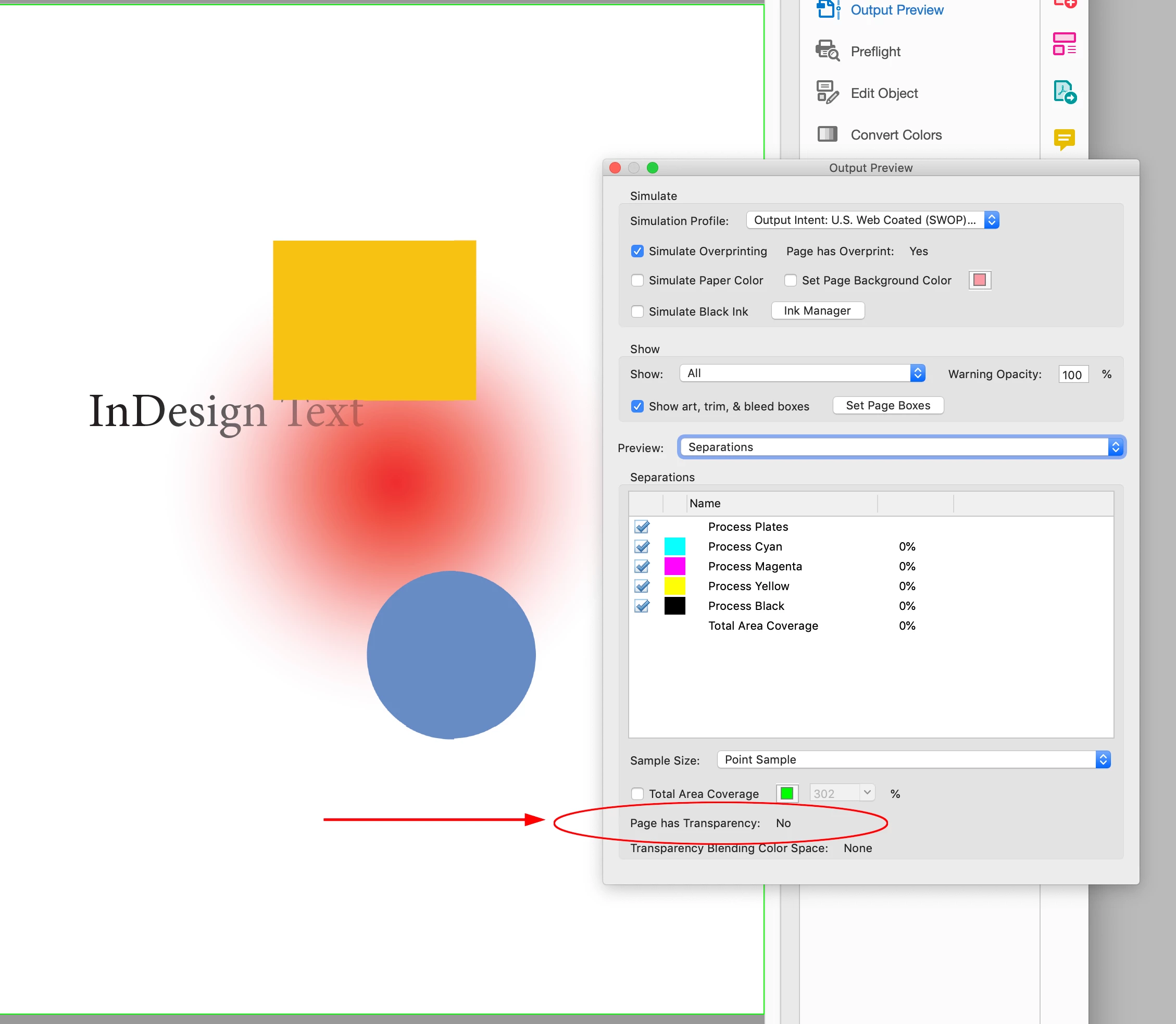
Even today, some printeries may still require flattening (for example some 'old school' ones).


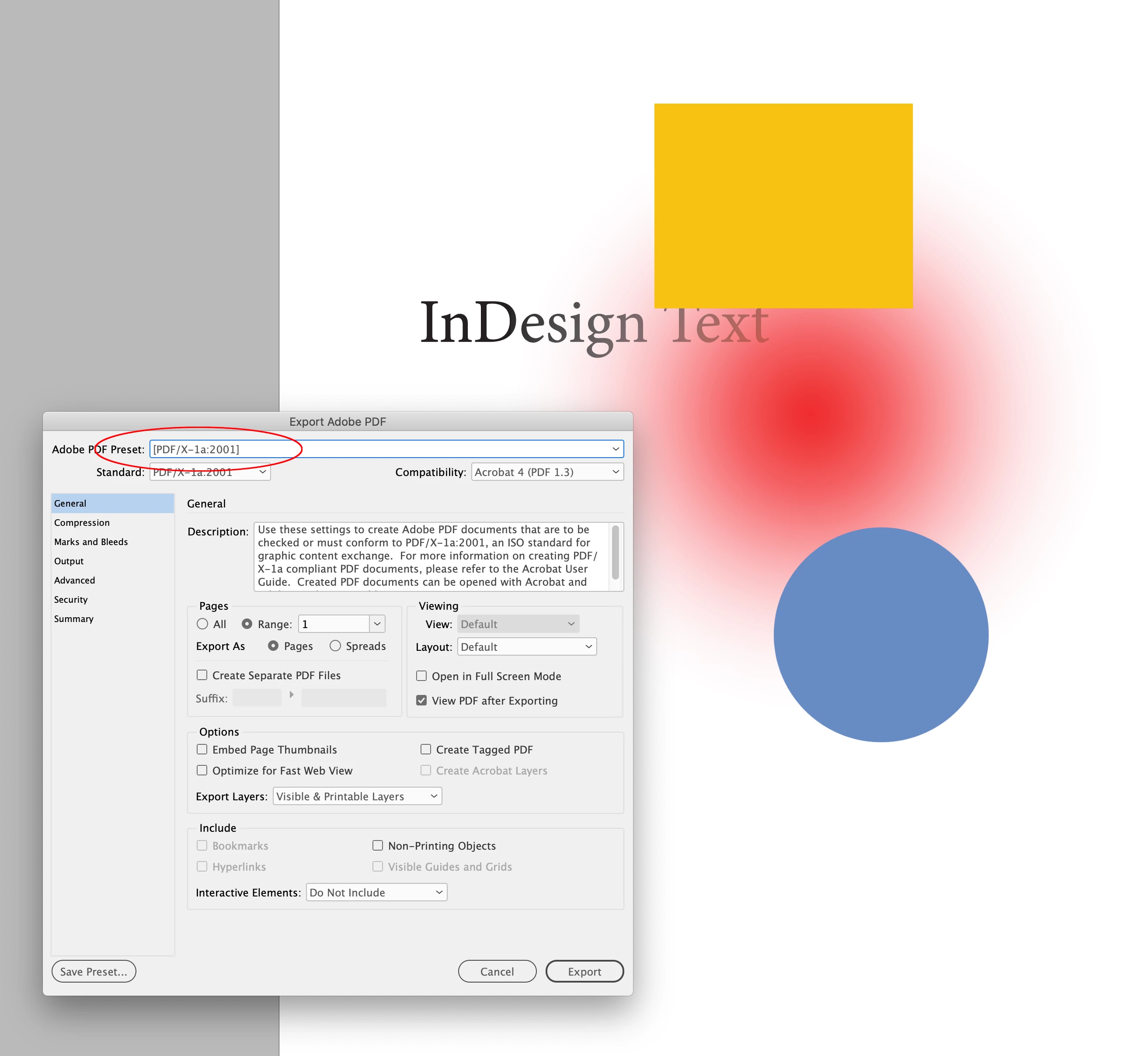
I think you are confusing InDesign transparency with exporting a PDF with live transparency. If the printer requires a flattened PDF, you can export to PDF/X-1a (Acrobat 4 Compatibility). Exporting a flattened PDF would not prevent you from placing a PSD with transparency, or using InDesign’s transparency features:


@rob day, I know that exporting to an early PDF/X version will flatten everything, thanks for reminding me of this option. I will consider it.


But unfortunately, that does not answer my question how to force Indesign to "see" that the image is backgroundless and to create clipping paths based on that.


Like: "Okay, this area is transparent - I will discard it, and this area is filled with content - I will use it". I thought that choosing Object > Cliping Path > Options > Alpha > Transparency should be used for that. But it doesn't work as I expected. Maybe I confused something.


But its OK, if there's no other solution, the settings can be tweaked manually.

2 replies

rob day
Community Expert
September 18, 2022

When I place them in Indesign, they look fine, but their frames are in a rectangular shape.


Hi @sd5e8a , just to clarify, is the problem with PSD’s container frame being a rectangle that it hides what’s below? If that’s the case make sure its fill is set to [None]:


sd5e8aAuthor
Inspiring
September 18, 2022
quote


Hi @sd5e8a , just to clarify, is the problem with PSD’s container frame being a rectangle that it hides what’s below? If that’s the case make sure its fill is set to [None]:


By @rob day


Thanks @rob day, but the answer is no. The areas within this blue (container) rectangle that are supposed to be transparent are indeed transparent and they are not hiding whats below. The fill is already set to None. Basically everything looks fine.


But I would like to isolate the objects one from another in a better way, so I was thinking about creating a clipping path (an orange one) and then converting that to a frame. That way, I'll get a blue frame that will follow the exact shape of the object (something like a 'free form frame'). For example, if the object is a circle - it will get a circular blue frame, and if its a triangle - a triangular one.


If you click on an object after that, it will still show a rectangular frame, but if you unclick it, the object will look well isolated (free-form), which helps me in some ways while I'm designing the page.


Also, if for some reason you need to flatten the images (here I mean one by one externally in Photoshop), the transparent areas in the rectangular frame will become white and then they will hide whats below. To prevent this, I guess that I should isolate the objects in the way I decribed.


Those were some of the reasons why I want to do this.

rob day
Community Expert
September 18, 2022

I think we need to see an example. There’s also Object>Object Layer Options..., which lets you turn a PSD’s layers on or off.


Willi Adelberger
Community Expert
September 18, 2022

Create in Photoshop all clipping paths. Import PSDs, not PNGs, with clipping paths.

Willi Adelberger
Community Expert
September 18, 2022

Right mouse click > conert clipping path to frame

sd5e8aAuthor
Inspiring
September 18, 2022

Thank you, @Willi Adelberger, I understand. But this will require some extra work in Photoshop, which I'm not very good at.


I hoped that it is enough that the image already has a transparent background.


I thought that I can simply choose Object > Cliping Path > Options > Alpha > Transparency, so that Indesign can "see" which areas in the image are transparent and which ones are not.


That's the way I understood it. I thought that it will work automatically.


But it doesn't work that way (at least not in my case). When I choose that option some details end outside of the selected area or it covers more than it should.


Unless someone has a simple solution for this, it seems that the best option is to tweak the settings manually (with keeping the threshold and the tolerance settings as low as possible).