

Jongware
Community Expert
Community Expert
March 26, 2012
Question

A script to make pies (and more)

  • March 26, 2012
  • 6 replies
  • 13039 views

As a sort of dare from our friendly neighbours in the Illustrator forum, I wrote this script that might be useful for InDesign users as well.

It creates a pie chart by asking for the series of values, and then slicing up a circle that you must have selected. Fun thing is, it doesn't "just" work with circles; you can select about anything, enter your values at the prompt (comma separated), and get the correct result! (Which depends on the shape; of course it's only mathematically correct when using a circle.)
//DESCRIPTION:Make me a pie

// A Jongware script, 25-mar-2012

if (app.selection.length == 1)

{

  val = prompt ("Values: ", "1,2,3");

  if (val != null)

  {

    values = val.split(",");

    total = 0;

    for (i=0; i<values.length; i++)

    {

      values = Number(values);

      total += values;

    }

    for (i=0; i<values.length; i++)

    {

      values = values*2*Math.PI/total;

    }

    circleCenter = [ (app.selection[0].geometricBounds[3]+app.selection[0].geometricBounds[1])/2,

      (app.selection[0].geometricBounds[2]+app.selection[0].geometricBounds[0])/2 ];

    circleRadius = Math.max ( (app.selection[0].geometricBounds[3]-app.selection[0].geometricBounds[1])/2,

      (app.selection[0].geometricBounds[2]-app.selection[0].geometricBounds[0])/2);

    startangle = 0;

    for (i=0; i<values.length; i++)

    {

      endangle = startangle + values;

      // warning: math! (though this is SIMPLE compared to what I've bin doing today)

      segstart = [ circleCenter[0]+ 2*circleRadius*Math.sin(startangle), circleCenter[1]- 2*circleRadius*Math.cos(startangle) ];

      segend = [ circleCenter[0]+ 2*circleRadius*Math.sin(endangle), circleCenter[1]- 2*circleRadius*Math.cos(endangle) ];

      cutoff = app.activeDocument.graphicLines.add();

      // create surrounding border

      path = [ circleCenter, segstart ];

      for (j=startangle; j<endangle; j += (values/16))

        path = path.concat ([[ circleCenter[0]+2*circleRadius*Math.sin(j),circleCenter[1]-2*circleRadius*Math.cos(j)]] );

      path = path.concat ([segend]);

      cutoff.paths[0].entirePath = path;

      cutoff.paths[0].pathType = PathType.CLOSED_PATH;

      cutoff.intersectPath(app.selection[0].duplicate()).fillTint = (i+1)*100/values.length;

      startangle = endangle;

    }

  }

}

This topic has been closed for replies.

6 replies

JeffArdoise
Known Participant
June 28, 2019

wow, this is great, works in CC 2019 and is even more precise than pie charts in AI. Now if I could feed it a text file with values for pies on different line and it would create those automatically it would be heaven;-) Like you put the width of the circle, and chose the text file and boom, it does all the pies. Oh well, still faster than doing it in AI.

JeffArdoise
Known Participant
June 28, 2019

hmm, I get an error as soon as I try to run the script on a circle that is NOT on the first page of the document.

Anybody else got this error when run on other page then first page of document?

Community Expert
June 29, 2019

Hi Jeff,

the real problem is in line 35:


cutoff = app.activeDocument.graphicLines.add();


That graphic line is always added to the first spread of the document.

And not to the spread where your selection is.


So later cutoff.intersectPath() cannot work.

Why? You cannot intersect two paths that are positioned on different spreads.


You could try to work around this by writing:


cutoff = app.selection[0].parent.graphicLines.add();


Or perhaps better:


cutoff = app.activeDocument.layoutWindows[0].activeSpread.graphicLines.add();


Regards,
Uwe

Participating Frequently
April 6, 2019

Genius!

Known Participant
March 30, 2019

Hi.  Awesome script.
I know it's and old post but I hope I can get an answers.
Script work perfectly until I change fill and tint amount of created slices by script.
Then it give this error if I try to run it again.


I open new document, and create pie chart at there when I get this error.
Is there any way you could help me with fixing this error?
Thank you very much.

Inspiring
February 6, 2017

thx for sharing Peter! great stuff

Peter Kahrel
Community Expert
Community Expert
February 6, 2017

That was Jongware, not me!

P.

Harbs.
Legend
March 27, 2012

Very cool!

He he. Don't get those Illy guys too jealous! (I feel like pulling out my hair every time I try to script Illy. So limited...)

Harbs

Green4ever
Inspiring
March 26, 2012

Amazing..... Using "Math" you showed me that there is a long........ way to go.

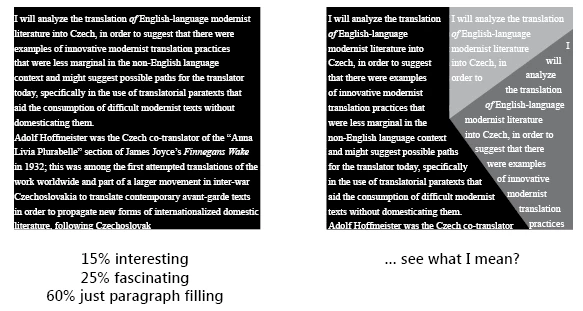
15% interesting

25% fascinating

60% just paragraph filling

     100% worth reding this....


----------

Green4ever

Jongware
Community Expert
JongwareCommunity ExpertAuthor
Community Expert
March 26, 2012

Combine your scripts in creative ways!

Peter Kahrel
Community Expert
Community Expert
March 26, 2012

Nice one!

Peter