Participant
February 9, 2021
Answered

A5 booklet printing in A6 pages on A4 paper, I want A5 on A4

  • February 9, 2021
  • 2 replies
  • 4906 views

Hey guys,

I am doing my first A5 booklet. The idea is to print my A5 dimension pages from indesign and have 2 x A5 pages on 1 A4 page so I can fold it, so it's an A5 booklet.


BUT.... when I go to print the booklet, it's printing 4 x A6 on one side of the A4 page not 2 x A5 on onside of the A4 page.

What am I doing wrong?

My indesign document setup is set to A5, do I need to set it to A4?


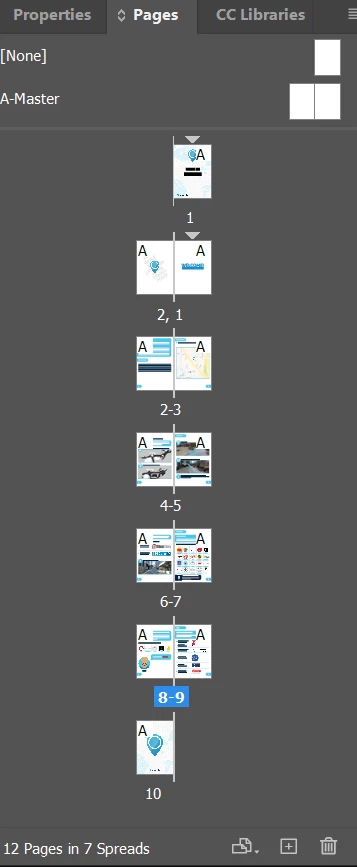
Here is my page layers.
This topic has been closed for replies.
Correct answer rob day

My indesign document setup is set to A5, do I need to set it to A4?


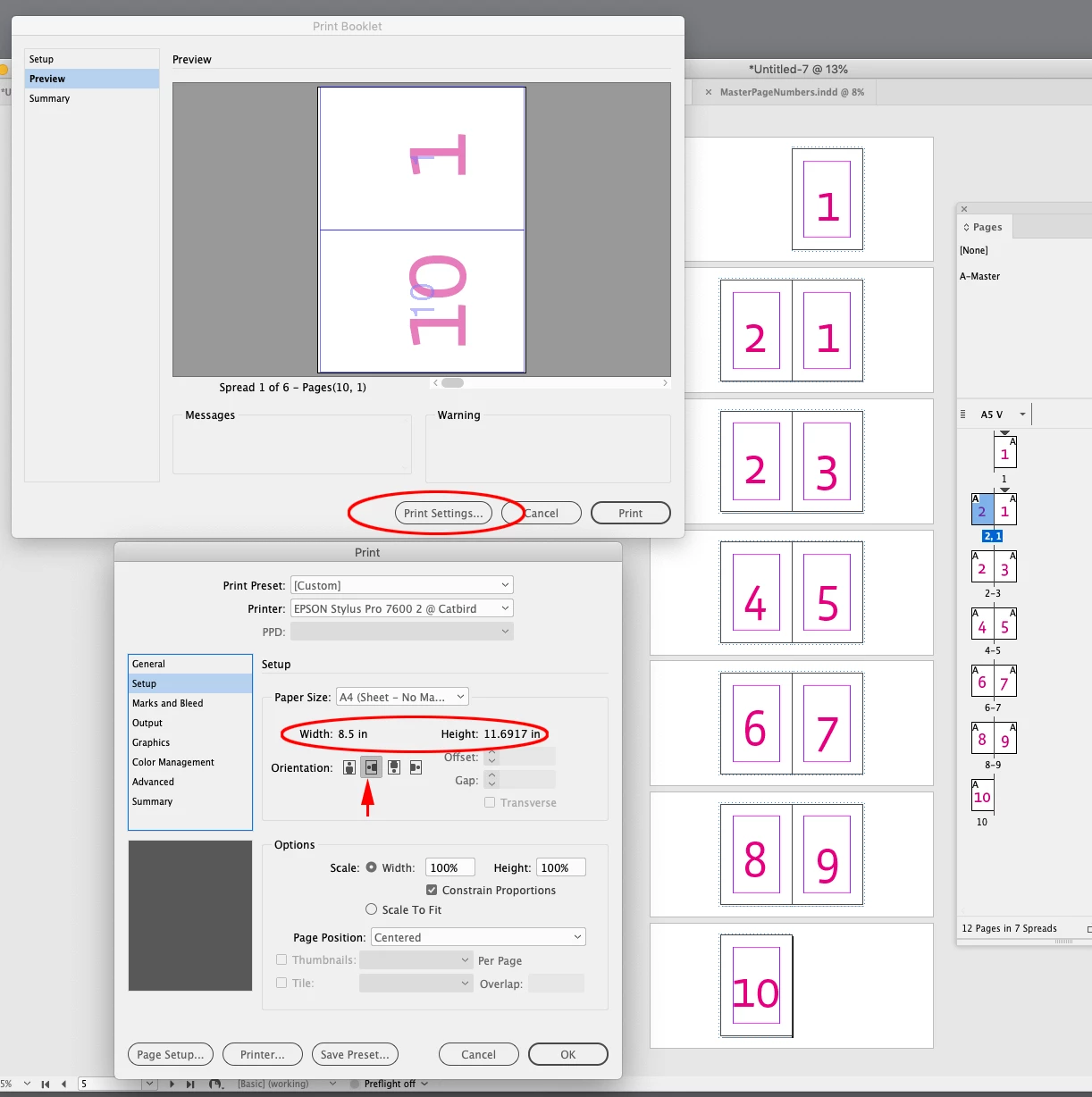
Set the document to A5 and the Paper Size to A4 in the print settings with the Orientation set to landscape—Print Booklet>Print Settings...>Setup>Paper Size. Also check Print Blank Pages in the General tab:


2 replies

rob day
Community Expert
rob dayCommunity ExpertCorrect answer
Community Expert
February 9, 2021

My indesign document setup is set to A5, do I need to set it to A4?


Set the document to A5 and the Paper Size to A4 in the print settings with the Orientation set to landscape—Print Booklet>Print Settings...>Setup>Paper Size. Also check Print Blank Pages in the General tab:


Participating Frequently
May 17, 2023

I'm struggling with this. My settings all seem to be correct but I keep getting A6 sizes (8 pages per sheet (4 both sides)). What the heck is going on? What am I doing wrong?  I've even tried printing from pdf but getting the same thing, even though my preview shows only 4 pages per sheet (2 both sides). Am I in some kind of alternate universe or am I stoopid??? See all my settings below and thanks in advance 🙂

Peter Spier
Community Expert
Community Expert
May 17, 2023

Does your copier perhaps also have a booklet printing feature in the driver that is activated?

Community Expert
February 9, 2021

Export to PDF - then use the Print Booklet feature from there.

https://helpx.adobe.com/ie/acrobat/using/ways-print-pdfs.html#print_a_booklet