Copy link to clipboard
Copied
I am quite confused about the interface of Indesign, it seems too large to work on, like this:
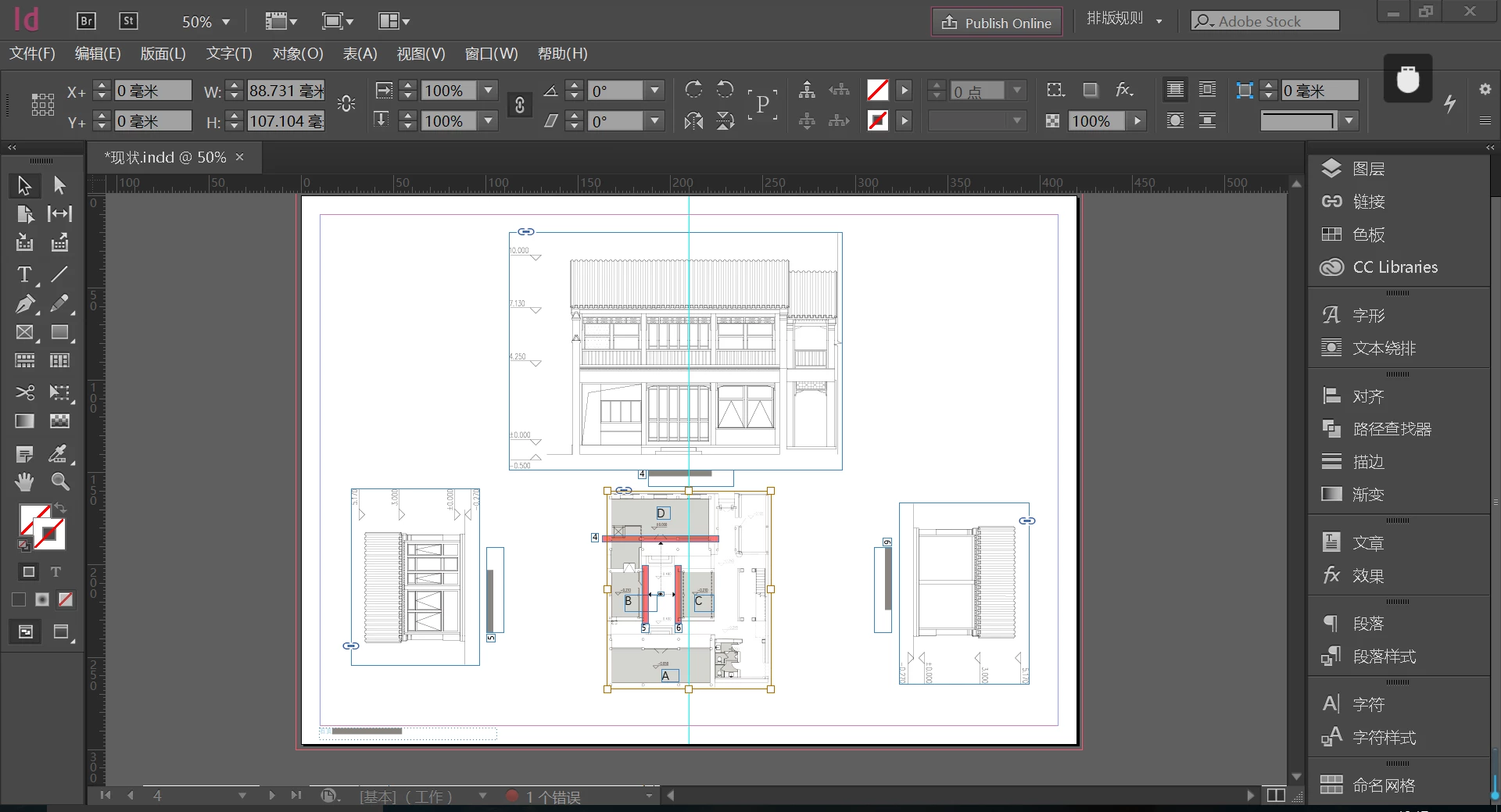
compared with Photoshop:
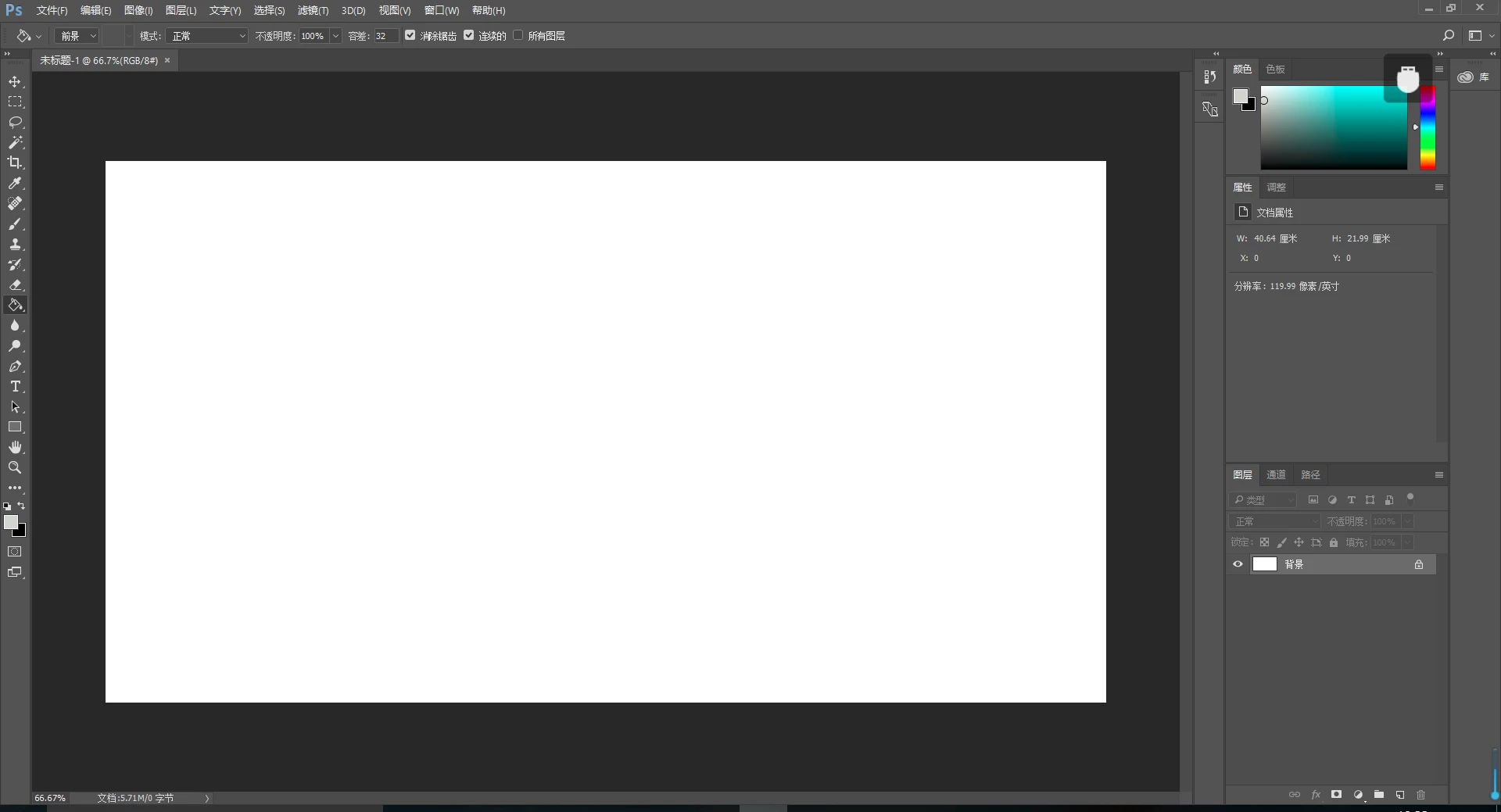
Anybody knows how to solve this? Very thankful for the answers

Hi,
I tried it on my Japanese machine and it works fine for me...
What screen size are you working on anyway?
Also what you need to do is customize your UI. Workspace basics in InDesign : section "Manage windows and panels".
As you can observe, just on a text frame selection InDesign offers more number of controls on the Control Strip than Photoshop.
For a small screen size, InDesign's UI controls split into 2 lines, which is not the case for Photoshop.
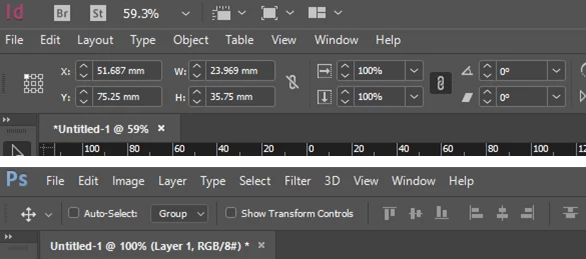
You can see the large UI for InDesign along wit
...Copy link to clipboard
Copied
I can only say that in the USA English language version this is not the case. If this is the way that your version has been since your original install then it may be the way that it was designed to be or it may be a bug. If this is not the way that has always been then it may be worth resetting your preferences and deleting your cache files. Deleting cache files can many times repair interface issues.
To reset preferences:
For Macintosh Users: With InDesign closed Launch a Finder Window in column view and click on your home folder. With the Option Key pressed choose Library from the Finder Go Menu. Within the Library folder find the folder called Preferences and within it find the following two files and delete them: “Adobe InDesign” and “com.adobe.InDesign.plist”. When InDesign is next launched it will create new preference files and the program will be restored to its defaults.
After you’ve reset up the program (make sure that no document window is open) to your liking, it is a really good idea to create copies of your personalized “mint” preference files (make sure that you quit the program before copying them—that finalizes your customization) and use them in the future to replace any corrupt versions you may need to delete.
For Windows Users: Hold down Ctrl + Alt + Shift when launching InDesign and respond affirmatively when asked if you want to reset.
To delete caches:
For Macintosh Users: With InDesign closed launch a Finder Window in column view and click on your home folder. With the Option Key pressed choose Library from the Finder Go Menu. Within the Library folder find the “Caches” folder. Within the Caches folder find and delete the entire file “Adobe InDesign”. I find that deleting the cache file completely leads to a lasting change.
For Windows Users: Follow the path to C:\Users\[User Name]\AppData\Local\Adobe\InDesign\Version [#]\en_US\Cache.
To report this as a possible bug go to: Feature Request/Bug Report Form
Copy link to clipboard
Copied
Hi,
I tried it on my Japanese machine and it works fine for me...
What screen size are you working on anyway?
Also what you need to do is customize your UI. Workspace basics in InDesign : section "Manage windows and panels".
As you can observe, just on a text frame selection InDesign offers more number of controls on the Control Strip than Photoshop.
For a small screen size, InDesign's UI controls split into 2 lines, which is not the case for Photoshop.

You can see the large UI for InDesign along with the scale...
You can also upgrade to InDesign CC 2017.1(latest) which has a new and modern Spectrum UI.. you already have this UI for Photoshop.
-Aman
Get ready! An upgraded Adobe Community experience is coming in January.
Learn more