Known Participant
March 29, 2022
Question

Actual print size

  • March 29, 2022
  • 4 replies
  • 1197 views

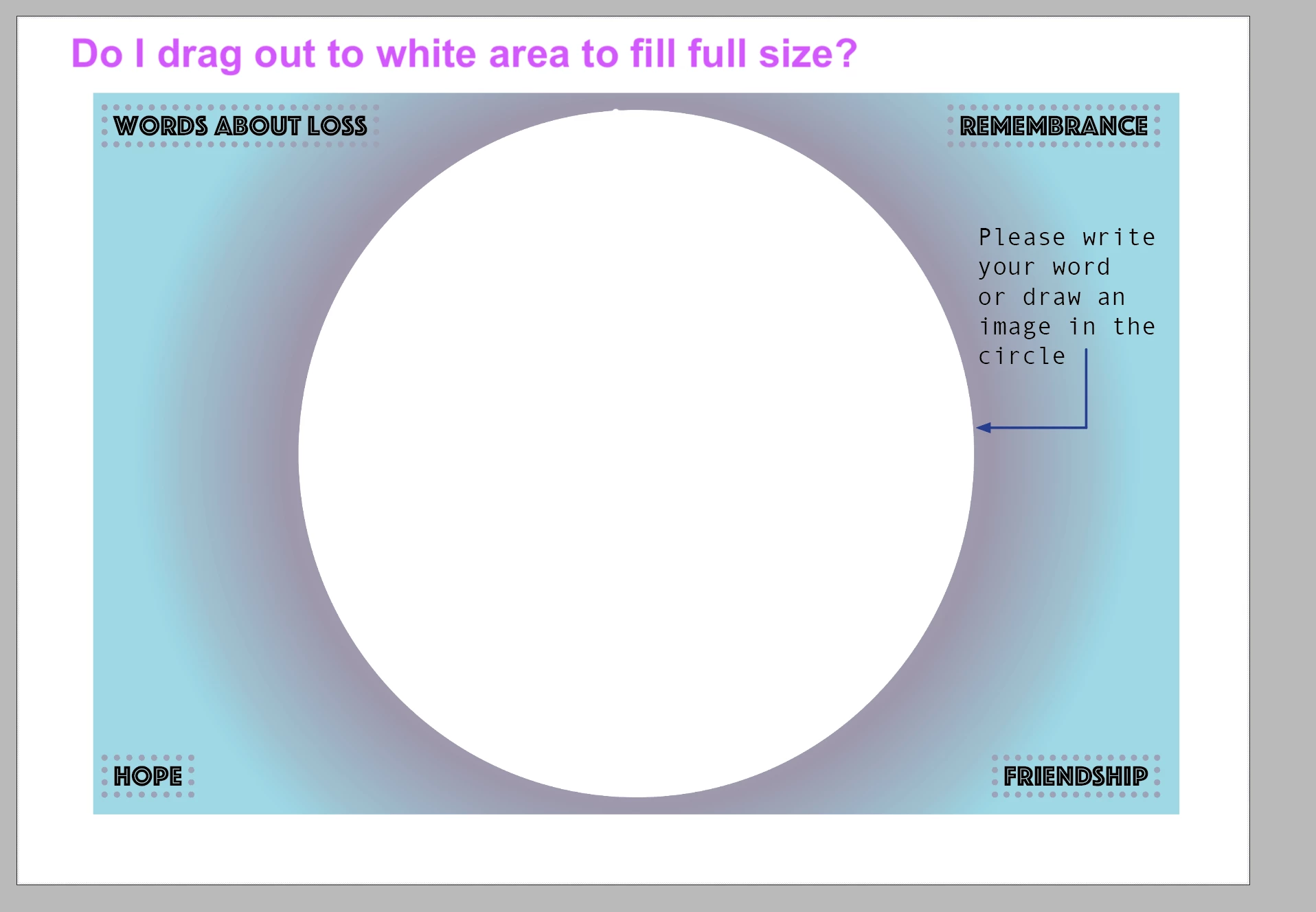
Hi I want to print a postcard A5 size 210 by 148 edge to edge, When I open indesign there is a white border. Do I just drag my backround to the outer edge to make print full size? 
This topic has been closed for replies.

4 replies

Brad @ Roaring Mouse
Community Expert
Community Expert
March 29, 2022

Ha! This, in the comedy world, is called a Punchline Scramble!

🙂

Brad @ Roaring Mouse
Community Expert
Community Expert
March 29, 2022

Yes, and actually beyond the edge.

First of all, if you are printing this yourself, you need to know if your printer can actually print to the edge on that paper size. Some require a margin for technical reasons. Even if it it can, the following applies:

If you are printing this professionally, they usually print on larger paper then trim it down to size. For that to work successfully, you have to add "bleed" to the file, which is where you expand your background beyond the edges of the page. In InDesign, you add this dimension (typically 1/8" (9 points)) to your Page Setup.

This adds a red guideline beyond the edge of your page indicating how far you should expand your background elements.

Known Participant
March 30, 2022

Thanks for the replies, I want the final printed card to be 210 by 148. 

I created this in the document size panel. There is a white margin which means printed size is 117 by 172

To correct this do I

A. Scale everything up using transform tool or some other way

B. Create a new document to incorporate the print size I would like, if so what size would you make to print A5 edge to edge blees and white border inculded? 


C. Some other plan!!


Thanks a lot....


Known Participant
March 30, 2022

I don't understand. Why would you want to scale up the doc?

Can you post a screenshot of the document setup window?

You wrote that its size was 210 mm x 148 mm. This value is correct and MUST NOT be changed. The only thing you have to do is to add 3 mm bleed (if it is not done yet) and to extend the background to the bleed limit.


I have reset the margins and I can drag the backround but then all the other layers remain small. Is there a way to scale everything uniformly?  

Dave Creamer of IDEAS
Community Expert
Community Expert
March 29, 2022

Select the background gradient and resize it. 

However, the gradient could be locked, on a locked layer, or on the parent/master page. 

If the object is locked or on a locked layer, the Layers panel will show it can you can unlock it there.

If the object is on a parent page, go to the appropriate parent page and resize it.


David Creamer: Community Expert (ACI and ACE 1995-2023)
Scott Falkner
Community Expert
Community Expert
March 29, 2022

What you see is a margin, likely the default. This is just an arbitrary inset the designer picks when creating a document. You are always free to ignore the margin. If you want to print to the edge you should include bleed. This act like a negative margin. When printing on stock larger than your trim size you would usually include crop marks (no need to draw them, they are an option in the print dialogue). Bleed allows object that print up to the ends of your design to extend beyond it to allow for some inaccuracies when cutting. 

If you are printing on stock the same size as your trim you need to use a printer than can print up to the edge of the page. This is uncommon as most printers need gripper, a bit of paper on the edges that can be used to feed the paper through the mechanism. If you are printing on stock larger than your trim just be sure to include bleed in Document Setup, extend any objects or images into the bleed, and print with trim marks. If you are sending files to a printer talk to them about how they want the document set up. Printers want people to set up their files properly to prevent problems, reprints, or delays. This means good print shops encourage asking relavent questions. 

Dave Creamer of IDEAS
Community Expert
Community Expert
March 29, 2022

Took me too long to type!

David Creamer: Community Expert (ACI and ACE 1995-2023)
