
Question
Adding a grunge texture to text in InDesign CS5.
Hi!
I would like to know the best way to add a grunge texture in InDesign. Here is an example I did using Pathfinder/Extract:
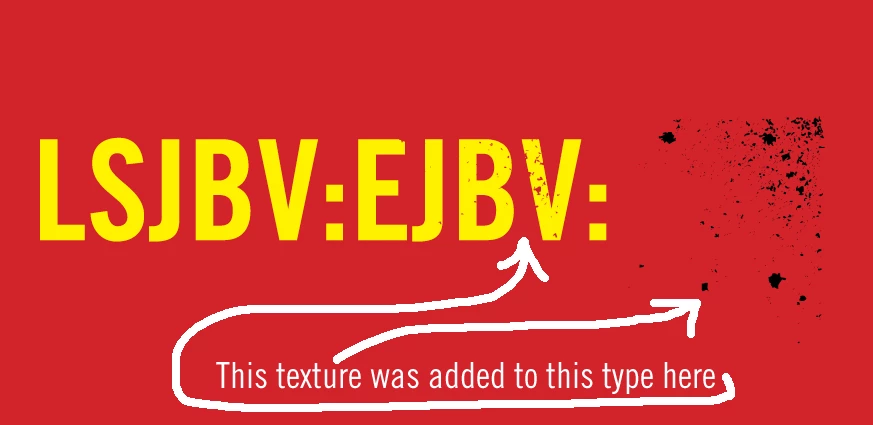
There is however at least two problems to this technique:
- I have to convert my text into outlines;
- Seems like the Pathfinder "merges" both shapes together forever... If was in Illustrator, I would have used the Clipping Mask or the Opacity Mask. That would allow me to move my texture as needed in the future.
I tried using the Paste Into method, but this technique ALSO seems to have at least two problems:
- I have to convert my text into outlines;
- Doing Paste Into keeps the color of my texture. The problem is, I need the "holes" to be transparent, not black!
Am I missing something? Is there ways to do this with Effects?
Thanks!
Chris.
 AdChoices