Exit
  • Global community
    • Language:
      • Deutsch
      • English
      • Español
      • Français
      • Português
  • 日本語コミュニティ
  • 한국 커뮤니티
0

Adding a PNG file causes text / layout to go blurry

Explorer ,
Sep 14, 2020 Sep 14, 2020

Hi,


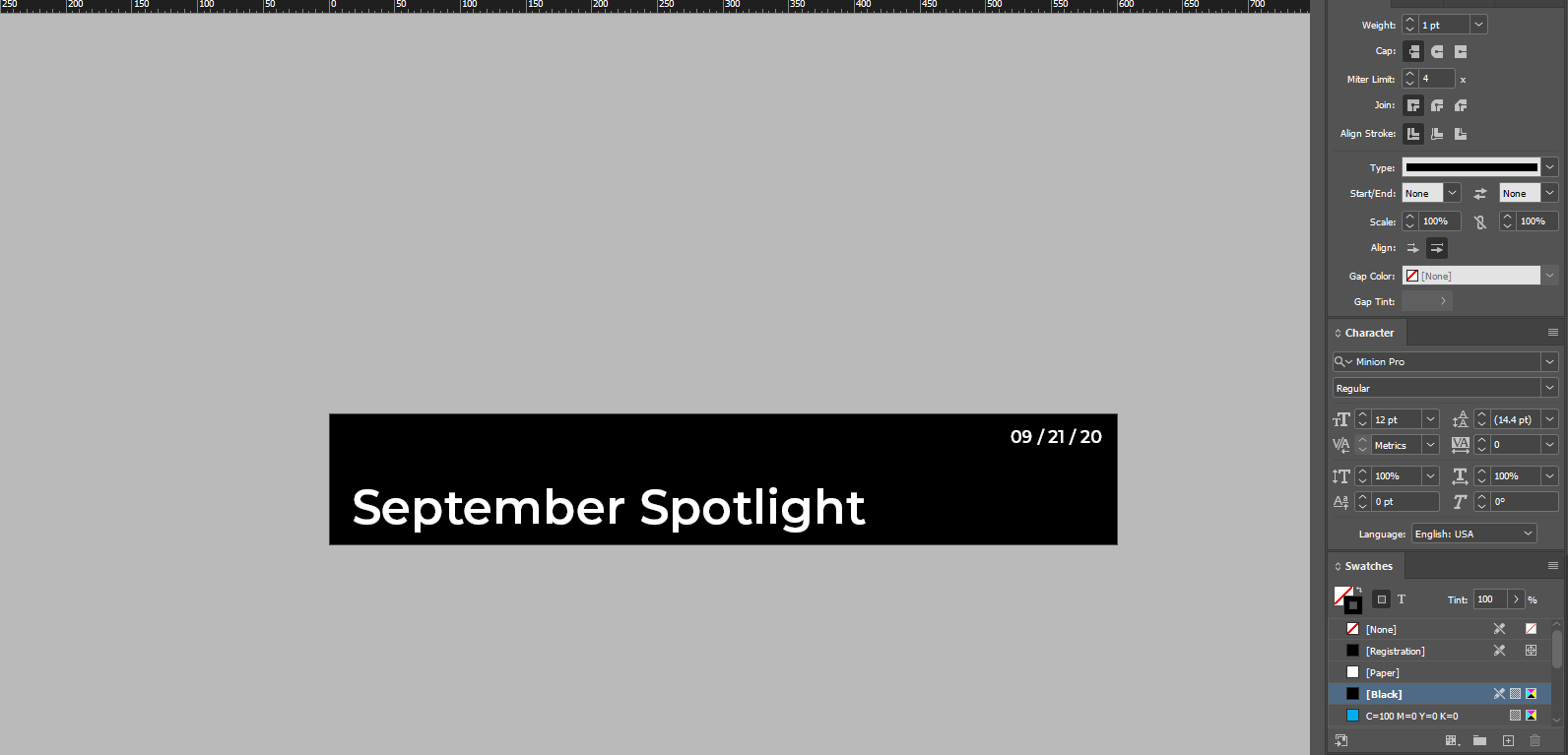
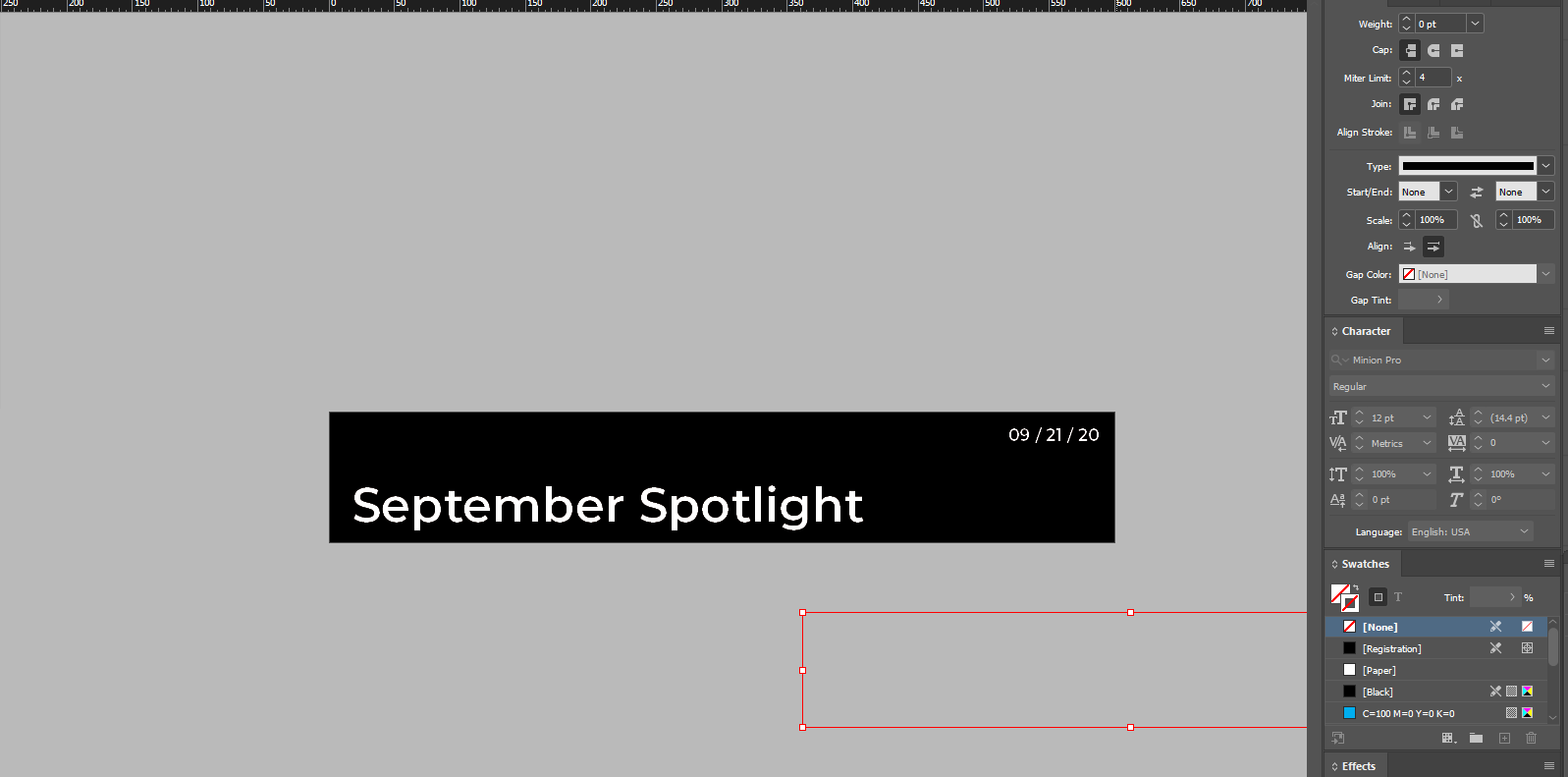
I've always used JPEG images in Indesign / Layouts, but when I added a PNG logo file today - it turned all the text in the layout blurry. Attached images of before / after. Tested this with several other indesign documents - the issue seems consistent throughout. The logo size is 500 x 88 Pixels, and the document is 600 x 100 Pixels. This affected the export output significantly as well. 


Any assistance is greatly appreciated! 

Thanks,

Chris

TOPICS
Bug , How to , Performance
569
Translate
Report
Community guidelines
Be kind and respectful, give credit to the original source of content, and search for duplicates before posting. Learn more
community guidelines

correct answers 1 Correct answer

Guide , Sep 22, 2020 Sep 22, 2020

That's not blurry, it's the total opposite. Text on screen is usually smoothened by the graphics renderer to gain soft edges. This is nullified by the PNG for the moment. I think this will either vanish when activating the high quality preview or changing the zoom level. I've seen this before myself, but it never affected any output. It's supposed to be a screen thing only.

What kind of output was it? What was the PNG type, 8 bit or 24 bit? Why not convert the PNG to JPG and the problem should be

...
Translate
Guide ,
Sep 22, 2020 Sep 22, 2020

That's not blurry, it's the total opposite. Text on screen is usually smoothened by the graphics renderer to gain soft edges. This is nullified by the PNG for the moment. I think this will either vanish when activating the high quality preview or changing the zoom level. I've seen this before myself, but it never affected any output. It's supposed to be a screen thing only.

What kind of output was it? What was the PNG type, 8 bit or 24 bit? Why not convert the PNG to JPG and the problem should be gone? 

Translate
Report
Community guidelines
Be kind and respectful, give credit to the original source of content, and search for duplicates before posting. Learn more
community guidelines
LEGEND ,
Sep 25, 2020 Sep 25, 2020

Hi there,


Sorry to hear about your experience. Would you mind sharing version of the OS & InDesign? Does it happen with a specific file or all? Have you tried other formats like PNG or PSD?

This information will help us understand the concern and assist you accordingly. Looking forward to your response.


Regards,

Ashutosh

Translate
Report
Community guidelines
Be kind and respectful, give credit to the original source of content, and search for duplicates before posting. Learn more
community guidelines
New Here ,
Nov 04, 2022 Nov 04, 2022

Hi, I have the same problem after putting a PNG, did you get the answer after all this time ?

Thanks.

Translate
Report
Community guidelines
Be kind and respectful, give credit to the original source of content, and search for duplicates before posting. Learn more
community guidelines
Community Expert ,
Nov 04, 2022 Nov 04, 2022
LATEST

Can you please demonstrate your issue with screen shots?


Translate
Report
Community guidelines
Be kind and respectful, give credit to the original source of content, and search for duplicates before posting. Learn more
community guidelines