Participant
April 13, 2023
Answered

Adjusting the center point of radial gradient in InDesign

  • April 13, 2023
  • 2 replies
  • 2638 views

Is there a way to adjust the centerpoint of a radial gradient in InDesign?

This topic has been closed for replies.
Correct answer SJRiegel

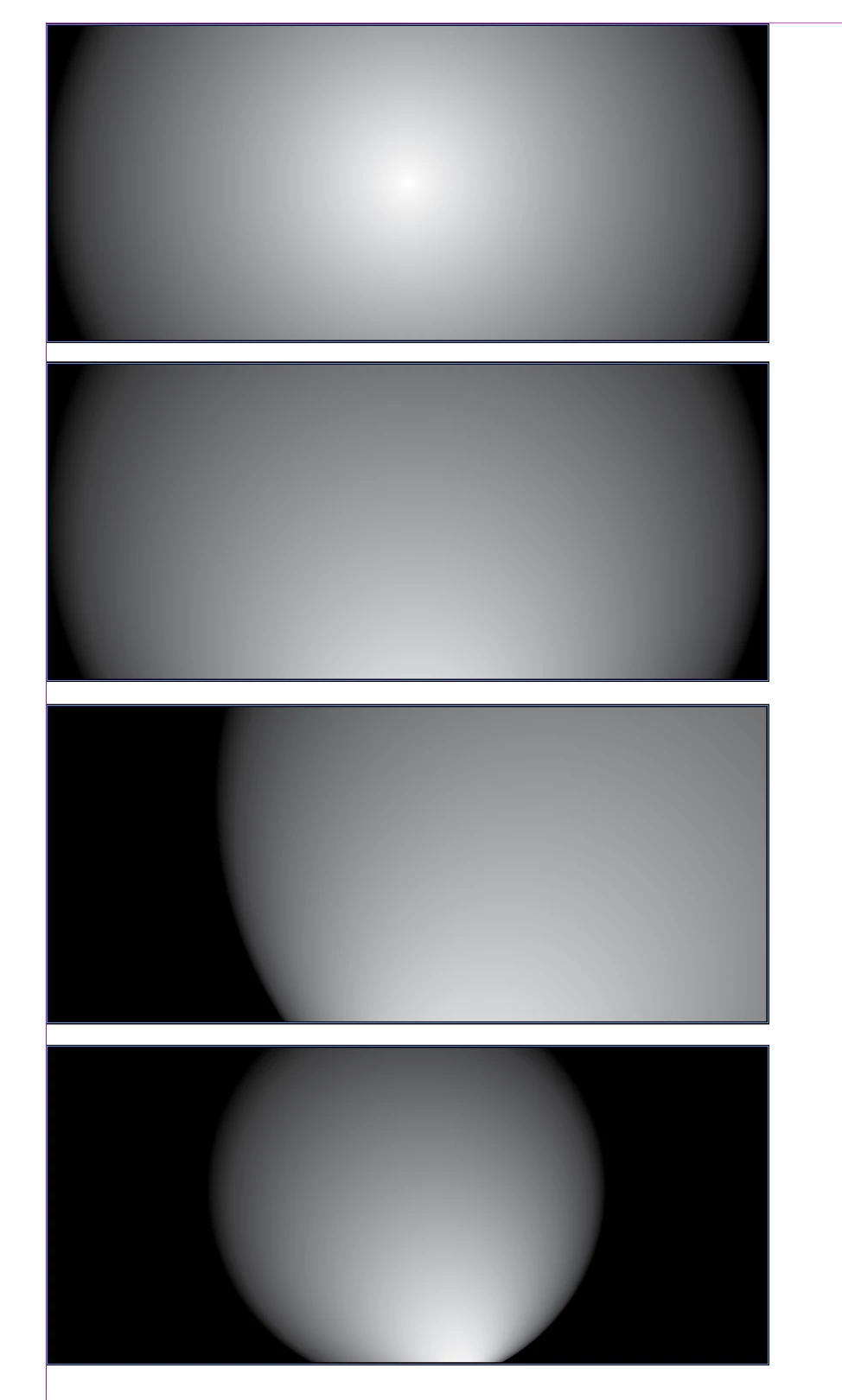
Click with the gradient tool. You can also drag the gradient tool across the shape to change the size of the gradient.

All of the below are alterations of the top one.
2 replies

James Gifford—NitroPress
Legend
April 13, 2023

I believe it's fixed at the centerpoint of the object. But you could use a second frame to clip it differently. Create the gradient object, Cut, Paste Into a second frame.


Imperfect, but ID =/= Illustrator. 🙂


Legend
April 13, 2023

After you have filled your object with the gradient,(with the object selected) click where you would like the centerpoint to be.

James Gifford—NitroPress
Legend
April 13, 2023

I can't make this work... But, ah, dragging the frame with the object select arrow works, if oddly. Click to select the frame, drag the center point. You then have to reposition the frame where you want it.


There must be a better way...


SJRiegelCorrect answer
Legend
April 13, 2023

Click with the gradient tool. You can also drag the gradient tool across the shape to change the size of the gradient.

All of the below are alterations of the top one.