
New Participant
July 7, 2023
Answered

Adobe InDesign 18.04 file saving corrupting files

  • July 7, 2023
  • 2 replies
  • 597 views

Hey guys,


One of our users is getting corruption on saving InDesign-documents in the latest version 18.04. She opens up a document, makes a change in the document, save and overwrites the document. Then a popup appears: 



This made me wonder, so i recovered the file from backup. After backup recovery, before editing the file in InDesign, we see these properties:
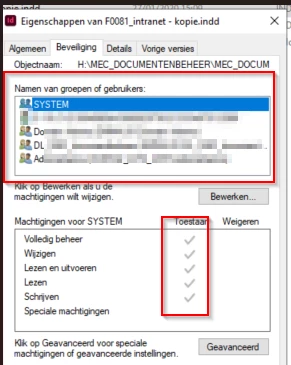


After editing and saving and seeing the popup "InDesign is unable to save the file...", the file is corrupted. The file can no longer be opened because of corruption (InDesign gives a dialog box on opening saying the file is corrupt). When we check the file properties, we get:
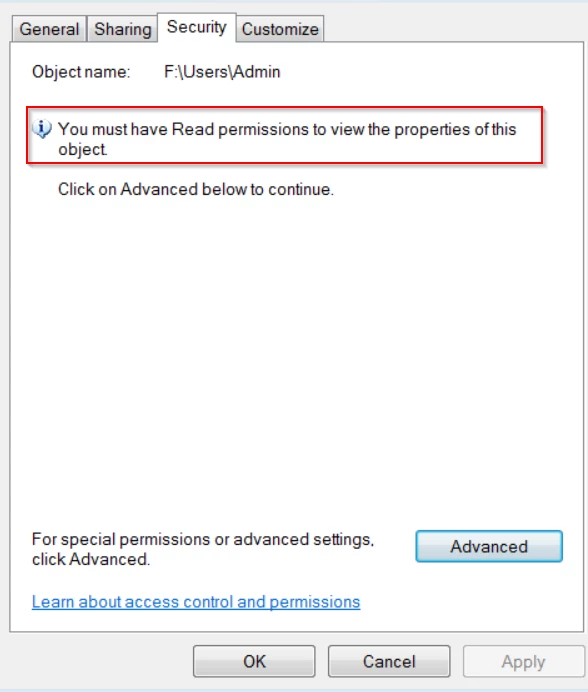

It does not happen on all documents, but it is not clear in what conditions this bug seems to happen.


This topic has been closed for replies.
Correct answer fiannar99705930

I am running into the same problem. I opened a file I worked on last year. Opens fine. I made some edits and when I went to save as a new name, it says it is corrupted and cannot save. The only way I can save is to do a save as .idml. But the .idml won't export to pdf and when I open a new document in InDesign 18.04 and copy/paste one page from the .idml to it. It too is corrupted and can't be saved. 

2 replies

Steve Werner
Adobe Expert
July 7, 2023

Many things can cause file corruption - including a very old file, one on a computer which crashed at the wrong time, hard disk errors, etc. It sounds like tht file is just a "goner" if you can't open it at all.


I think you'll have to use a backup or an earlier version of the file.

Steve Werner
Adobe Expert
July 7, 2023

I'm guessing you mean InDesign version 18.4 (the latest version). There have been no other reports I'm seen on the forum of that version causing file corruption.

New Participant
July 7, 2023

Just to add to this: we cleared the InDesign preferences already.