
Participant
January 31, 2023
Question

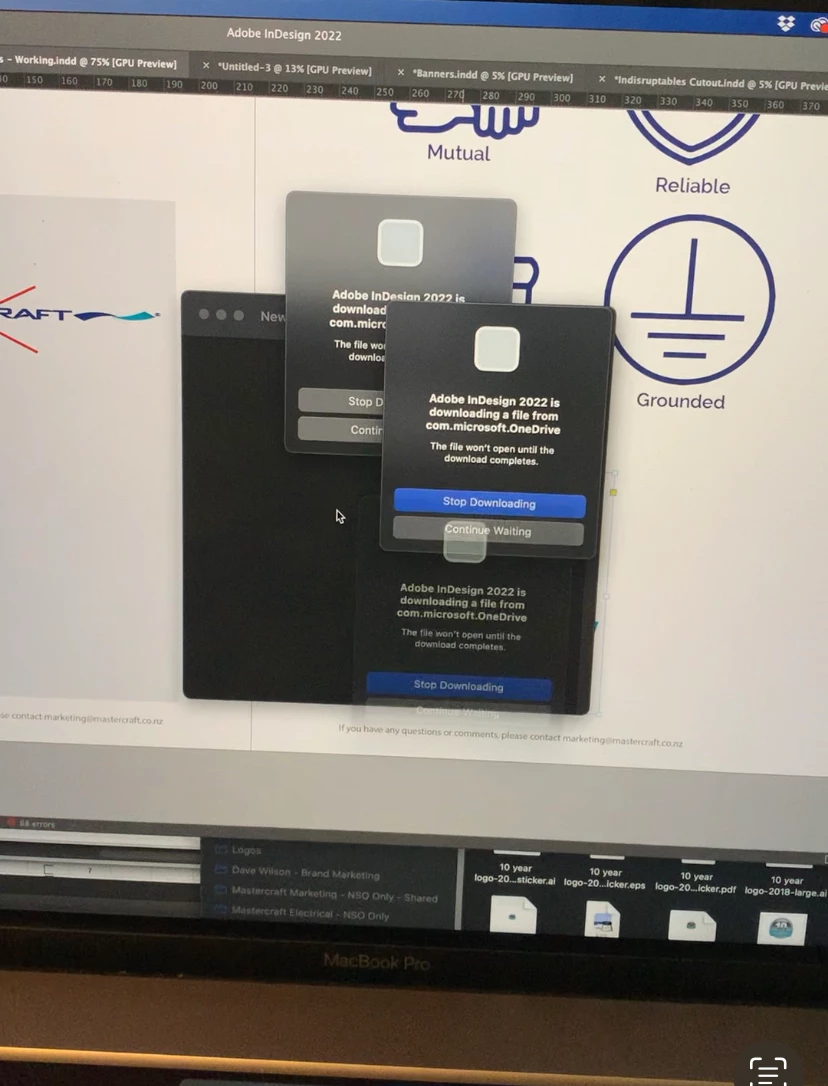
Adobe indesign is downloading a file from com.microsoft.onedrive

  • January 31, 2023
  • 2 replies
  • 1645 views

When I try to link (place) an image from OneDrive to Indesign I get the following error message: Adobe indesign is downloading a file from com.microsoft.onedrive. The file wont open until the download completes.


The pop up window appears multiple times all over the screen and I cant close the prompt or stop the process without completely turning it off.


I am using a MacBook Pro with Montere 12.5


See image below. Help would be much appreciated.
 

This topic has been closed for replies.

2 replies

BobLevine
Community Expert
Community Expert
January 31, 2023

You need to disable cloud-only for any folders that InDesign needs access to.

Participant
October 5, 2023

How do you disable Cloud Only?

James Gifford—NitroPress
Legend
January 31, 2023

I don't believe OneDrive is a directly accessible file resource. Files have to be downloaded locally (which sometimes is done as a background, temp download, making it seem seamless). I don't think ID can link directly to OneDrive resources.


I could be wrong; I tend not to use cloud file systems except for sharing.


BobLevine
Community Expert
Community Expert
January 31, 2023

It works exactly the same as Dropbox. AFAIK, all of the cloud services now have the ability to download on demand. InDesign hates that and will throw the alert (it's not an error) when Cloud-Only is enabled.

James Gifford—NitroPress
Legend
January 31, 2023

To me, working in a Dropbox or OneDrive folder is insurance. Every save is recorded and I can go back to any version I need, even if the file was deleted.


Oh, sure. Which is why I have a local RAID server and a a RAID NAS as remotely located as I can place it. (It used to be at a neighbor's house with a buried ethernet run.)


Among other things, the data is highly secure and I can get to it when the net goes down. Security can be such a relative thing... 🙂


One of the huge drawbacks of the laptop era is that people tend to keep too much critical stuff on not just a local drive, but a fragile, lossable one.