Participant
June 8, 2020
Answered

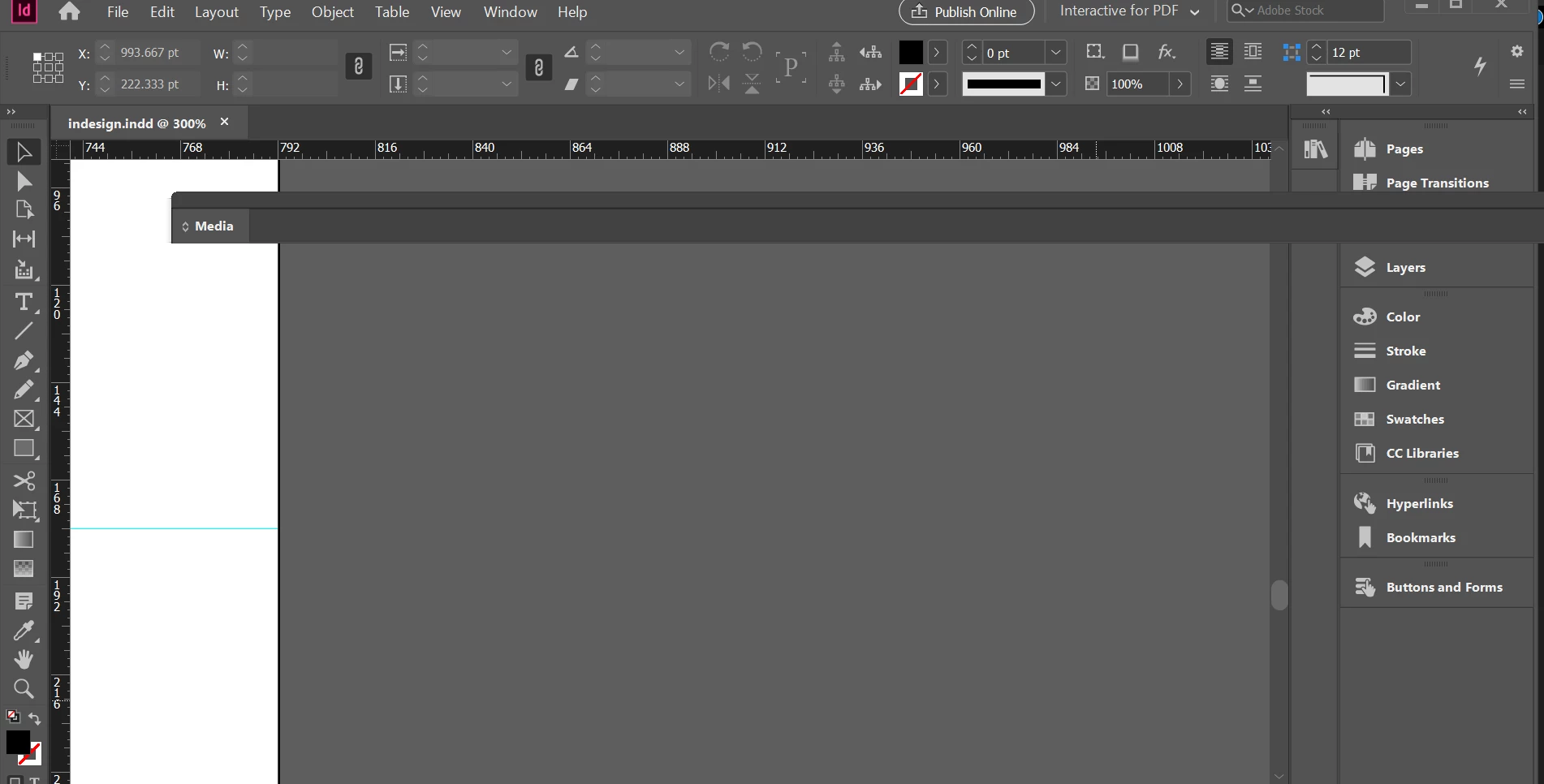
Adobe InDesign Media panel is not working on Windows
  • June 8, 2020
  • 8 replies
  • 1864 views


{Renamed by MOD}

This topic has been closed for replies.
Correct answer Ashutosh_Mishra

Hi Junayed,


Sorry to hear about your experience. Please update InDesign to the latest version and let us know if it helps with your concern.

Please click on this help article to know how to update your Adobe apps. Hope it helps.


Regards,

Ashutosh

8 replies

Piastra
Participating Frequently
March 20, 2023

Hi! I'm having the same issue. But I've noticed another thing which is the cause of this malfunction. The Media Panel doesnt't appear in edit> menu  too! So that must be it. But I don't know how to make Indesign know that all those files for the media panel exist in my pc. But it isn't capable of recognising them. Hwv did you solve the problem in the end?

Regards

Participant
August 15, 2020

I'm having the same issue. I've even uninstalled and re-installed InDesign - everything is up-to-date. I've reset my preferences. Nothing is working and I'm completely stuck! (and working late on a Friday night to try and fix!)

Participant
July 22, 2020

I am facing the same problem. The correct answer is not solving my problem at all. it appears super big in my laptop and when i clicked on it, it disappear like forever. Reset the preference and update the app, nothing seems to work. Pls help.

Ashutosh_Mishra
Inspiring
July 20, 2020

Hi All,


Please try resetting your preferences manually. Let us know if it helps. Please follow the instructions below:

For Windows 

  • Close all Adobe applications. 
  • Go to Locations : 
  • C:\Users\user\AppData\Roaming\Adobe  
  • C:\Users\user\AppData\Local\Adobe. 
  •  Rename InDesign folders to InDesign.old 
  • Launch InDesign from CC. 


For MAC  

  • Close all adobe applications 
  • Go to Locations:  
  • ~/Library/Caches 
  • ~/Library/Preferences 
  • Rename Adobe InDesign and com.adobe.indesign to Adobe InDesign.old and com.adobe.indesign.old 
  • Launch InDesign from the CC 


**Please note that resetting preferences will remove all the custom settings and InDesign will launch with default settings. This way all your old settings will be saved in .old folders and InDesign will recreate new folders with default settings.


Hope it helps.


Regards.

Ashutosh 

Piastra
Participating Frequently
March 19, 2023

Hello there, 

I've tried everything I've read on this topic but nothing worked. New solutions?

Regards

Francesco

Participant
July 20, 2020

I'm using the updated version. but no luck...

Ashutosh_Mishra
Ashutosh_MishraCorrect answer
Inspiring
June 23, 2020

Hi Junayed,


Sorry to hear about your experience. Please update InDesign to the latest version and let us know if it helps with your concern.

Please click on this help article to know how to update your Adobe apps. Hope it helps.


Regards,

Ashutosh

Participant
July 7, 2020

Hi there, I'm having the same issue. Media panel hardly ever works. My InDesign is up to date with the latest version so this has not worked.

Bill Silbert
Community Expert
Community Expert
June 8, 2020

Try double clicking on the word Media. That should expand the Panel and then you can fix the width by dragging on the lower right corner of the Panel.

Participant
June 18, 2020

did but didn't work 

Derek Cross
Community Expert
Community Expert
June 8, 2020

Reset your InDesign preferences to see if that helps.

Participant
June 18, 2020

did but didn't work
