Exit
  • Global community
    • Language:
      • Deutsch
      • English
      • Español
      • Français
      • Português
  • 日本語コミュニティ
  • 한국 커뮤니티
0

Adobe Indesign pdf export colour looks different

New Here ,
May 23, 2024 May 23, 2024

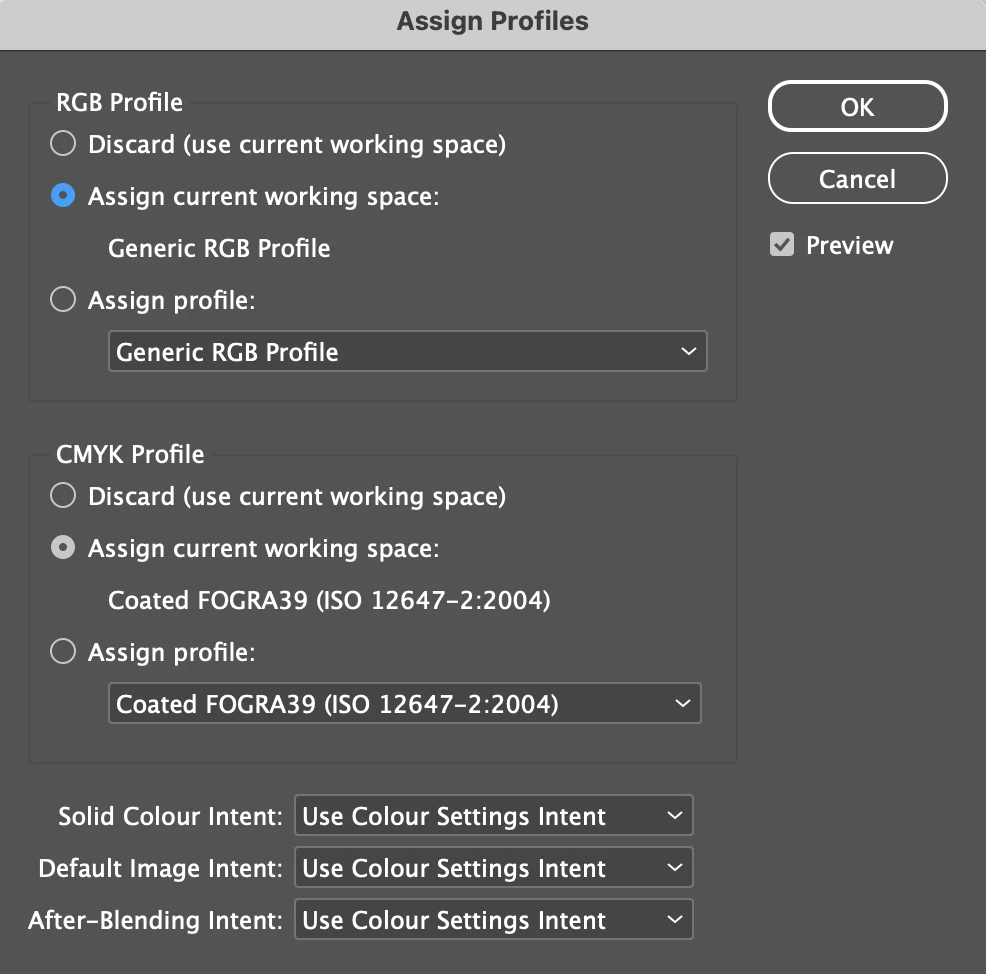
I've assigned the colour profile of Generic RGB - these are the colour settings:
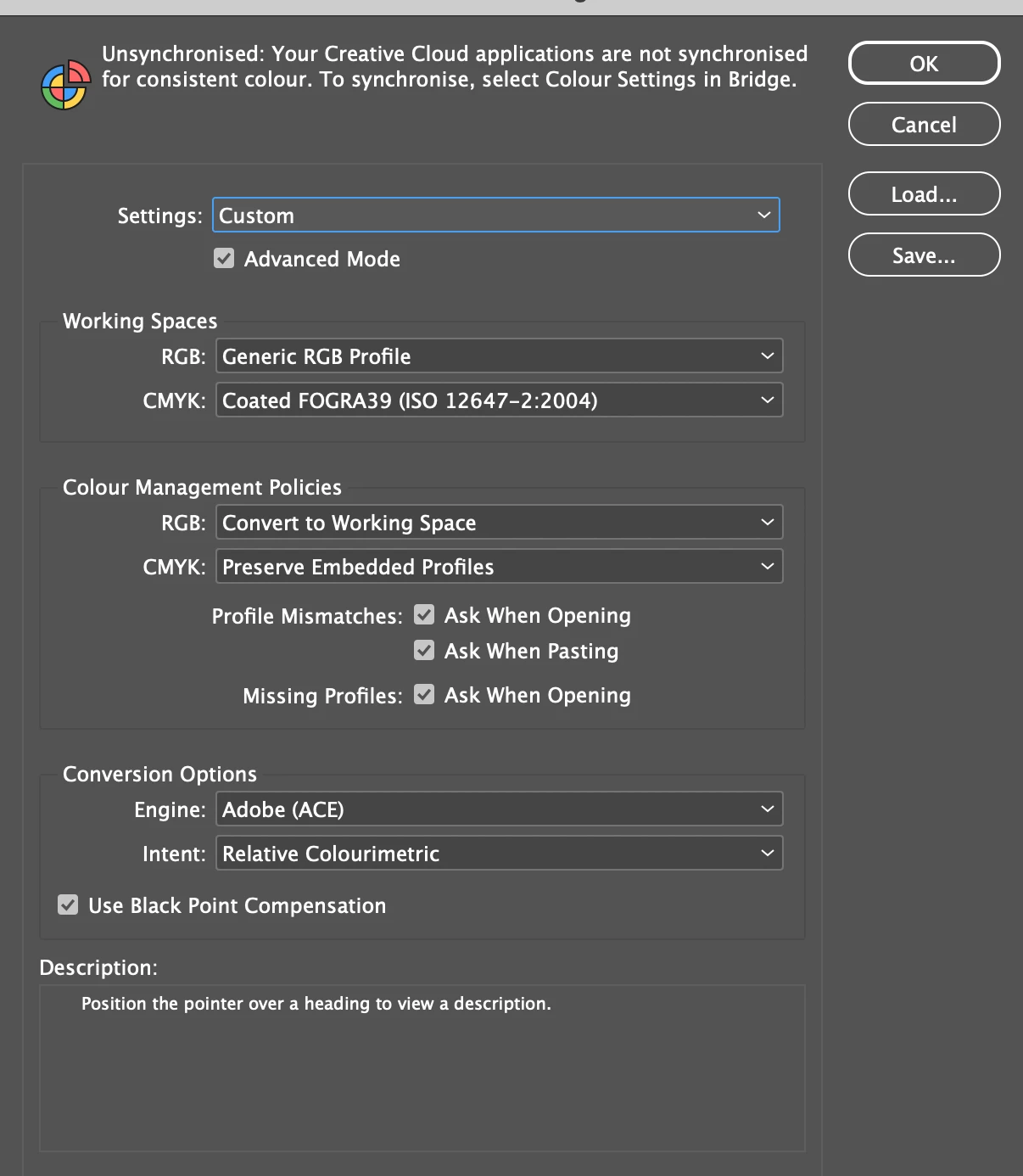
Screenshot 2024-05-23 at 14.01.30.png

Screenshot 2024-05-23 at 14.01.46.png

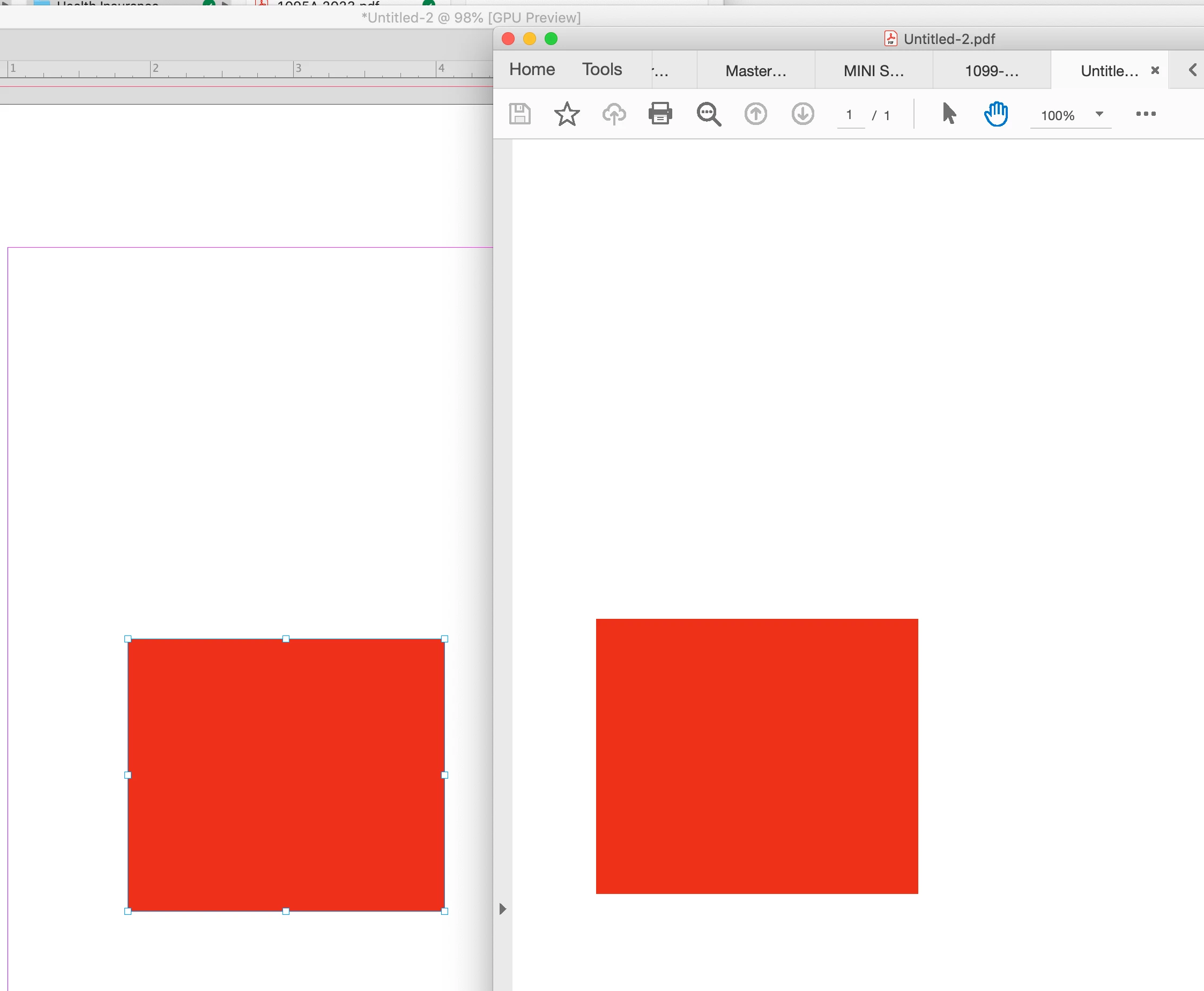
But when I export to PDF (its for web use, I've tried web and print pdf), the colour appears brighter in the pdf which I don't want (Top PDF, bottom INDD): 

 

Screenshot 2024-05-23 at 14.01.05.png


Screenshot 2024-05-23 at 14.00.54.png


Any help appreciated!

TOPICS
Import and export
168
Translate
Report
Community guidelines
Be kind and respectful, give credit to the original source of content, and search for duplicates before posting. Learn more
community guidelines

correct answers 1 Correct answer

Community Expert , May 23, 2024 May 23, 2024

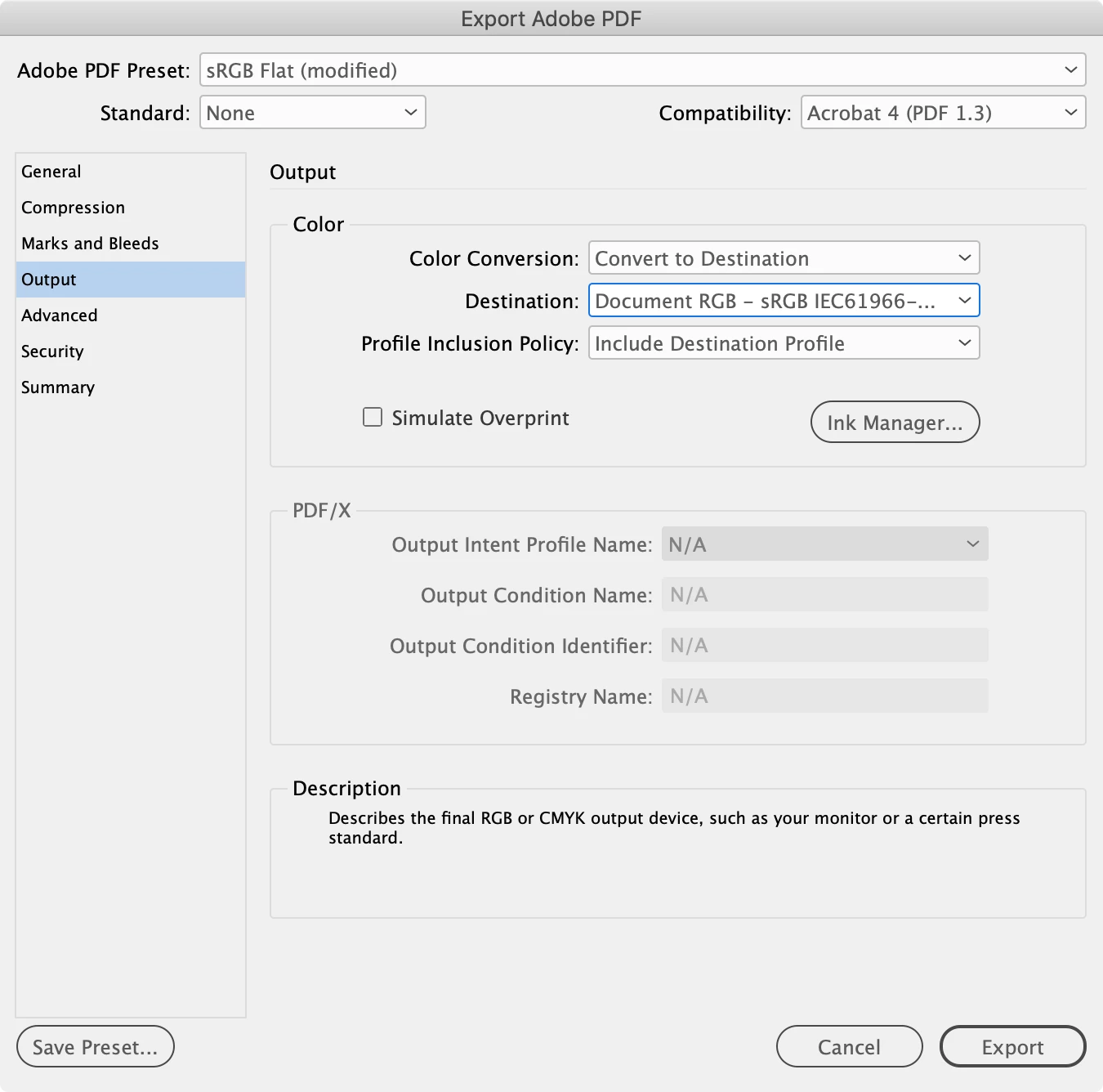
Hi @Ian37586997za6d , If the Export is for web use set your RGB profile assignment to sRGB, and then in the Export Output tab set the destination to Document RGB (sRGB) and include the profile:


Screen Shot 27.png


Screen Shot 28.png

Translate
Community Expert ,
May 23, 2024 May 23, 2024
LATEST

Hi @Ian37586997za6d , If the Export is for web use set your RGB profile assignment to sRGB, and then in the Export Output tab set the destination to Document RGB (sRGB) and include the profile:


Screen Shot 27.png


Screen Shot 28.png

Translate
Report
Community guidelines
Be kind and respectful, give credit to the original source of content, and search for duplicates before posting. Learn more
community guidelines