
Known Participant
March 19, 2024
Answered

Advanced control of text flow in columns - help!

  • March 19, 2024
  • 1 reply
  • 896 views

Hi,


So I've created a document with master pages, primary text frames etc. The text frames have 3 columns, and titles and subtitles which span all columns and the copy which is split into the columns. All text is in paragraph styles and there are graphics covering large areas of the page which the text will also wrap around.


An example is like this:
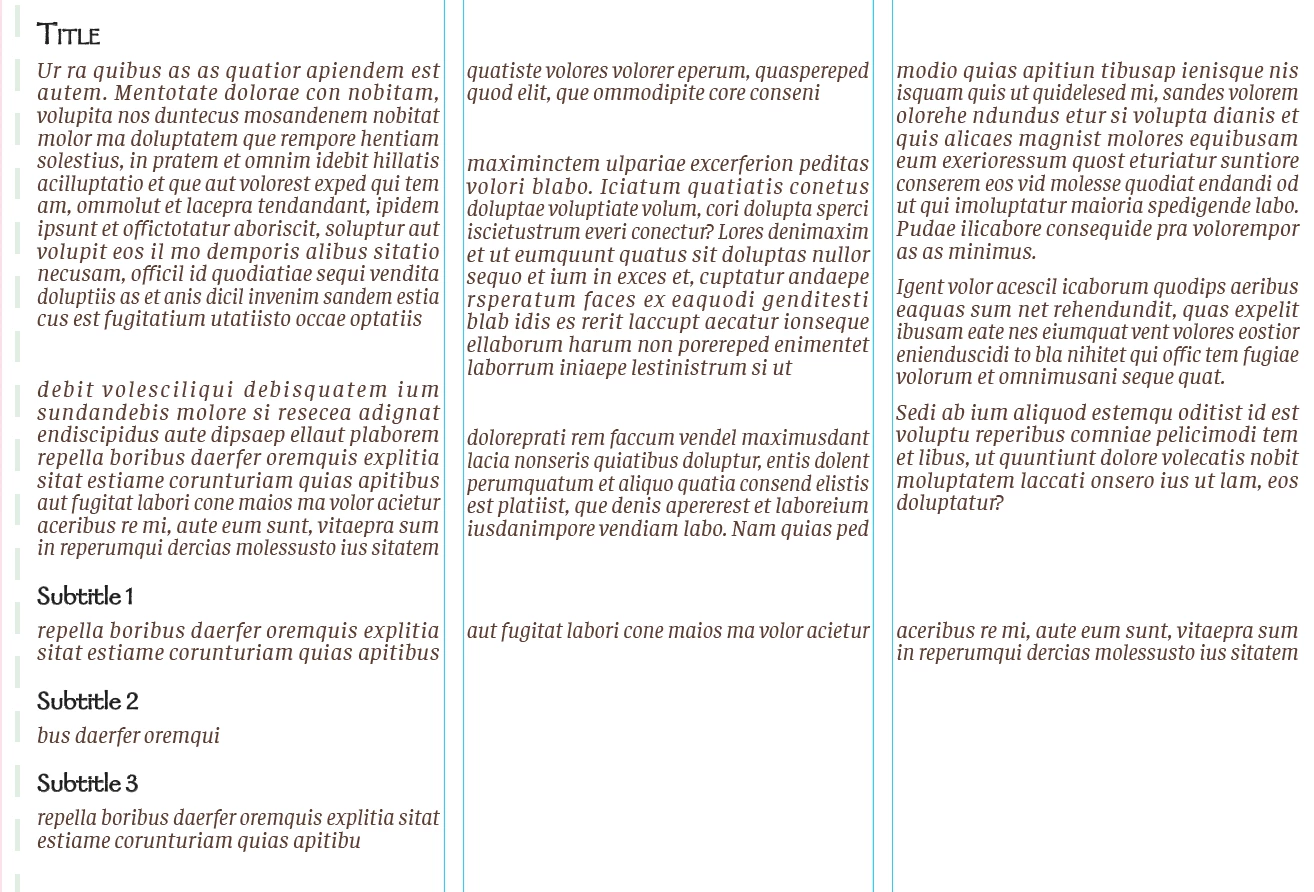
 

Is there a way to manually control/split the text so that the "Title" and all the copy under that goes in the first 2 columns, then the "Subtitles 1-3" go in the 3rd column? Then the next "Title "would go under all of that? For example:
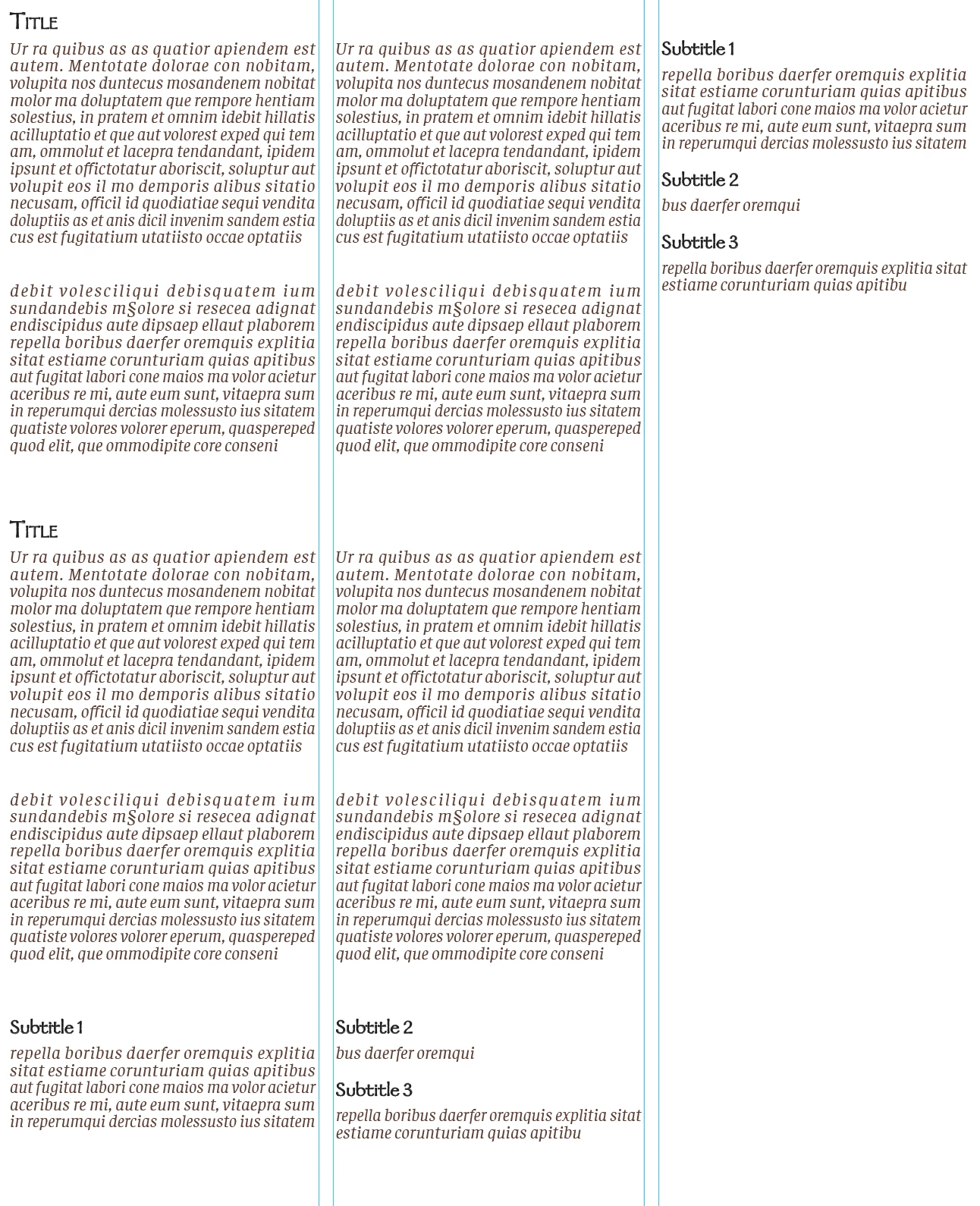


I have around 12 spreads which will all have variations in where I want the "horizontal splits" to go and how long the copy under each section is/how many columns it should take up.  I tried the title spanning 2 columns which just put everything in the 1st two columns and nothing in the 3rd and likely isn't a solution with the variations in other spreads. 


I know I can force stuff into the next column but that's not really what I'm looking for. The only thing I can think of is to have a ton of text boxes and not use threaded frames but that seems wrong. I'm sure there must be a way of doing this but I can't describe it accurately enough for google or You Tube to tell me what I need.


Thanks in advance!
 

This topic has been closed for replies.
Correct answer James Gifford—NitroPress

Rather than use a complex text frame layout, why not use 3-column and set the first two (major) heads to span only two columns?


1 reply

Dave Creamer of IDEAS
Community Expert
Community Expert
March 19, 2024

Is your example correct in showing subheads 1-3 at the bottom of the page and in the 3rd column? I suspect it was just a error and you want the subheads ONLY in the 3rd column.


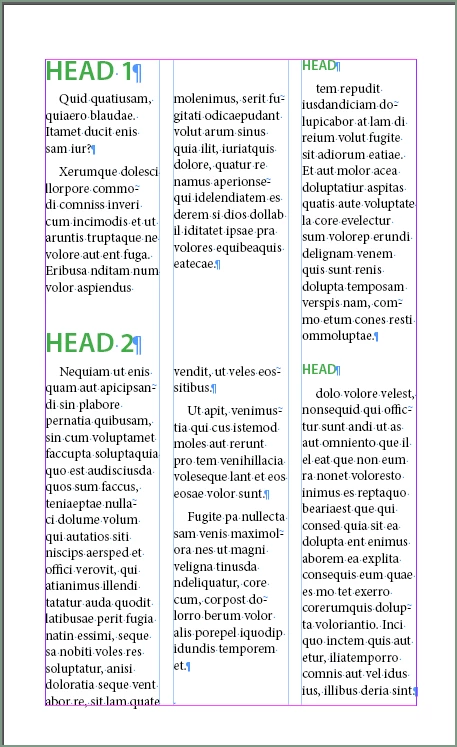
If so, set up your parent pages without primary frames at first, create a 2-column box and a 1-column box on the left/right parent pages. THEN link the boxes altogether, left to right--this effectively makes the primary text frames. 

(I added borders so you can see the frames)


The create your styles:

  • Title
  • Title_ColBk (based on Title)
  • Subtitle
  • Subtitle_ColBk (based on Subtitle)

I've attached the file.


David Creamer: Community Expert (ACI and ACE 1995-2023)
James Gifford—NitroPress
Legend
March 19, 2024

Rather than use a complex text frame layout, why not use 3-column and set the first two (major) heads to span only two columns?


Dave Creamer of IDEAS
Community Expert
Community Expert
March 19, 2024

This would work. You would still need the Subtitle_ColBk styles to jump the first subtitle over.


Wouldn't the body text would still flow into the third column. 

David Creamer: Community Expert (ACI and ACE 1995-2023)