

Participating Frequently
April 29, 2017
Answered

Align to Baseline Grid not working

  • April 29, 2017
  • 6 replies
  • 27086 views

Help!

I'm using the "align to grid" > "all lines" setting in my paragraph style, but it's not working.

What am I missing? What can affect this?
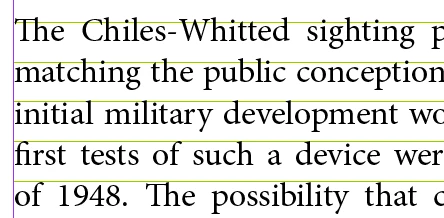
Thanks for the help!

This topic has been closed for replies.
Correct answer Barb Binder

First of all, the reason to use a baseline grid is to align the baselines in a multi-column document. You are using a one column document—there's no need to worry about a baseline grid.

But to answer your questions:

In the "bad" file, you have the first paragraph set to 11/13. The baseline grid is set to 12. As per my first comment on this thread: Prefs > Grids > Increment Every should be equal to your body text leading. Your first paragraph leading (13) is larger than your grid (12), so when you align all lines it doesn't fit and jumps down to the next grid line.
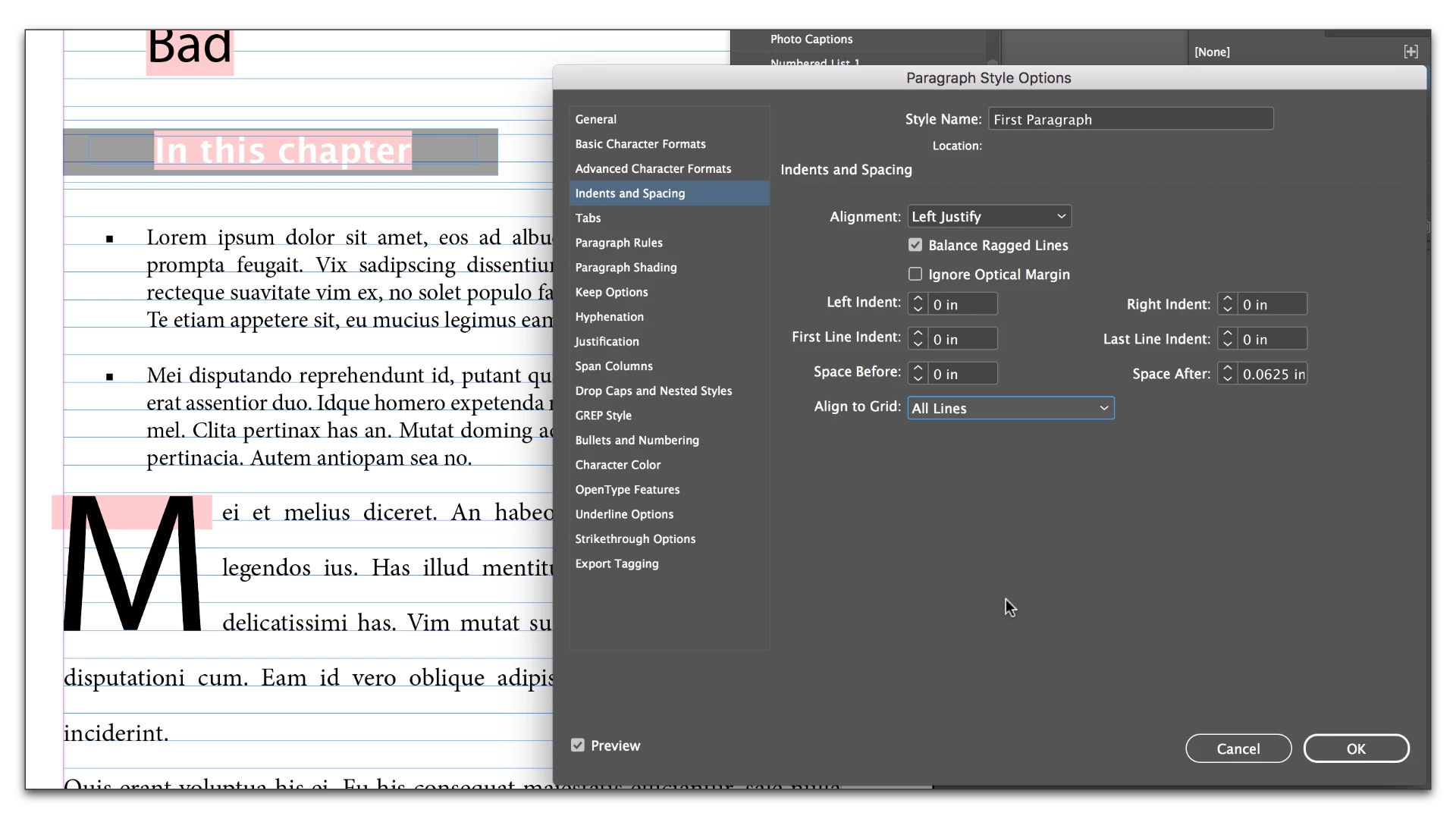
Edit the type to 12 point leading and it snaps to the grid as expected.
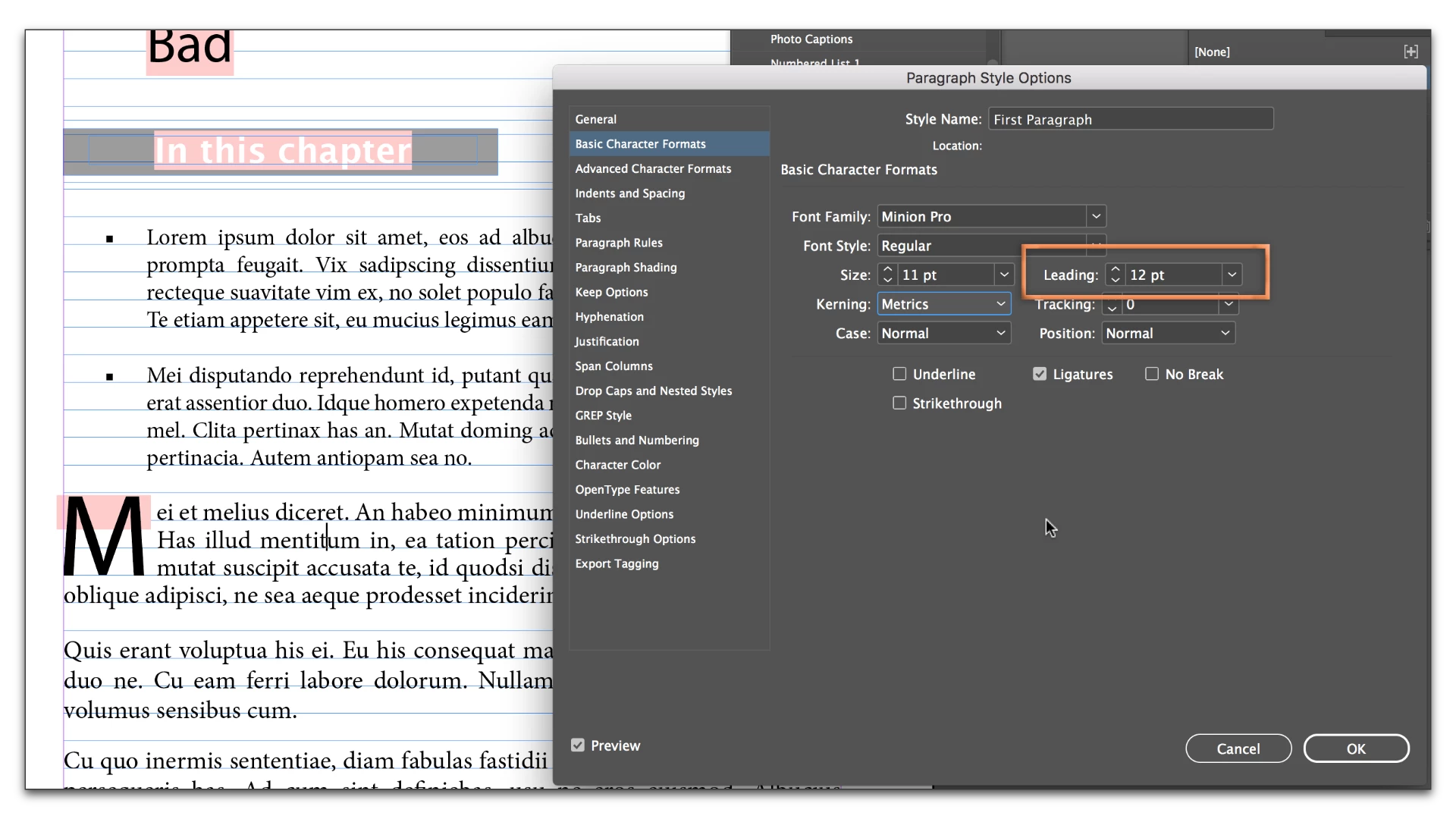
The bullet text in the bad file is working because it is 10/9. 9 is smaller than 12, so the text spacing is expanding to 12 to snap to the grid. You might think it is 10/9, but it is actually 10/12.

In the "good" file the grid is set to 13. The bullet text is 10/9 (but really 10/13 because it is snapping to the grid). The first para text is 11/10 (but really 11/13 because it is snapping the grid). You might think you are using 10/9 and 11/10 but both are upping the leading to 13.

When you snap text to the baseline grid, the text automatically moves down the the next line. If you use a smaller amount of leading, it increases to snap to the grid. If you use a larger amount of leading, and the line can't fit, it moves down and snaps to the next grid line.

6 replies

Participating Frequently
April 29, 2017

Thank you all for your help!

Barb Binder
Community Expert
Community Expert
April 29, 2017

Always happy to help.

~Barb at Rocky Mountain Training
Barb Binder
Community Expert
Community Expert
April 29, 2017

So here are the three options:

1.) First line only on the grid:

2.) All lines on the grid. (Remember the grid is 12 and the leading is 13 so it hops down a line.)

3.) Not on the grid.

~Barb at Rocky Mountain Training
Participating Frequently
April 29, 2017

Here are two files, where one is on baseline, and the other isn't.

What's different?

https://www.dropbox.com/s/dyq9insgawx9jm5/bad.indd?dl=0

https://www.dropbox.com/s/5nvzxqdo4rpobxz/good.indd?dl=0

amaarora
Community Manager
Community Manager
April 29, 2017

Hi,

If you have done everything correctly as BarbBinder​ explained above but still face the same problem, can you check what is your "Vertical Justification" settings in "Text frame options" set to? To check the same, do as below:

1. Select the frame that has the text not aligned to grid

2. Press Ctrl+b to open up the text frame options dialog

3.Check if the vertical justification has "Align To" set to "Justify" as shown below..in which case your lines wont snap to baseline grid even if you have the "align to grid" > "all lines" setting in your paragraph style

-Aman

Participating Frequently
April 29, 2017

That doesn't seem to be the issue. I attached my 2 files for review.

Barb Binder
Community Expert
Barb BinderCommunity ExpertCorrect answer
Community Expert
April 29, 2017

First of all, the reason to use a baseline grid is to align the baselines in a multi-column document. You are using a one column document—there's no need to worry about a baseline grid.

But to answer your questions:

In the "bad" file, you have the first paragraph set to 11/13. The baseline grid is set to 12. As per my first comment on this thread: Prefs > Grids > Increment Every should be equal to your body text leading. Your first paragraph leading (13) is larger than your grid (12), so when you align all lines it doesn't fit and jumps down to the next grid line.

Edit the type to 12 point leading and it snaps to the grid as expected.

The bullet text in the bad file is working because it is 10/9. 9 is smaller than 12, so the text spacing is expanding to 12 to snap to the grid. You might think it is 10/9, but it is actually 10/12.

In the "good" file the grid is set to 13. The bullet text is 10/9 (but really 10/13 because it is snapping to the grid). The first para text is 11/10 (but really 11/13 because it is snapping the grid). You might think you are using 10/9 and 11/10 but both are upping the leading to 13.

When you snap text to the baseline grid, the text automatically moves down the the next line. If you use a smaller amount of leading, it increases to snap to the grid. If you use a larger amount of leading, and the line can't fit, it moves down and snaps to the next grid line.

~Barb at Rocky Mountain Training
Barb Binder
Community Expert
Community Expert
April 29, 2017

Julianne:

Aligning to the baseline grid is a three step process:

  1. Prefs > Grids > Increment Every should be equal to your body text leading. 

  2. View > Grids and Guides > Show Baseline grid (we can see you have done that)
  3. Edit > Select All and click on Align to Baseline grid in the ¶ view of the Control Panel to snap it to the grid. (or if you are using styles, turn it on in Indents and Spacing.)
~Barb at Rocky Mountain Training
NikiWin
Participant
February 28, 2020

thanx! the last step worked for me c:

rob day
Community Expert
Community Expert
April 29, 2017

Are you sure there's not an override on the text? If you select all there's no + sign?

Participating Frequently
April 29, 2017

No, sadly, that doesn't seem to be the problem.