
Répondu
alignment of table
Hi,
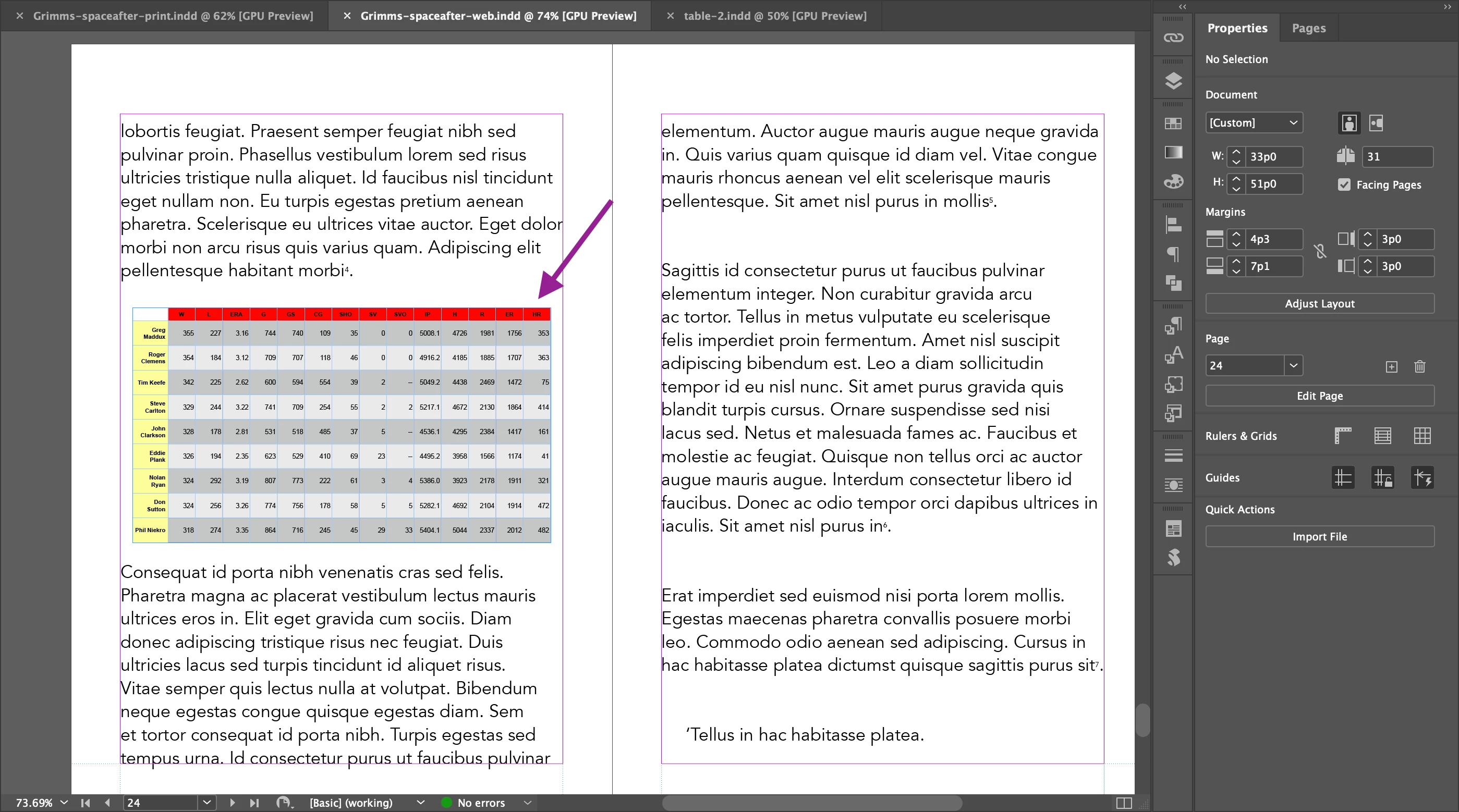
There is a table in Id.
I exported it to EPUB.
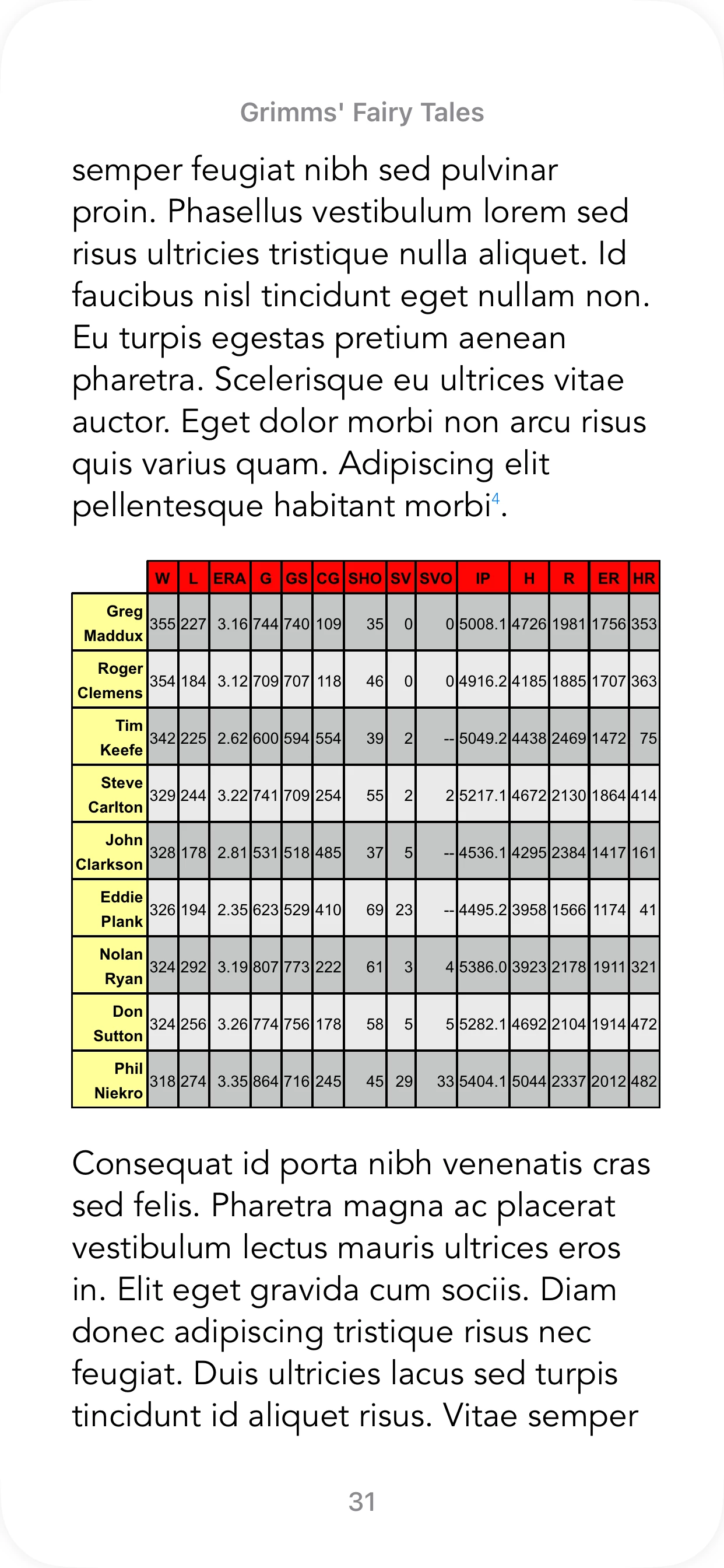
The table looks OK on iPhone (Books app).
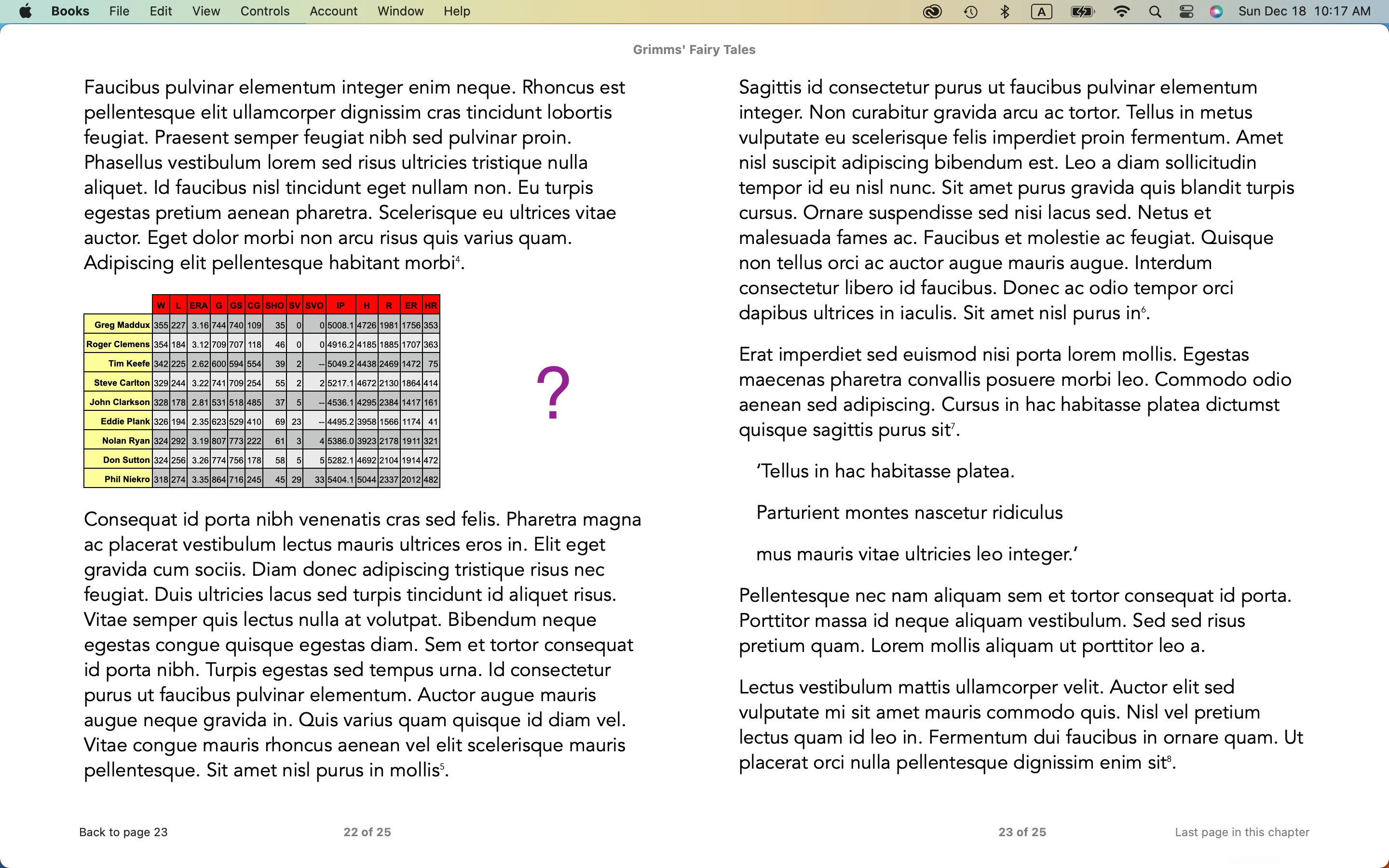
There is an alignment issue on Mac (Books app).
Do you have any comment on it?
Hosun

Hi,
There is a table in Id.
I exported it to EPUB.
The table looks OK on iPhone (Books app).
There is an alignment issue on Mac (Books app).
Do you have any comment on it?
Hosun
I went to the Dreamweaver Community.
https://community.adobe.com/t5/indesign-discussions/arrange/m-p/13444068#M508609
They recommended z-index, but it didn't work for table.
The people in Dreamweaver Community are usually ardent in giving solutions.
My case seems a little unusual to anyone.
I will do the last try with collapse.
Thank you very much for your help.
Hosun
And here's some interesting findings. I find that both border-collapse and empty-cells work in EPUB (Calibre/Thorium):
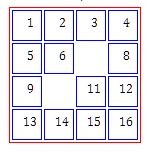
This is a table with borders defined red, cell borders defined blue, collapse set to 'separated' and two cells left empty.
Kindle does not honor empty-cells but does follow everything else. Making your borders all 0/none/white and using these two commands might allow you to style the table the way you want, with slight white separation between the colored cells for definition.
Enter your E-mail address. We'll send you an e-mail with instructions to reset your password.
 AdChoices