Hosun
Inspiring
February 19, 2023
Answered

alignment

  • February 19, 2023
  • 2 replies
  • 2550 views

Hi,


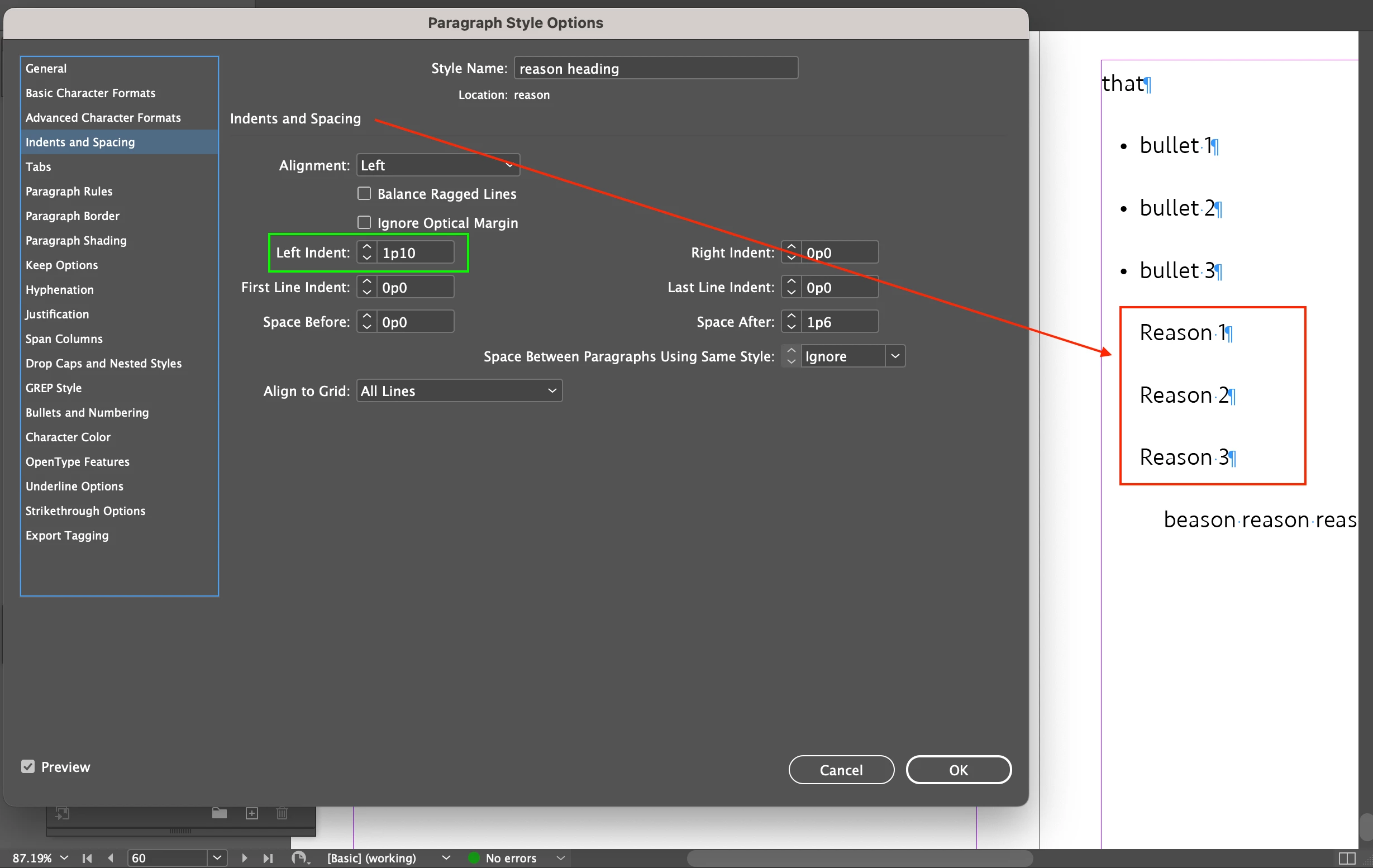
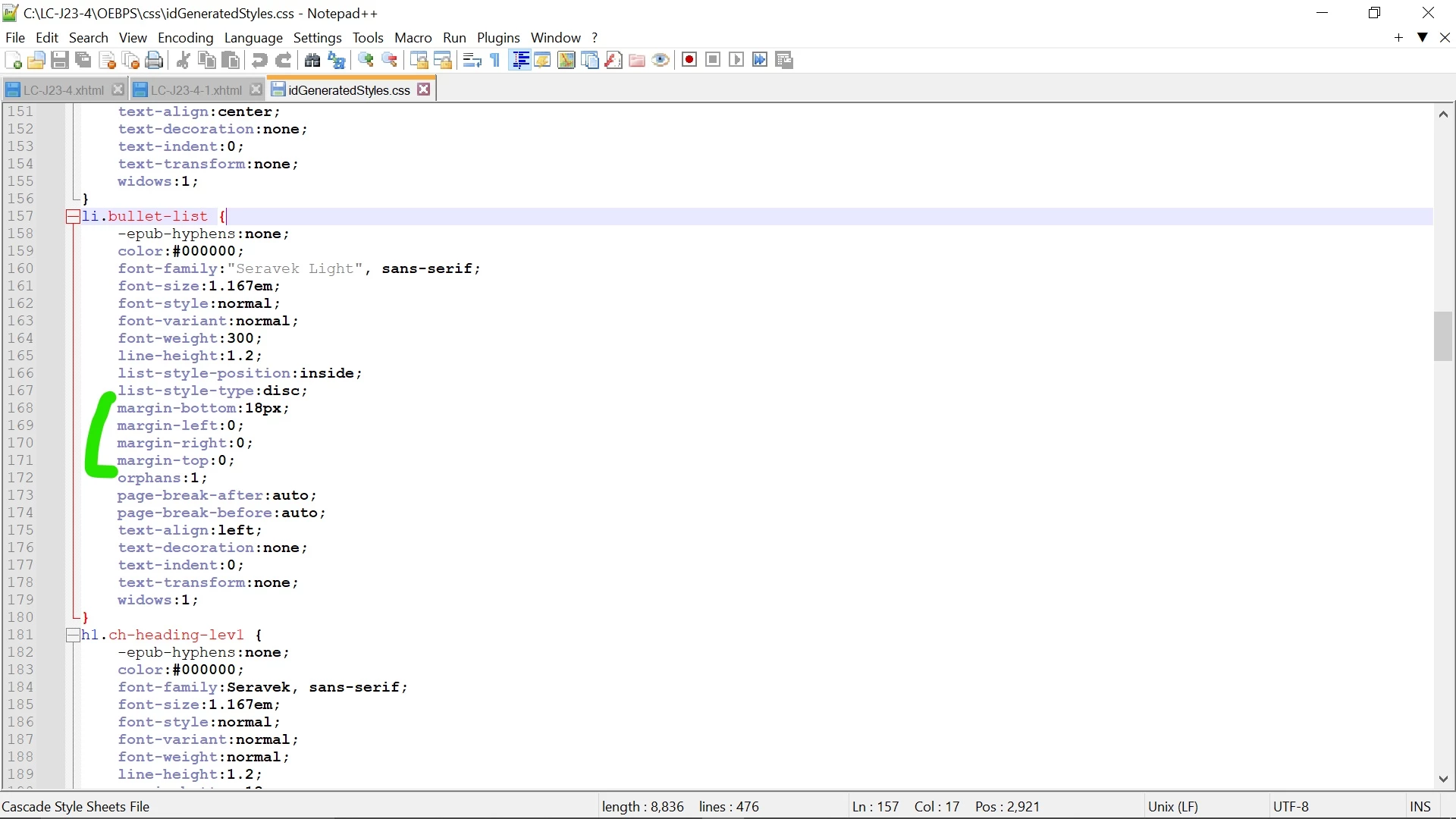
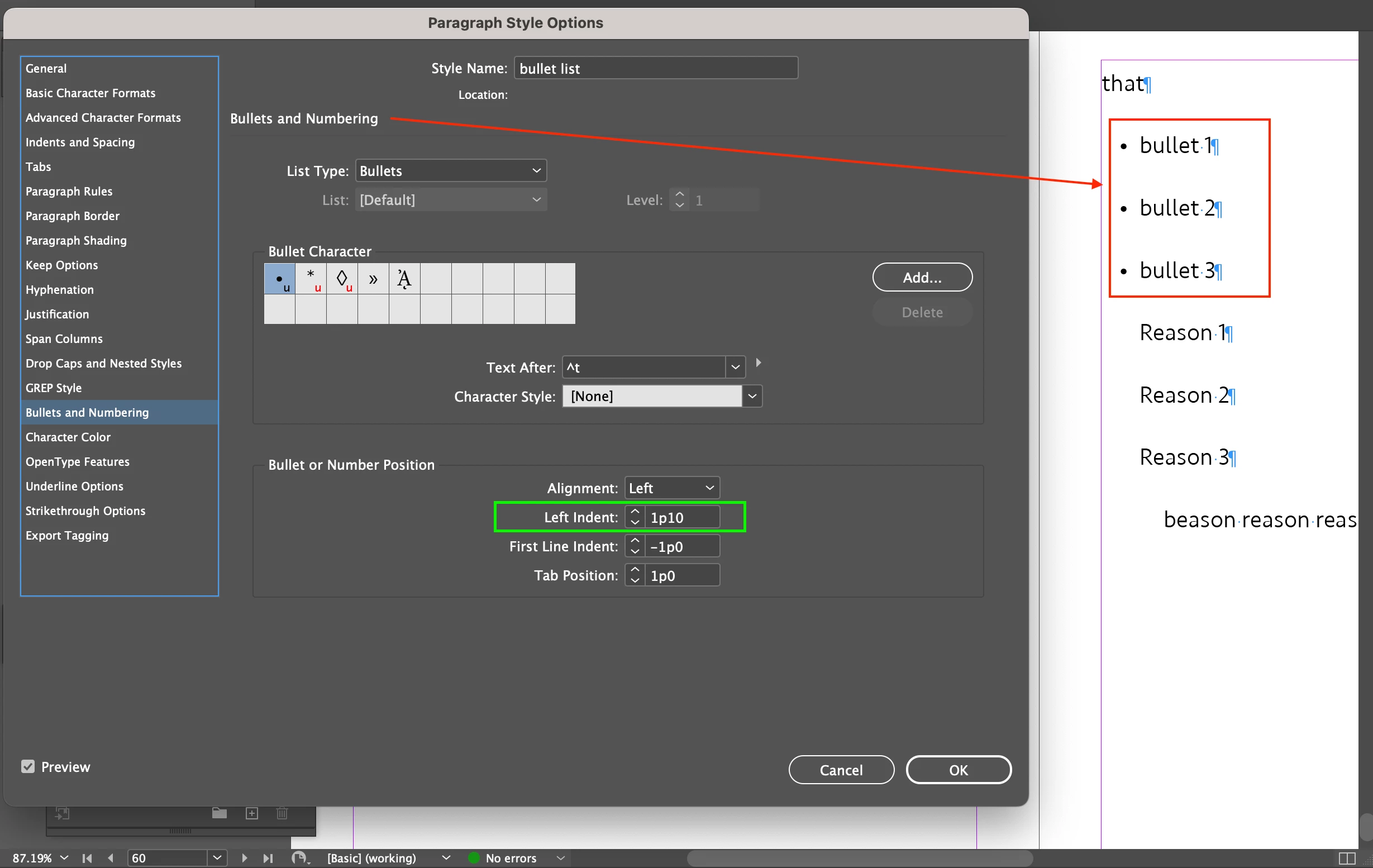
There are bullets (Screenshot 1).

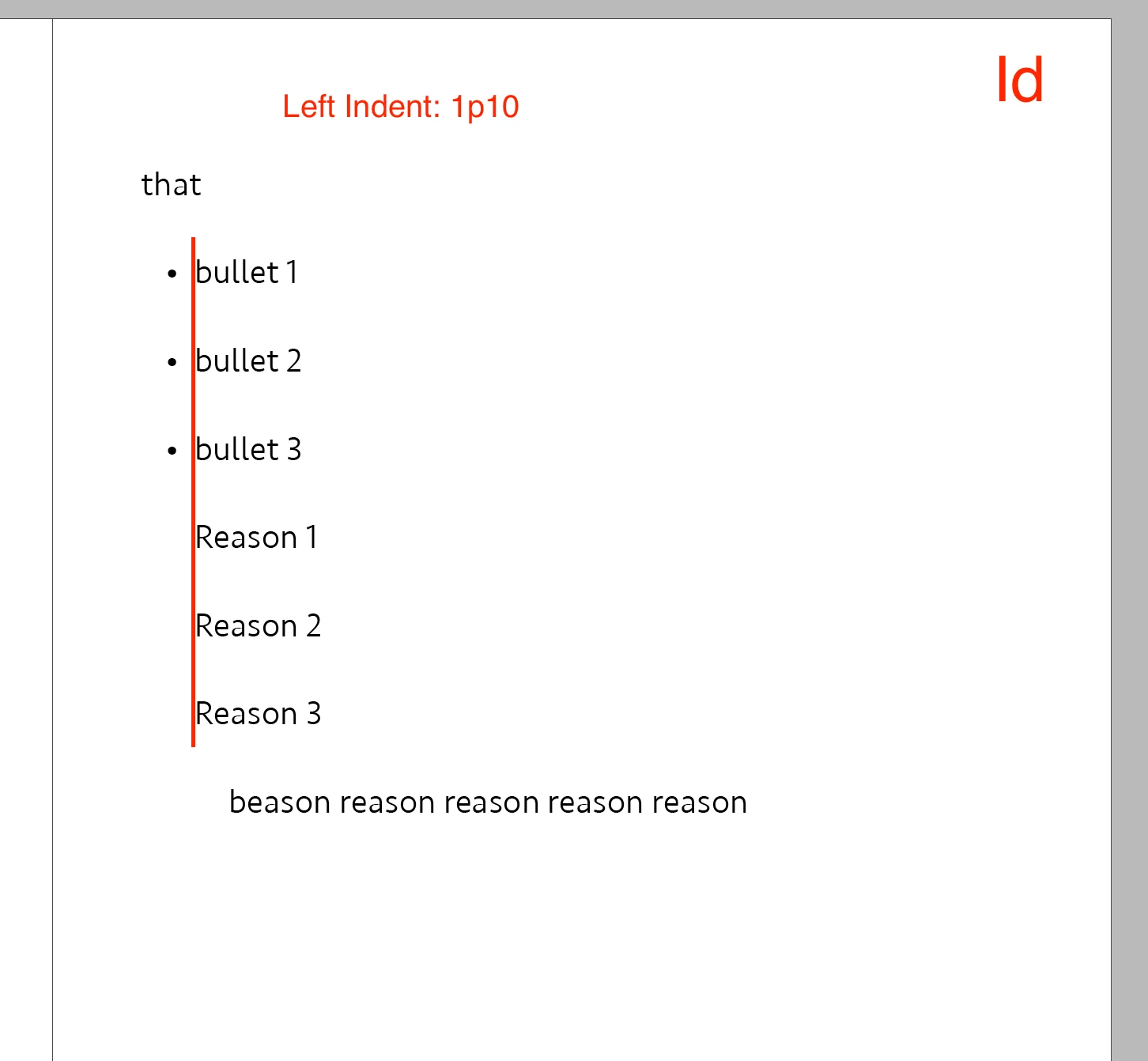
There is some text (Screenshot 2).

Both share Left Indent: 1p10.


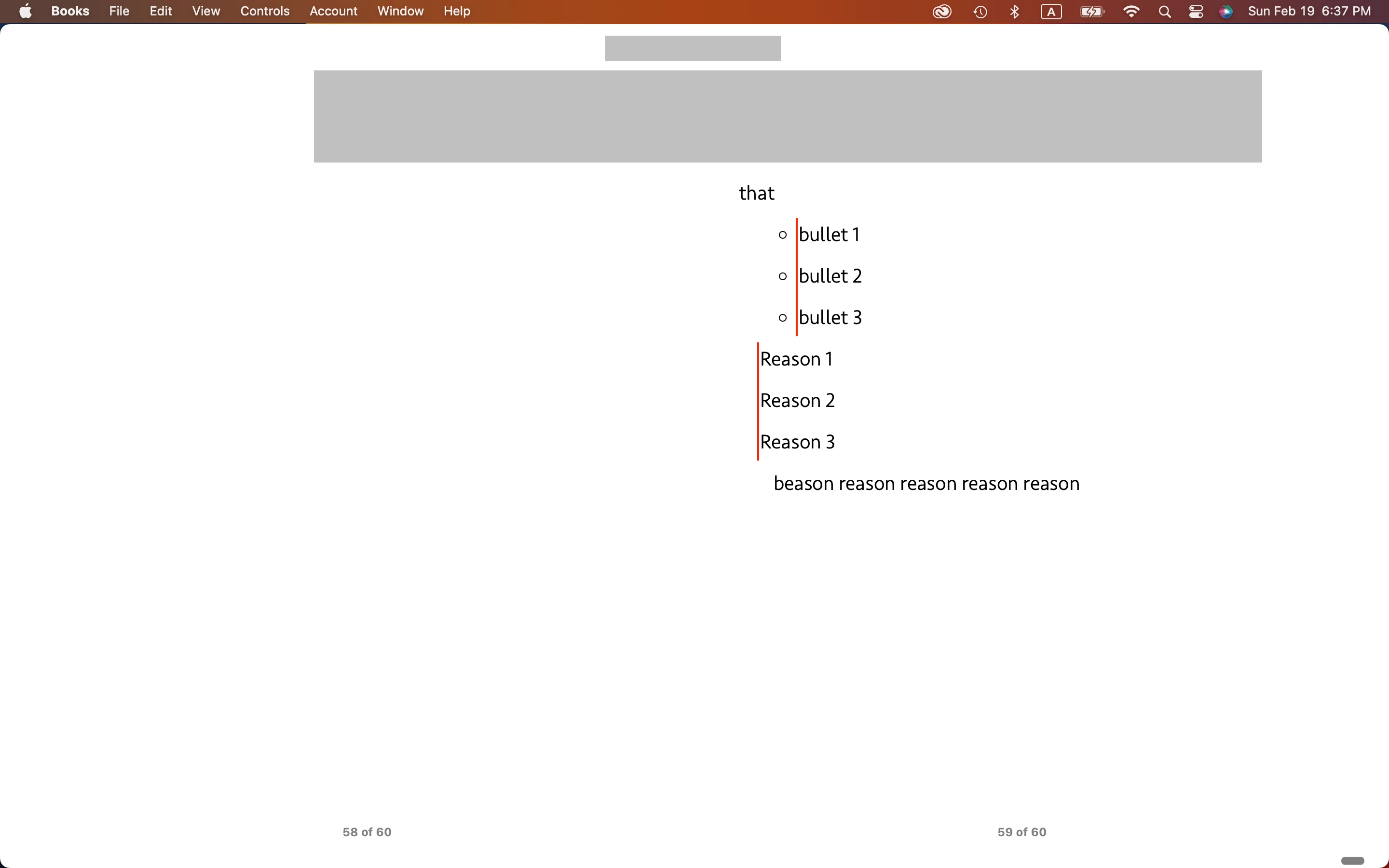
On Id, they are aligned (Screenshot 3).

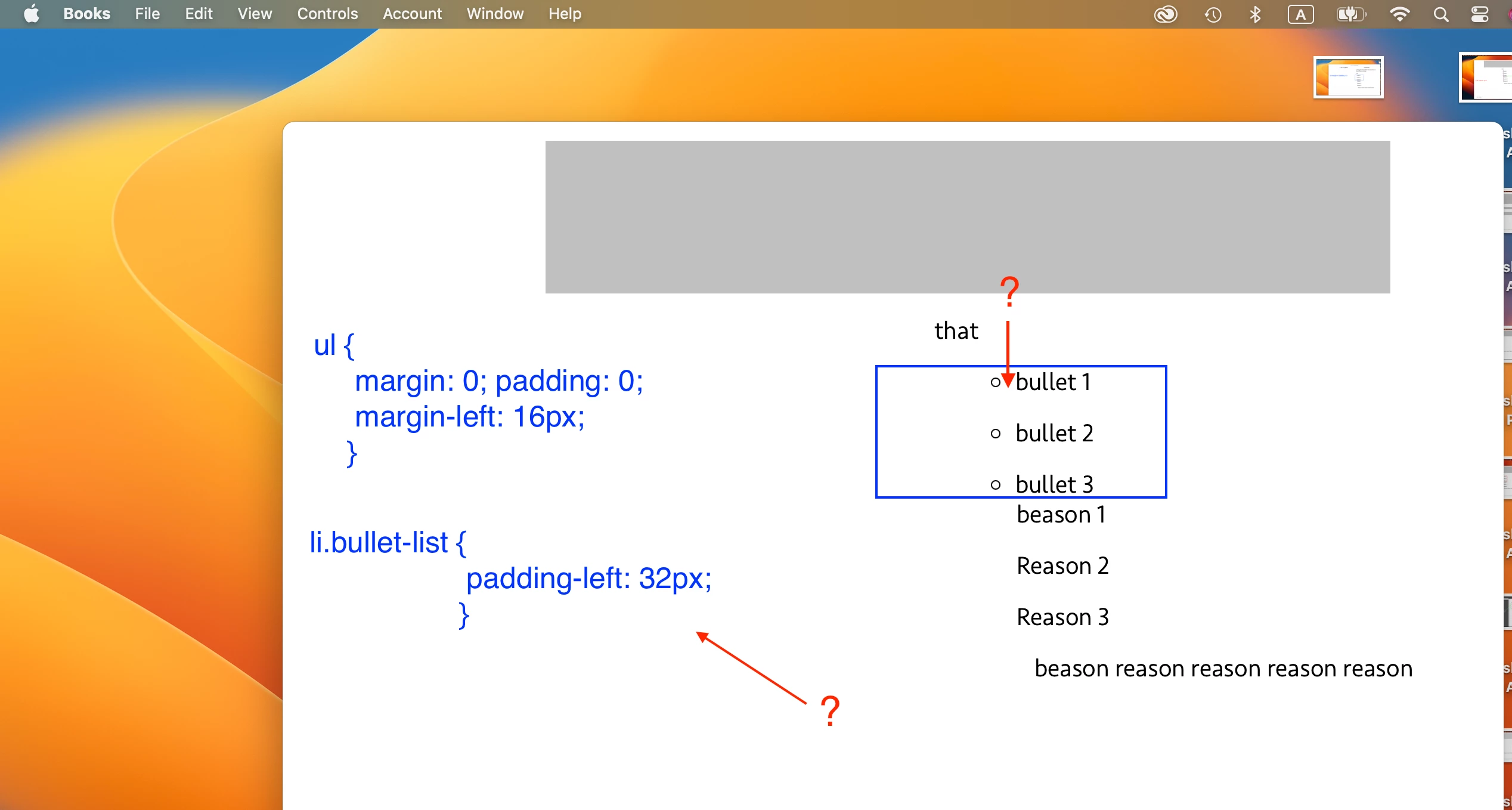
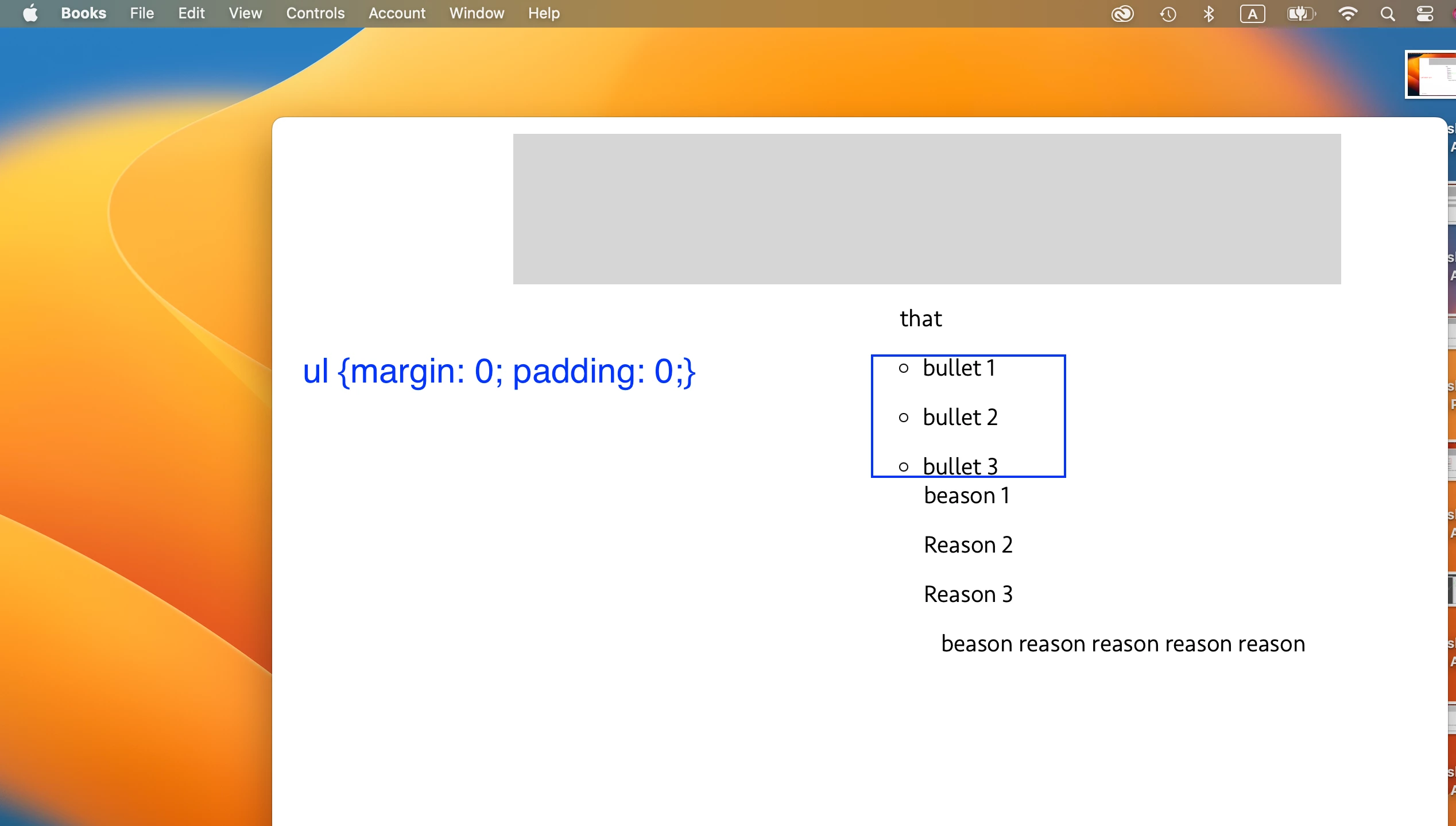
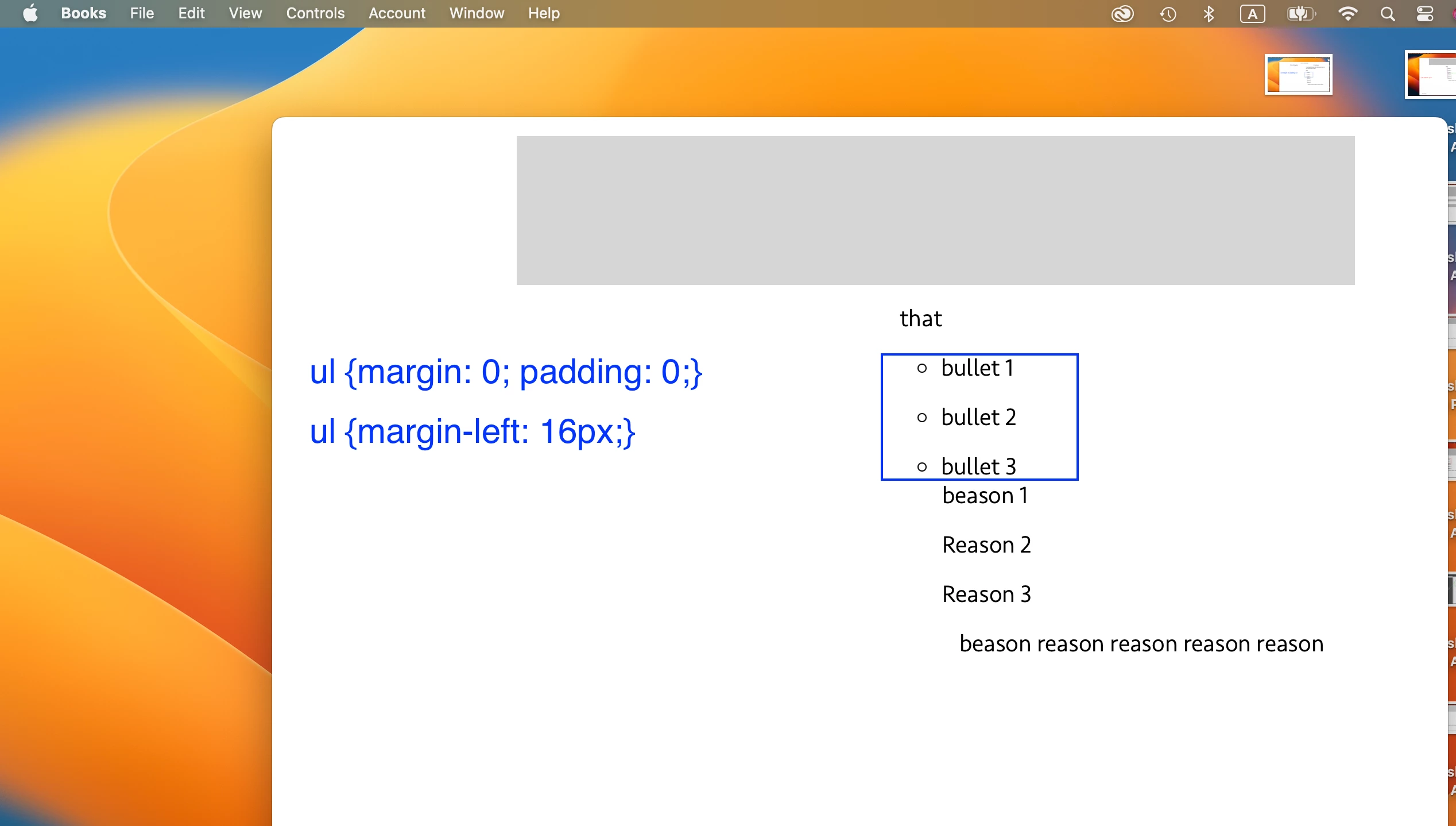
On EPUB, they are not (Screenshot 4).


Is there any way to align them on EPUB?


Hosun
 

This topic has been closed for replies.
Correct answer James Gifford—NitroPress

I was mistaken about zero out.


[Screenshot 1]

ul{margin: 0; padding: 0;}


[Screenshot 2]

ul {margin-left: 16px;}

margin is working.


[Screenshot 3]

To give a space between the bullet and the text, I applied

li.bullet-list {padding-left: 32px;}

It is not working.


Q1.

From your remarks, I should set margin in li.bullet-list. I have no idea about how to do in [Screenshot 4].


Q2.

What's the difference? (with and without px)

ul{margin: 0; padding: 0;}

ul{margin: 0px; padding: 0px;}


Hosun


Once again, this is a complex area of EPUB setup and there are several factors that work together (and sometimes against each other) in aligning bullet lists, especially relative to other text.


To sum up, though:

  • Defining <ol>/<ul > in the CSS both overrides some wonky defaults from InDesign and is best used to "zero out" the frame or "div" for lists so that other settings make more sense. At zero, list items should sit against the left margin of the reader... which may not be the left margin of the screen.
  • The left margin for <li> sets the spacing between the margin and the bullet or number.
  • The left padding for <li> sets the text indent from the bullet or number.


...and that's in "most cases." There are times that either EPUB or the Kindle Previewer decides to interpret things a little differently, although I have found that this is usually a glitch, not the regular or proper way ID should be exporting the code. It helps to occasionally close InDesign (and the document) and ropen it, then export to see if you get a different result. Some complex documents and CSS files will only export correctly once, and then start getting odd little glitches on repeated exports... I don't know why and it's not readily repeatable. So try that close-and-restart when all the numbers in the CSS defnitions aren't doing what you expect.


2 replies

James Gifford—NitroPress
Legend
February 19, 2023

Remember that EPUB has no tabs. If the alignment in InDesign is dependent on tabs, it may not export with the same alignment between the bullet and the indented text.


If in the export options, Text, you have Bullets "Map to Unordered Lists," the export will create a standard <ul>/<li> list structure that can be styled using some InDesign spacing elements, but mostly CSS. The one flaw in EPUB export is that it does not define either the <ul> or <ol> 'wrapper' for lists, so the overall position of the list can't be easily managed.


If you add a <ul> definition near the beginning of the CSS, you can position the list using margin.


The only alternative, IIRC, is to use somewhat clunky ID spacing by letting the list define the left margin and spacing in the body text to match.


Hosun
HosunAuthor
Inspiring
February 19, 2023

Screenshot 1.

I applied ul{padding-left: 16px;} to Bullets.


Screenshot 2.

I tried to align Reasons to Bullets.

When I increased Left Indent by 1 point, there is a big change to Reasons and space disappeared between Bullet 3 and Reason 1. It's OK in the text (Screenshot 3).


Are there more issues for me to resolve?


Hosun


James Gifford—NitroPress
Legend
February 21, 2023

I was mistaken about zero out.


[Screenshot 1]

ul{margin: 0; padding: 0;}


[Screenshot 2]

ul {margin-left: 16px;}

margin is working.


[Screenshot 3]

To give a space between the bullet and the text, I applied

li.bullet-list {padding-left: 32px;}

It is not working.


Q1.

From your remarks, I should set margin in li.bullet-list. I have no idea about how to do in [Screenshot 4].


Q2.

What's the difference? (with and without px)

ul{margin: 0; padding: 0;}

ul{margin: 0px; padding: 0px;}


Hosun


Once again, this is a complex area of EPUB setup and there are several factors that work together (and sometimes against each other) in aligning bullet lists, especially relative to other text.


To sum up, though:

  • Defining <ol>/<ul > in the CSS both overrides some wonky defaults from InDesign and is best used to "zero out" the frame or "div" for lists so that other settings make more sense. At zero, list items should sit against the left margin of the reader... which may not be the left margin of the screen.
  • The left margin for <li> sets the spacing between the margin and the bullet or number.
  • The left padding for <li> sets the text indent from the bullet or number.


...and that's in "most cases." There are times that either EPUB or the Kindle Previewer decides to interpret things a little differently, although I have found that this is usually a glitch, not the regular or proper way ID should be exporting the code. It helps to occasionally close InDesign (and the document) and ropen it, then export to see if you get a different result. Some complex documents and CSS files will only export correctly once, and then start getting odd little glitches on repeated exports... I don't know why and it's not readily repeatable. So try that close-and-restart when all the numbers in the CSS defnitions aren't doing what you expect.


Community Expert
February 19, 2023

Is the reason style based on another style? 

Hosun
HosunAuthor
Inspiring
February 19, 2023

Thank you very much for your reply.


As seen in Screenshot below, three paragraph styles are based on ch text.


Hosun


Community Expert
February 19, 2023

Have you got blank spaces in before the style name? Perhaps try remove those spaces, can't imagine it being the issue but maybe.


Also - can you break the link to the style - as a test to see if it's the link to the CH Text style that's causing the issue.


@James Gifford—NitroPress might have a better idea --