
Known Participant
September 26, 2017
Answered

Arabic punctuation issue

  • September 26, 2017
  • 2 replies
  • 6962 views

Hi All,

I am facing Arabic translation semicolon " ; " issue.Can anyone please help me out

Actually output should generate like "  AR     ;الوجه الخارجي: نايلون %100 " but it's reflecting " AR      الوجه الخارجي: نايلون %100; ".If i try to apply fill with place holder text changing language as "Arabic" then output is reflecting like ";الوجه الخارجي: نايلون %100AR".please help
    This topic has been closed for replies.
    Correct answer Zaid Al Hilali

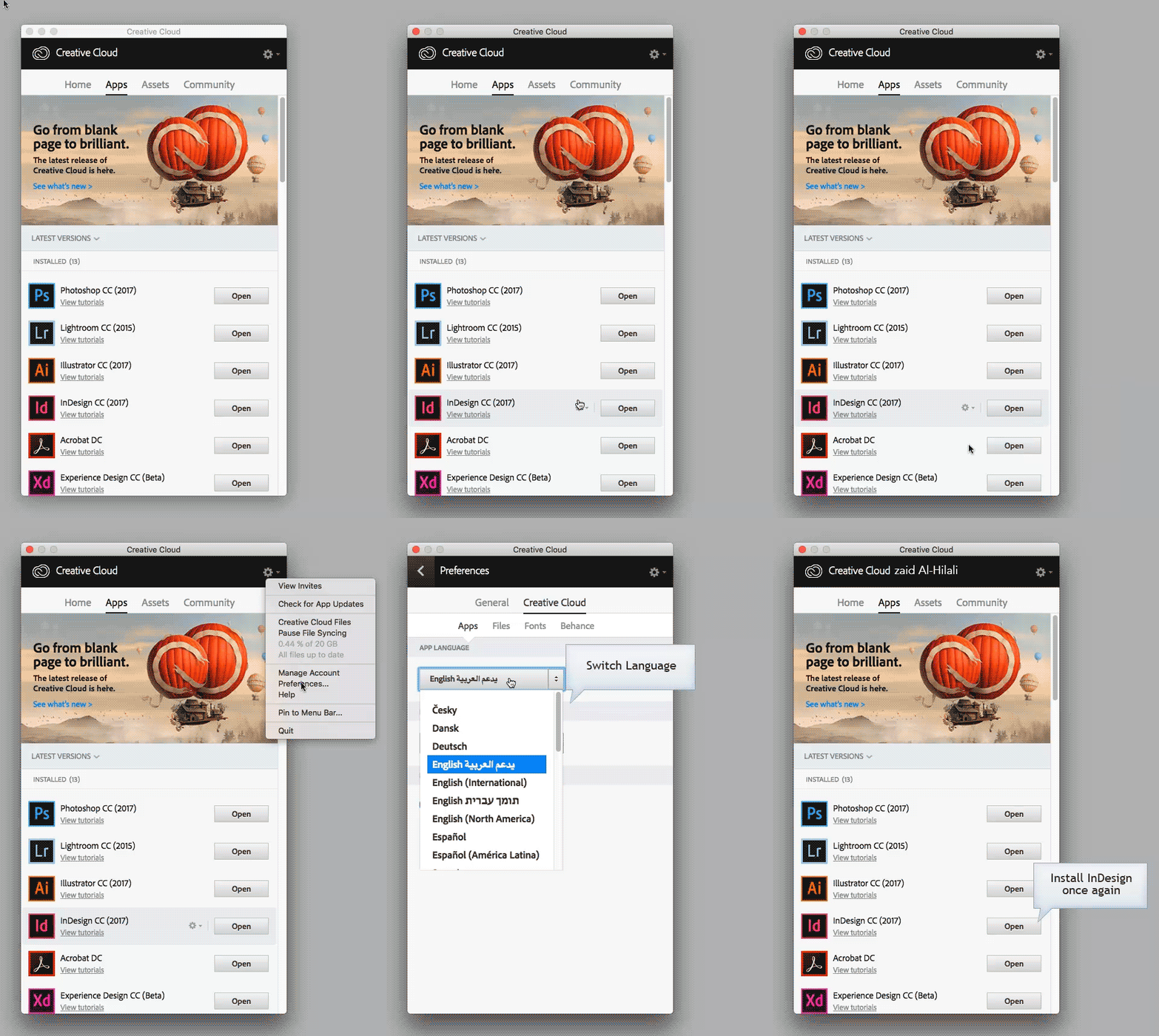
    I'm using InDesign Middle Eastern version i.e. with Arabic support.

    See Ganesh, since you're dealing with Right-to-Left script and need to control punctuation properly, you must then have InDesign that provide these extra tools for RTL languages.

    Since you have an active Adobe CC subscription, you may download ME version.

    2 replies

    Known Participant
    October 5, 2017

    Hi Zaid,

    I am facing with one more query.Can you please help me out.

    Concept is if Arabic fiber content is empty then "AR" should ignore but it's not ignoring.Is there any possible way to resolve the issue?

    Known Participant
    October 6, 2017

    HI Zaid,

    Actually we are doing automation work not manual.So we have done XML tag in indesign to generate the output via importing excel file.So issue is We have kept "AR" as Static and fiber content we kept as "variable".So excel if fiber content is empty,then including "AR" should ignore and below "JP" japan content should come up and fill in "AR" place.In case if arabic content is present in excel then AR and arabic fiber content will remains same.Please suggest me is there any solution to resolve this issue.

    Thanks

    Zaid Al Hilali
    Community Expert
    Community Expert
    October 9, 2017

    Apparently this XML ignore issue is not related to Arabic matter, I was hoping that some one else from the forums would help here. Sorry I couldn't be of much help here.

    Zaid Al Hilali
    Community Expert
    Community Expert
    September 27, 2017

    Although you tried to clarify things for us in your question, I got lost though.

    Is this what you're trying to do, if yes, then apply same settings in Paragraph panel as I did.

    Known Participant
    October 2, 2017

    Hi Zaid,

    Thanks for your reply.I really appreciate but the thing is we are not doing the template changes manually.From Excel we are generating the output.So we have tried your idea but it's not working.Can you please suggest any other way to resolve this?and may i know from where you able to get below highlighted in red?is that justification composer option?Because we are using Adobe indesign 2014,so i am not able to see highlighted thing in my indesign.Below is the screenshot.

    Please suggest me

    Thanks

    Zaid Al Hilali
    Community Expert
    Zaid Al HilaliCommunity ExpertCorrect answer
    Community Expert
    October 2, 2017

    I'm using InDesign Middle Eastern version i.e. with Arabic support.

    See Ganesh, since you're dealing with Right-to-Left script and need to control punctuation properly, you must then have InDesign that provide these extra tools for RTL languages.

    Since you have an active Adobe CC subscription, you may download ME version.